> ## Documentation Index
> Fetch the complete documentation index at: https://docs.t3planet.de/en/latest/llms.txt
> Use this file to discover all available pages before exploring further.

# Templates & Layouts

> Templates and layouts for T3 Bootstrap

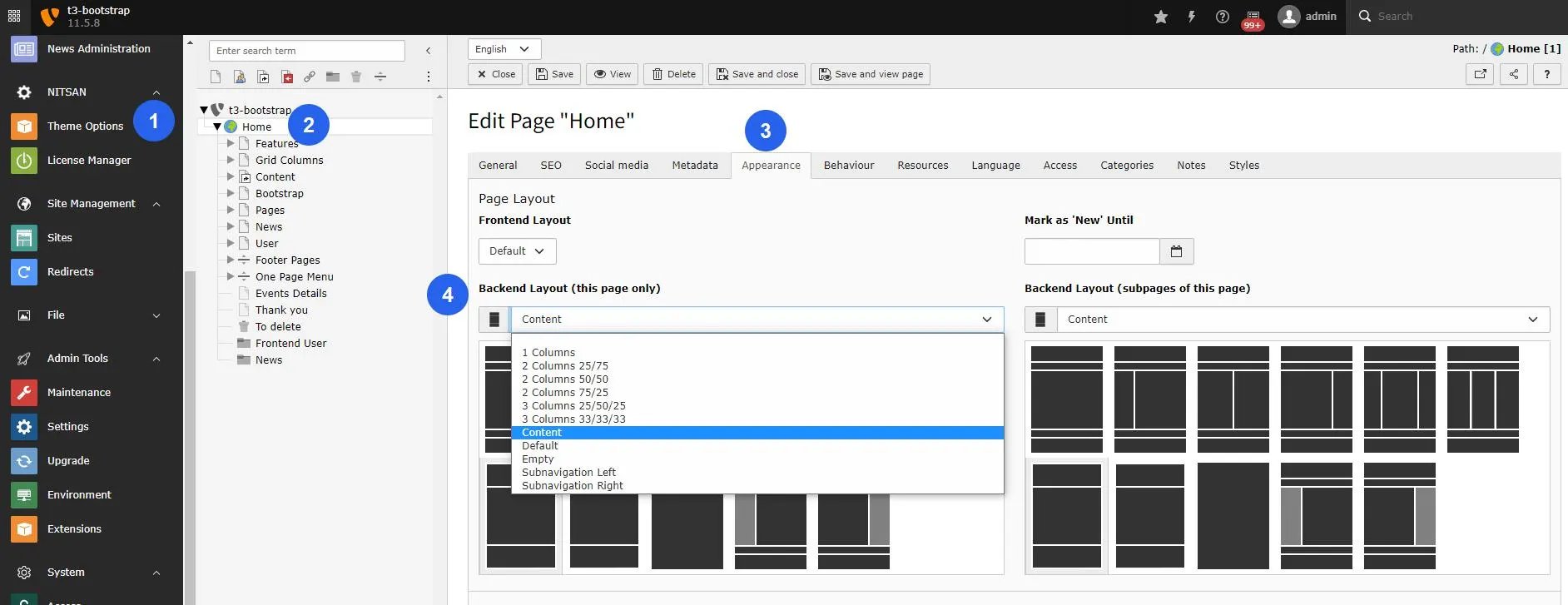
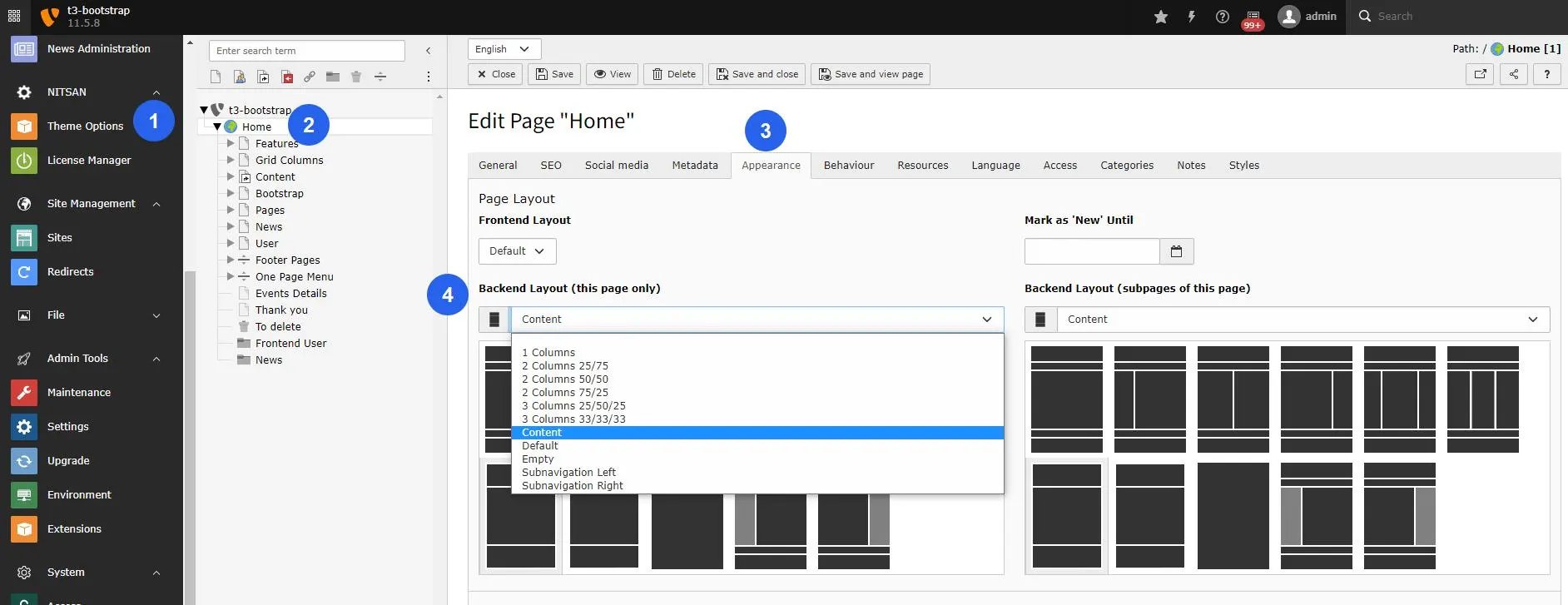
You can setup Layouts as described below:

1. Go to Page module
2. Select the page for which you need to set layout
3. Edit Page Properties
4. Switch to Appearance tab.
5. Select Frontend layout from drop-down.
6. Select Backend layout from drop-down.
<img src="https://mintcdn.com/t3planet/bCDzNq0PaUzBNiqN/en/latest/EXTBootstrap/TemplatesLayouts/images/templates_layouts.webp?fit=max&auto=format&n=bCDzNq0PaUzBNiqN&q=85&s=7c765b73812eceee1f54e3f7112c357a" alt="Set Frontend & backend Layouts" width="1884" height="727" data-path="en/latest/EXTBootstrap/TemplatesLayouts/images/templates_layouts.webp" />

## Figures

<img src="https://mintcdn.com/t3planet/bCDzNq0PaUzBNiqN/en/latest/EXTBootstrap/TemplatesLayouts/images/templates_layouts1.webp?fit=max&auto=format&n=bCDzNq0PaUzBNiqN&q=85&s=0224e6650225e08f0ff0a659b3c165ad" alt="Set Frontend & backend Layouts" width="1884" height="727" data-path="en/latest/EXTBootstrap/TemplatesLayouts/images/templates_layouts1.webp" />