> ## Documentation Index
> Fetch the complete documentation index at: https://docs.t3planet.de/en/latest/llms.txt
> Use this file to discover all available pages before exploring further.

# Customization

> Customization guide for the T3 Karma TYPO3 theme.

For all customization related details, please refer here : [https://docs.t3planet.de/en/latest/ExtThemes/Customization/Index.html](/en/latest/en/latest/ExtThemes/Customization/Index)

## Enable/Disable Google font API Link to complaints with GDPR

**How to Disable Google Fonts?**
Could you please perform the below steps to disable Google font at your site?

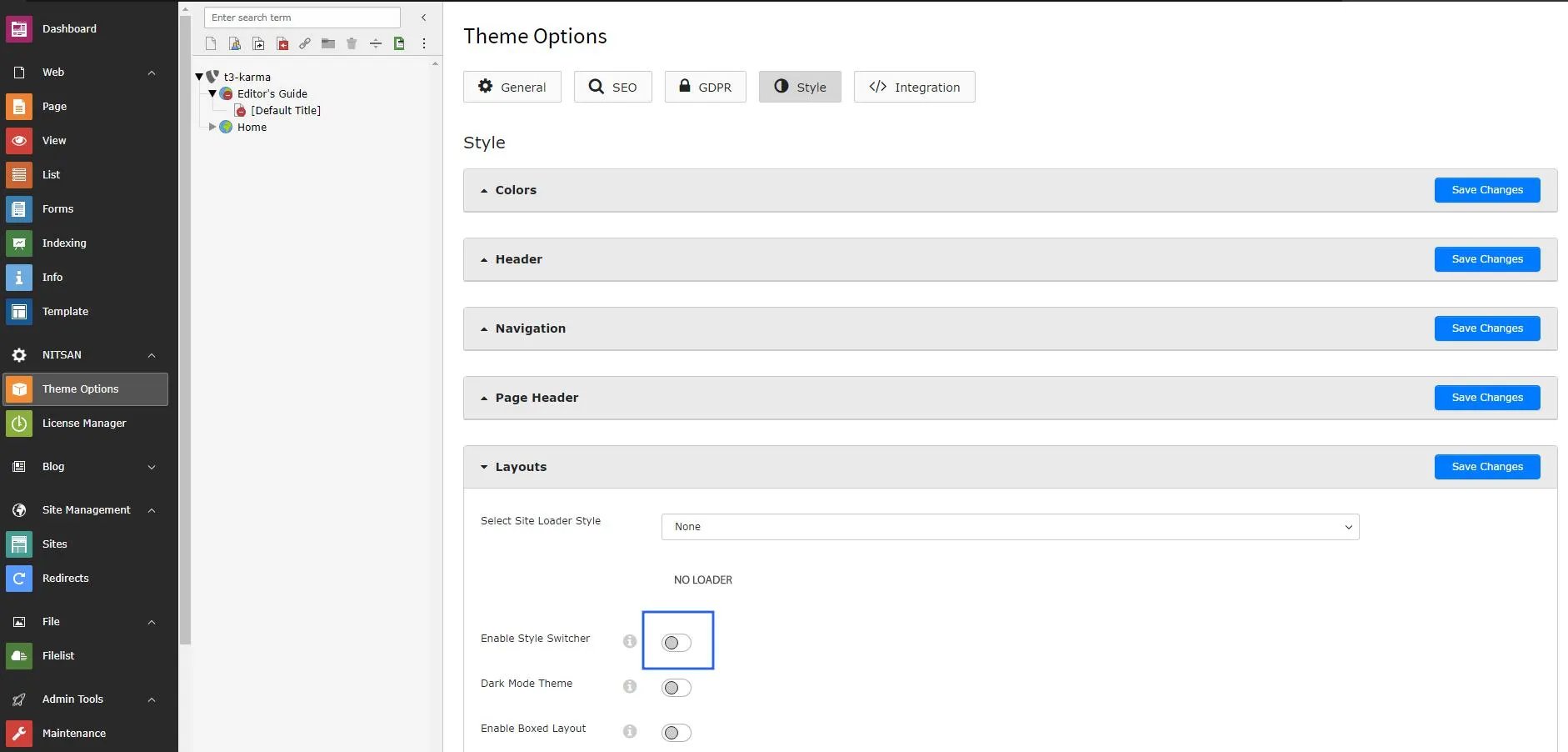
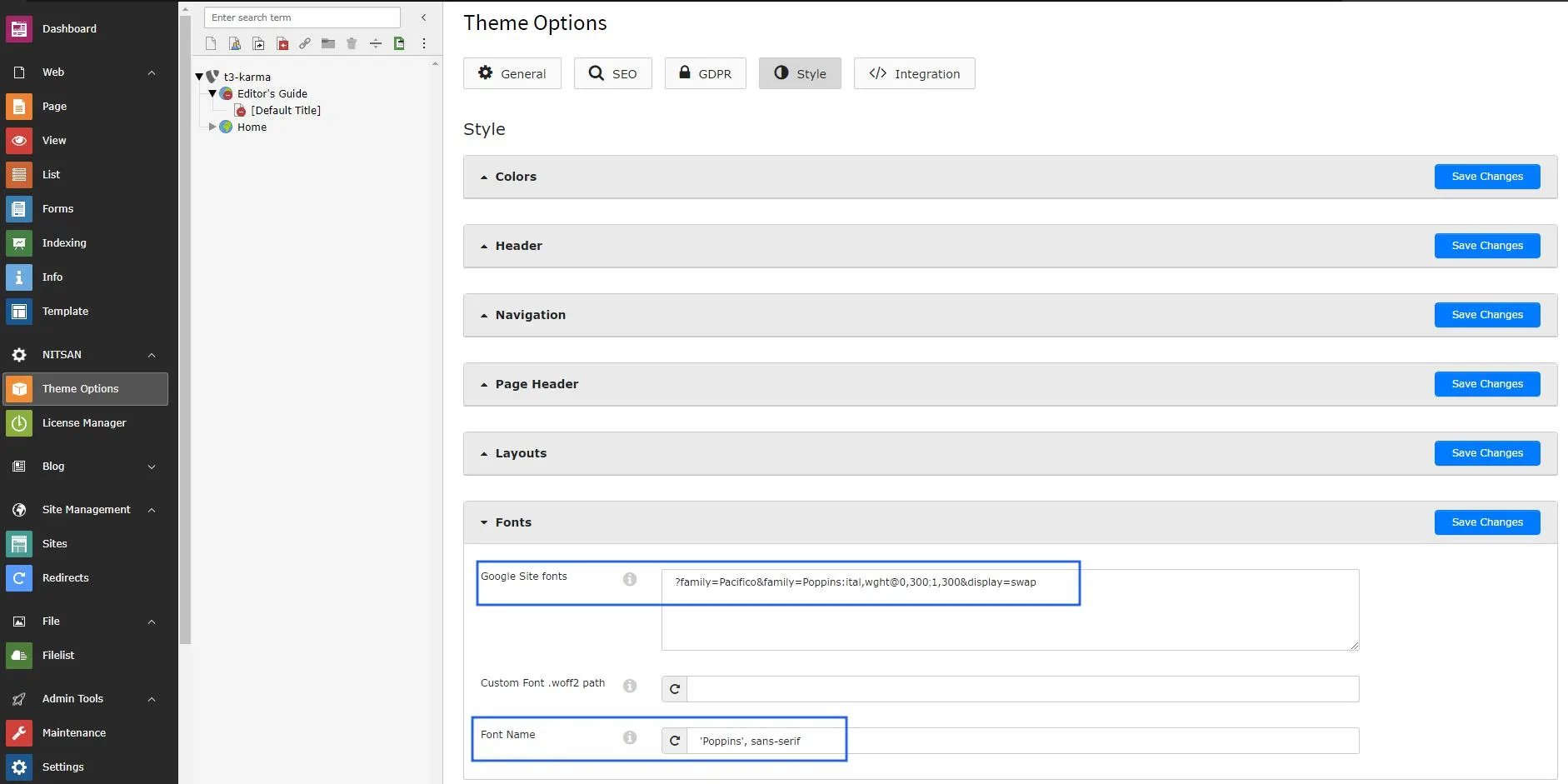
Step 1. Go to Theme Options > Click on the root page.

Step 2. Click on Style section > Fonts

Step 3. Remove Google Font API Link now save changes & clear cache once.

<img src="https://mintcdn.com/t3planet/53E0iqqFcPKhmaYw/en/latest/EXTKarma/Customization/images/GoogleFonts1.webp?fit=max&auto=format&n=53E0iqqFcPKhmaYw&q=85&s=60fde4e16bb3d9ee05b9e591422fb7af" alt="Google Fonts" width="1882" height="941" data-path="en/latest/EXTKarma/Customization/images/GoogleFonts1.webp" />

**How to add Custom Fonts?**
Could you please perform the below steps to insert the custom font at your site?

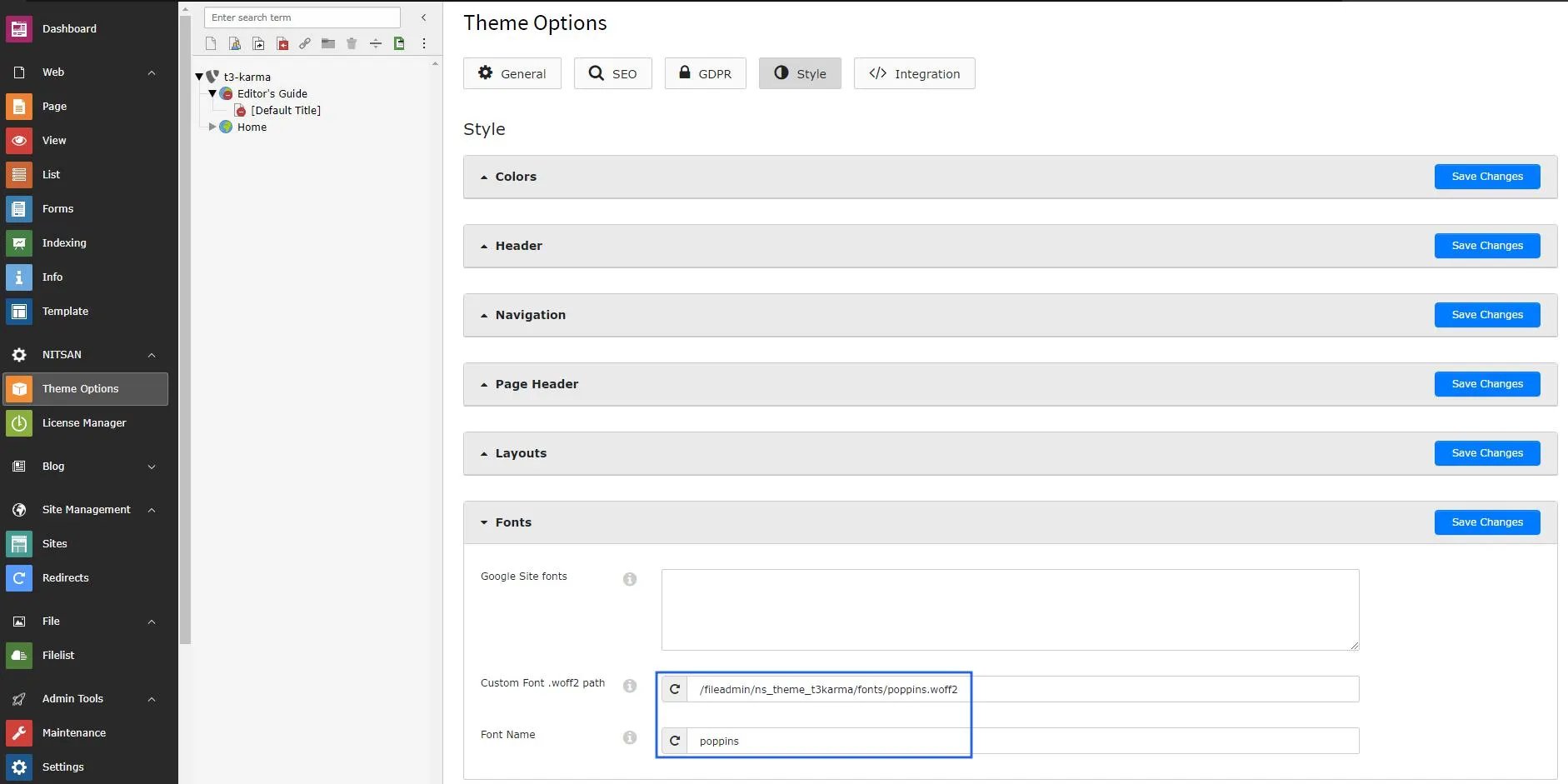
Step 1. Go to Theme Options > Click on the root page.

Step 2. Click on Style section > Fonts

Step 3. Insert your custom font path and font family name than save changes and clear cache.
<img src="https://mintcdn.com/t3planet/bCDzNq0PaUzBNiqN/en/latest/EXTKarma/Customization/images/CustomFonts1.webp?fit=max&auto=format&n=bCDzNq0PaUzBNiqN&q=85&s=add197c033a971e02592937c55bf5398" alt="Custom Fonts" width="1882" height="941" data-path="en/latest/EXTKarma/Customization/images/CustomFonts1.webp" />

<Warning>
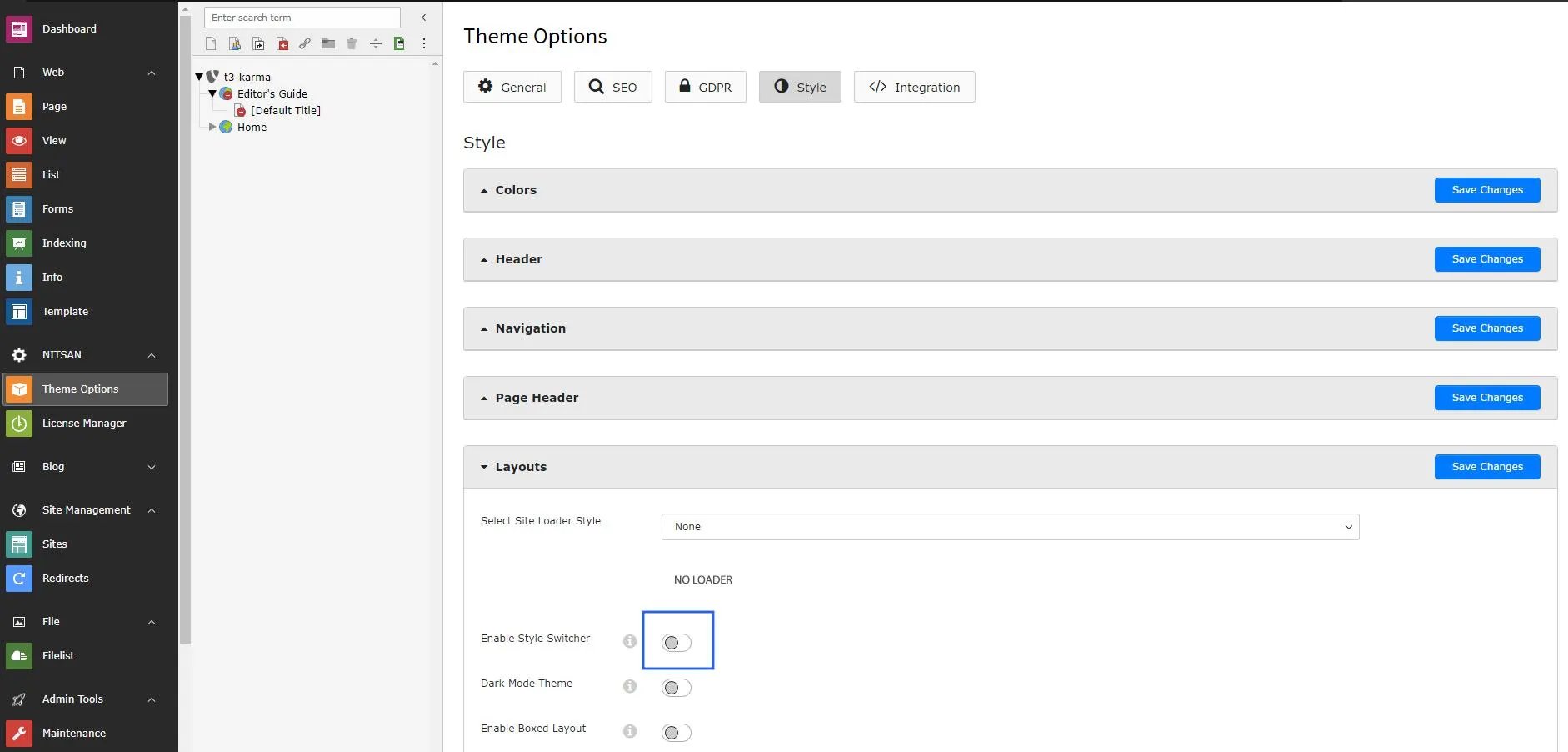
  Disable Style Switcher from the Layouts section.
</Warning>

<img src="https://mintcdn.com/t3planet/bCDzNq0PaUzBNiqN/en/latest/EXTKarma/Customization/images/DisableStyleSwitcher1.webp?fit=max&auto=format&n=bCDzNq0PaUzBNiqN&q=85&s=cc64f6ee1b7e3cdfdefc2ddf24c402b6" alt="Disable Style Switcher" width="1882" height="902" data-path="en/latest/EXTKarma/Customization/images/DisableStyleSwitcher1.webp" />

## Interactive demos

<div className="t3-embed">
  <iframe src="https://app.supademo.com/embed/cmmeyy37n3rxnnr99ch0v9hqs?utm_source=embed" loading="lazy" title="Google Fonts" allow="clipboard-write; fullscreen" frameBorder="0" webkitallowfullscreen="true" mozallowfullscreen="true" allowfullscreen />
</div>

<div className="t3-embed">
  <iframe src="https://app.supademo.com/embed/cmmf0792y3waynr99pdtajlei?utm_source=embed" loading="lazy" title="Custom Fonts" allow="clipboard-write; fullscreen" frameBorder="0" webkitallowfullscreen="true" mozallowfullscreen="true" allowfullscreen />
</div>

***

## Additional content from live docs

### How to Disable Google Fonts

To disable **Google Fonts** on your website, follow the steps below:

1. Go to **Theme Options** and select the **Root Page**.
2. Open the **Style** section and click on **Fonts**.
3. Remove the **Google Font API Link**, then save the changes and **clear the cache**.

### How to Add Custom Fonts

To add **custom fonts** to your website, follow the steps below:

1. Go to **Theme Options** and select the **Root Page**.
2. Open the **Style** section and click on **Fonts**.
3. Enter your **custom font path** and **font-family name**, then save the changes and **clear the cache**.

<Warning>
  Please disable the **Style Switcher** option from the **Layouts** section.
</Warning>

<img src="https://mintcdn.com/t3planet/bCDzNq0PaUzBNiqN/en/latest/EXTKarma/Customization/images/DisableStyleSwitcher.webp?fit=max&auto=format&n=bCDzNq0PaUzBNiqN&q=85&s=566ce544e63163c72eef49105d95d0a9" alt="Disable Style Switcher" width="1882" height="902" data-path="en/latest/EXTKarma/Customization/images/DisableStyleSwitcher.webp" />