> ## Documentation Index
> Fetch the complete documentation index at: https://docs.t3planet.de/en/latest/llms.txt
> Use this file to discover all available pages before exploring further.
# Installation
> Install T3 Shop in TYPO3
# Installation
## Important notes before Installation
1. We recommend to install fresh TYPO3 installation, sometimes TYPO3 may faces difficulties to automatically create page tree and records.
2. For EXT:blog, you have to install the blog extension from Git repository here: [https://github.com/TYPO3GmbH/blog](https://github.com/TYPO3GmbH/blog)
If you are installing Template using Composer then you will have to uninstall and re-install TYPO3 Template EXT:ns\_theme\_t3shop
## License Activation & TYPO3 Installation
To activate license and install this premium TYPO3 product, Please refer this documentation [License documentation](/en/latest/en/latest/License/Index)
## How to Install TYPO3 Template T3 Vishnu
* **Normal Template Installation** [https://www.youtube.com/watch?v=OCf-cbsV-3U](https://www.youtube.com/watch?v=OCf-cbsV-3U)
## Site Management
We have already provided Site Configuration and if you want to overwrite it then you can do it from Sites Module in Site Management.
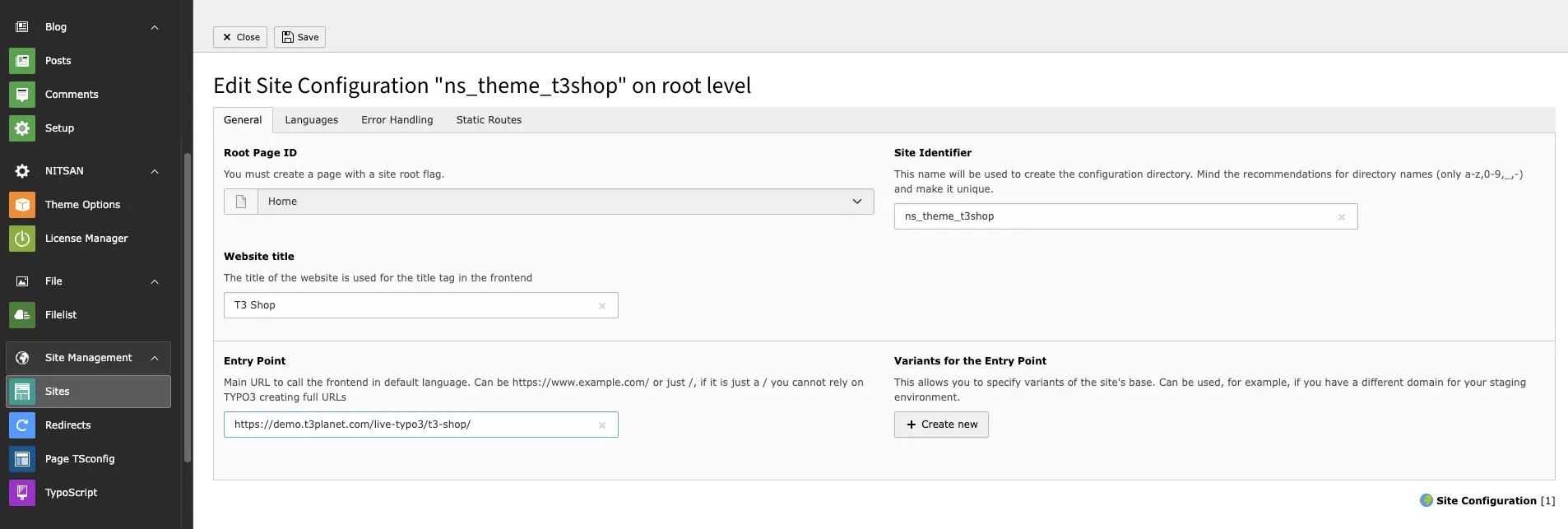 If you have composer based TYPO3 installation, then make create folder /config/ folder at your root, and copy/paste /public/typo3conf/ext/ns\_basetheme/sites folder - to get default Site management configuration.
## Page Tree
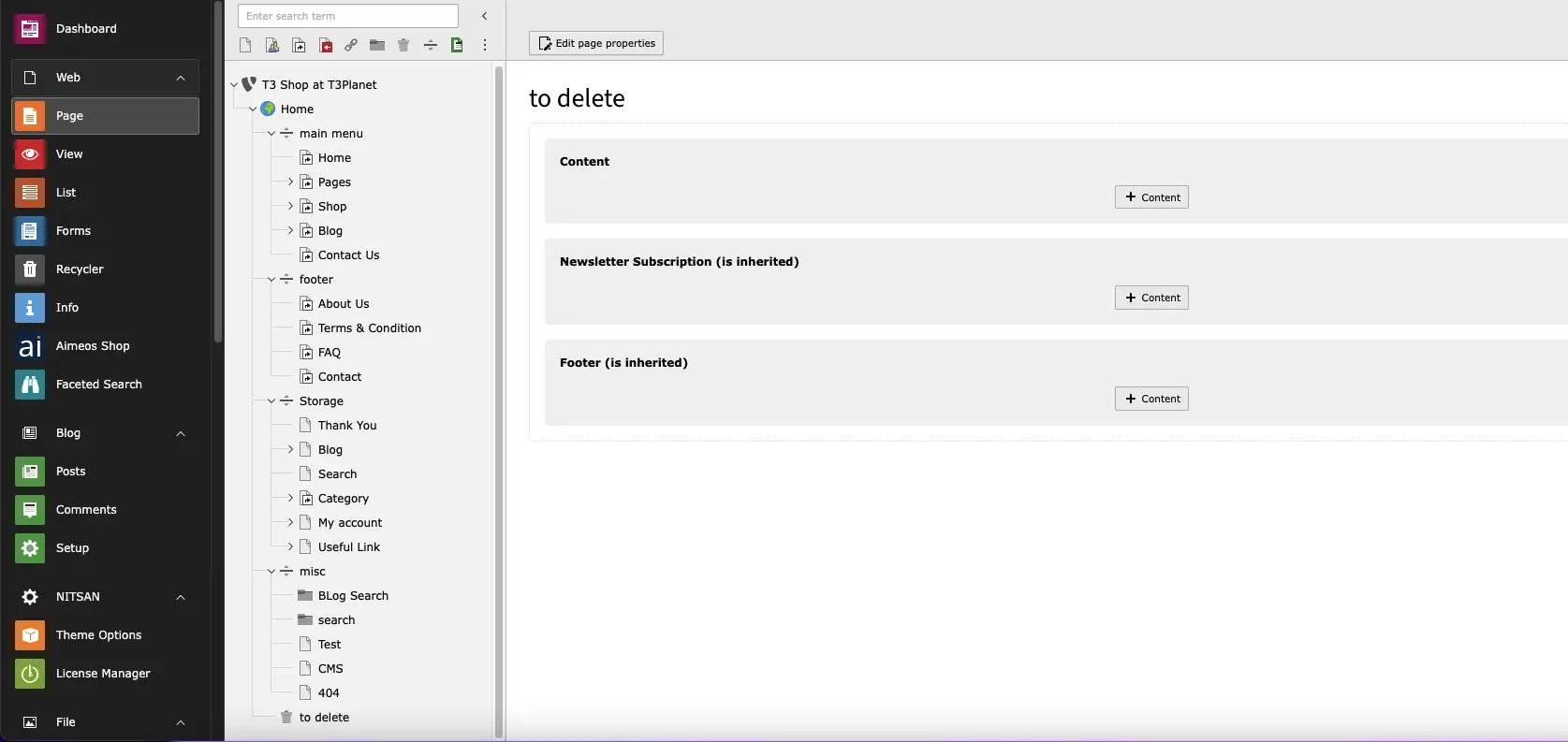
Once you install your TYPO3 Template extension, it will automatically generate "Page tree" in your TYPO3 backend with all the pages and content.
If you have composer based TYPO3 installation, then make create folder /config/ folder at your root, and copy/paste /public/typo3conf/ext/ns\_basetheme/sites folder - to get default Site management configuration.
## Page Tree
Once you install your TYPO3 Template extension, it will automatically generate "Page tree" in your TYPO3 backend with all the pages and content.
 ## Shop's Dummy Products
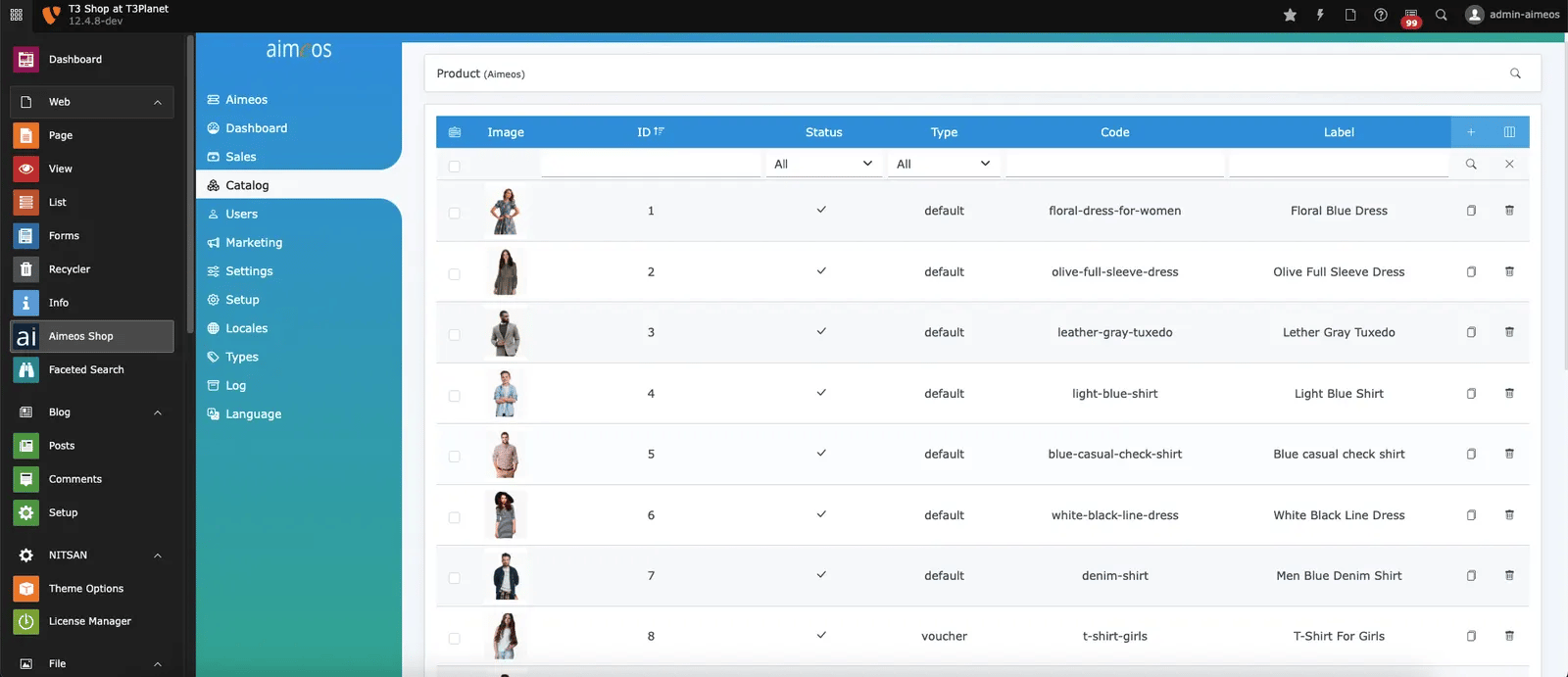
For your convenience, Once you install aimeos & our theme extension, it will automatically import all dummy products to quickly initiate the shop template.
## Shop's Dummy Products
For your convenience, Once you install aimeos & our theme extension, it will automatically import all dummy products to quickly initiate the shop template.