> ## Documentation Index
> Fetch the complete documentation index at: https://docs.t3planet.de/en/latest/llms.txt
> Use this file to discover all available pages before exploring further.
# Configuration
> Configuration — T3Planet documentation.
# Configuration
## Quick & Easy configuration of "All Sliders" into TYPO3
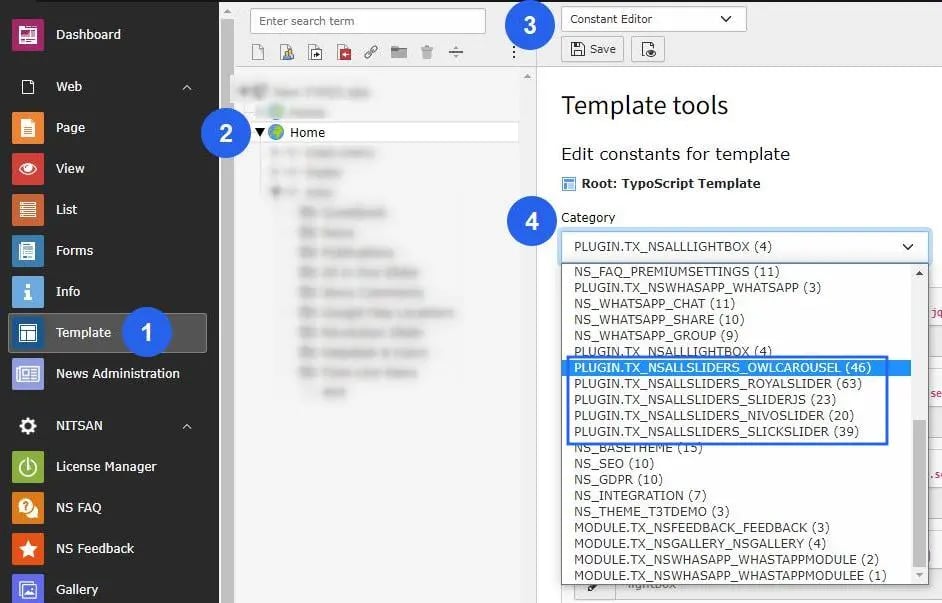
1. Switch to the *Template module* and select *Constant Editor*
2. Select Category as follows *PLUGIN.TX\_NSALLSLIDERS\_OWLCAROUSEL (17), PLUGIN.TX\_NSALLSLIDERS\_ROYALSLIDER (29),
PLUGIN.TX\_NSALLSLIDERS\_SLIDERJS (14), PLUGIN.TX\_NSALLSLIDERS\_NIVOSLIDER (4)* You can configure it as per your requirement.
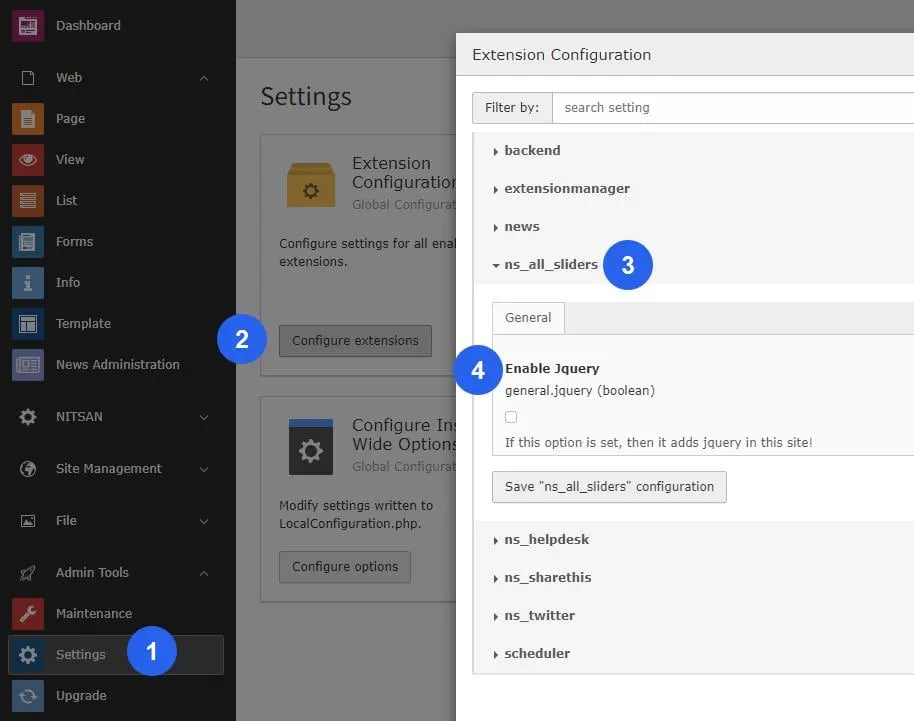
 3. *Include Jquery* if you have not included yet in your project.
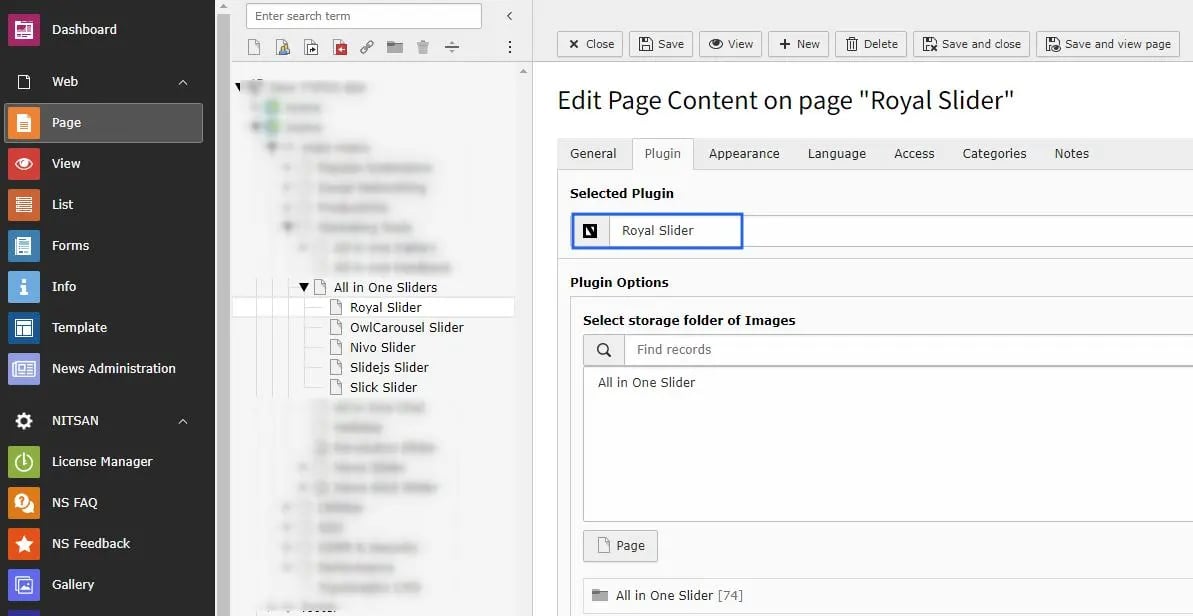
 4. Create *Storage Folder* for this plugin.
 5. Add those plugins in to page where you want to use these sliders. And configure it as per your requirement. Also add *Storage Folder* where your slider images are stored.
 ## Clearing the cache
Please use the buttons 'Flush frontend caches' and 'Flush general caches'
from the top panel. The 'Clear cache' function of the install tool will also
work perfectly.
## Clearing the cache
Please use the buttons 'Flush frontend caches' and 'Flush general caches'
from the top panel. The 'Clear cache' function of the install tool will also
work perfectly.