> ## Documentation Index
> Fetch the complete documentation index at: https://docs.t3planet.de/en/latest/llms.txt
> Use this file to discover all available pages before exploring further.
# Global Settings
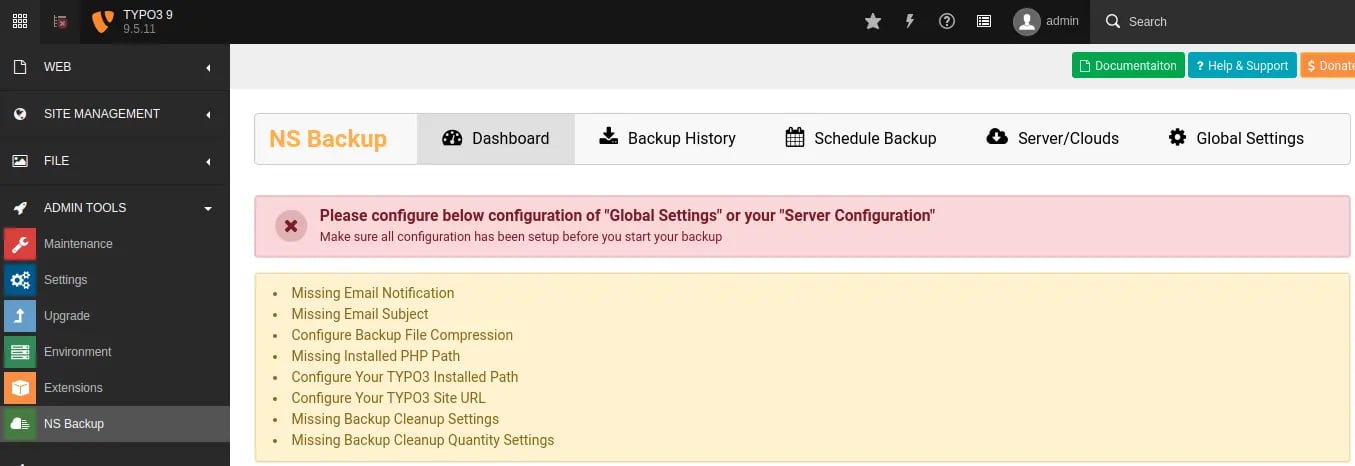 Once you install this extension, Your first-step should be to configure all the settings from "Global Configuration".
Go to Admin Tools > NS Backup
Click on "Global Settings" menu, Fill-up all the information and click on "Save Settings" button.
Once you install this extension, Your first-step should be to configure all the settings from "Global Configuration".
Go to Admin Tools > NS Backup
Click on "Global Settings" menu, Fill-up all the information and click on "Save Settings" button.
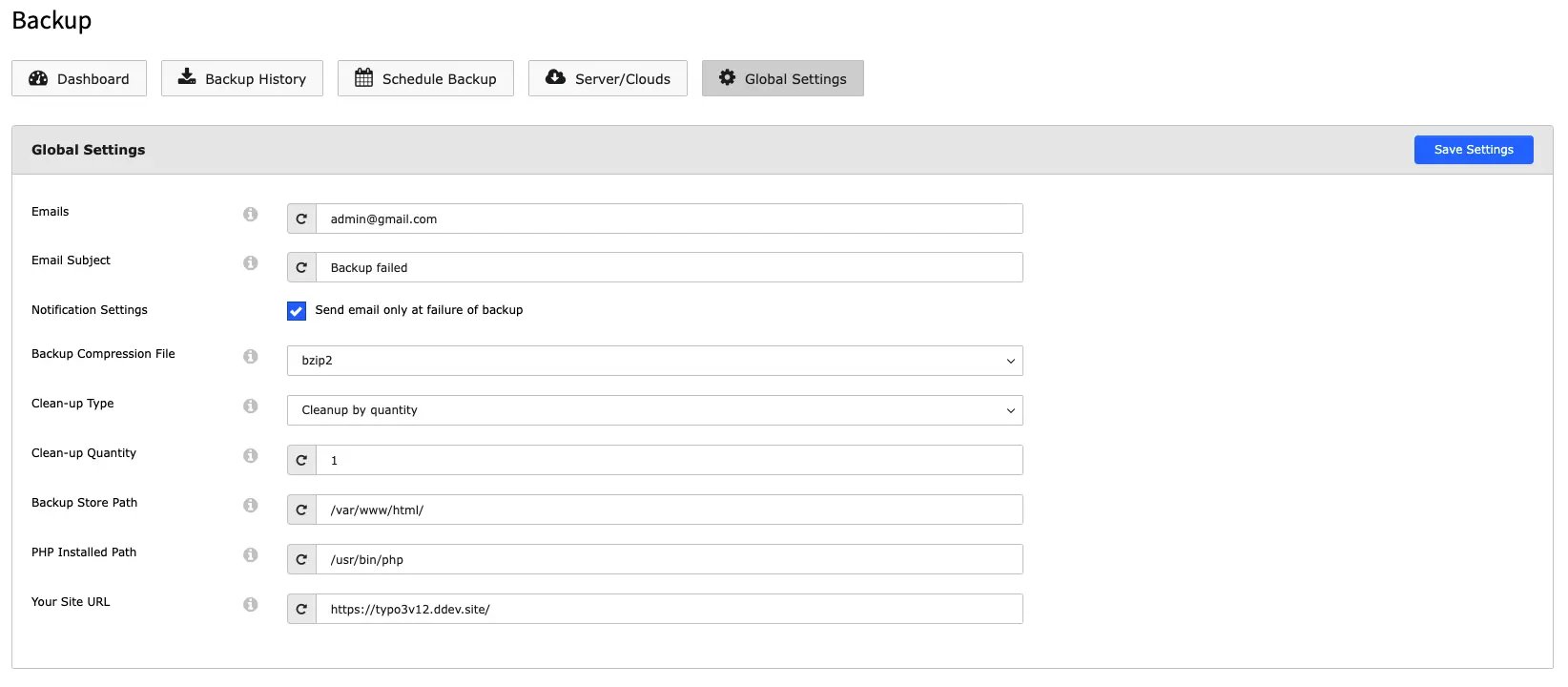 **Clean up Quantity:** This feature allows you to control how many recent backups are stored locally on your system.
**Example**:If you set the Clea-up Quantity to 5, the system will keep only the 5 most recent backups on your Storage folder, older backup will be deleted.
## Backup store Path
**Clean up Quantity:** This feature allows you to control how many recent backups are stored locally on your system.
**Example**:If you set the Clea-up Quantity to 5, the system will keep only the 5 most recent backups on your Storage folder, older backup will be deleted.
## Backup store Path
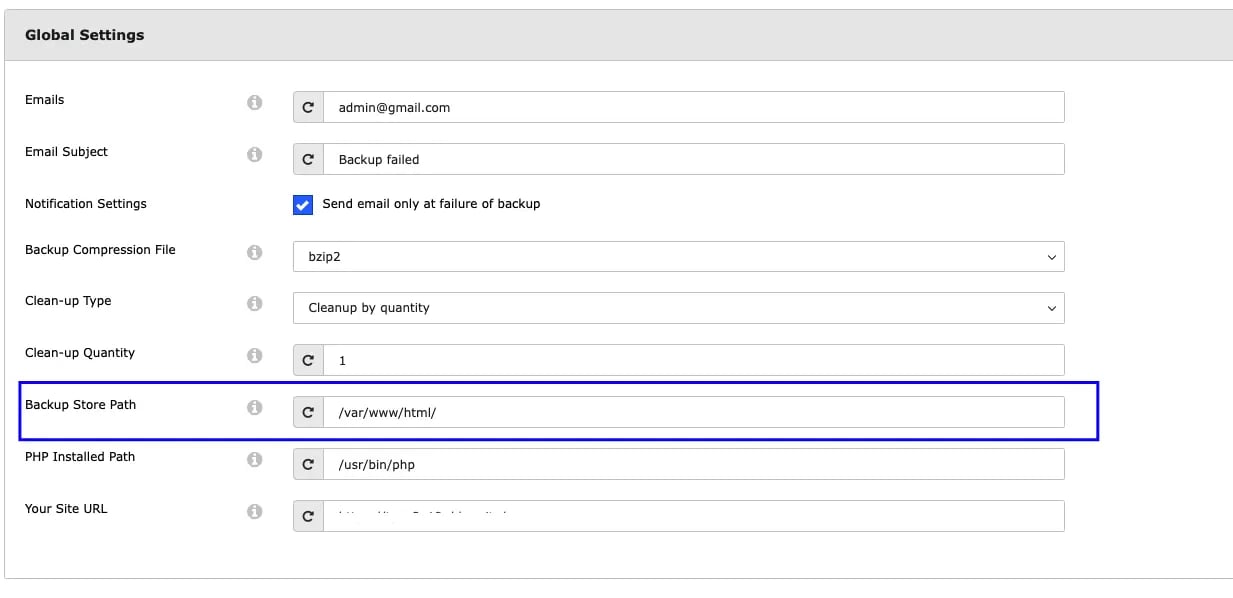 This option allows you to store backups in a private directory that cannot be accessed directly through a URL.This ensures that the backup files remain secure and are not publicly accessible.
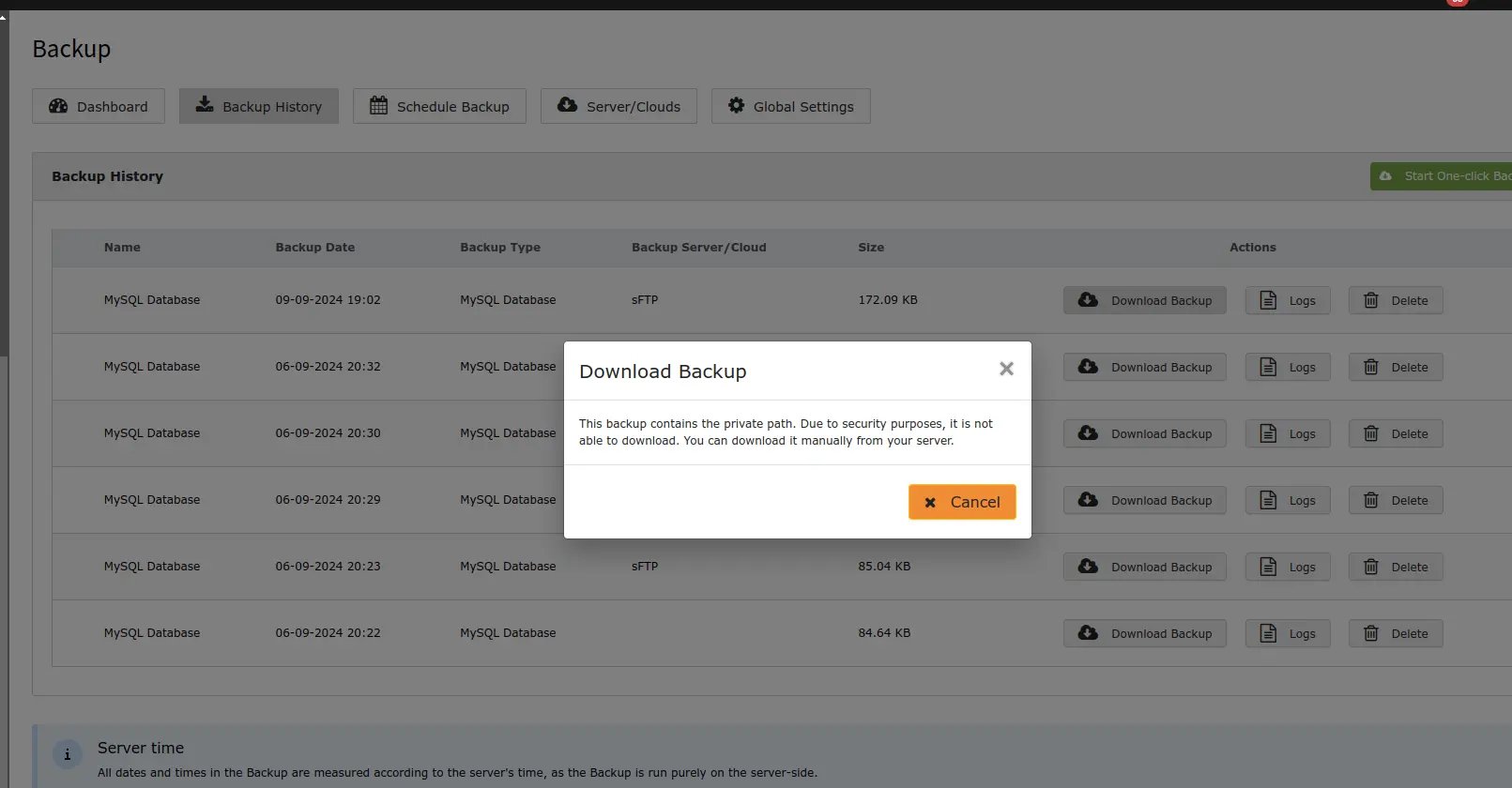 For security reasons, private path backups cannot be downloaded directly from the backend as its publicly not accessible; they must be accessed from the configured server path.\*\*