> ## Documentation Index
> Fetch the complete documentation index at: https://docs.t3planet.de/en/latest/llms.txt
> Use this file to discover all available pages before exploring further.
# Configuration
Please follow below steps for configuration,
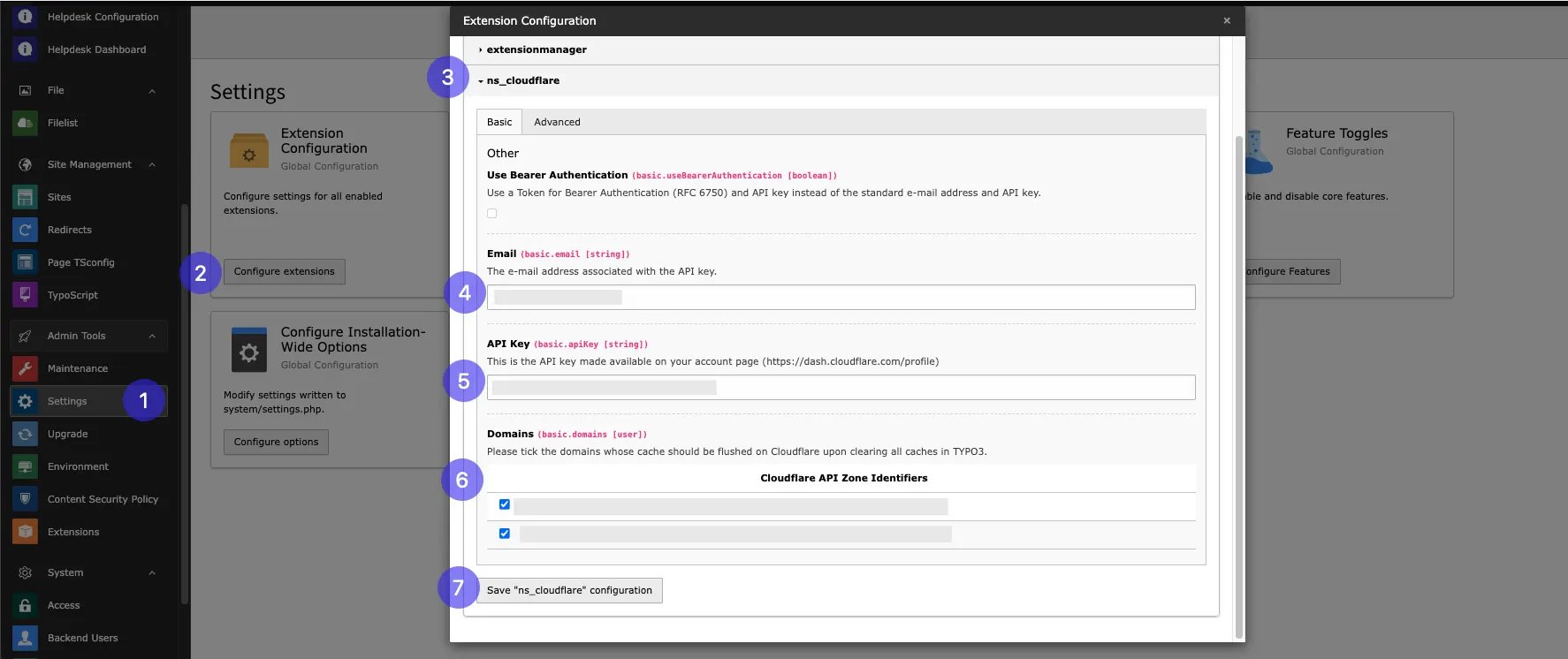 **Step 1:** Go to Setting
**Step 2:** Click on configure extenions
**Step 3:** Select ns\_cloudflare
**Step 4:** Add email address added while creating cloudflare account
**Step 5:** Add API key
**Step 6:** Select domain which you want to Enable for cloudflare
**Step 7:** Click on "Save "n\_cloudflare" configuration"
**Step 5:** Add API Script,here is Step by step setup guild for setup cookieyes [https://www.cookieyes.com/documentation/cookieyes-setup-guide/](https://www.cookieyes.com/documentation/cookieyes-setup-guide/) add scrip from it and configure it.
For API key check this Ref. link for step by step guidance [https://developers.cloudflare.com/api/](https://developers.cloudflare.com/api/)
## Advanced
**Step 1:** Go to Setting
**Step 2:** Click on configure extenions
**Step 3:** Select ns\_cloudflare
**Step 4:** Add email address added while creating cloudflare account
**Step 5:** Add API key
**Step 6:** Select domain which you want to Enable for cloudflare
**Step 7:** Click on "Save "n\_cloudflare" configuration"
**Step 5:** Add API Script,here is Step by step setup guild for setup cookieyes [https://www.cookieyes.com/documentation/cookieyes-setup-guide/](https://www.cookieyes.com/documentation/cookieyes-setup-guide/) add scrip from it and configure it.
For API key check this Ref. link for step by step guidance [https://developers.cloudflare.com/api/](https://developers.cloudflare.com/api/)
## Advanced
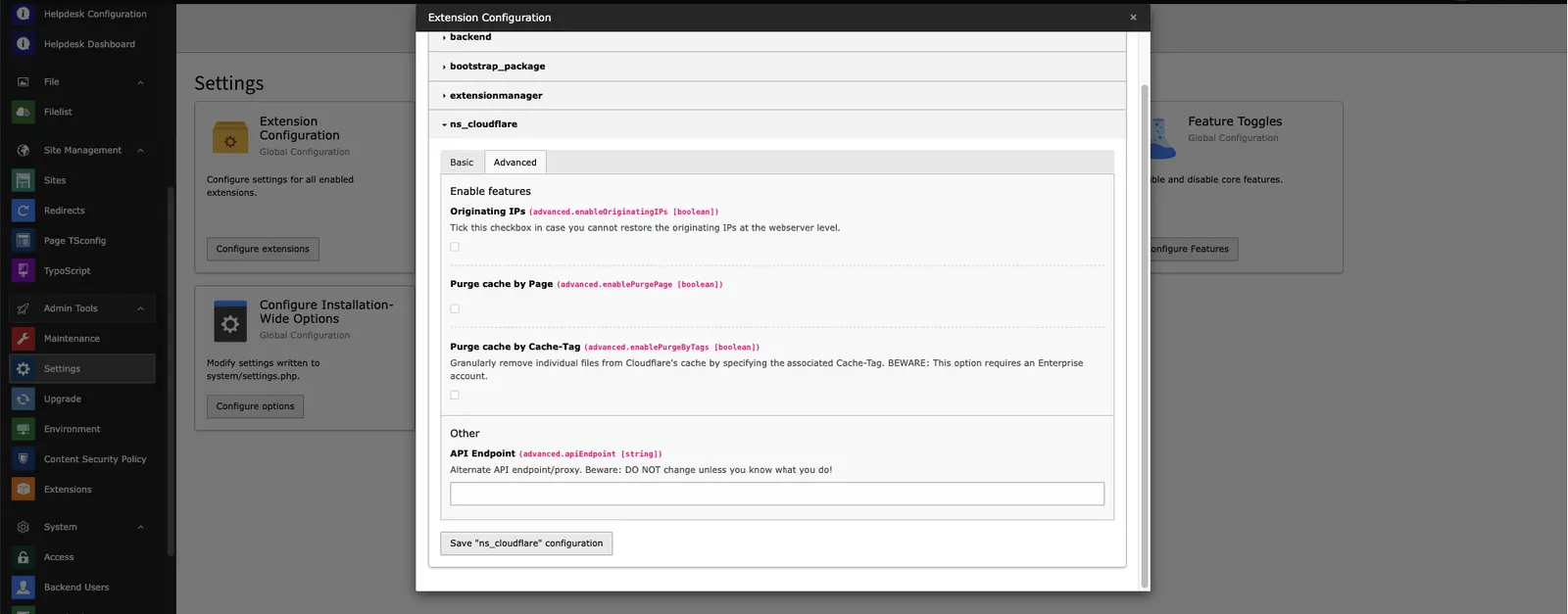 **Originating IPs:** This checkbox allows you to restore the originating IPs.
**Purge catch by Page:** If thi checkbox is enabled then,you can clear cloudflare cach by clearing page cache.
**Purge cache by cache-Tag:** This checkbox allows you to purge individual files on Cloudflare's cache using the associated Cache-Tag.
**API Endpoint:** An alternate API endpoint/proxy for Cloudflare.
Now we have done with all the steps so finally you will able to ue this extenion
Check below feature of this extenion,
## Development Mode Toggle
This allows easy toggling of development mode directly from the TYPO3 Backend.
**Originating IPs:** This checkbox allows you to restore the originating IPs.
**Purge catch by Page:** If thi checkbox is enabled then,you can clear cloudflare cach by clearing page cache.
**Purge cache by cache-Tag:** This checkbox allows you to purge individual files on Cloudflare's cache using the associated Cache-Tag.
**API Endpoint:** An alternate API endpoint/proxy for Cloudflare.
Now we have done with all the steps so finally you will able to ue this extenion
Check below feature of this extenion,
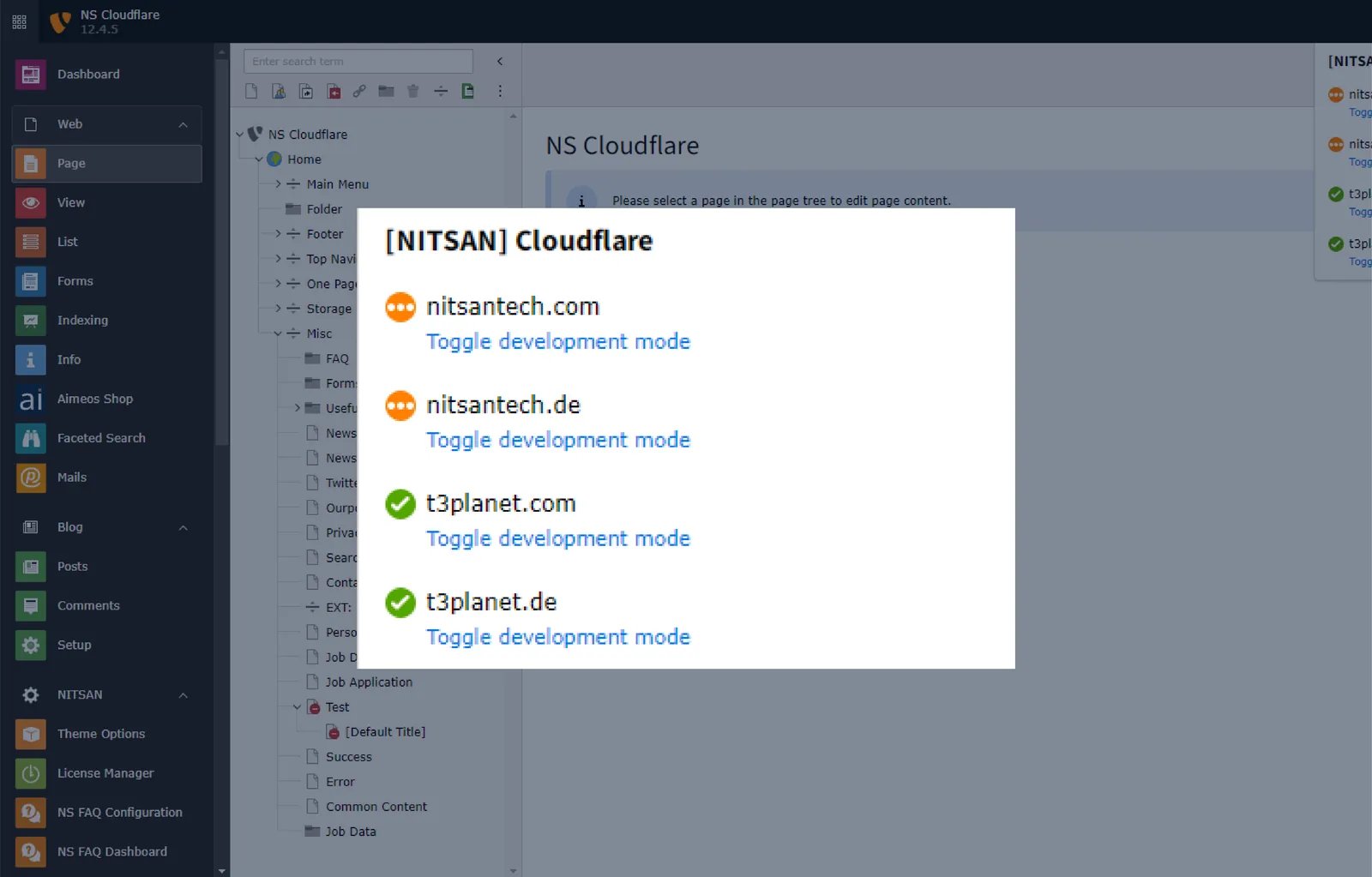
## Development Mode Toggle
This allows easy toggling of development mode directly from the TYPO3 Backend.
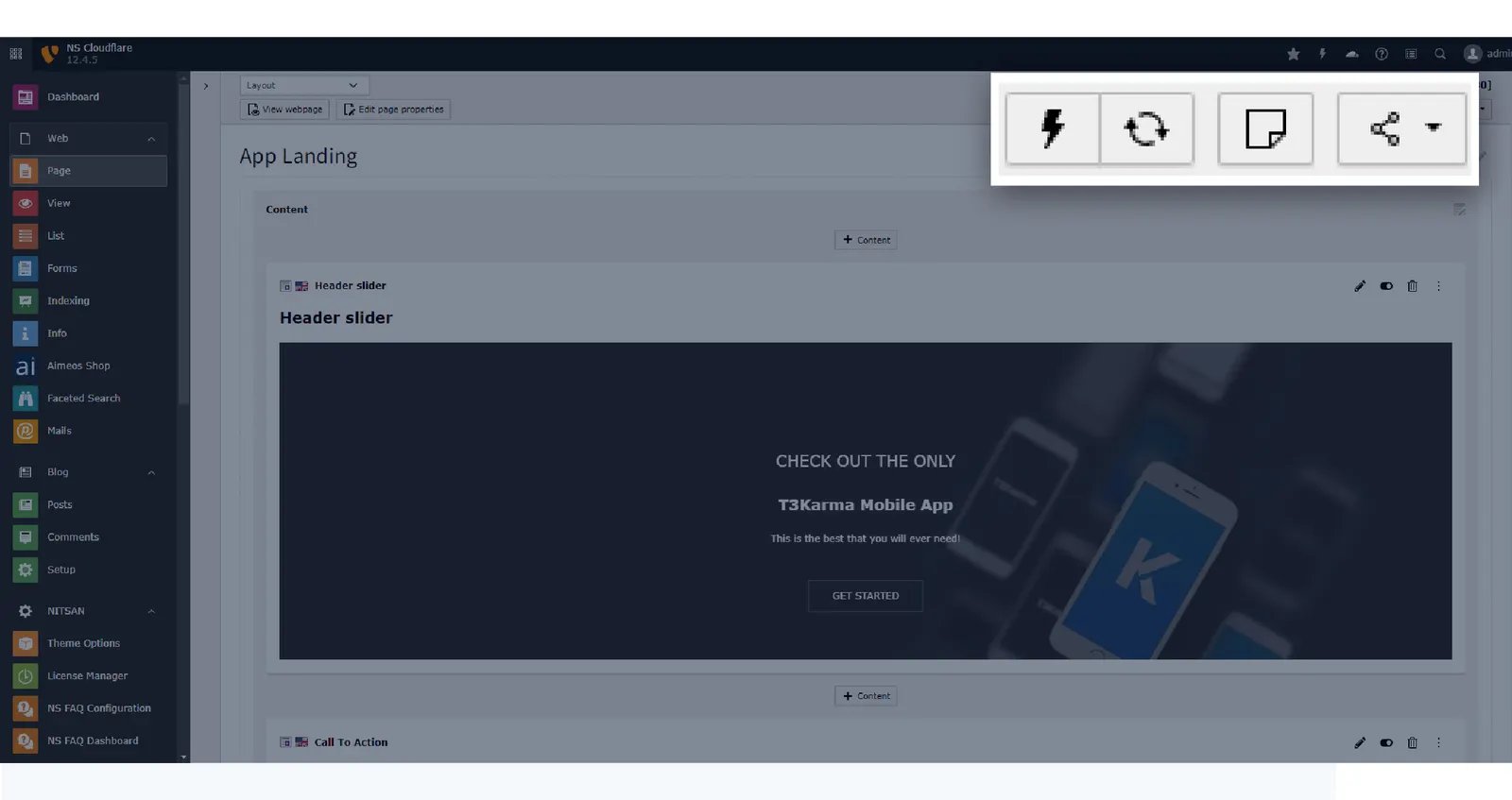
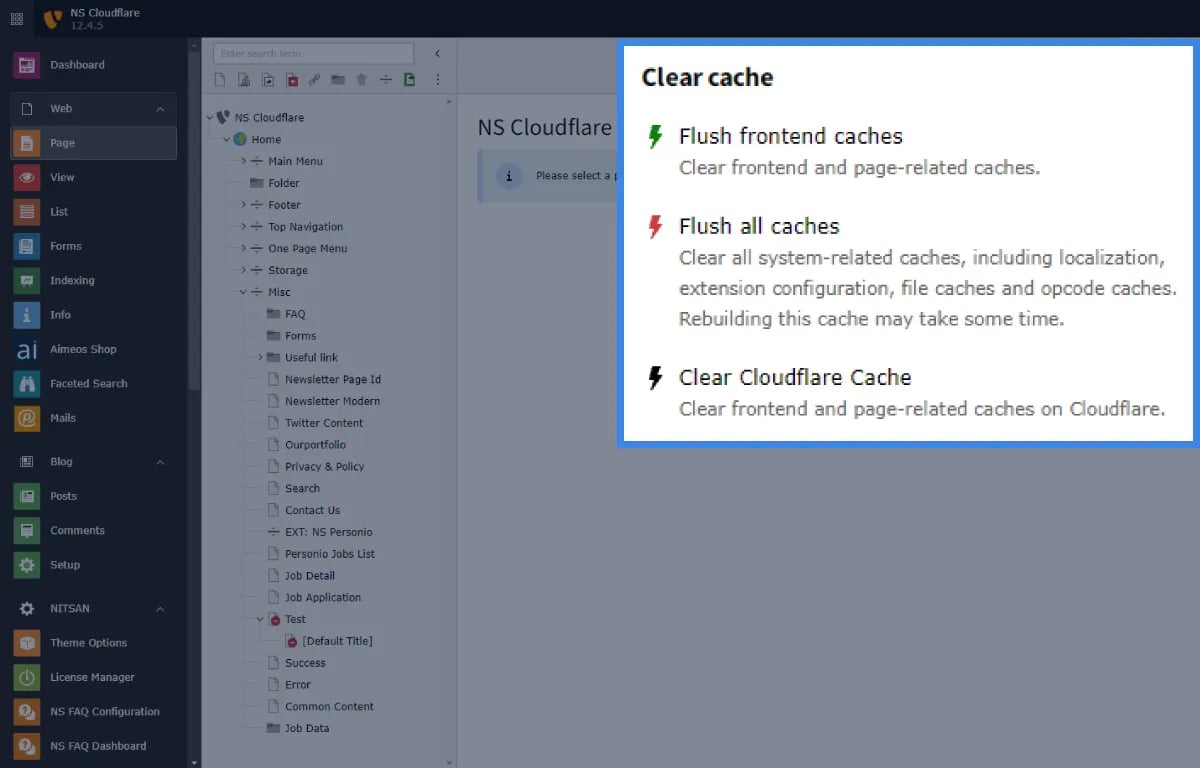
 ## TYPO3 Backend Cache Purge
This effortlessly manage TYPO3 website cache with our Cloudflare Extension
## TYPO3 Backend Cache Purge
This effortlessly manage TYPO3 website cache with our Cloudflare Extension
 ## Page-Specific Cache Purge
It clear cache for specific pages directly from the TYPO3 Backend
## Page-Specific Cache Purge
It clear cache for specific pages directly from the TYPO3 Backend