> ## Documentation Index
> Fetch the complete documentation index at: https://docs.t3planet.de/en/latest/llms.txt
> Use this file to discover all available pages before exploring further.
# Configuration
## Default settings from Constants
First of all, Configure Default settings in Constants
* Step 1: Go to Template.
* Step 2: Select root page.
* Step 3: Select Constant Editor from drop-down.
* Step 3: Select Constant Editor > PLUGIN.TX\_NSCOMMENTS.
 **Email Configuration**
Here, you can configure the emails received by Admin when visitor add comment.
**Email Configuration**
Here, you can configure the emails received by Admin when visitor add comment.
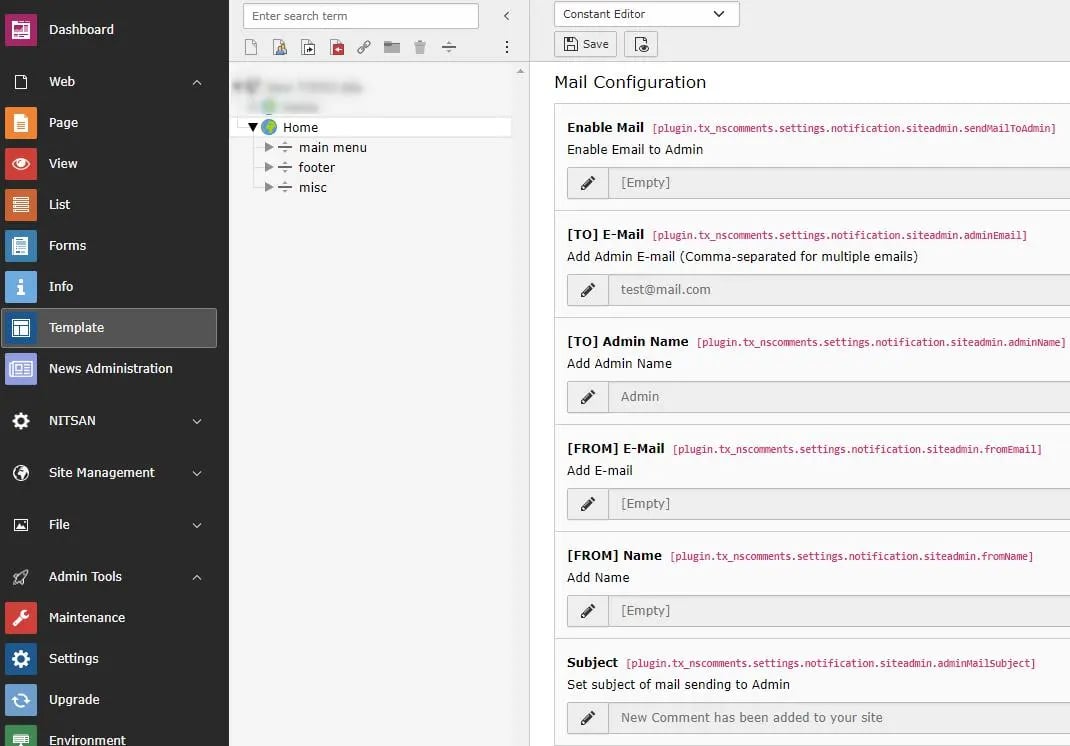 * **Enable Mail:** Check this checkbox to enable Email to Admin whenever any comment is posted.
* **\[TO] E-Mail:** Set the Email address where Email should be sent. Generally it is Admin's email.
* **\[TO] Admin Name:** Set the Admin name.
* **\[FROM] E-Mail:** Set From Email for email sent to Admin
* **\[FROM] Name:** Set Sender Name for email sent to Admin
* **Subject:** Set Email Subject.
**Comment Configuration**
* **Enable Mail:** Check this checkbox to enable Email to Admin whenever any comment is posted.
* **\[TO] E-Mail:** Set the Email address where Email should be sent. Generally it is Admin's email.
* **\[TO] Admin Name:** Set the Admin name.
* **\[FROM] E-Mail:** Set From Email for email sent to Admin
* **\[FROM] Name:** Set Sender Name for email sent to Admin
* **Subject:** Set Email Subject.
**Comment Configuration**
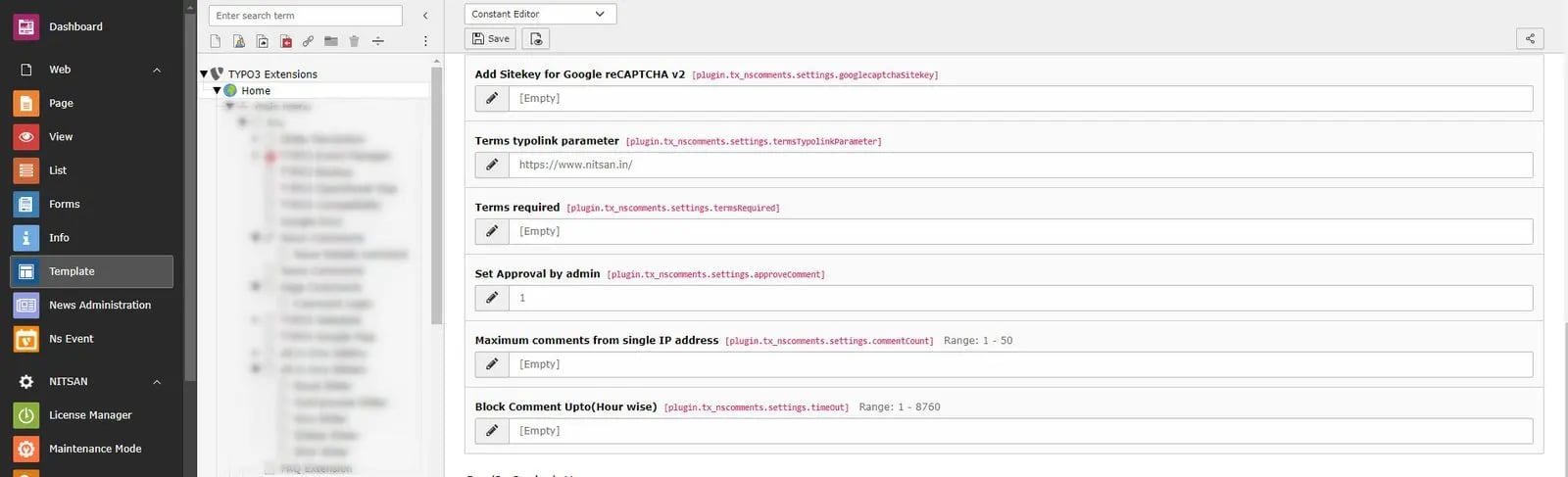 * **Add Sitekey for Google reCAPTCHA v2:** Set Google reCaptcha v2 sitekey. You can get it from here: [https://www.google.com/recaptcha/admin/create](https://www.google.com/recaptcha/admin/create)
* **Terms typolink parameter:** Set the Terms page for above checkbox.
* **Terms required:** Check this checkbox to add Terms checkbox in Comment form. This will be required field.
* **Set Approval by admin:** If this checkbox is checked, only those comments will be published which are enabled by Admin/System user. When visitor add any comment, by default, it will be disabled in backend. Once Admin/system user enables it, it will be displayed on page. If checkbox is unchecked, all comments posted by visitors will be displayed immediately on page.
* **Maximunm comments from single IP address:** Maximum allow comment from Single IP address for Spam protection.
* **Block Comment Upto(Hour):** Block comments for defined time interval,it will protect site from adding unnecessary comments.
**CSS/JS Settings**
* **Add Sitekey for Google reCAPTCHA v2:** Set Google reCaptcha v2 sitekey. You can get it from here: [https://www.google.com/recaptcha/admin/create](https://www.google.com/recaptcha/admin/create)
* **Terms typolink parameter:** Set the Terms page for above checkbox.
* **Terms required:** Check this checkbox to add Terms checkbox in Comment form. This will be required field.
* **Set Approval by admin:** If this checkbox is checked, only those comments will be published which are enabled by Admin/System user. When visitor add any comment, by default, it will be disabled in backend. Once Admin/system user enables it, it will be displayed on page. If checkbox is unchecked, all comments posted by visitors will be displayed immediately on page.
* **Maximunm comments from single IP address:** Maximum allow comment from Single IP address for Spam protection.
* **Block Comment Upto(Hour):** Block comments for defined time interval,it will protect site from adding unnecessary comments.
**CSS/JS Settings**
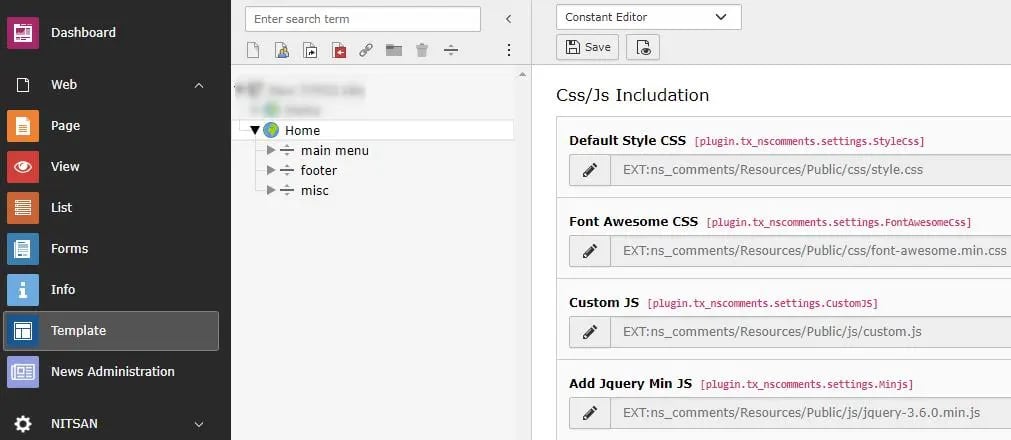 Here, you can set your own CSS & JS for this extension.
**Main Configuration**
Here, you can set your own CSS & JS for this extension.
**Main Configuration**
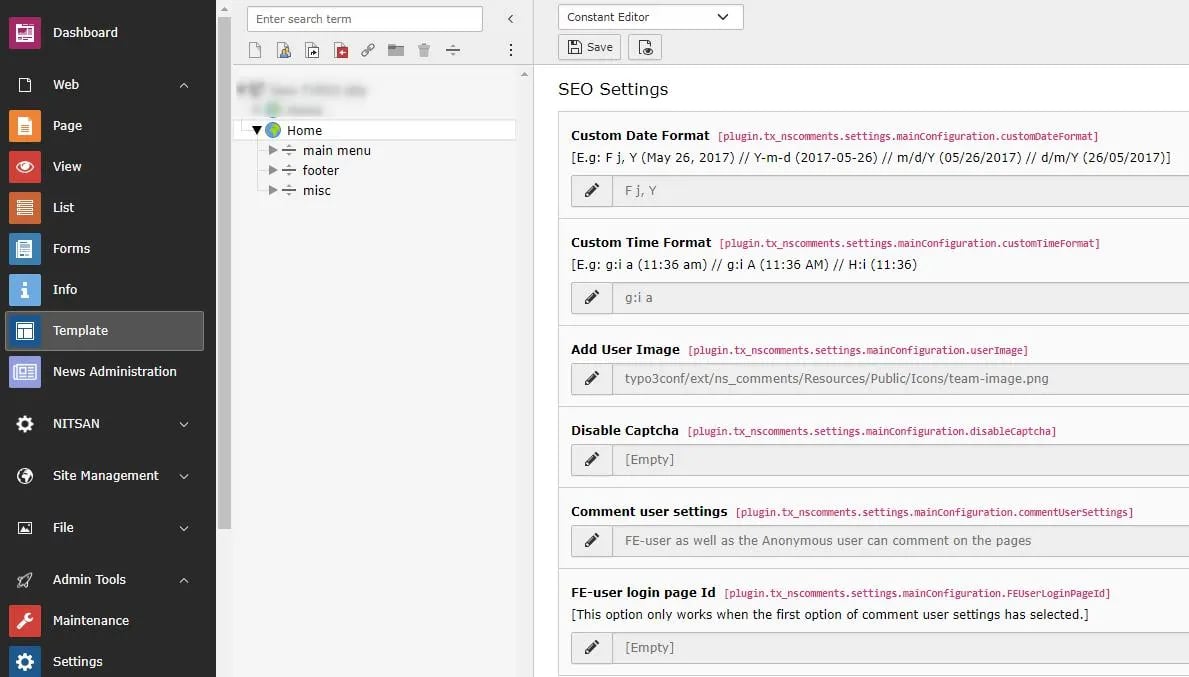 Here you can set default setiings of Comments plugin. If any of the field in Comment plugin is not defined, value set here will be used.