> ## Documentation Index
> Fetch the complete documentation index at: https://docs.t3planet.de/en/latest/llms.txt
> Use this file to discover all available pages before exploring further.
# Configuration
## Get Domain Group ID
**Step 1:** Go to [https://www.cookiebot.com/en/](https://www.cookiebot.com/en/) and Login.
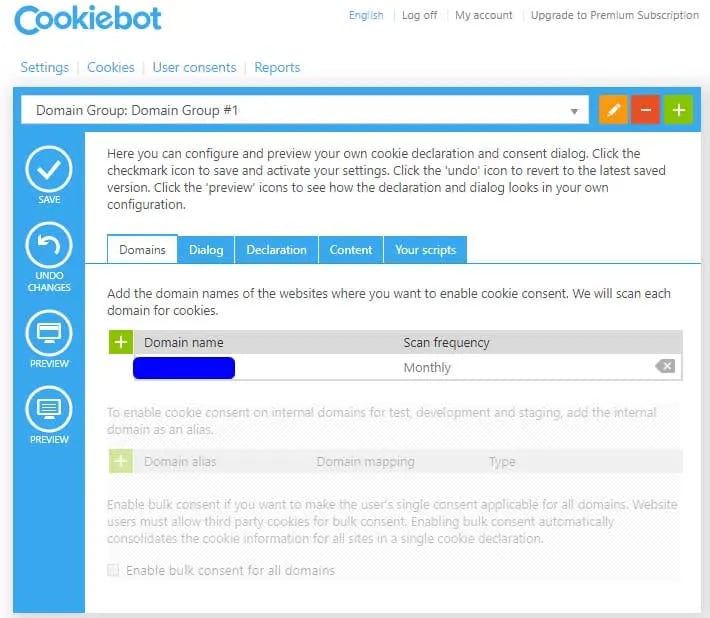
**Step 2:** Navigate to Domain Tab. Add Domain by clicking on “+” button.
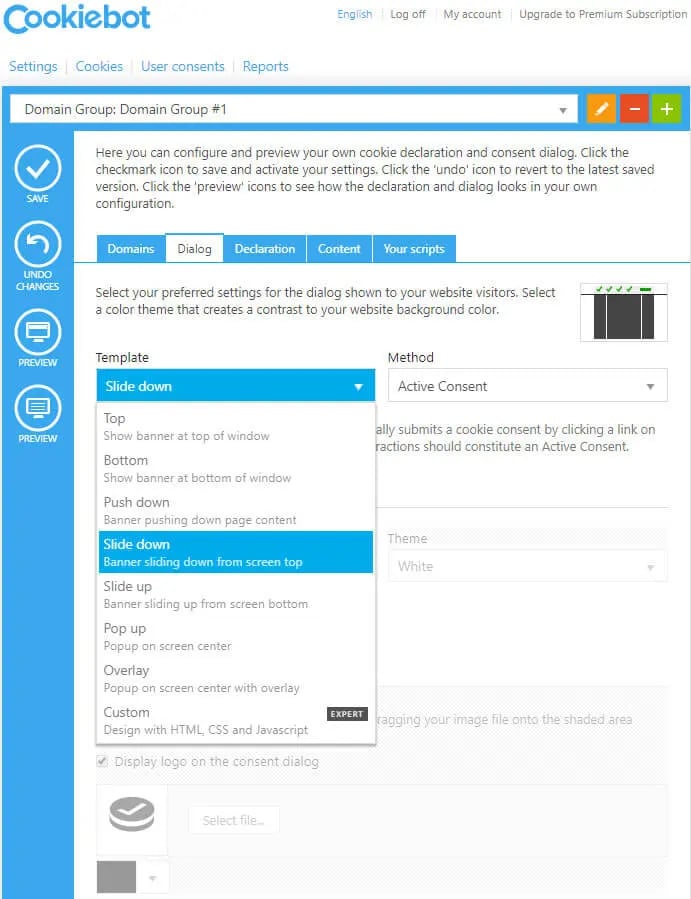
 **Step 3:** Navigate to Dialog tab. Set Template of cookiebar. You can also configure other settings like Method, Page scroll, Type, Checkboxes default mode, etc.
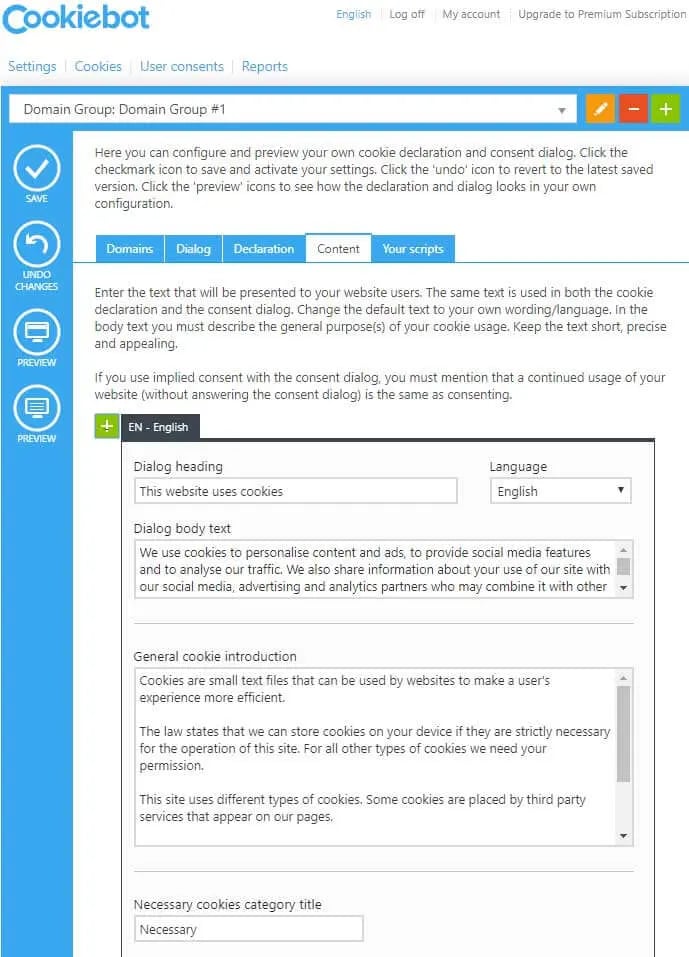
 **Step 4:** Go to the Content tab. Set the content to display in Cookies introduction text for all selected Cookies categories.
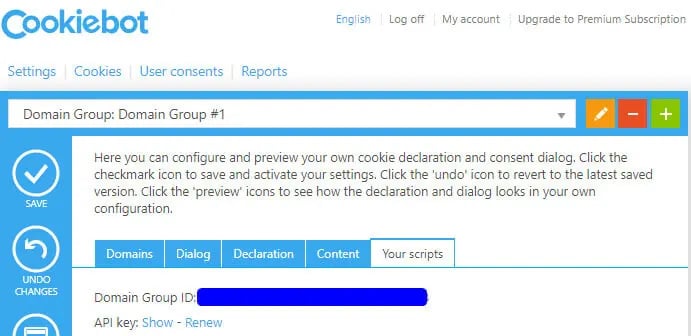
 **Step 5:** Switch to Your scripts tab. There you would find the Domain Group ID for your domain.
 ## Configure Domain Group ID in your website
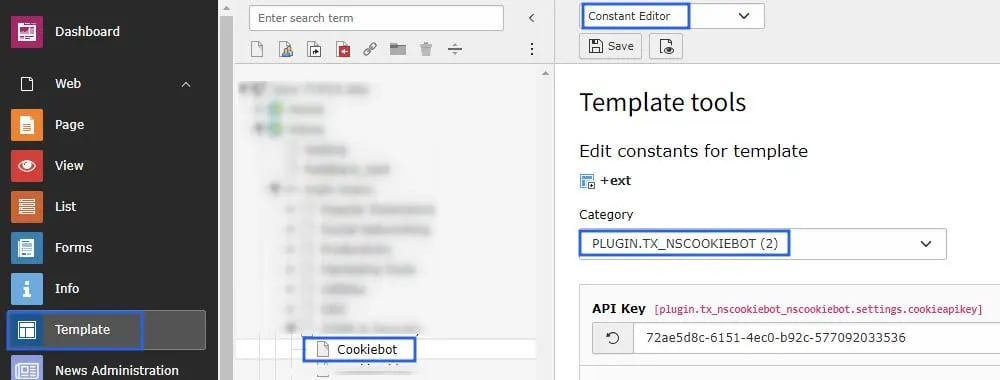
Set this Domain Group ID at TYPO3 constant editor, Check below screenshot
## Configure Domain Group ID in your website
Set this Domain Group ID at TYPO3 constant editor, Check below screenshot