Logo
  • License, Installation & Updates
  • T3 Karma
  • EXT:rte_ckeditor_pack
  • EXT:ns_news_comments
  • EXT:ns_revolution_slider
  • EXT:ns_t3ai
  • EXT:ns_t3as
  • EXT:ns_t3ac
  • EXT:ns_t3al
  • EXT:ns_t3aa
  • EXT:ns_t3ab
  • EXT:ns_t3af
  • TYPO3 Templates
  • T3 Avatar
  • T3 Ayu
  • T3 Bootstrap
  • T3 ReactBootstrap
  • T3 Reva
  • T3 Shiva
  • T3 Shop
  • EXT:ns_all_chat
  • EXT:ns_all_lightbox
  • EXT:ns_all_sliders
  • EXT:ns_backup
  • EXT:ns_cloudflare
  • EXT:ns_comments
  • EXT:ns_cookieyes
  • EXT:ns_cookiebot
  • EXT:ns_cookies
    • Introduction
    • Installation
    • Update Version
    • Configuration
      • Cookie Hint Plugin Settings
    • Help & Support
    • Get This Extension
  • EXT:ns_disqus_comments
  • EXT:ns_ext_compatibility
  • EXT:ns_event
  • EXT:ns_facebook_comment
  • EXT:ns_faq
  • EXT:ns_feedback
  • EXT:ns_friendlycaptcha
  • EXT:ns_gallery
  • EXT:ns_googledocs
  • EXT:ns_google_map
  • EXT:ns_google_sitekit
  • EXT:ns_gridtocontainer
  • EXT:ns_guestbook
  • EXT:ns_hellobar
  • EXT:ns_helpdesk
  • EXT:ns_hubspot
  • EXT:ns_instagram
  • EXT:ns_lazy_load
  • EXT:nitsan_maintenance
  • EXT:ns_news_advance_search
  • EXT:ns_news_slick
  • EXT:ns_news_slider
  • EXT:ns_open_streetmap
  • EXT:ns_personio
  • EXT:ns_protect_site
  • EXT:ns_publication_comment
  • EXT:ns_pwa
  • EXT:ns_sharethis
  • EXT:ns_snow
  • EXT:ns_statcounter
  • EXT:ns_social_login
  • EXT:ns_timeline
  • EXT:ns_twitter
  • EXT:ns_whatsapp
  • EXT:ns_wp_migration
  • EXT:ns_cache_webhook
  • EXT:ns_youtube
  • EXT:ns_zoho
  • EXT:ns_zoho_crm
T3Planet Docs
  • EXT:ns_cookies
  • Configuration
  • Cookie Hint Plugin Settings

Cookie Hint Plugin Settings

Settings of Cookies Hint plugin configurations
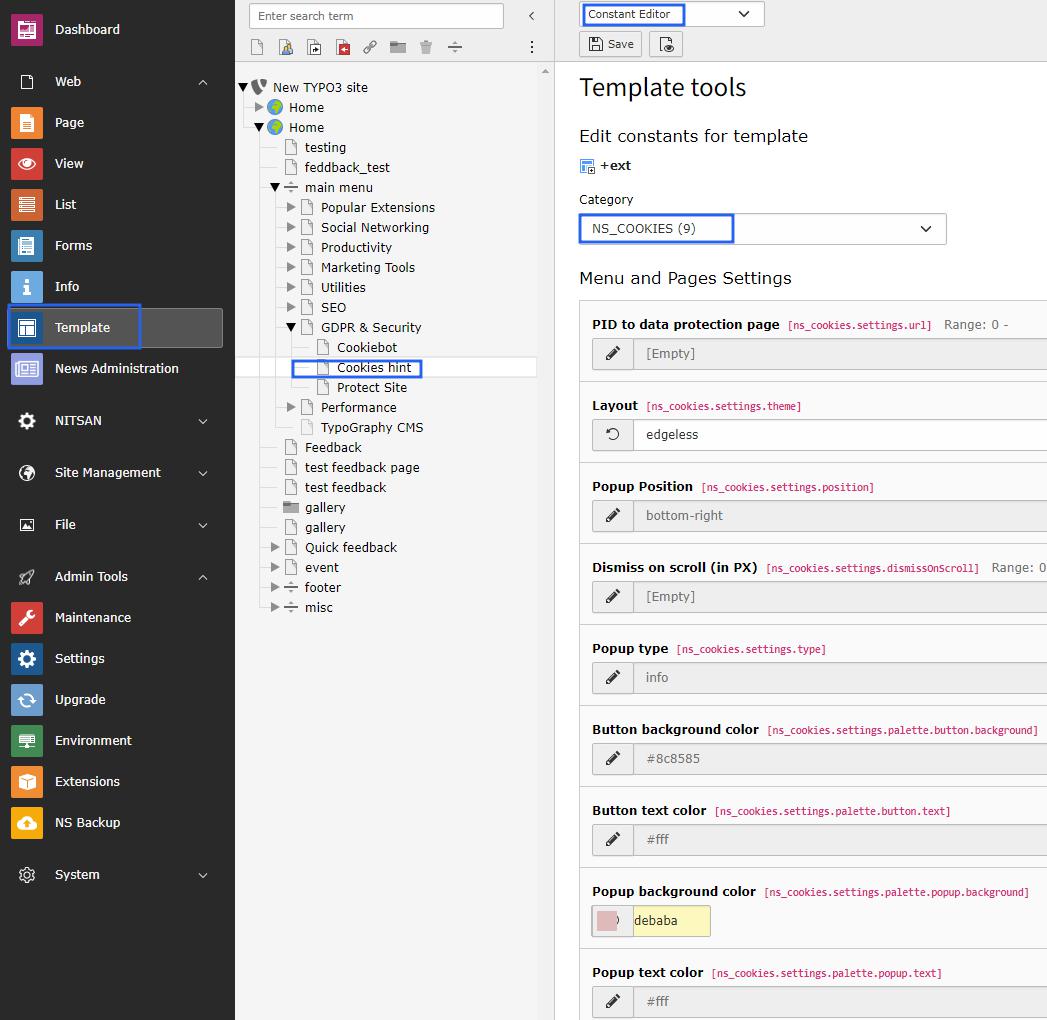
  • Step1 -> Go to constant editor from template module.

  • Step2 -> Choose Ns_Cookies plugin from category dropdown box.

  • Step3 -> Setup page id to “more info” link on cookie hint box, by default it takes root page id.

  • Step4 -> Choose layout from layout dropdown box of cookie box. It will render according to your choice of selection.

  • Step5 -> You can choose popup position to render cookie box on front end. various options are available on dropdown box.

  • Step6 -> Setup scrolling position, this will enables to collapse the cookie box in smaller view & this will only reflect when you choose the optout poppup type. Refer below screenshot.
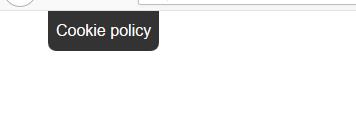
Settings of Cookies Hint popup
  • Step7 -> Choose popup type, either info OR optout.

  • Step8 -> Fillout button background color from color picker, you can set according to your website theme.

  • Step9 -> Select button text color.

  • Step10 -> Select cookie box popup background color.

  • Step11 -> Choose text color of cookie information content.

Now we have done with all the steps so finally check to your webpage & see the cookie hint box.! :)

Previous Next

© Copyright 2026, T3Planet.de.