> ## Documentation Index
> Fetch the complete documentation index at: https://docs.t3planet.de/en/latest/llms.txt
> Use this file to discover all available pages before exploring further.
# FAQ Plugins
To display FAQs at frontend, you need to add FAQs plugins for FAQ list and Submission form.
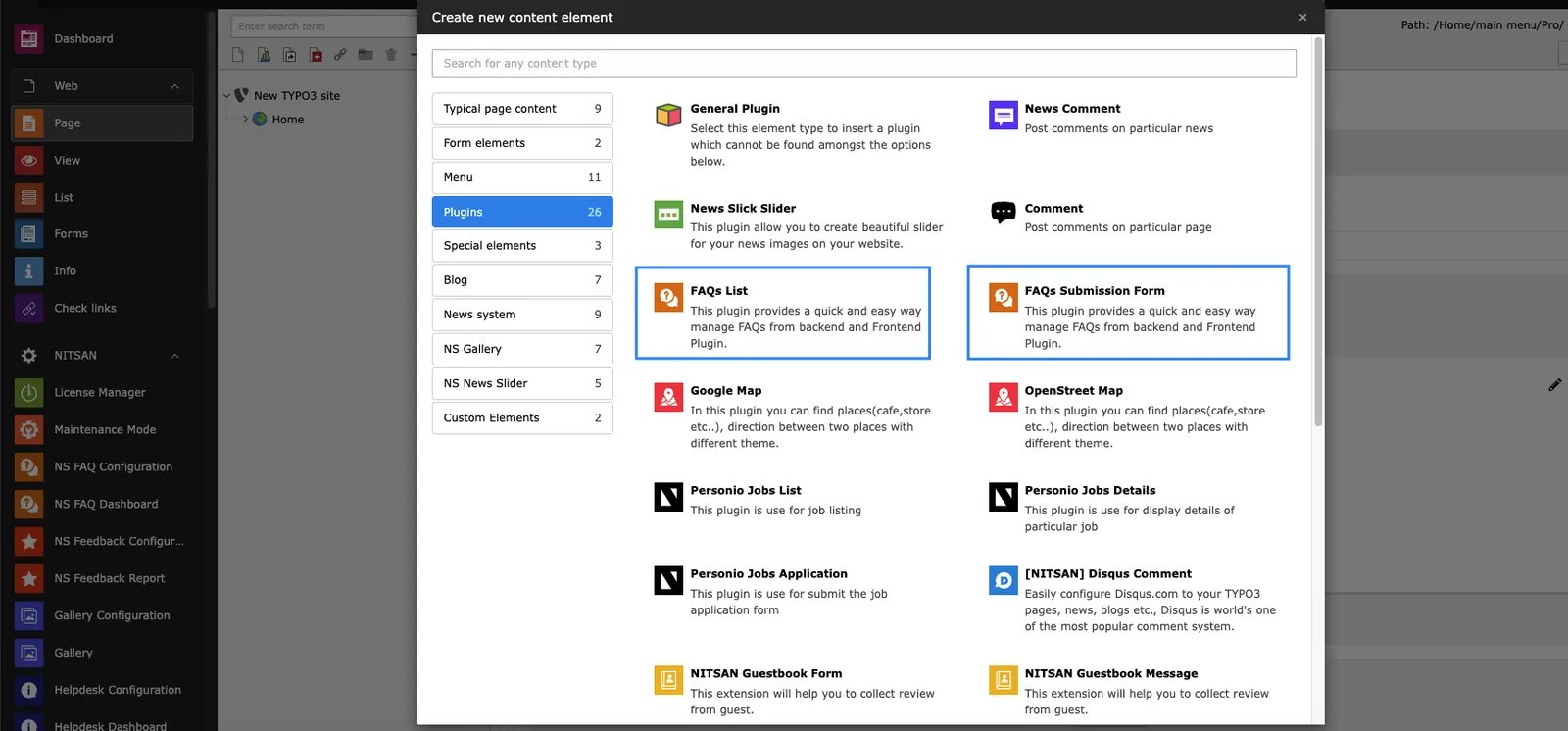 Once you add FAQ plugins you can configure how to display FAQs at frontend.
## FAQs Submission Form
Once you add FAQ plugins you can configure how to display FAQs at frontend.
## FAQs Submission Form
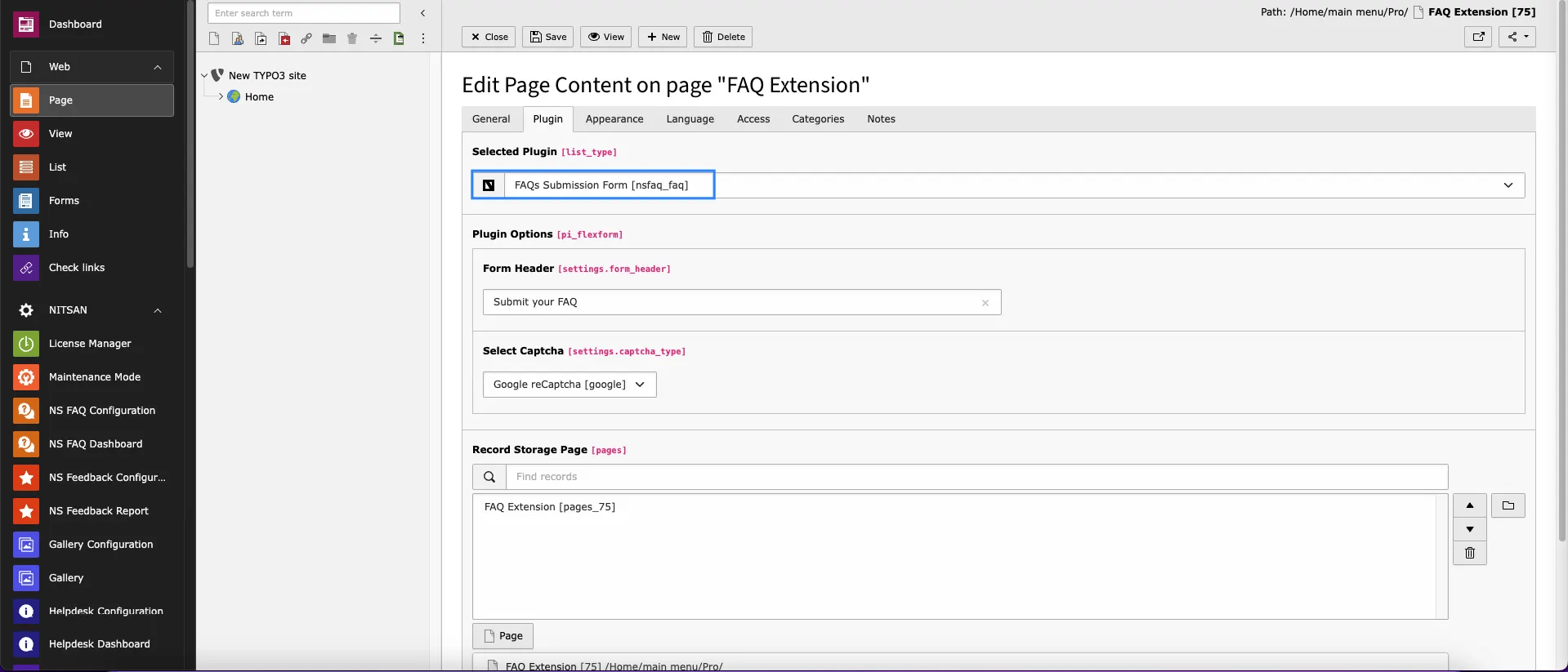 * **What would you like to display?:-** Here you can either select FAQs Submission Form. List option will display FAQs at frontend.
* **Record Storage Page:-** Select Storage pages where FAQs/Categories are stored.
## FAQs List
* **What would you like to display?:-** Here you can either select FAQs Submission Form. List option will display FAQs at frontend.
* **Record Storage Page:-** Select Storage pages where FAQs/Categories are stored.
## FAQs List
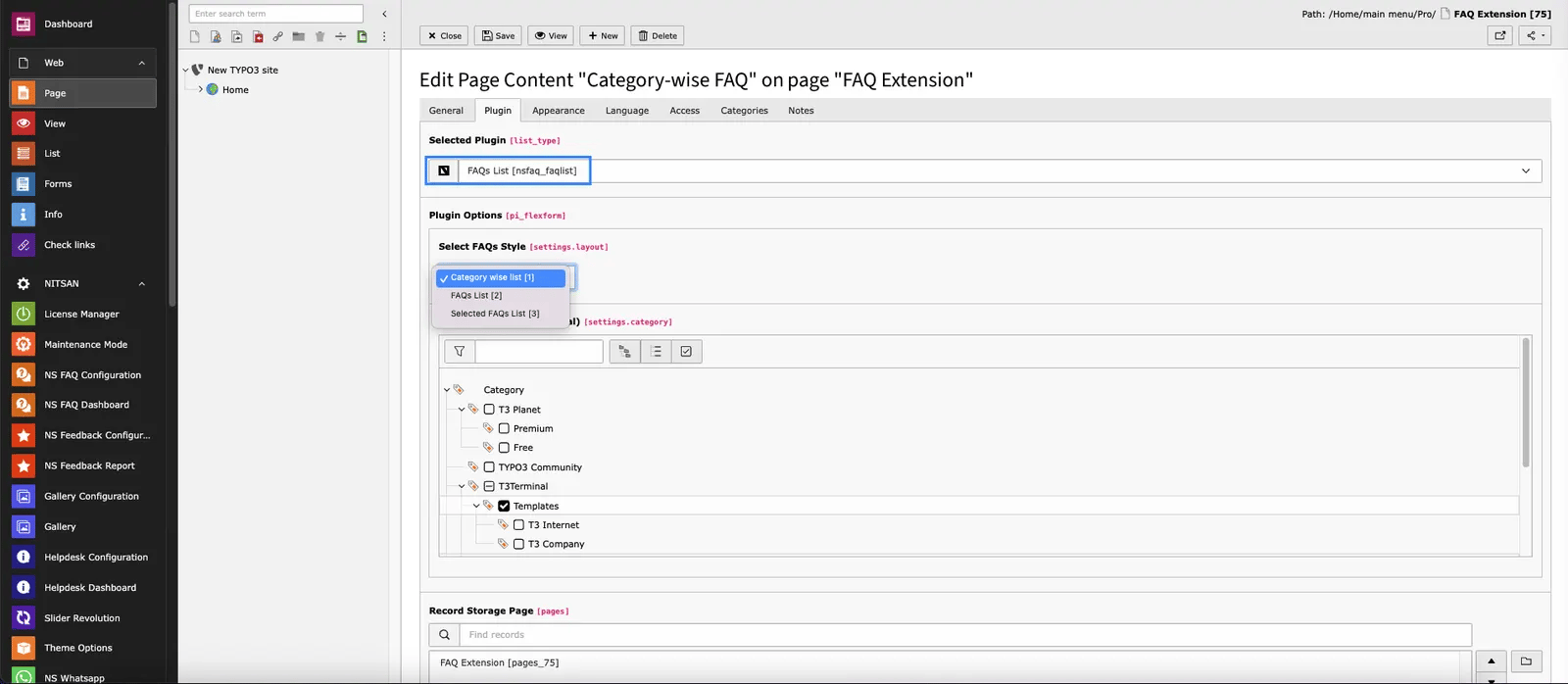 * **Select FAQs Style:-** Here you can decide how to display FAQs. There are 3 options:
: 1. **Category wise List**: You can display all the FAQs of selected categories & sub-categories. FAQs will be grouped by Category.
2\. **FAQ List**: You can display all the FAQs stored in Record Storage page.
3\. **Selected FAQs List**: You can display list of Selected FAQs.
* **Record Storage Page:-** Select Storage pages where FAQs/Categories are stored.
* **Select FAQs Style:-** Here you can decide how to display FAQs. There are 3 options:
: 1. **Category wise List**: You can display all the FAQs of selected categories & sub-categories. FAQs will be grouped by Category.
2\. **FAQ List**: You can display all the FAQs stored in Record Storage page.
3\. **Selected FAQs List**: You can display list of Selected FAQs.
* **Record Storage Page:-** Select Storage pages where FAQs/Categories are stored.