> ## Documentation Index
> Fetch the complete documentation index at: https://docs.t3planet.de/en/latest/llms.txt
> Use this file to discover all available pages before exploring further.
# Configuration
**Quick & Easy configuration of “Facebook Comments” into TYPO3**
To create the FB App ID for your TYPO3 site:
**Step 1:** Login to Facebook.
**Step 2:** Create App id for Facebook Comments from this URL [https://developers.facebook.com/apps](https://developers.facebook.com/apps)
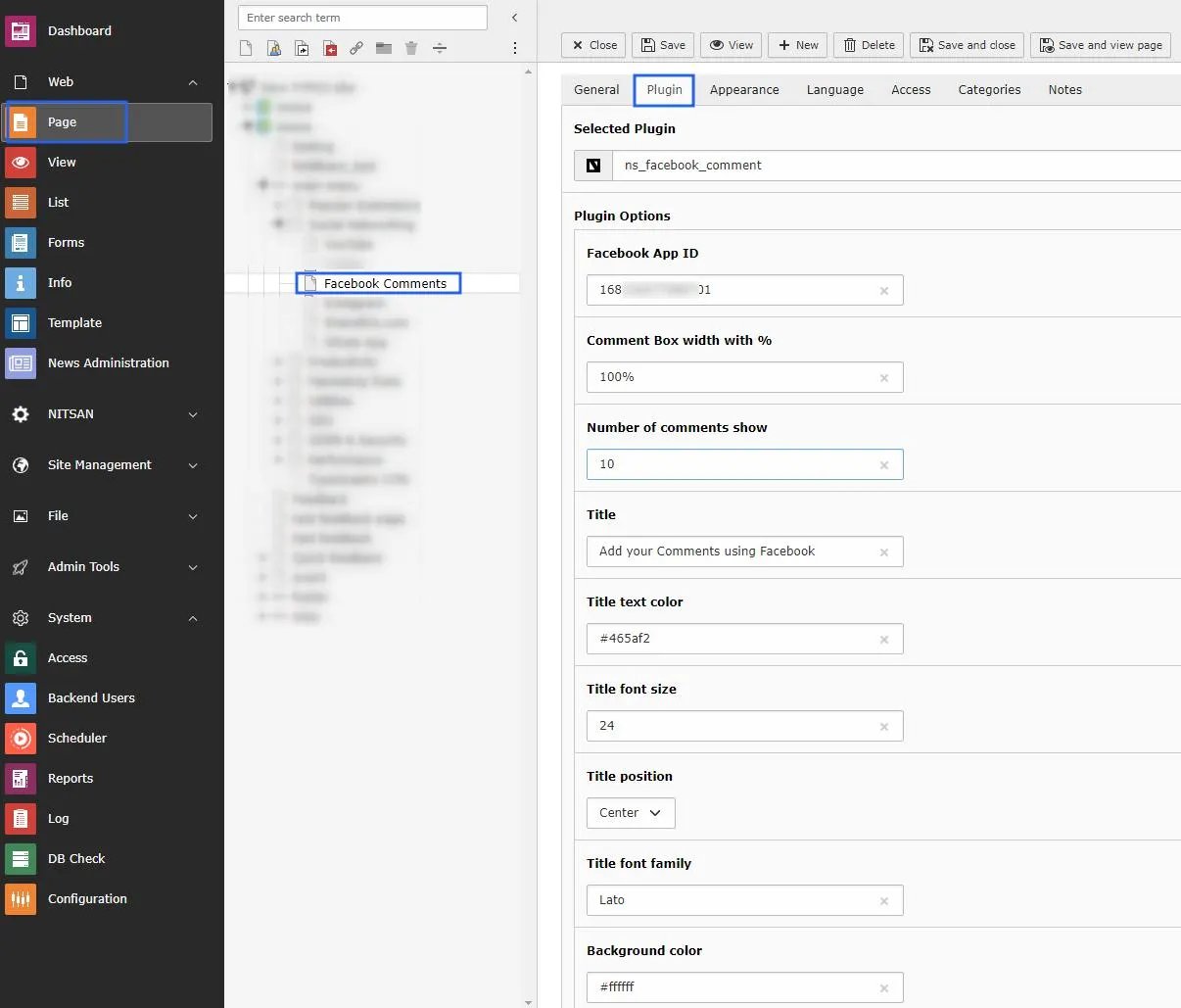
**Step 3:** Plugin configuration
> **3.1:** Go to Page Module.
>
> **3.2:** Open the page where you want to add the plugin.
>
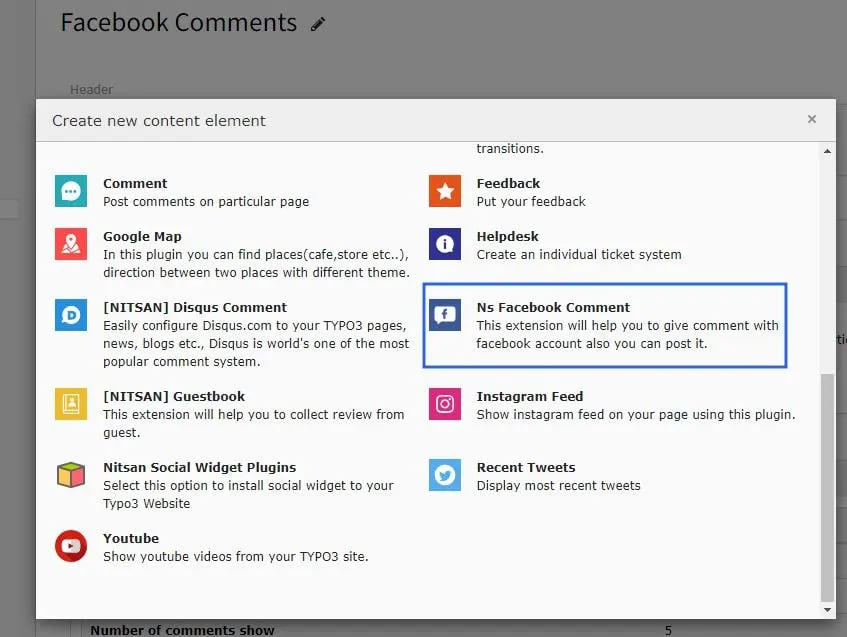
> **3.3:** Click on add content button and switch to Plugins tab.
>
> **3.4:** Now integrate it to the selected page.
 **3.5:**
Now just configure plugin with Facebook App ID and also Other fields as per requirements.
**3.5:**
Now just configure plugin with Facebook App ID and also Other fields as per requirements.