> ## Documentation Index
> Fetch the complete documentation index at: https://docs.t3planet.de/en/latest/llms.txt
> Use this file to discover all available pages before exploring further.
# Screenshots
> A visual tour of the Google Docs backend module: Dashboard, Import Google Docs, Reports & Logs and Global Settings.
Full steps: [Google Docs Backend Module](/en/latest/en/latest/ExtNsGoogleDocs/NSGoogleDocsModule/Index).
### 1. Dashboard
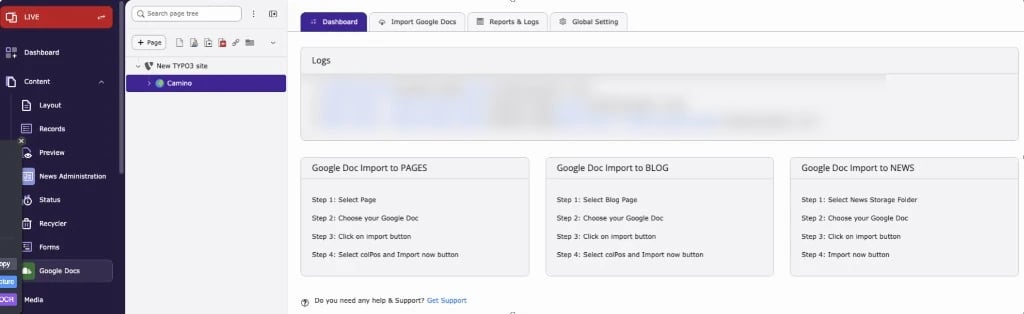 Shows your latest imports and short steps for importing into pages, blog posts and news.
### 2. Import Google Docs
Shows your latest imports and short steps for importing into pages, blog posts and news.
### 2. Import Google Docs
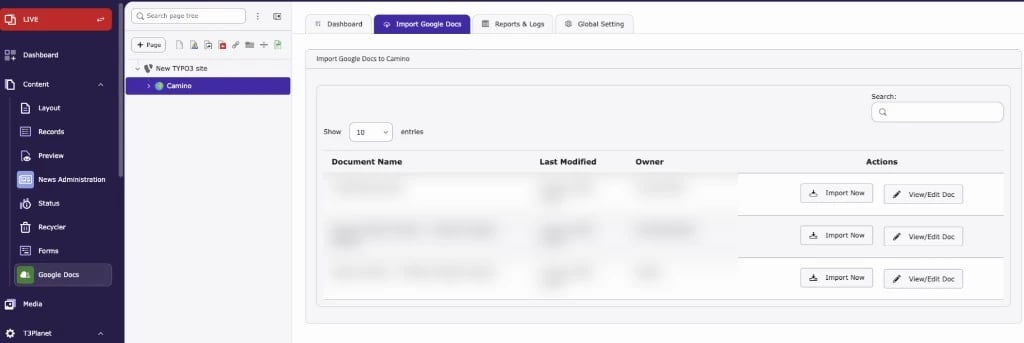 Lists the Docs from your connected Google account. Click **Import Now** to import a Doc into the selected page, or **View/Edit Doc** to open it in Google Docs.
### 3. Reports & Logs
Lists the Docs from your connected Google account. Click **Import Now** to import a Doc into the selected page, or **View/Edit Doc** to open it in Google Docs.
### 3. Reports & Logs
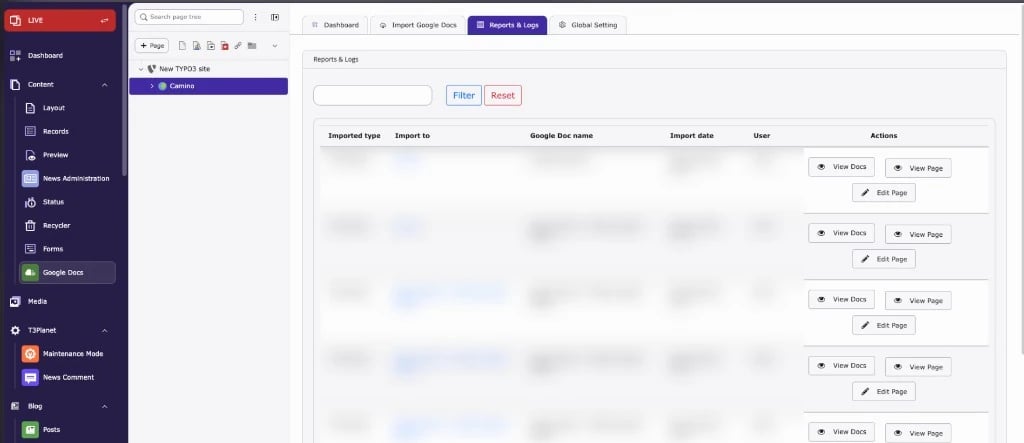 Lists all past imports with type, target, Doc name, date and user. The screenshot shows page imports with **View Docs**, **View Page** and **Edit Page**. Blog imports show **Edit Blog** instead of **Edit Page**. News imports show **View Docs** and **Edit News** only.
### 4. Global Settings
Lists all past imports with type, target, Doc name, date and user. The screenshot shows page imports with **View Docs**, **View Page** and **Edit Page**. Blog imports show **Edit Blog** instead of **Edit Page**. News imports show **View Docs** and **Edit News** only.
### 4. Global Settings
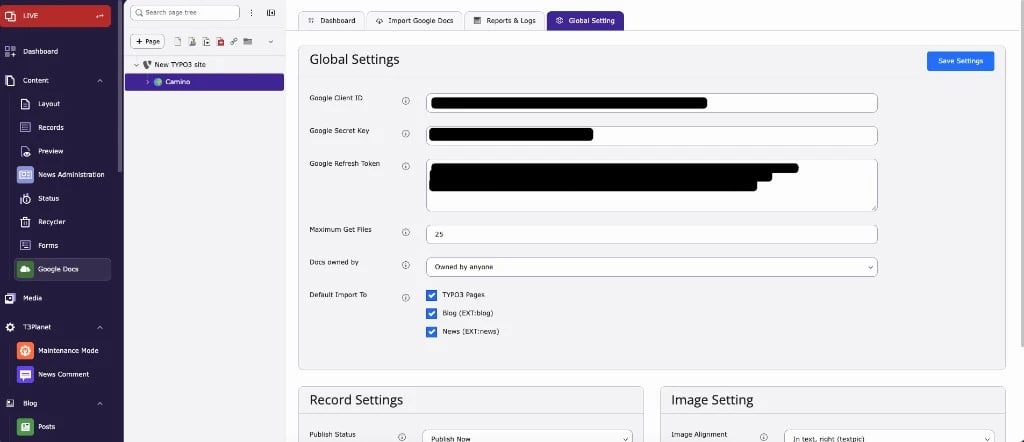 Connect your Google account, set how many Docs to load, which Docs to show and where imports can go.
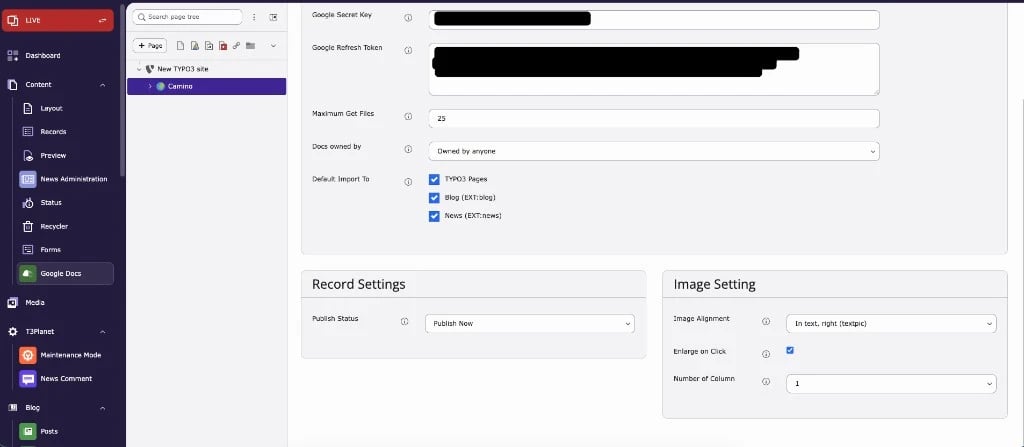 **Record Settings** set the publish status of imported records. **Image Setting** controls image alignment, enlarge on click and the number of columns. See [Global Settings](/en/latest/en/latest/ExtNsGoogleDocs/NSGoogleDocsModule/Index#global-settings).
This documentation is built and hosted on [Mintlify](https://mintlify.com), a developer documentation platform.
**Record Settings** set the publish status of imported records. **Image Setting** controls image alignment, enlarge on click and the number of columns. See [Global Settings](/en/latest/en/latest/ExtNsGoogleDocs/NSGoogleDocsModule/Index#global-settings).
This documentation is built and hosted on [Mintlify](https://mintlify.com), a developer documentation platform.