> ## Documentation Index
> Fetch the complete documentation index at: https://docs.t3planet.de/en/latest/llms.txt
> Use this file to discover all available pages before exploring further.
# Add Google Map Locations
Now, you need to create Locations to display on Map.
You can do it by performing following steps:
Step 1: Create a Storage Folder for Map Locations.
Step 2: Create Map Location in above storage folder.
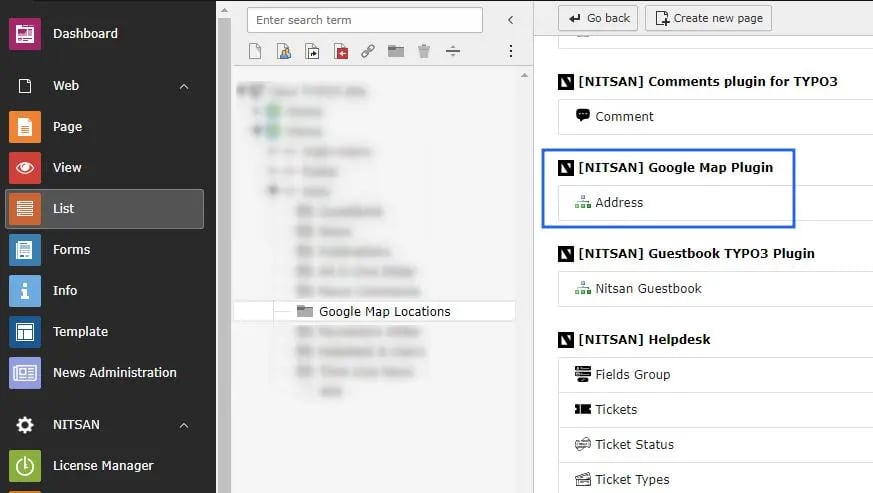 Now you can fill all the details of location.
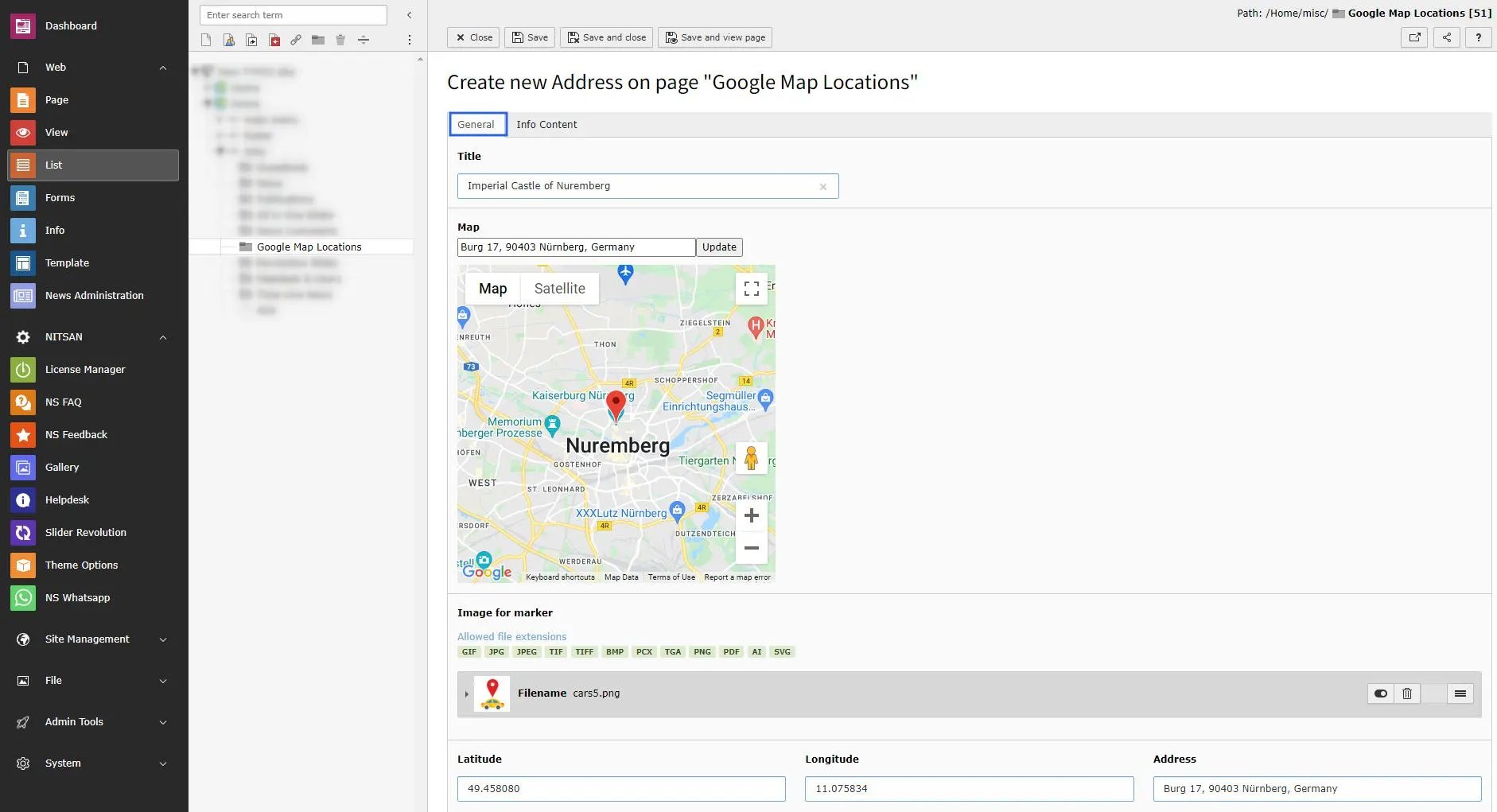 **Title** : Set title of the location.
**Map**: Set Location Name and click on update button. If found, location will be highlighted on map below it.
**Image for Marker**: You can set marker image for this location.
**Lat/Long & Address**: Latitude, Longitude and Address textboxes will be auto-generated with location selected above.
**Title** : Set title of the location.
**Map**: Set Location Name and click on update button. If found, location will be highlighted on map below it.
**Image for Marker**: You can set marker image for this location.
**Lat/Long & Address**: Latitude, Longitude and Address textboxes will be auto-generated with location selected above.
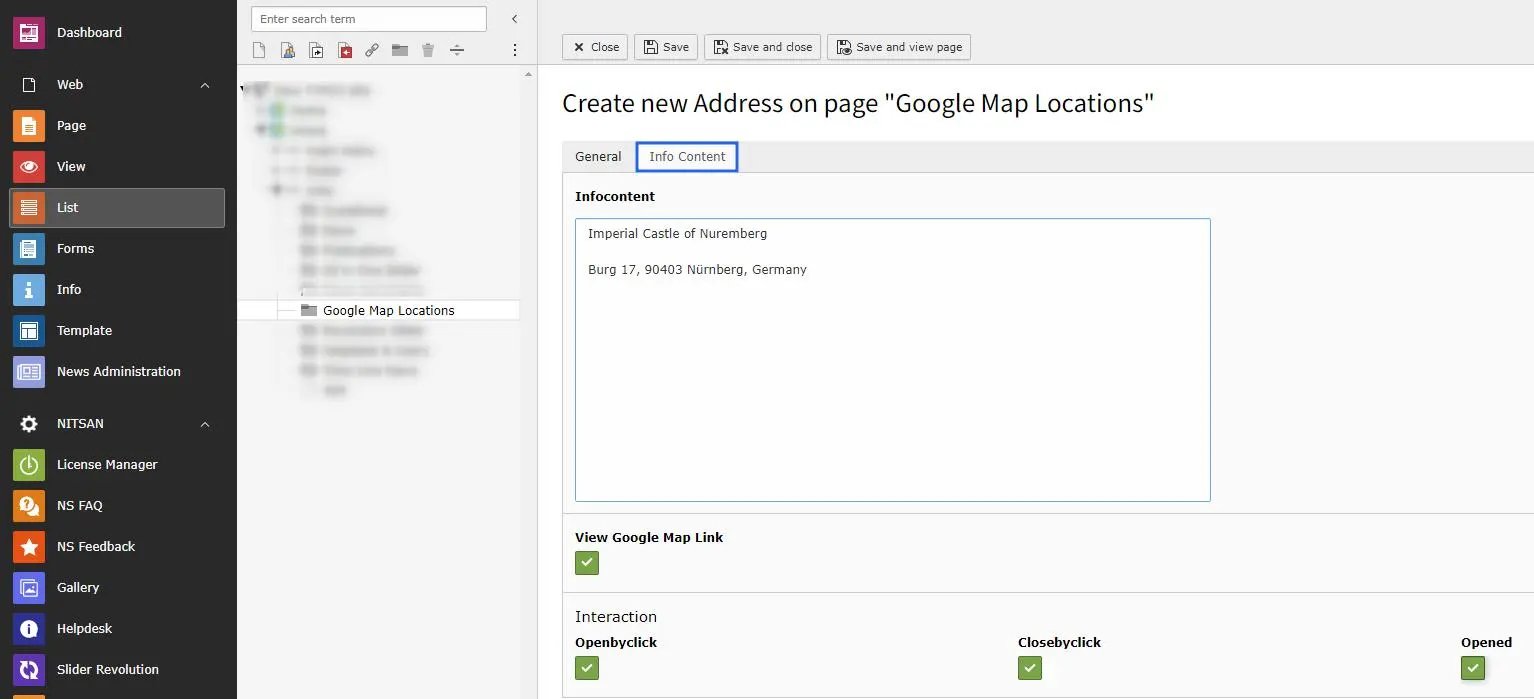 **Infocontent**: Set the address you want to display with Location title in plugin
**View Goole Map Link**: Check this if you want to display Google Map link along with Location details.
**Interaction**: Set how location popup will behave in Plugin.
This way, create all the locations you want to display on Map.
**Infocontent**: Set the address you want to display with Location title in plugin
**View Goole Map Link**: Check this if you want to display Google Map link along with Location details.
**Interaction**: Set how location popup will behave in Plugin.
This way, create all the locations you want to display on Map.