> ## Documentation Index
> Fetch the complete documentation index at: https://docs.t3planet.de/en/latest/llms.txt
> Use this file to discover all available pages before exploring further.
# Configuration
> Configuration — T3Planet documentation.
## Configure Guestbook
* **Step 1:** Go to Template.
* **Step 2:** Select root page.
* **Step 3:** Select Constant Editor > Plugin.Tx\_NsGuestbook\_NsGuestbook.
* **Step 4:** Now, you can configure all the options which you want eg., cache configuration, storage folder, views of comments etc., See below screenshot.
 ## Add Guestbook Plugin
* **Step 1:** Switch to page where you want to add Guestbook Form.
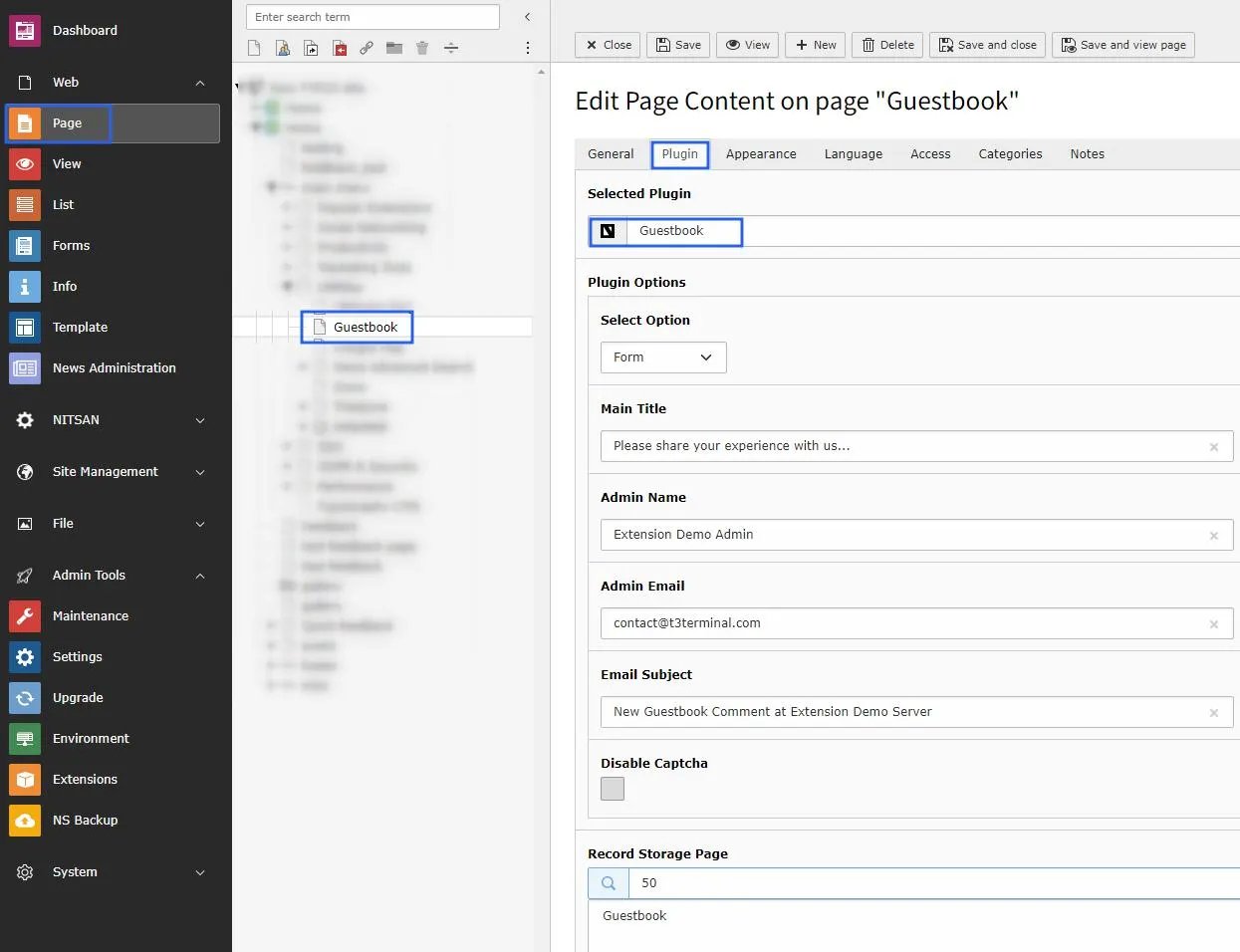
* **Step 2:** Add Guestbook Plugin and select Form as Option.
* **Step 3:** Set Title for Guestbook Form and E-Mail related details. See Below.
## Add Guestbook Plugin
* **Step 1:** Switch to page where you want to add Guestbook Form.
* **Step 2:** Add Guestbook Plugin and select Form as Option.
* **Step 3:** Set Title for Guestbook Form and E-Mail related details. See Below.
 * **Step 4:** Switch to page where you want to display a list of Messages from guests.
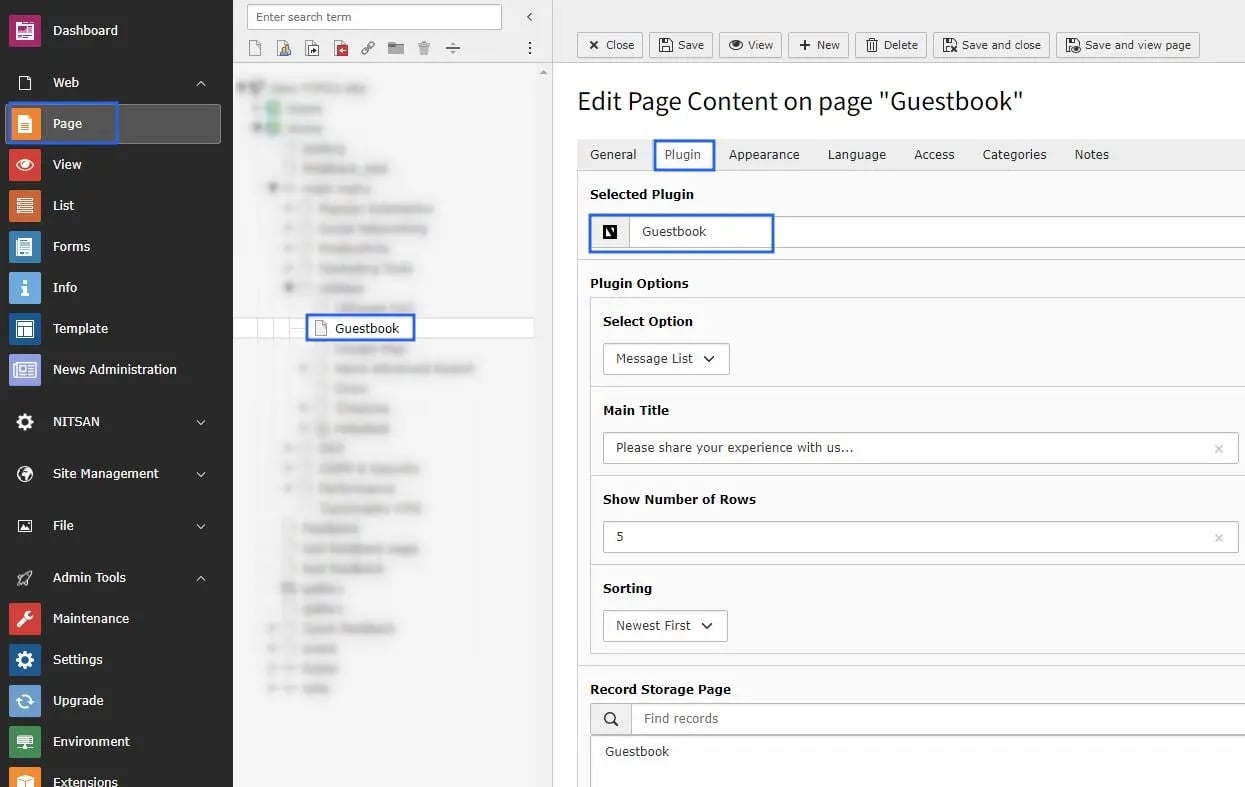
* **Step 5:** Add Guestbook Plugin and select Message List as Option.
* **Step 6:** You can set heading for the list, No. of messages to display, sorting of messages in this plugin.
* **Step 4:** Switch to page where you want to display a list of Messages from guests.
* **Step 5:** Add Guestbook Plugin and select Message List as Option.
* **Step 6:** You can set heading for the list, No. of messages to display, sorting of messages in this plugin.