> ## Documentation Index
> Fetch the complete documentation index at: https://docs.t3planet.de/en/latest/llms.txt
> Use this file to discover all available pages before exploring further.
# Configuration- Free version
Please follow below step to configuration,
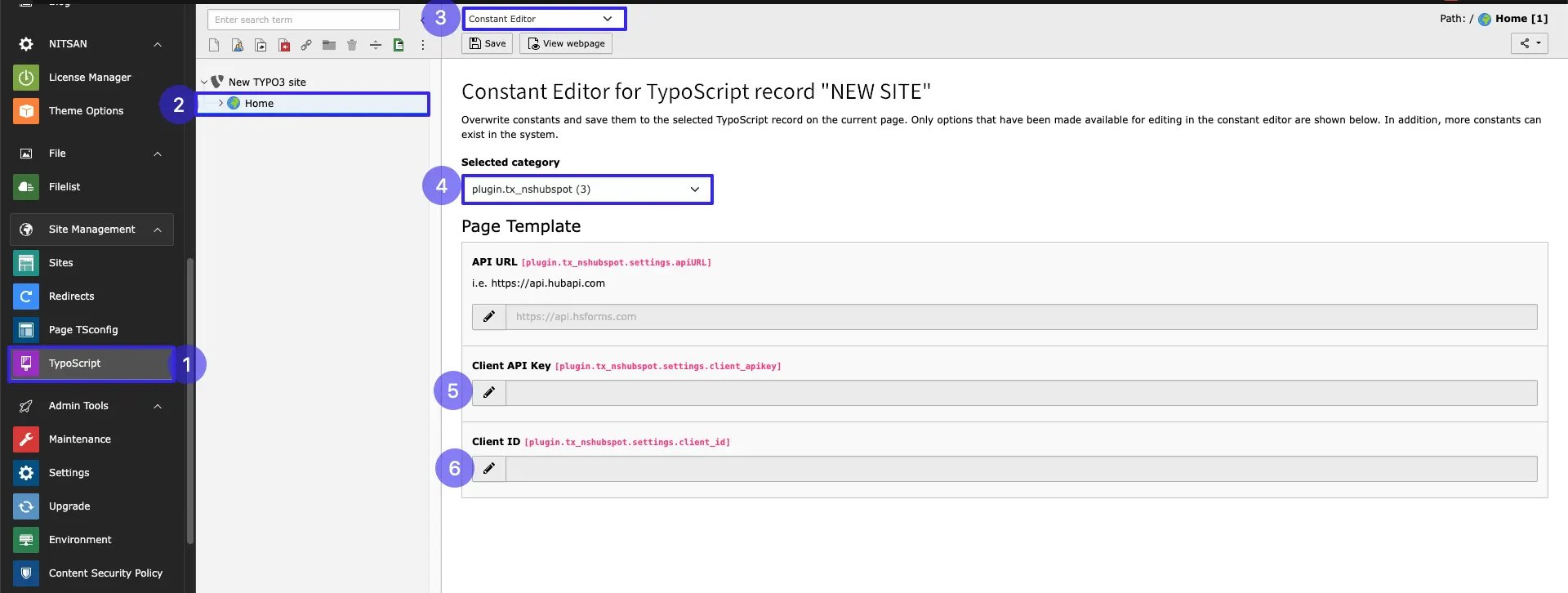 * **Step 1:** Go to Typoscript module.
* **Step 2:** Click on Root page
* **Step 3:** Go to Constant editor
* **Step 4:** Select plugin.tx\_nshubspot
* **Step 4:** Add Client Id
* **Step 5:** Add Client API
To obtain the Client ID and Client API Key, please refer to the following links:
* [OAuth App Management](https://developers.hubspot.com/docs/reference/api/app-management/oauth)
* [Private Apps Overview](https://developers.hubspot.com/docs/guides/apps/private-apps/overview)
Pleae follow below steps for hubspot configuration.
## Hubspot Configuration
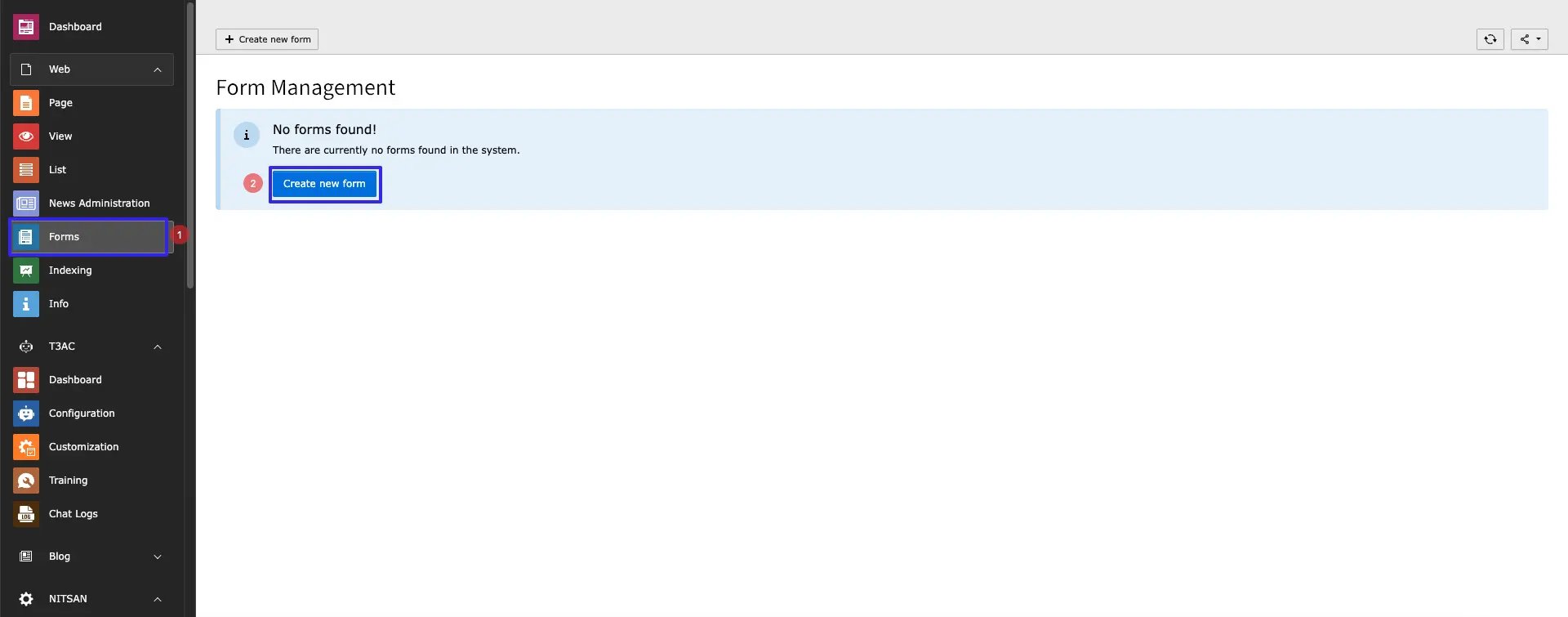
* **Step 1:** Go to Form module
* **Step 2:** Click on Button Create new
* **Step 1:** Go to Typoscript module.
* **Step 2:** Click on Root page
* **Step 3:** Go to Constant editor
* **Step 4:** Select plugin.tx\_nshubspot
* **Step 4:** Add Client Id
* **Step 5:** Add Client API
To obtain the Client ID and Client API Key, please refer to the following links:
* [OAuth App Management](https://developers.hubspot.com/docs/reference/api/app-management/oauth)
* [Private Apps Overview](https://developers.hubspot.com/docs/guides/apps/private-apps/overview)
Pleae follow below steps for hubspot configuration.
## Hubspot Configuration
* **Step 1:** Go to Form module
* **Step 2:** Click on Button Create new
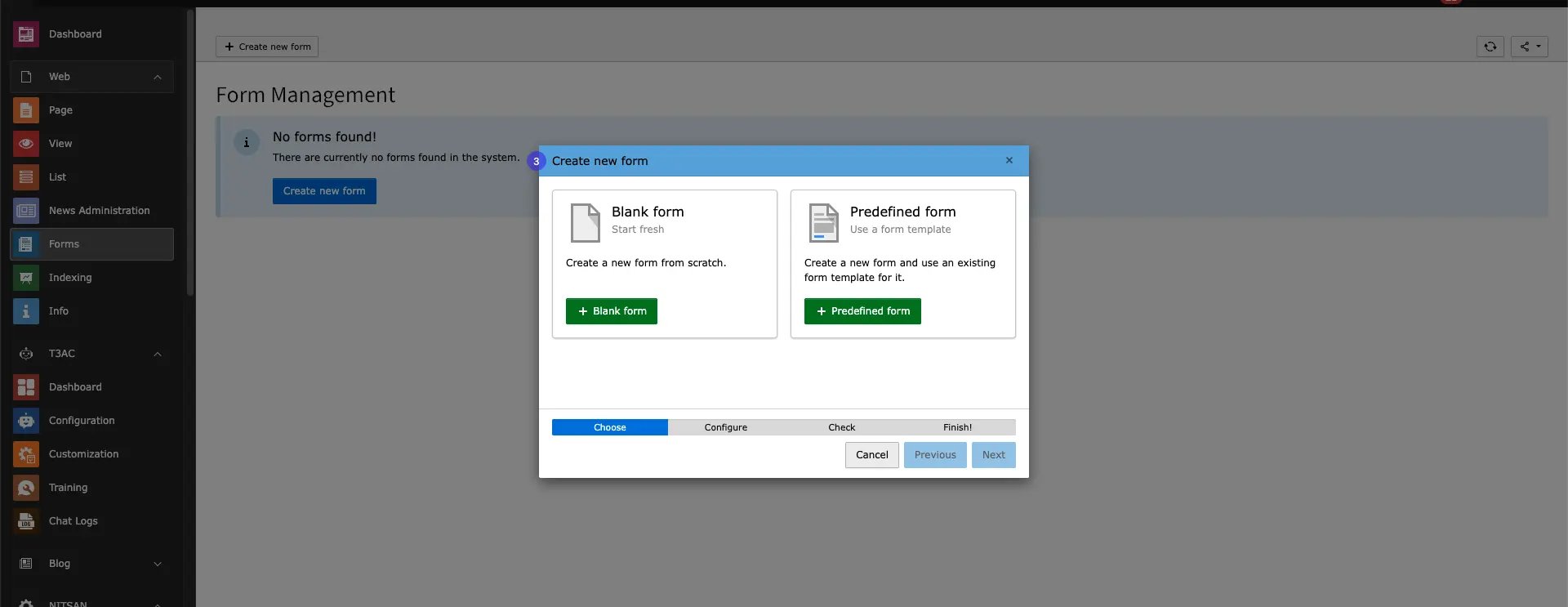
 * **Step 3:** Create Blank / Predefined Form
 After Adding Form,follow below steps:
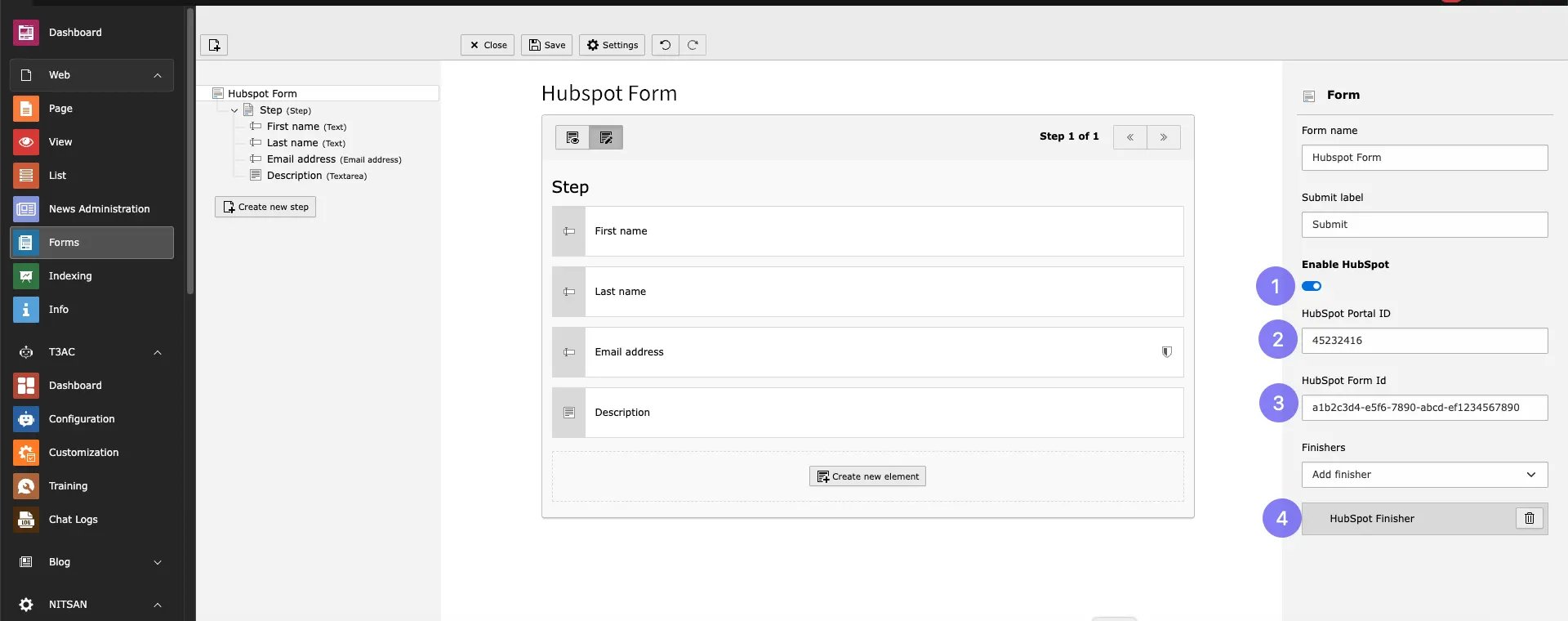 * **Step 1:** Enable toggle Hubspot
* **Step 2:** Add Hubspot Portal id
* **Step 3:** Add HubSpot Form Id
* **Step 4:** Select **Hubspot Finisher** Finisher from dropdown
* **Step 1:** Enable toggle Hubspot
* **Step 2:** Add Hubspot Portal id
* **Step 3:** Add HubSpot Form Id
* **Step 4:** Select **Hubspot Finisher** Finisher from dropdown
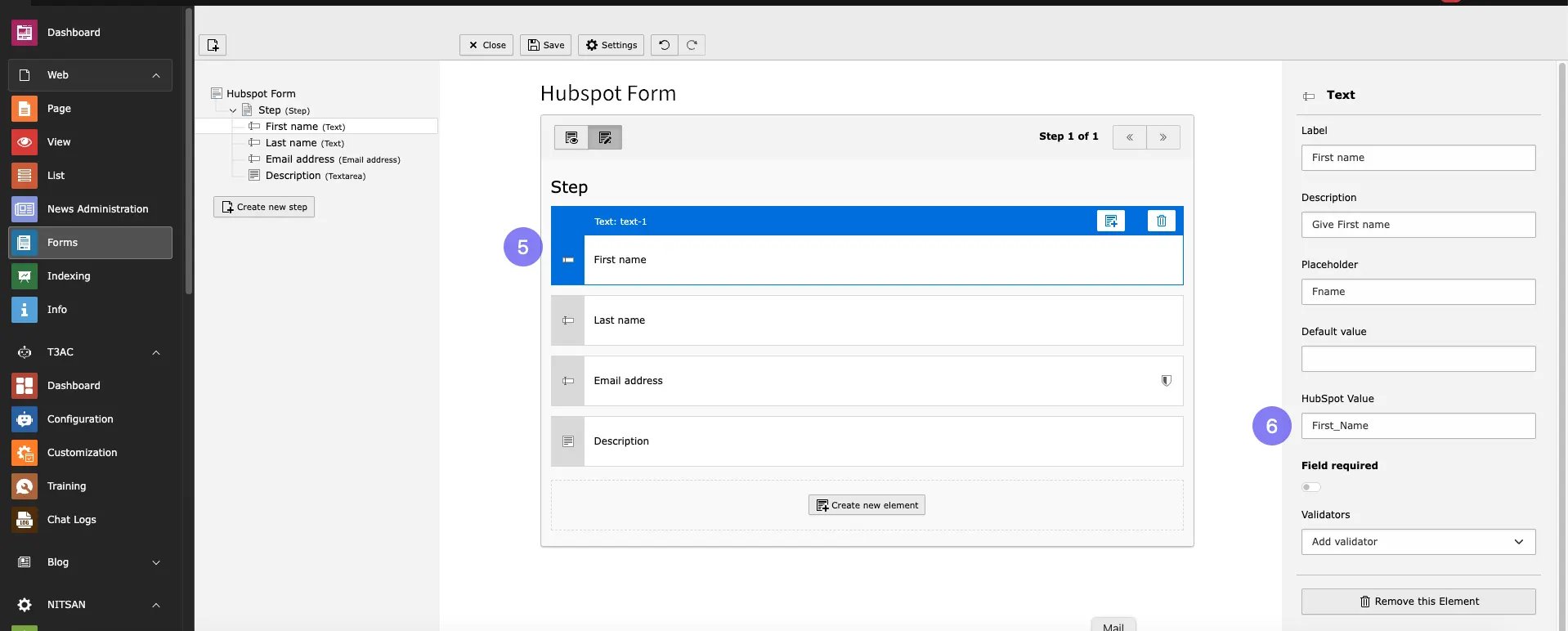 * **Step 5:** Select Form Field
* **Step 6:** Add HubSpotValue of Field from your Hubspot form
**Repeat the above steps 5 and 6 for all fields you want to add in your form.**
To get form id follow steps showing in linke below:
[https://knowledge.hubspot.com/forms/find-your-form-guid](https://knowledge.hubspot.com/forms/find-your-form-guid)
## Add the HubSpot Form Plugin
To configure hubspot Form in your site,please follow below steps,
* **Step 1:** Go to page
* **Step 2:** Open Create Content element Wizard
* **Step 3:** Go to Form Element tab
* **Step 5:** Select Form Field
* **Step 6:** Add HubSpotValue of Field from your Hubspot form
**Repeat the above steps 5 and 6 for all fields you want to add in your form.**
To get form id follow steps showing in linke below:
[https://knowledge.hubspot.com/forms/find-your-form-guid](https://knowledge.hubspot.com/forms/find-your-form-guid)
## Add the HubSpot Form Plugin
To configure hubspot Form in your site,please follow below steps,
* **Step 1:** Go to page
* **Step 2:** Open Create Content element Wizard
* **Step 3:** Go to Form Element tab
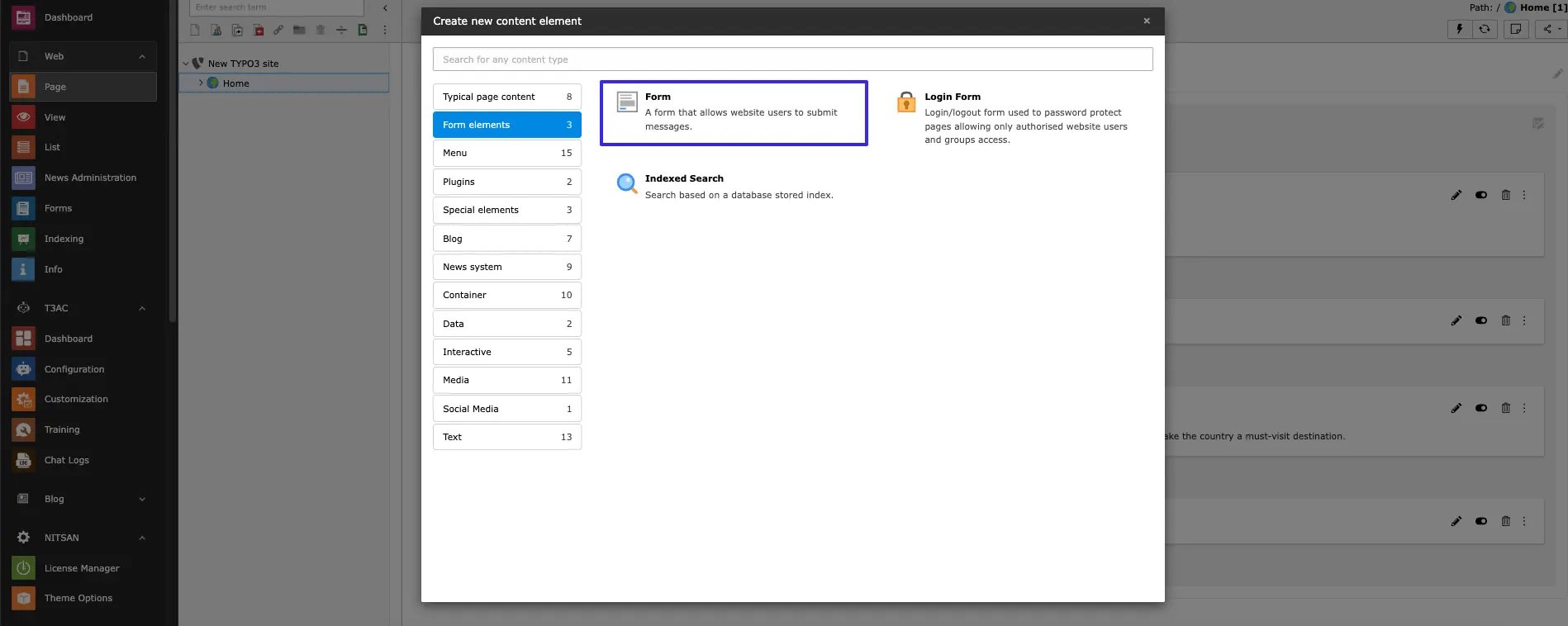 * **Step 4:** Choose Hubspot Form from dropdown which you want to Integrate.
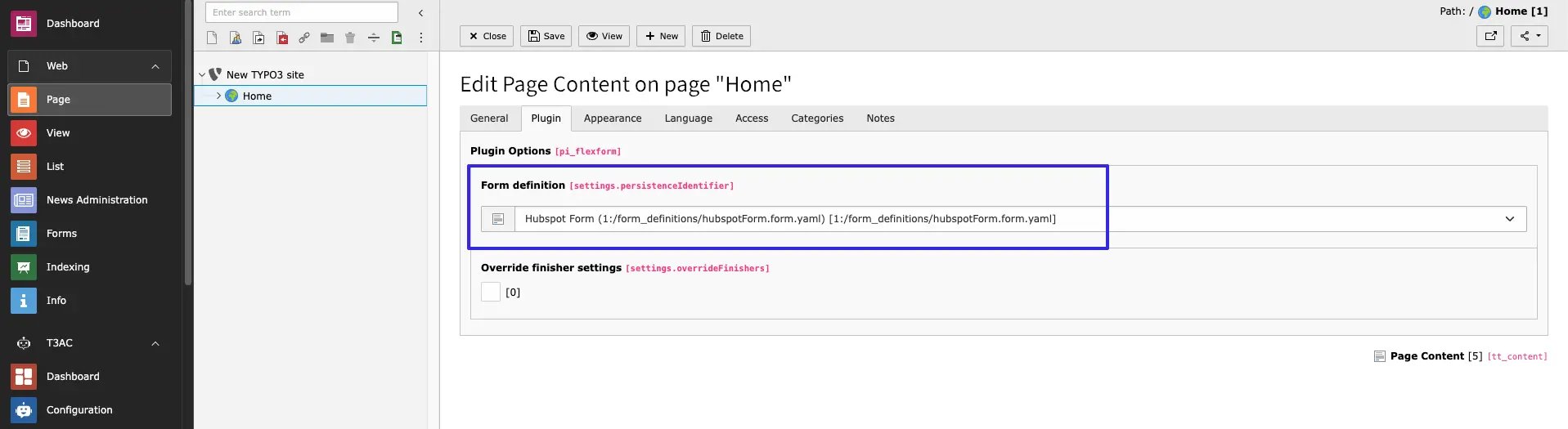 Save Configurations and use Plugin as per your requirements.