

1.1 Add News Form
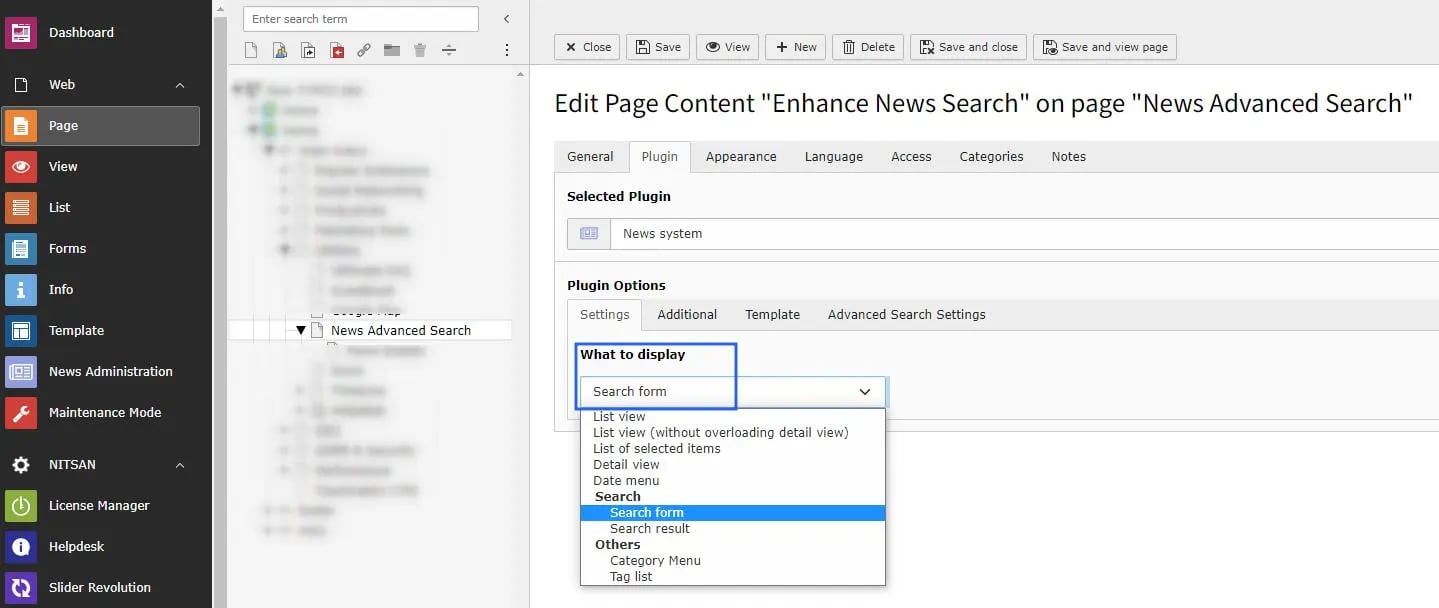
- News System -> Select the News form in the News System plugin and save. After that, you will see the Advance Search Settings tab.
1.2 Advance Search Settings
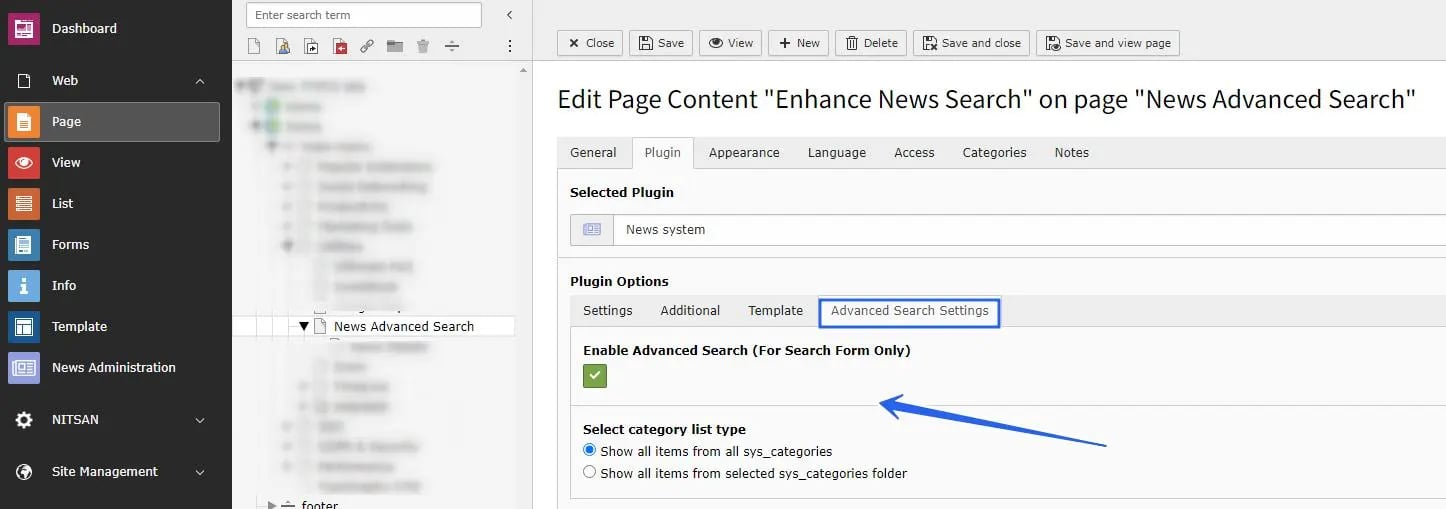
- Enable Advance Search -> Enable this checkbox to show the search form on the frontend.
- Category List -> Choose one option: show categories from all system category folders, or show categories only from selected folders.
- Select filter for child category -> You have two options:
ORandAND. WithOR, child categories are matched in OR mode. WithAND, child categories are matched in AND mode.
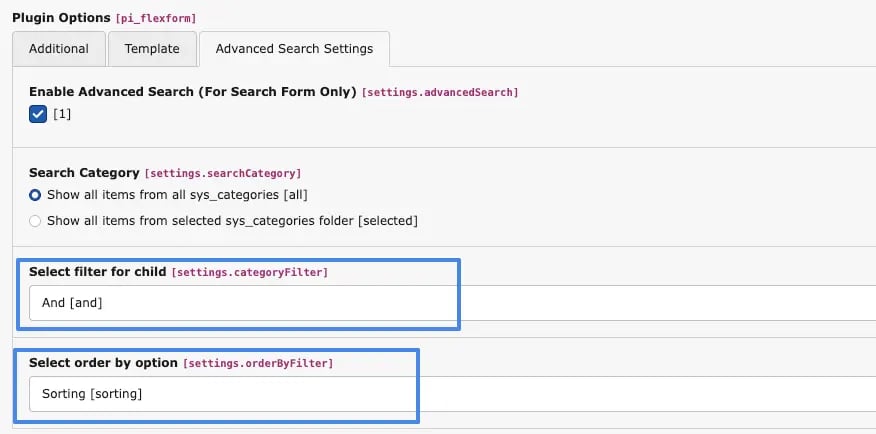
- Choose “OR” for child category filter, the result will be:
- [Child Category 1 OR Child Category 2] AND [Child Category 1 OR Child Category 1]
- Choose “AND” for child category filter, the result will be:
Note: between main categories, the relation is always
- [Child Category 1 AND Child Category 2] AND [Child Category 1 AND Child Category 2]
AND.
- Select order by option -> A select box is provided with options for Sorting and Parent. When the user selects Sorting, the categories are displayed based on the defined sorting order. When the user selects Parent, the categories are displayed based on their parent-child hierarchy.