> ## Documentation Index
> Fetch the complete documentation index at: https://docs.t3planet.de/en/latest/llms.txt
> Use this file to discover all available pages before exploring further.
# 1. General News System Settings
Add the News System plugin from the **Add New Element** popup.
# 1.1 Add News Form
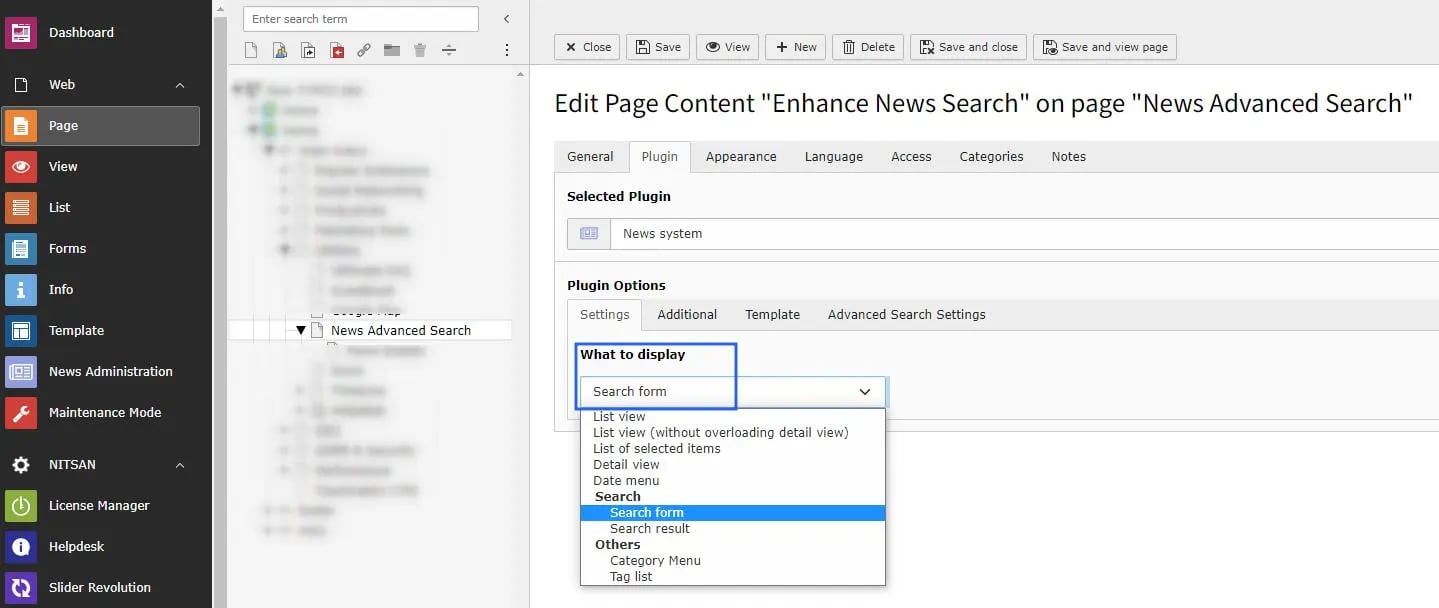 * **News System** -> Select the News form in the News System plugin and save.
After that, you will see the **Advance Search Settings** tab.
# 1.2 Advance Search Settings
* **News System** -> Select the News form in the News System plugin and save.
After that, you will see the **Advance Search Settings** tab.
# 1.2 Advance Search Settings
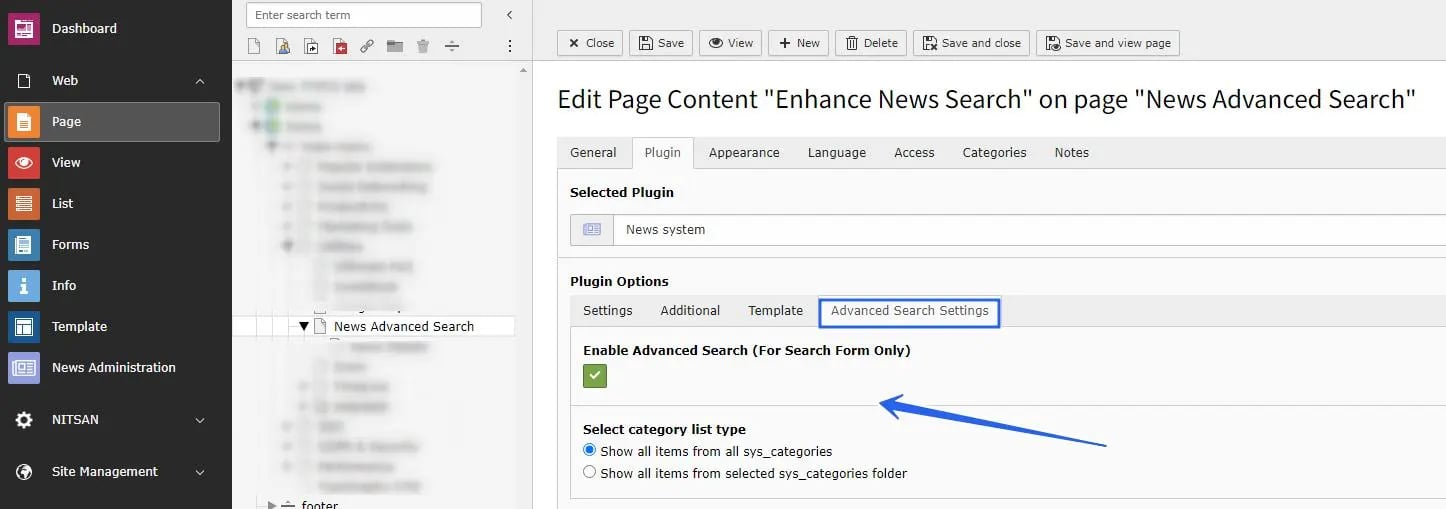 * **Enable Advance Search** -> Enable this checkbox to show the search form on the frontend.
* **Category List** -> Choose one option:
show categories from all system category folders, or show categories only from selected folders.
* **Select filter for child category** -> You have two options: `OR` and `AND`.
With `OR`, child categories are matched in OR mode.
With `AND`, child categories are matched in AND mode.
* **Enable Advance Search** -> Enable this checkbox to show the search form on the frontend.
* **Category List** -> Choose one option:
show categories from all system category folders, or show categories only from selected folders.
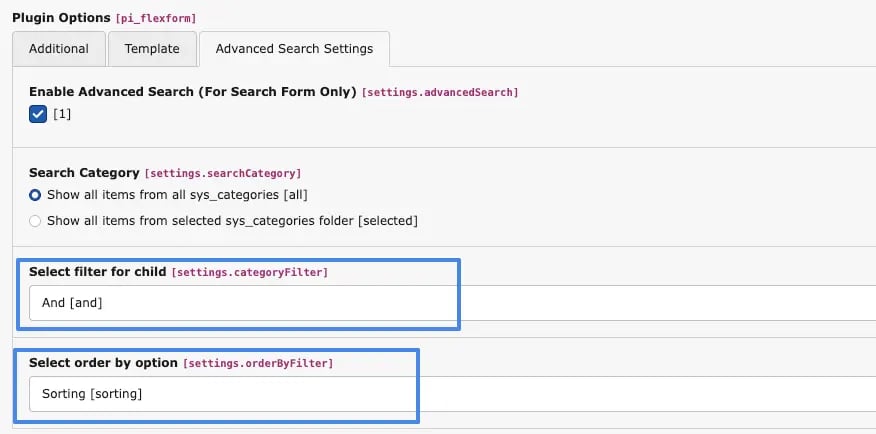
* **Select filter for child category** -> You have two options: `OR` and `AND`.
With `OR`, child categories are matched in OR mode.
With `AND`, child categories are matched in AND mode.
 Example:
1. **Choose "OR" for child category filter**, the result will be:
> * \[Child Category 1 OR Child Category 2] AND \[Child Category 1 OR Child Category 1]
2. **Choose "AND" for child category filter**, the result will be:
> * \[Child Category 1 AND Child Category 2] AND \[Child Category 1 AND Child Category 2]
Note: between main categories, the relation is always `AND`.
* **Select order by option** -> A select box is provided with options for **Sorting** and **Parent**.
When the user selects **Sorting**, the categories are displayed based on the defined sorting order.
When the user selects **Parent**, the categories are displayed based on their parent-child hierarchy.
That is all. Your advanced search form is now shown on your website.
Example:
1. **Choose "OR" for child category filter**, the result will be:
> * \[Child Category 1 OR Child Category 2] AND \[Child Category 1 OR Child Category 1]
2. **Choose "AND" for child category filter**, the result will be:
> * \[Child Category 1 AND Child Category 2] AND \[Child Category 1 AND Child Category 2]
Note: between main categories, the relation is always `AND`.
* **Select order by option** -> A select box is provided with options for **Sorting** and **Parent**.
When the user selects **Sorting**, the categories are displayed based on the defined sorting order.
When the user selects **Parent**, the categories are displayed based on their parent-child hierarchy.
That is all. Your advanced search form is now shown on your website.