> ## Documentation Index
> Fetch the complete documentation index at: https://docs.t3planet.de/en/latest/llms.txt
> Use this file to discover all available pages before exploring further.
# Installation
# Installation
You can install the TYPO3 Social Login Extension using either the Extension Manager or Composer, depending on your TYPO3 project setup.
**Premium Version – License Activation**
To install and activate the premium version, follow the official guide:
[License documentation](/en/latest/en/latest/License/Index)
**Free Version – Installation via Extension Manager (EM)**
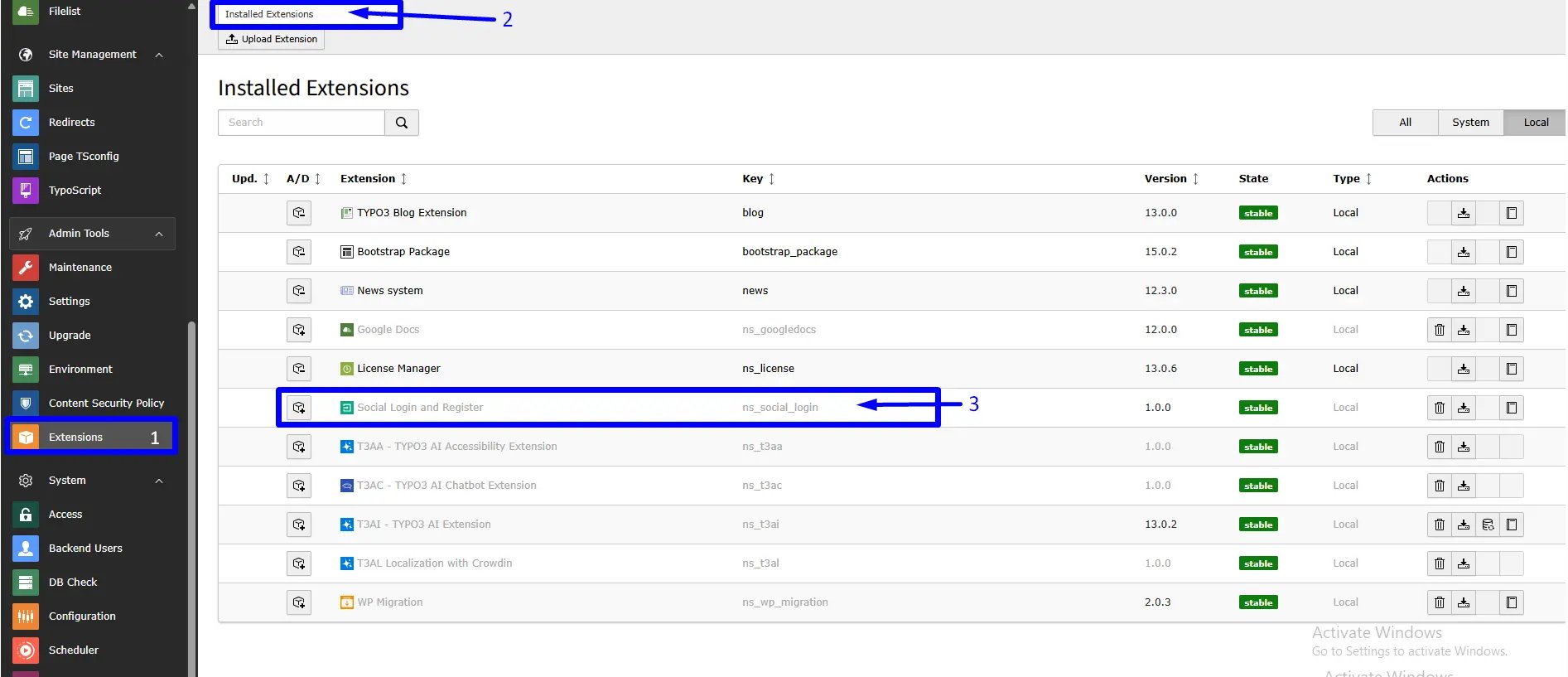
* Step 1: In the TYPO3 backend, navigate to the Extension Manager module.
* Step 2: Click **Retrieve/Update** to fetch the latest extensions.
* Step 3: Search for the extension key: `ns_social_login`. Install it directly from the TYPO3 Extension Repository (TER).
 ## Activating TypoScript
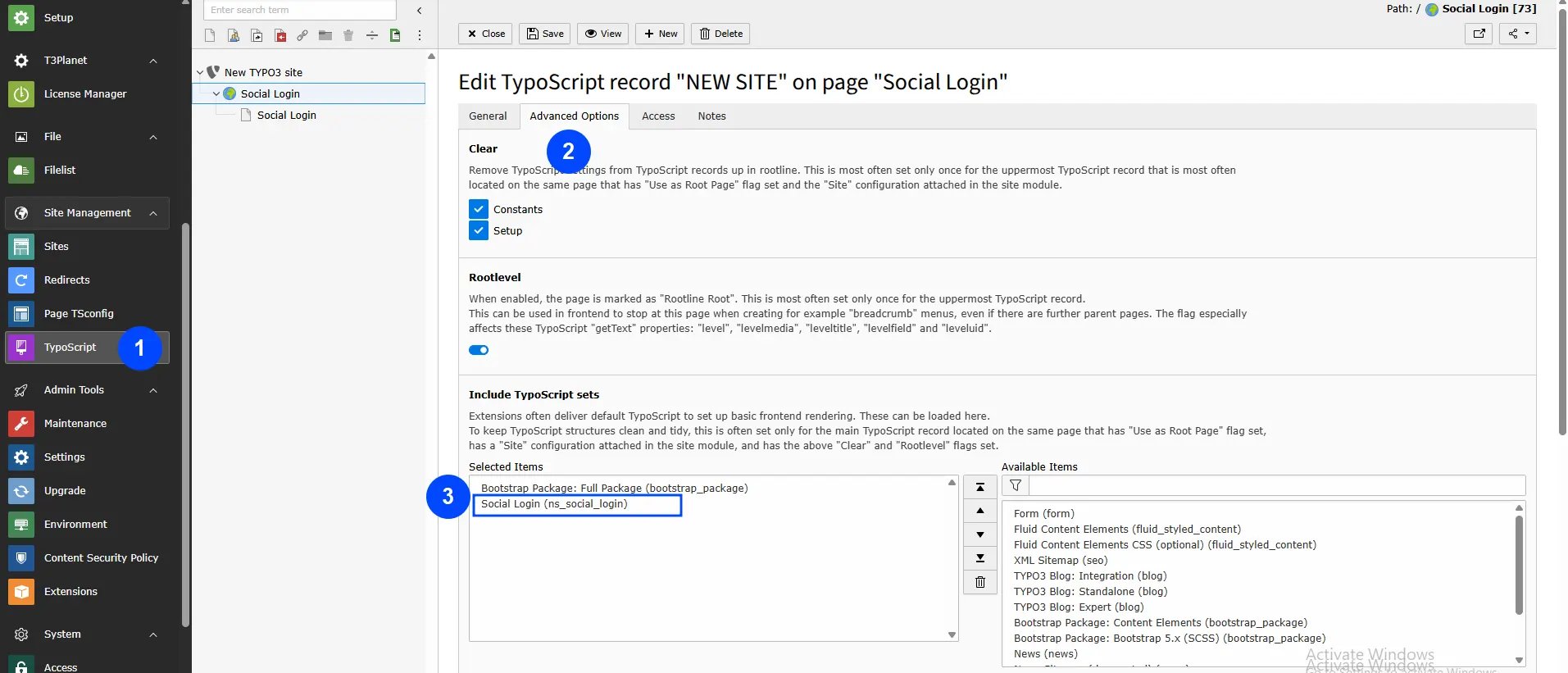
To enable functionality, include the static TypoScript configuration:
1. Navigate to the root page of your TYPO3 site.
2. Open the **Template or TypoScript** module and choose **Edit the whole template record**.
3. Go to the **Includes** tab.
4. Under **Include static (from extensions)**, add: `Social Login (ns_social_login)`
5. Ensure the static template is placed at the end of the list.
## Activating TypoScript
To enable functionality, include the static TypoScript configuration:
1. Navigate to the root page of your TYPO3 site.
2. Open the **Template or TypoScript** module and choose **Edit the whole template record**.
3. Go to the **Includes** tab.
4. Under **Include static (from extensions)**, add: `Social Login (ns_social_login)`
5. Ensure the static template is placed at the end of the list.
 ## Video Tutorials
* **Installation without Composer:**
[https://www.youtube.com/watch?v=SN5HoFQcDM4](https://www.youtube.com/watch?v=SN5HoFQcDM4)
* **Installation via Composer:**
[https://www.youtube.com/watch?v=\_7ILu4lwU-k](https://www.youtube.com/watch?v=_7ILu4lwU-k)
## Video Tutorials
* **Installation without Composer:**
[https://www.youtube.com/watch?v=SN5HoFQcDM4](https://www.youtube.com/watch?v=SN5HoFQcDM4)
* **Installation via Composer:**
[https://www.youtube.com/watch?v=\_7ILu4lwU-k](https://www.youtube.com/watch?v=_7ILu4lwU-k)