> ## Documentation Index
> Fetch the complete documentation index at: https://docs.t3planet.de/en/latest/llms.txt
> Use this file to discover all available pages before exploring further.
# AI Localization Logs
Track the status, progress, and history of all your XLIFF translations in one place.
 ## Steps to Access AI Logs
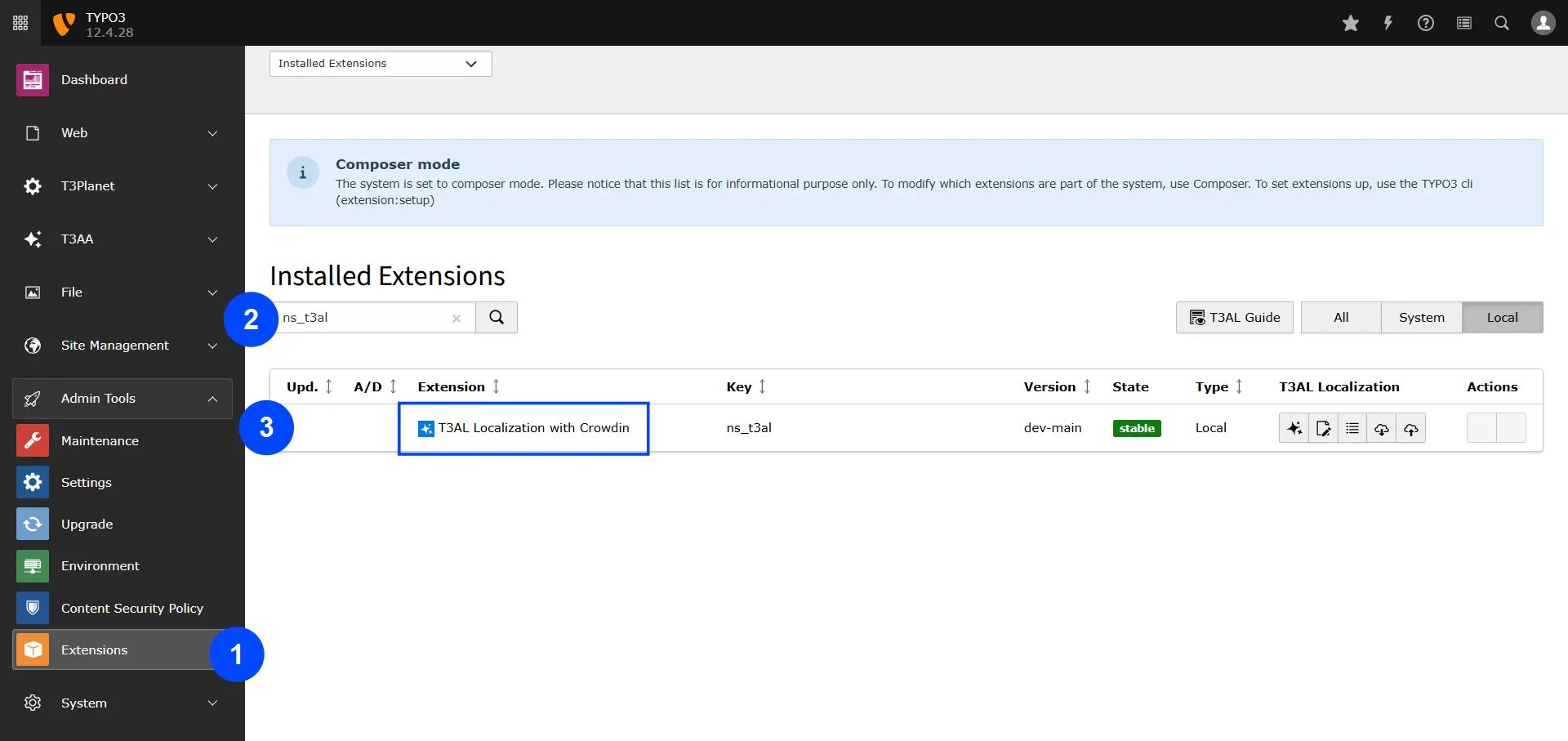
**Step 1:** Navigate to the "Extension Manager" module.
**Step 2:** Select "Get the extension" from the dropdown menu.
**Step 3:** Search with Extension Key **"ns\_t3al"**.
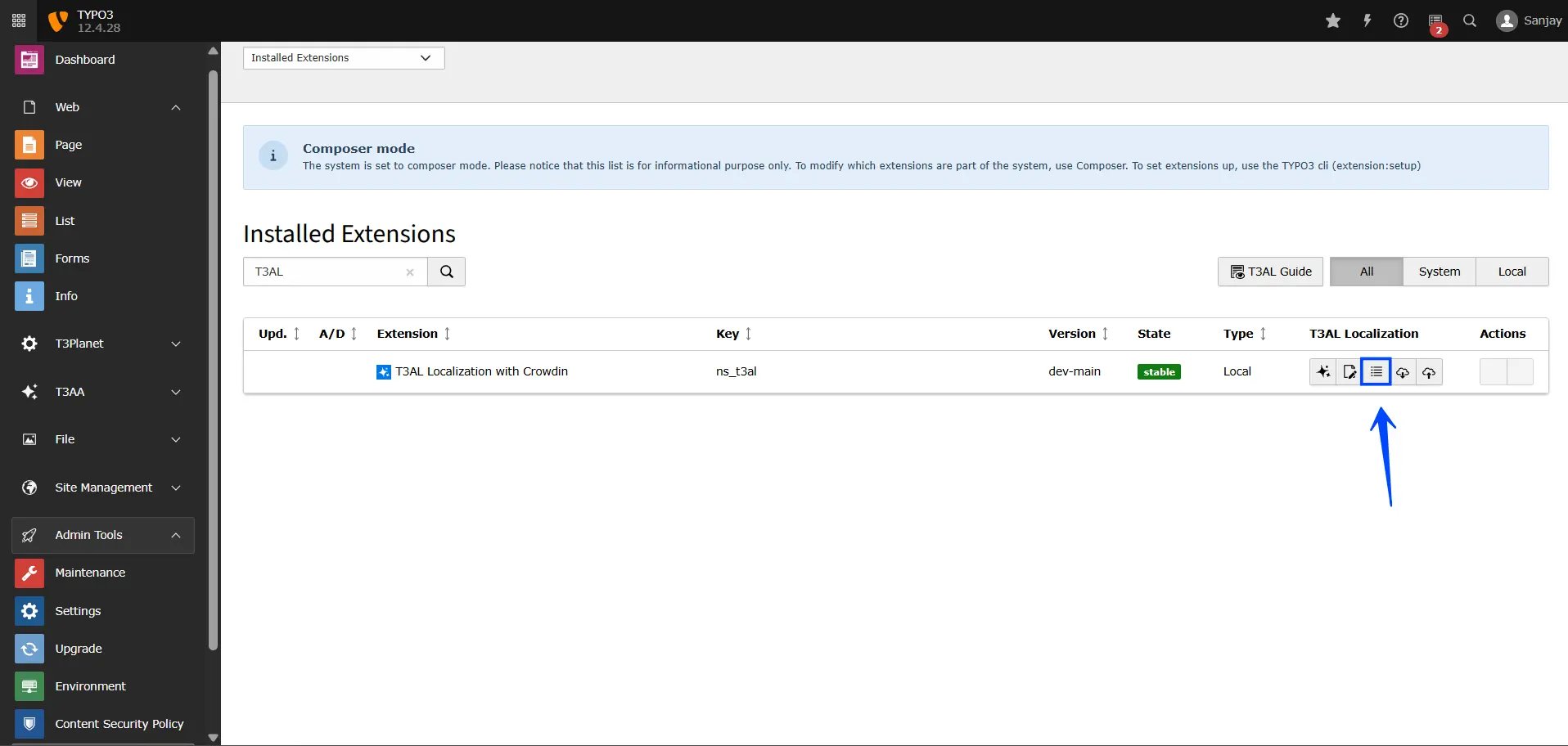
**Step 4:** Click on the AI Logs icon **“☰”**, which represents AL Logs.
## Steps to Access AI Logs
**Step 1:** Navigate to the "Extension Manager" module.
**Step 2:** Select "Get the extension" from the dropdown menu.
**Step 3:** Search with Extension Key **"ns\_t3al"**.
**Step 4:** Click on the AI Logs icon **“☰”**, which represents AL Logs.
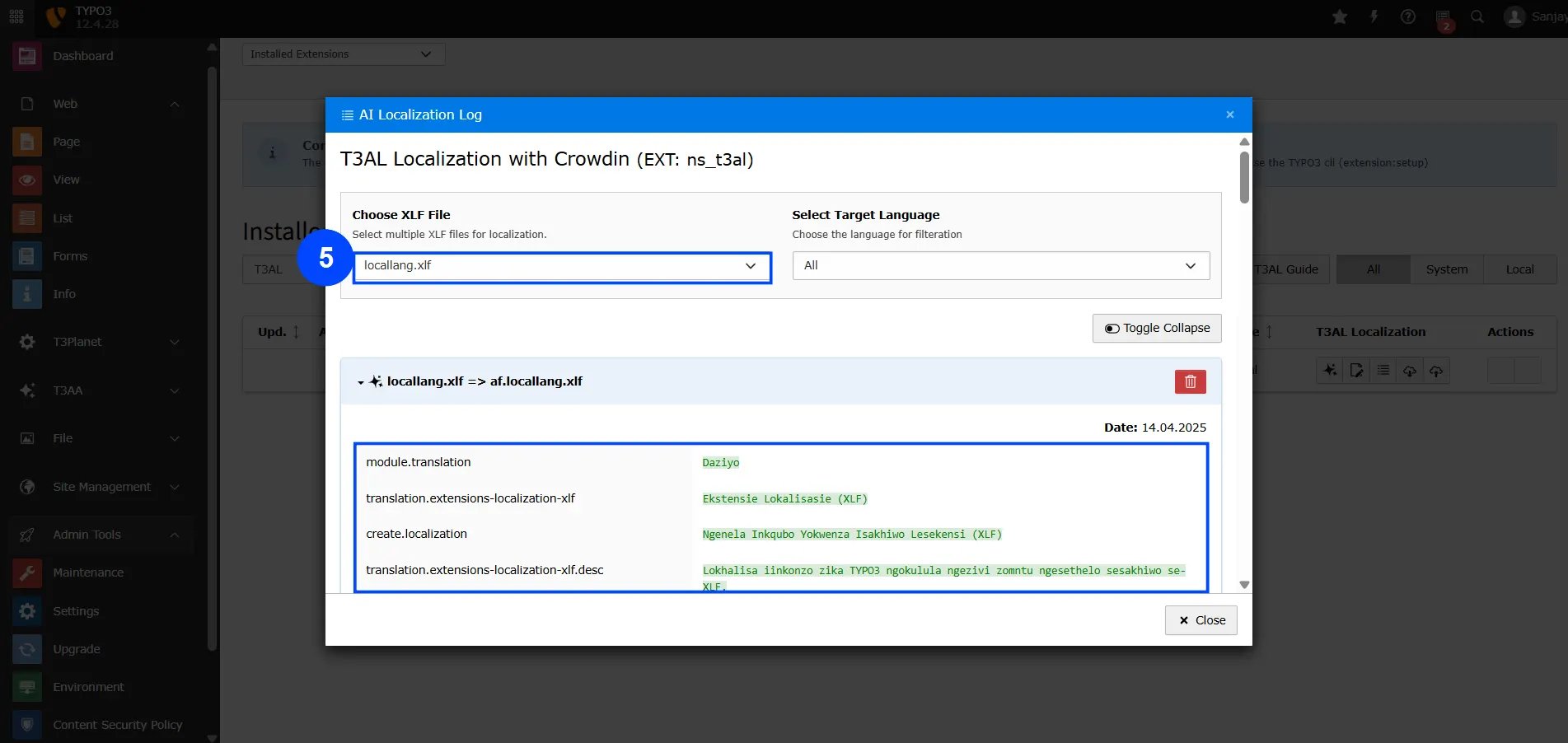
 **Step 5:** Select your translated file, and you’ll be able to see the changes made by T3AL in your XLIFF file.
**Final Step:** Close the file — and that's it!
**Step 5:** Select your translated file, and you’ll be able to see the changes made by T3AL in your XLIFF file.
**Final Step:** Close the file — and that's it!