> ## Documentation Index
> Fetch the complete documentation index at: https://docs.t3planet.de/en/latest/llms.txt
> Use this file to discover all available pages before exploring further.
# Configuration
> Configuration — T3Planet documentation.
# Configuration
## Quick & Easy configuration of "NsTwitter" into TYPO3
### To activate the Twitter service for your TYPO3 site:
1. Sign Up with your twitter account details over here [https://apps.twitter.com/](https://apps.twitter.com/)
2. After Sign Up to your account **Create New App**
3. Click to **Create Your Twitter application**
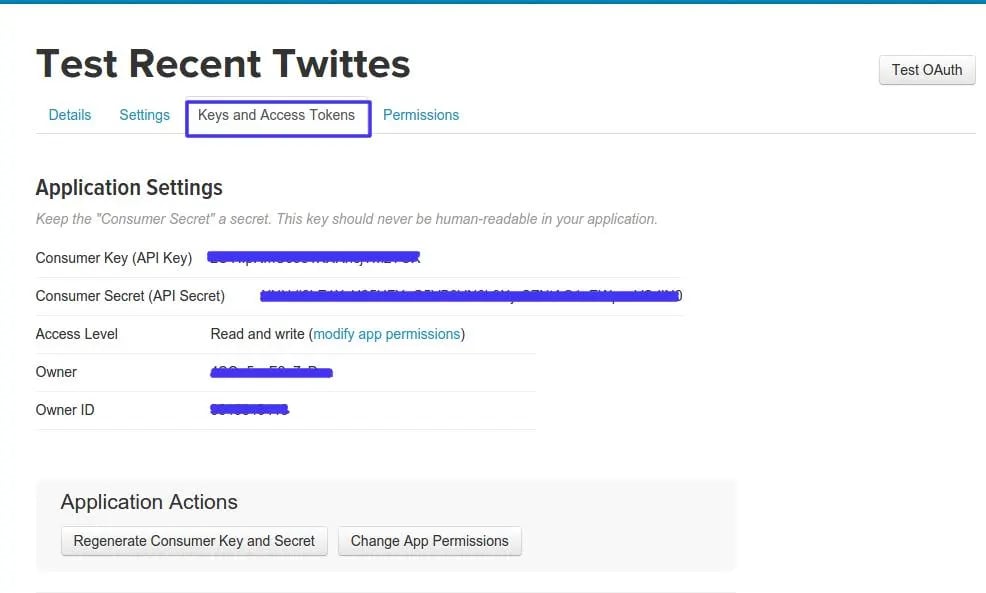
4. Now you will get keys from this tab **Keys and Access Tokens**, Just note it down to setup at our TYPO3 extension.
 ## Setup all the configuration:
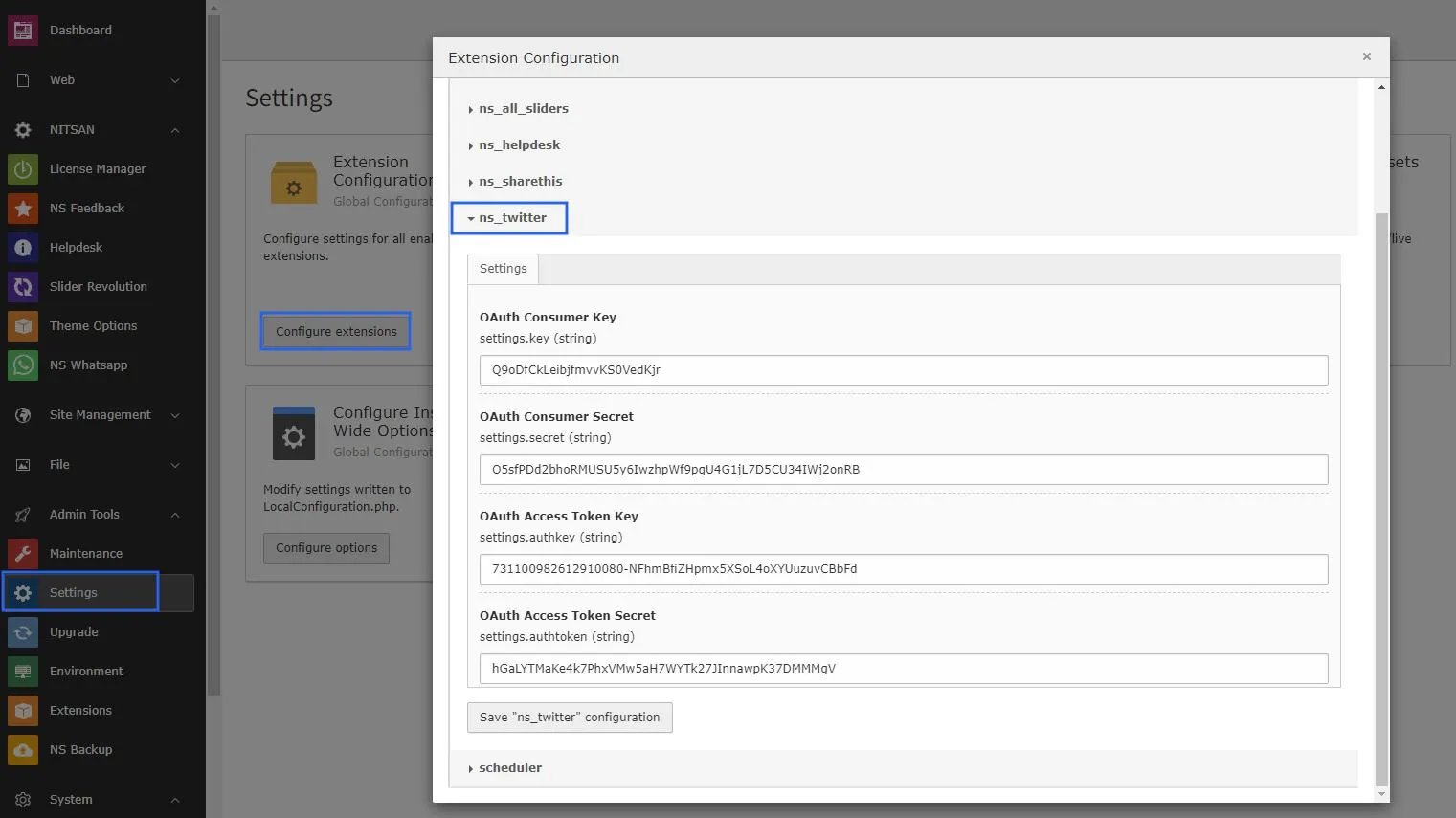
### 1. Switch to the module Admin tools *Extensions* and then edit **configuration**
## Setup all the configuration:
### 1. Switch to the module Admin tools *Extensions* and then edit **configuration**
 ### 2. Paste your required keys into this **settings**
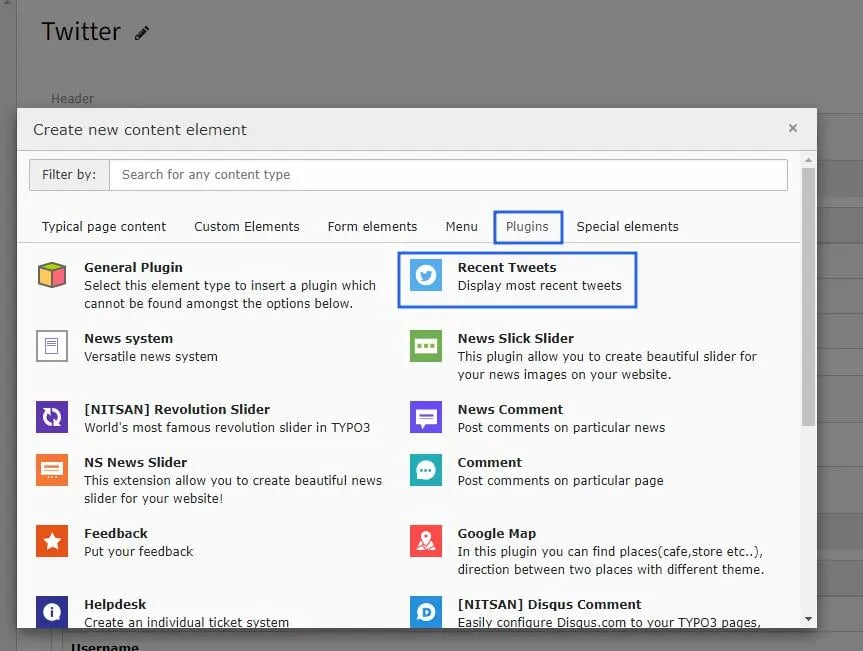
 ### 3. **Add Plugin** to your page where you want to show your tweets.
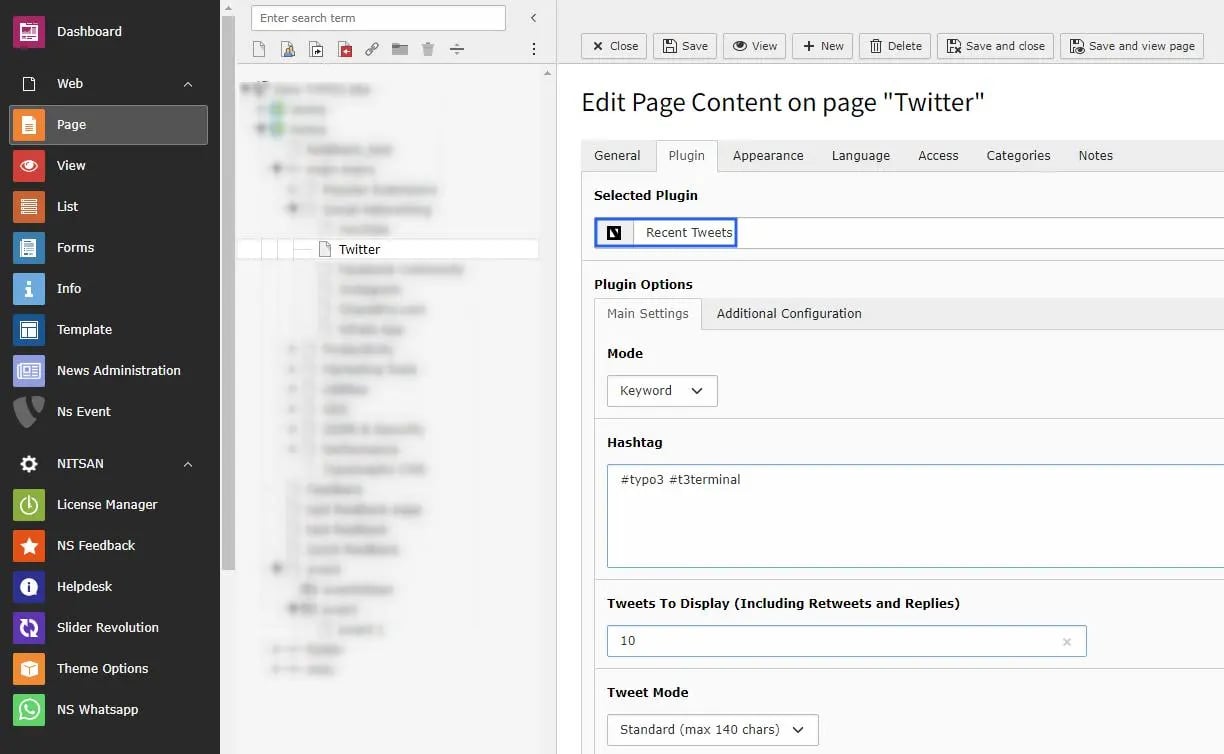
 ### 4. **Configure** it as per your requirements.
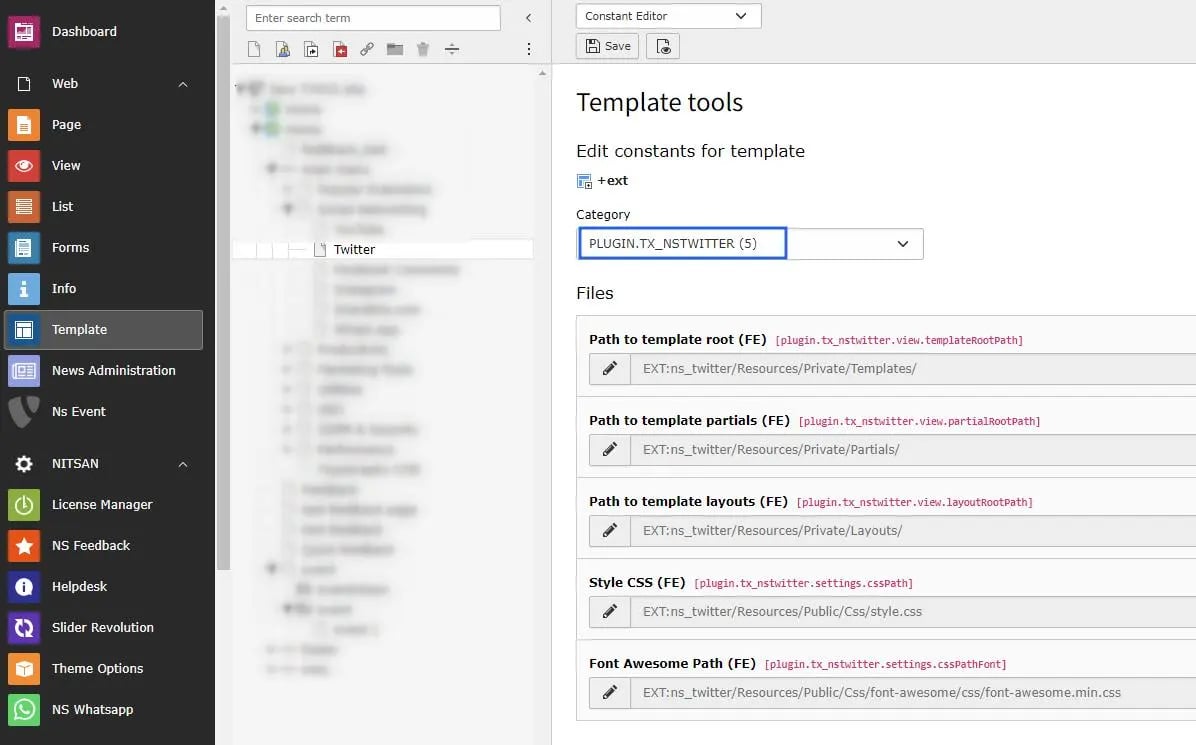
 ### 5. You can add your own **CSS** path by configuring below constant file path or **remove path** that will **not add css** in your project.
 ## Clearing the cache
Please use the buttons 'Flush frontend caches' and 'Flush general caches'
from the top panel. The 'Clear cache' function of the install tool will also
work perfectly.
## Clearing the cache
Please use the buttons 'Flush frontend caches' and 'Flush general caches'
from the top panel. The 'Clear cache' function of the install tool will also
work perfectly.