Upgrade Product >= v6.2.0 (Migrate from EXT.gridelements to EXT.container)
This product’s greater then v6.2.0 is major breaking changes to migrate from outdated EXT.gridelements to modern EXT.container. Please take a look at the step-by-step migration guide below.1
Step 1
Open System → T3Planet Shop (TYPO3 v12/v13: Admin Tools → T3Planet Shop; older versions: NITSAN > License Manager) and update to latest version of EXT.ns_theme_bootstrap
2
Step 2
Update EXT.ns_basetheme atleast v11.5.0
3
Step 3
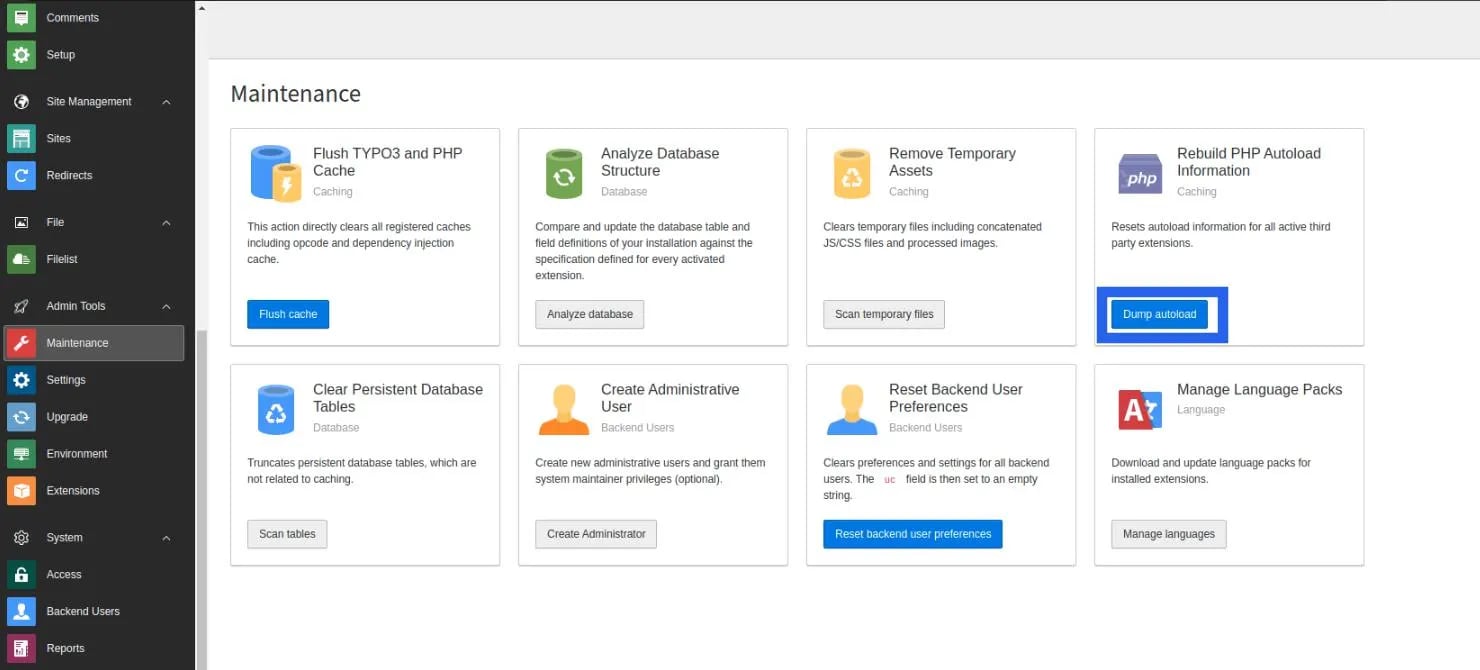
Go to Admin Tools > Maintenance module > Clear cache. Also, click on the “Dump Autoload” button. Or run the below command for the composer-based TYPO3 instance.
4
Step 4
Install EXT.container extension
5
Step 5
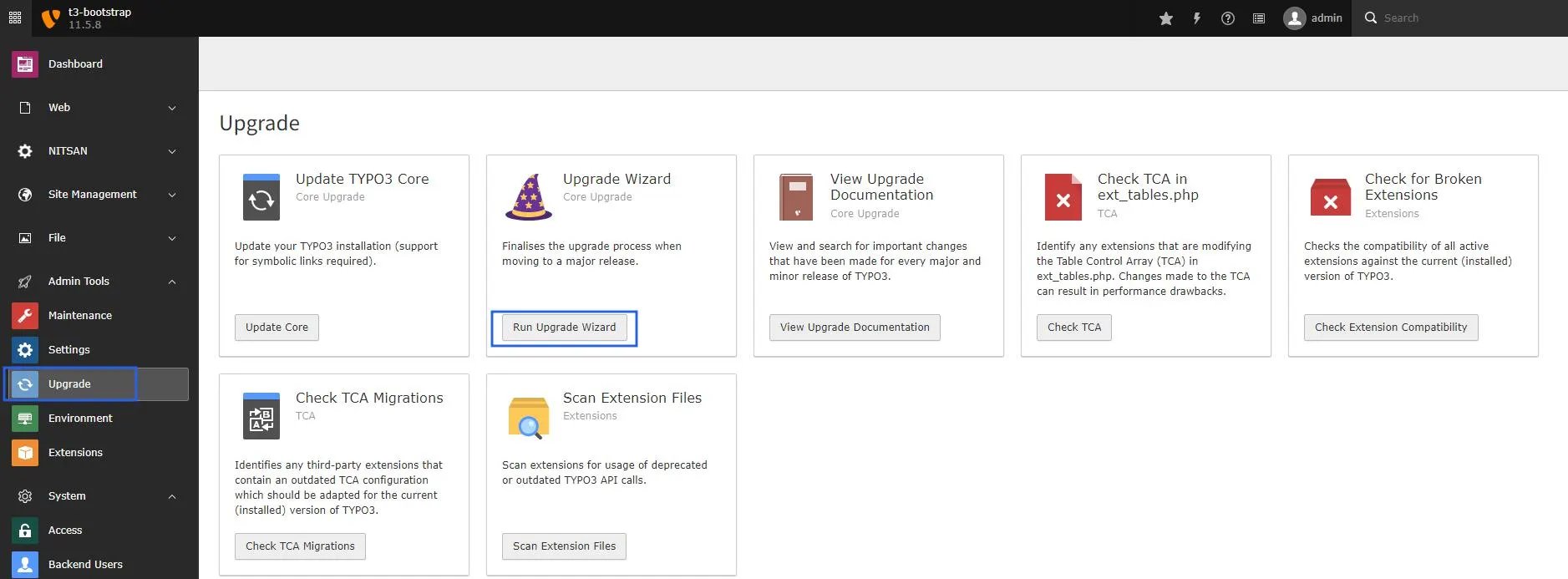
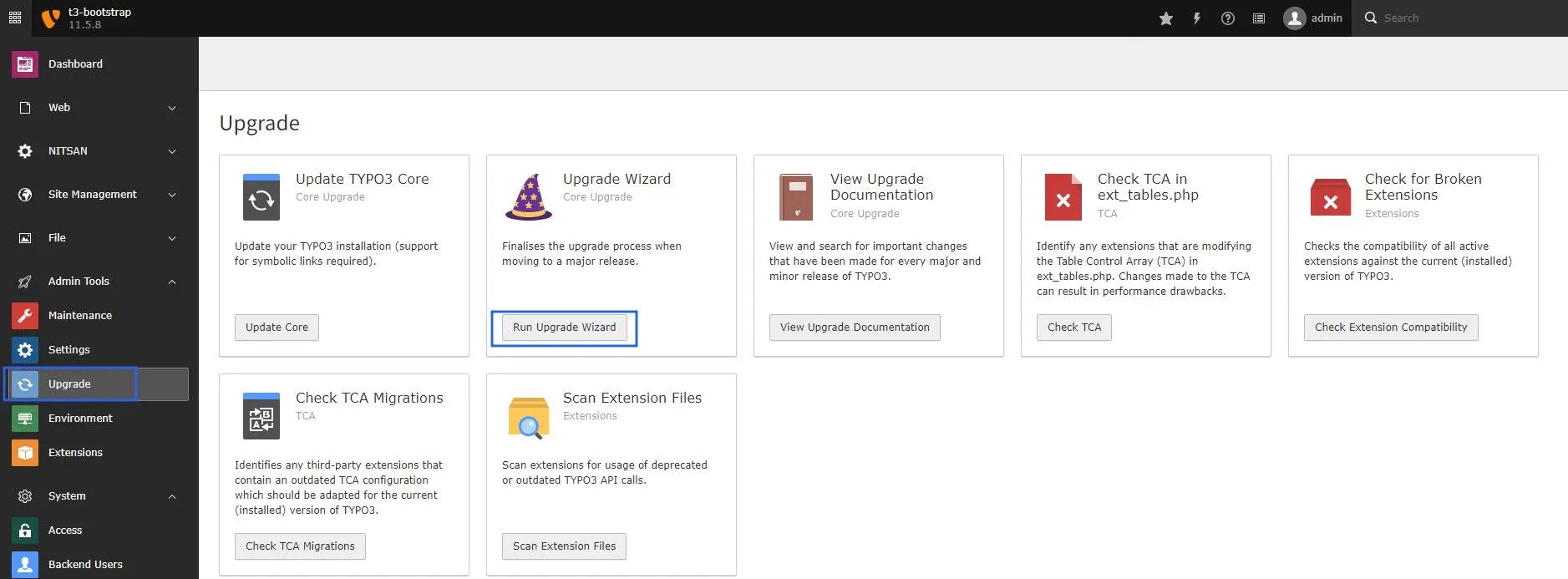
Go to Admin Tools > Upgrade > Click on “Run Upgrade Wizard”
6
Step 6
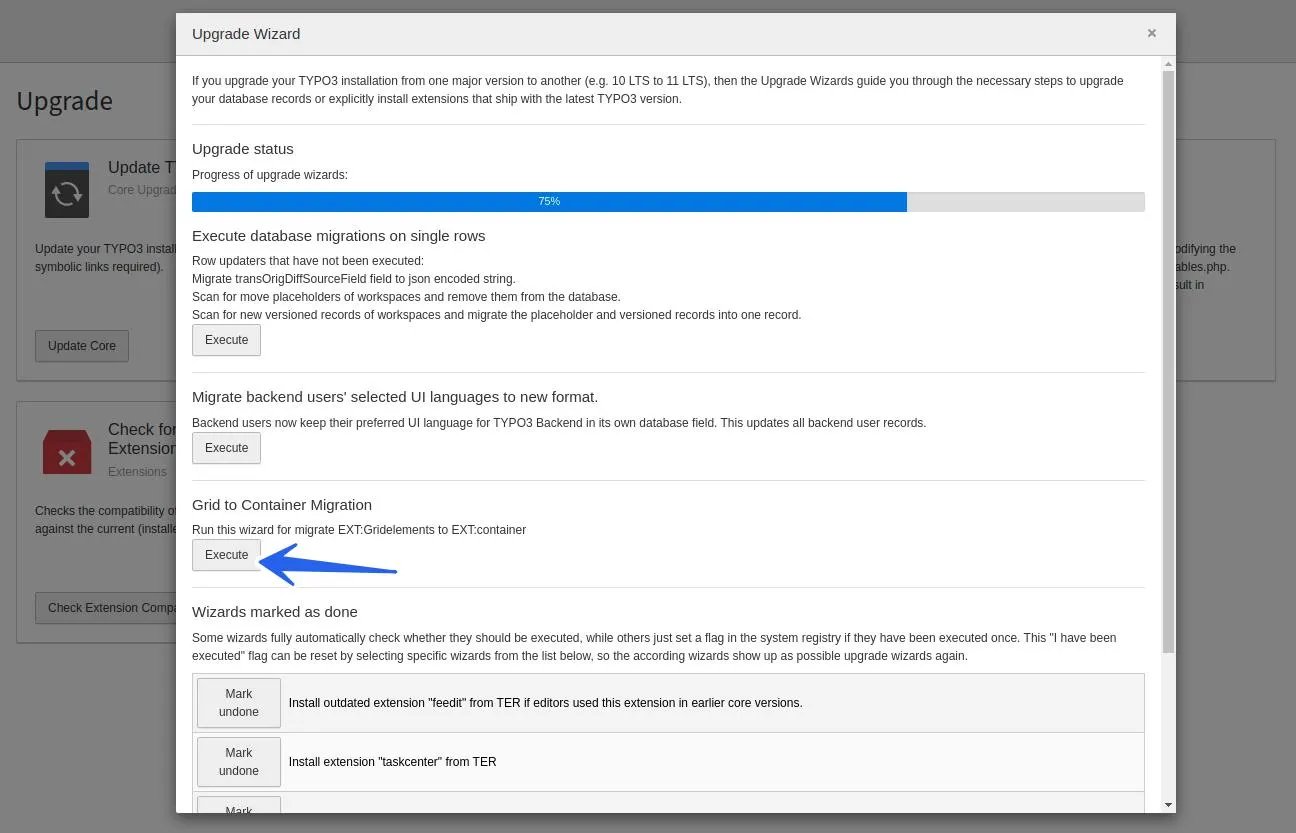
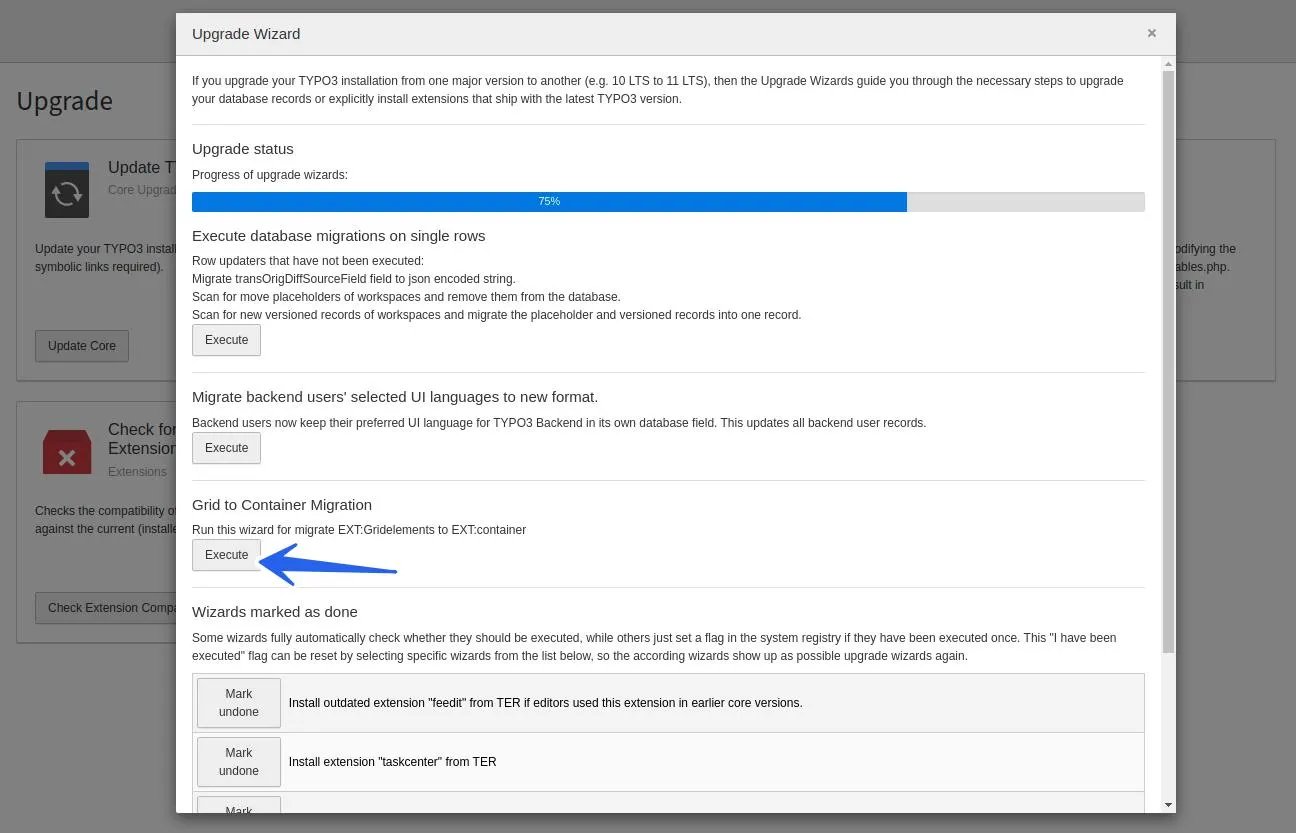
Click on the “Execute” button of “Grid to Container Migration”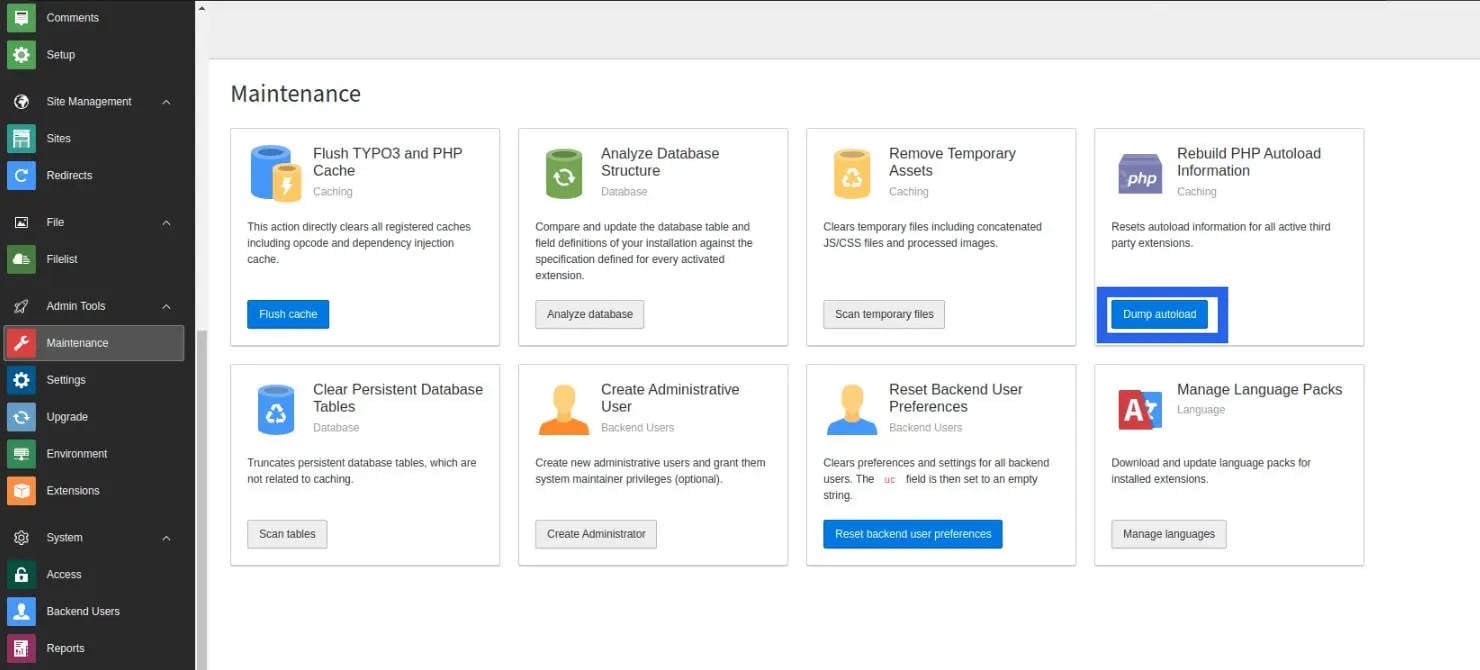
7
Step 7
Go to Admin Tools > Extensions > De-activate & Delete EXT.gridelements
8
Step 8
Go to Admin Tools > Maintenance > Clear Cache.That’s it! All the grids are migrated (structure and data) from EXT.gridelements to EXT.container TYPO3 extension.
Figures