Configuration
Quick & Easy configuration of “AllChats” into TYPO3
Choose & Setup account at one of your favourie chat tool:
- You should setup an account at one of your favourite chat tool eg., zopim.com, livechatinc.com, purechat.com, livezilla.net, clickdesk.com , tidiochat.com, visitlead.com, onwebchat.com, userlike.com
- You will able to find section where you can add your site’s URL.
- Use “Default Installation Instructions” to get all to get Project Id and Security Key.
Setup all the configuration of Live chat:
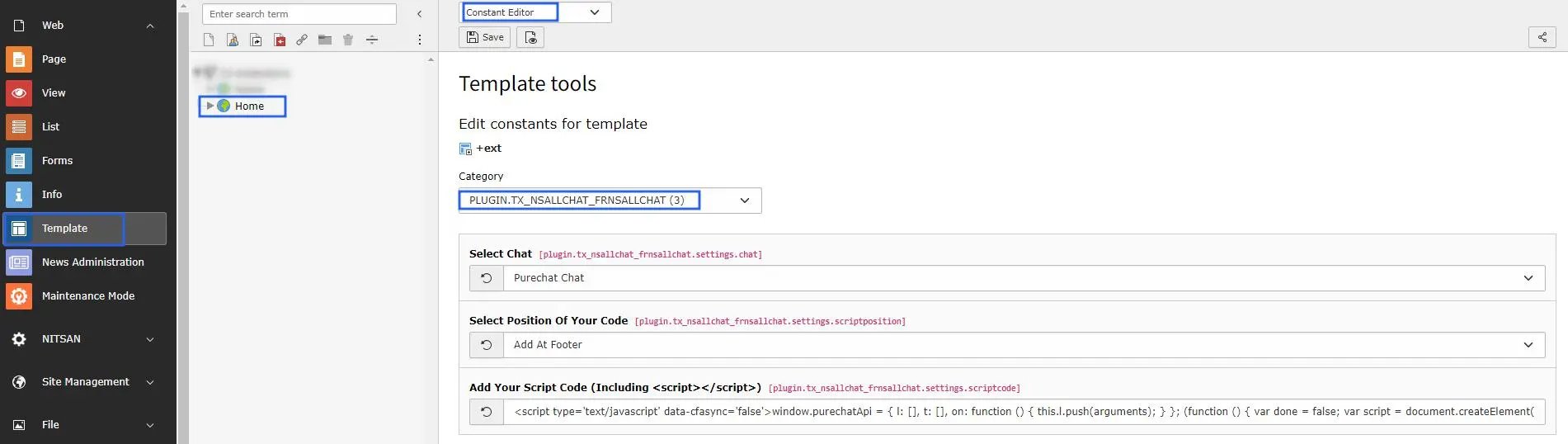
- Switch to the root page of your site.
- Switch to the Template module and select Constant Editor.
- Select Category = PLUGIN.TX_NSALLCHAT_FRNSALLCHAT (3)
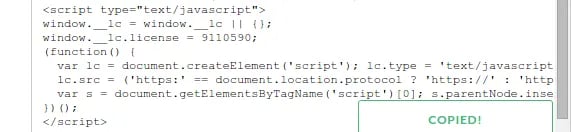
- Paste your script code over here including <script></script> to integrate it in typo3.