Configuration
Quick & Easy configuration of “All Lightbox” into TYPO3
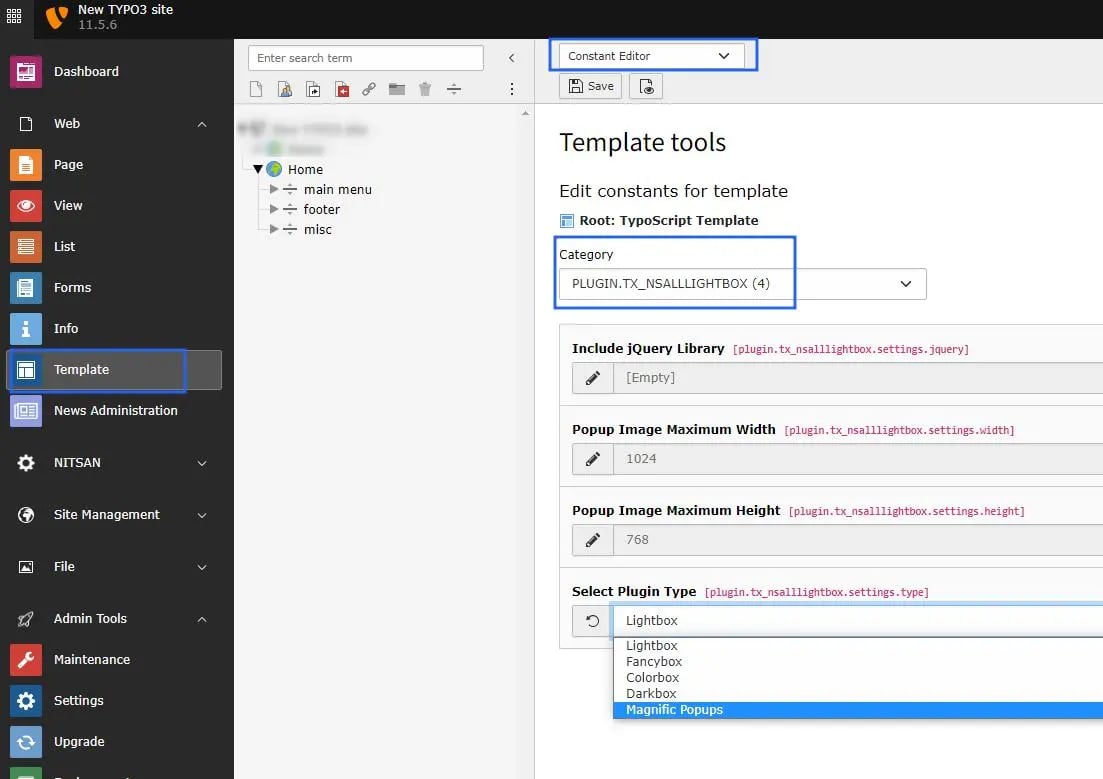
- Switch to the Template module and select Constant Editor
- Select Category PLUGIN.TX_NSALLLIGHTBOX You can configure it as per your requirement.
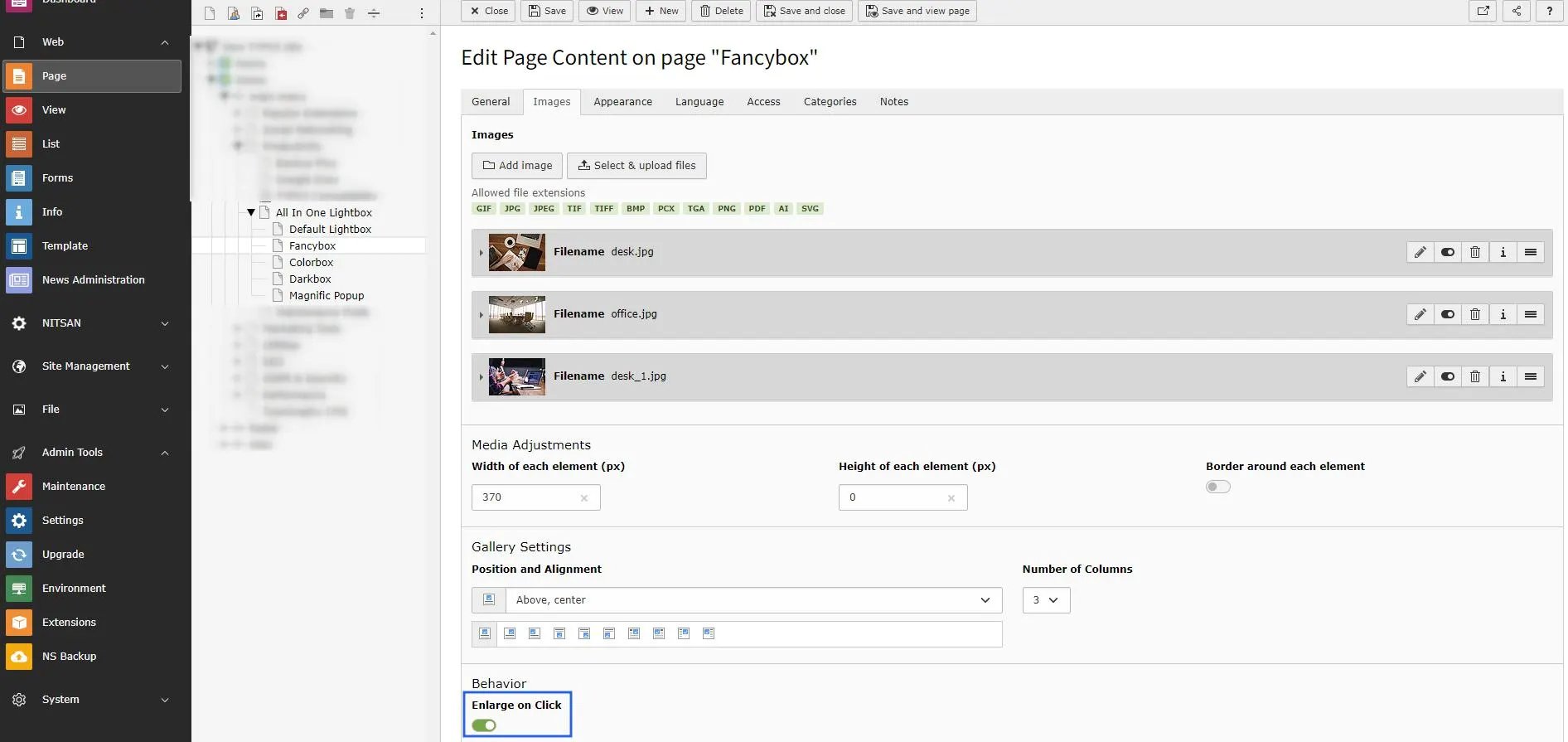
- Behavior: Enlarge on Click [Checkbox].
- You can only setup “Text & Media” TYPO3 Elements. (Because, We have setup everything with fluid_styled_content)
- Go to Images tab & Click on “Enlarge on click” checkbox. Checkout below screenshot.