

Add Comment Plugin
You can add Comment plugin from Add element wizard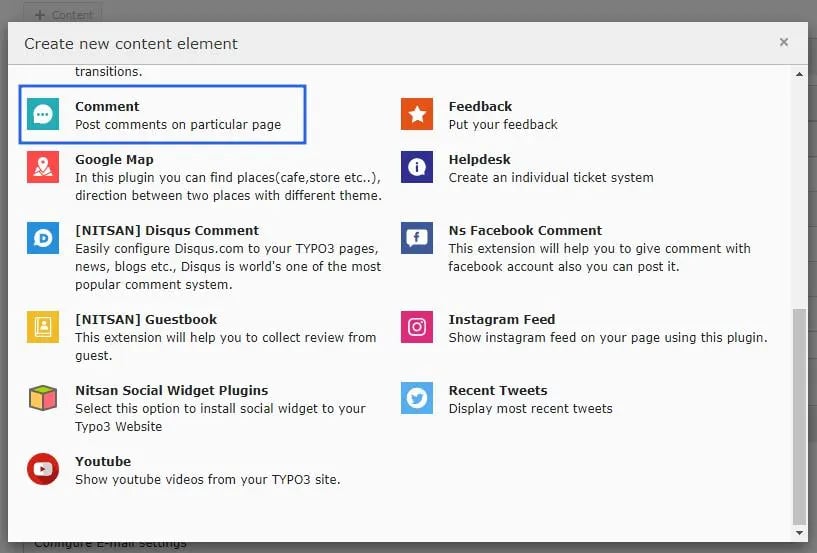
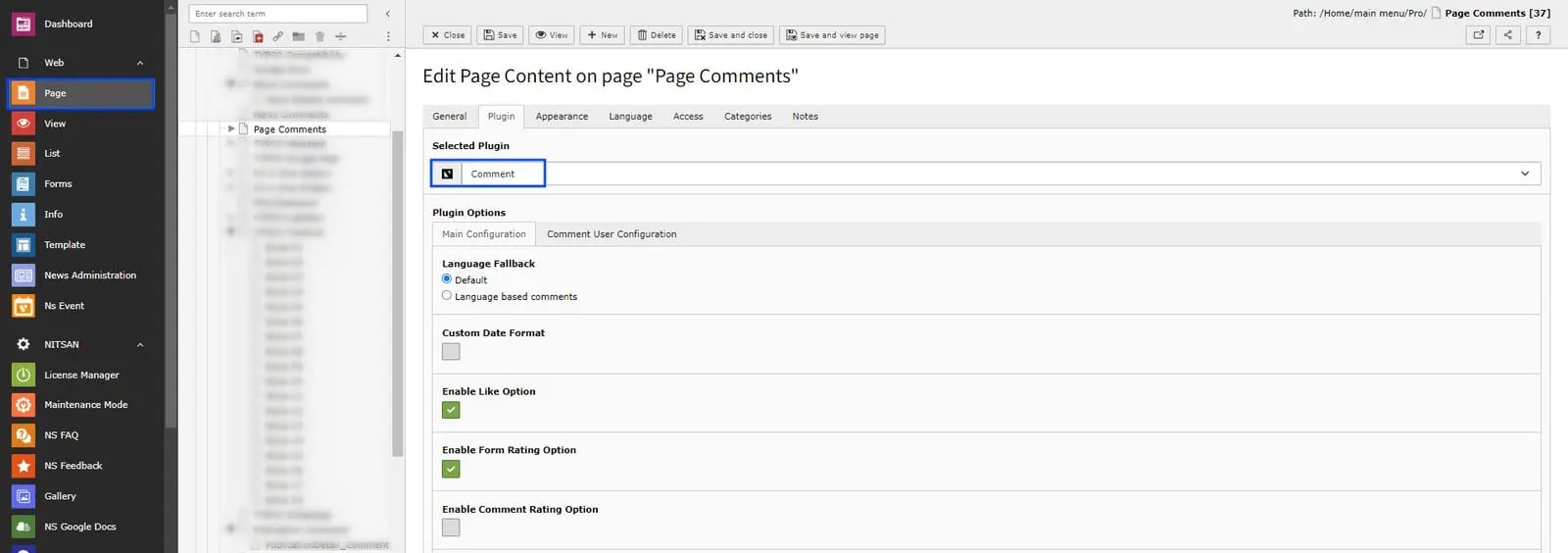
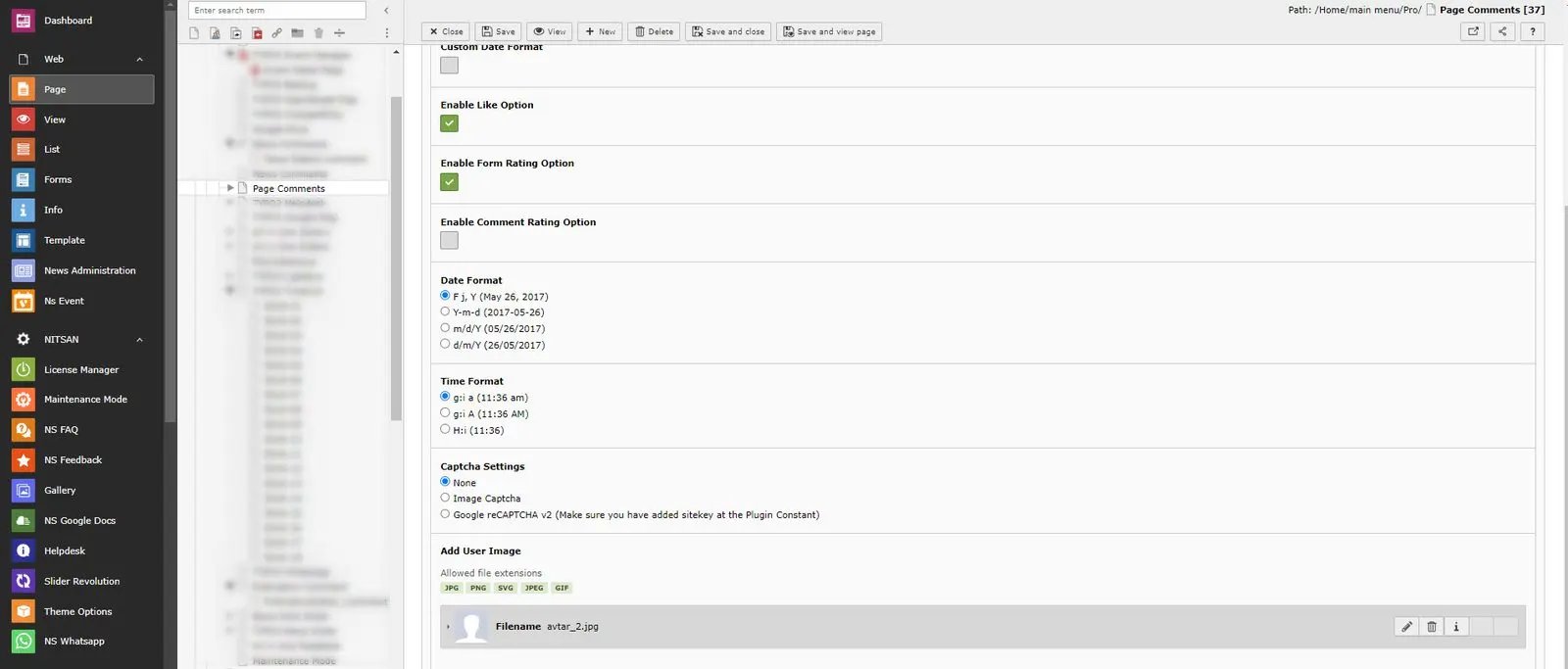
- None: Disable Captcha
- Image Captcha: Display Image Captcha. It will look like this:

If you select Image Captcha, you need to rename _.htaccess file to .htaccess at this folder /typo3conf/ext/ns_comments/Resources/Private/

- Google reCAPTCHA v2 : Display Google reCAPTCHA v2. Make sure to add Sitekey in Constant. It will look like this:

Comment until feature
Users are allowed to leave comments up until the specified date.Eg if admin set any date eg.12:00 01-01-2030,user can comment until that date and time,after that date user will not be able to add comments in that page. Follow below steps to configure it,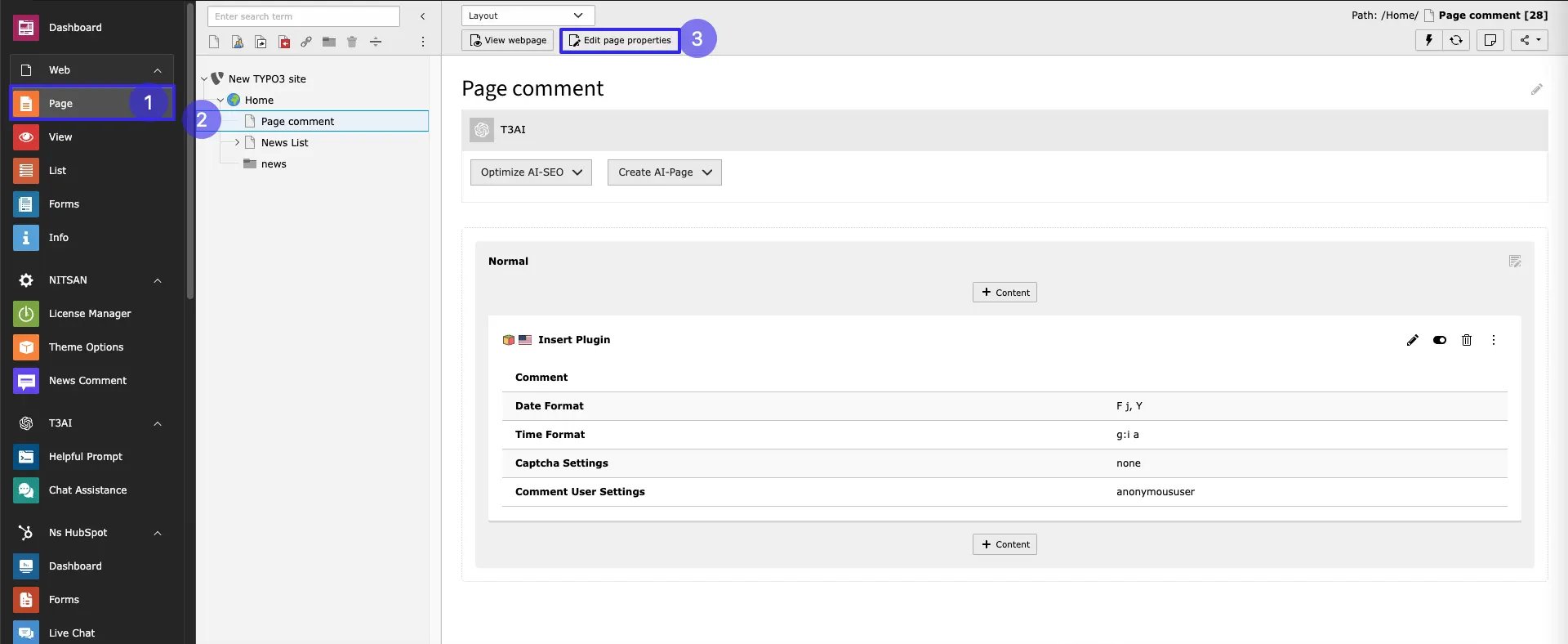
- Step:1 Go to Page module
- Step:2 Click on the page where comment plugin is added
- Step:3 Click on edit page properties
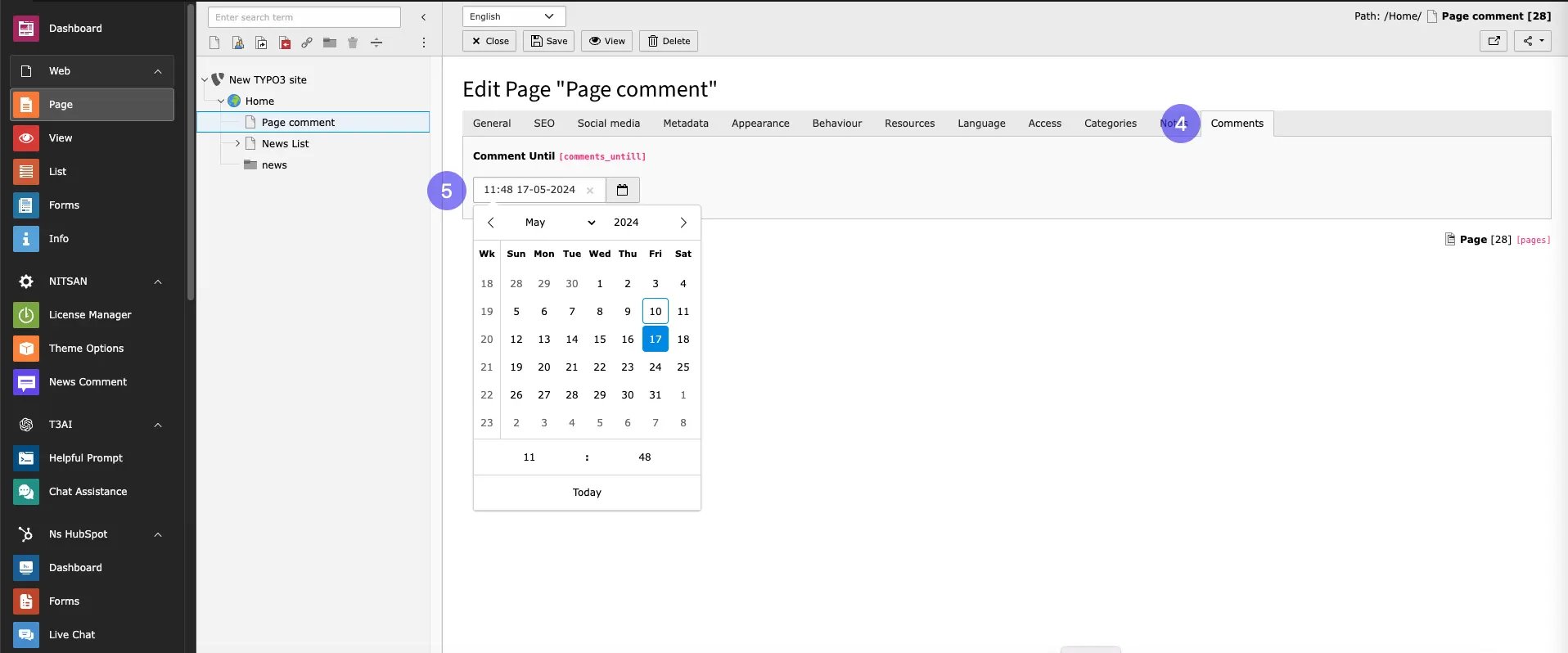
- Step:4 Go to Tab Comments
- Step:5 Set Date and time for enabling comment until feature.