

User Manual
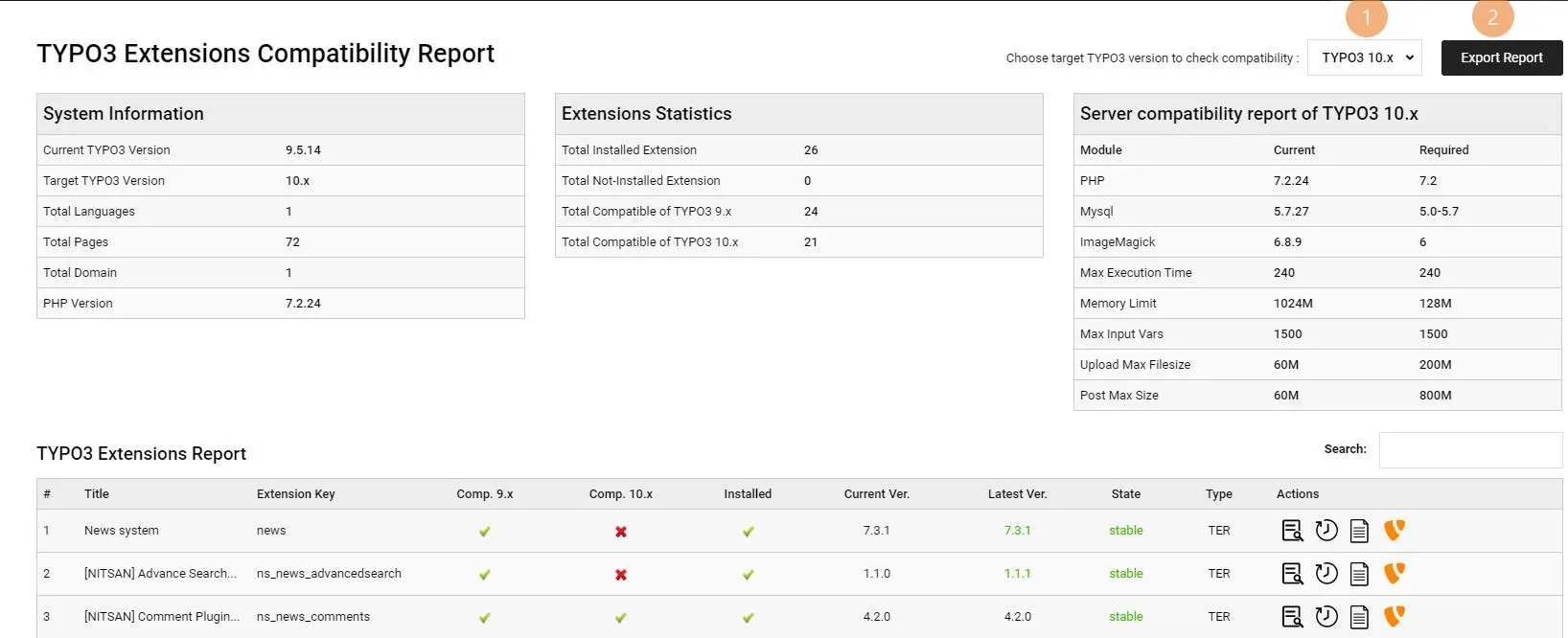
1. Select TYPO3 Target version and Export Feature
Now you may able to access backend module at ADMIN TOOLS > Extensions Report- You can select your target TYPO3 version to generate report.
- By clicking on “Export Report” button, Extension will export whole report in Excel sheet format
2. System Information, Extensions Statistics, Server compatibility report
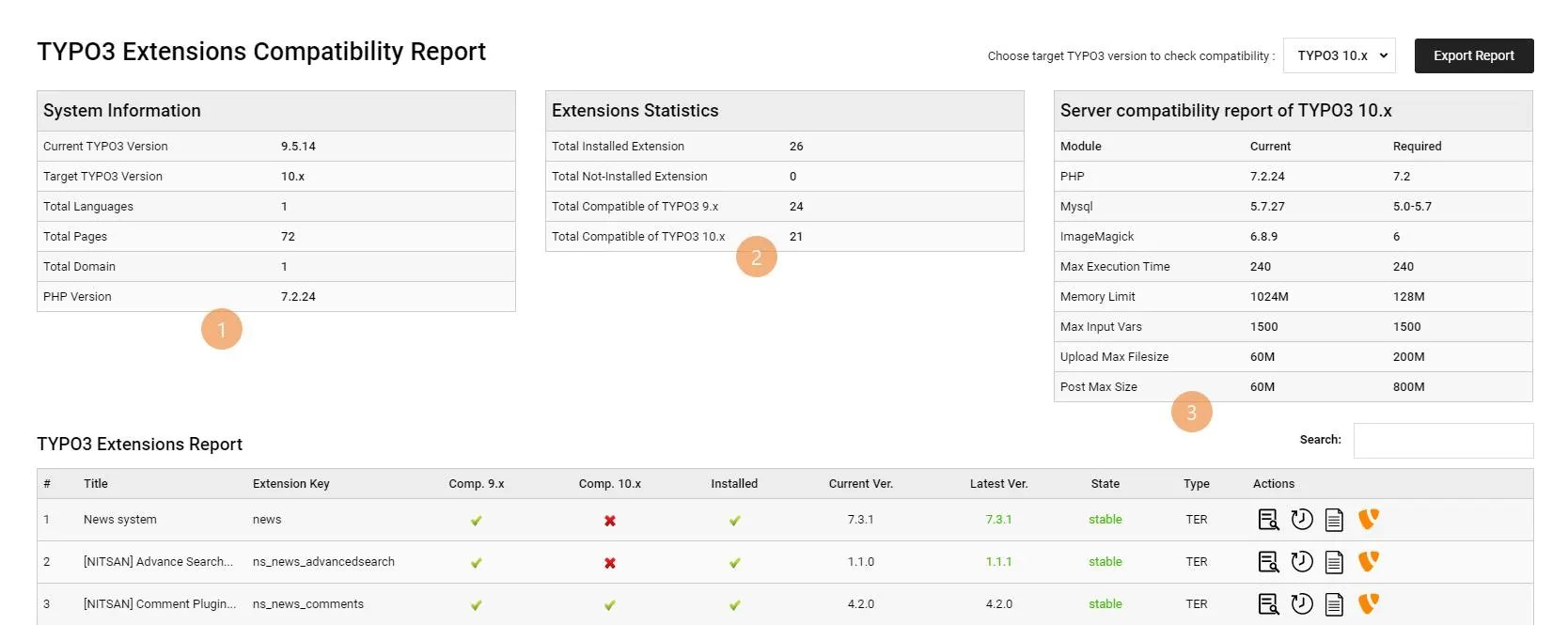
- The System Information section shows general overview report.
- Extensions Statistics section shows statistics of extensions eg., How many extensions are installed?
- Server compatibility report section shows the comparison of “server compatibility” between installed and target TYPO3 version.
3. TYPO3 Extensions Report
Here, you can see list of all the TYPO3 extensions with checking compatibility, available new version, variance actions eg., history of extension, versions etc.,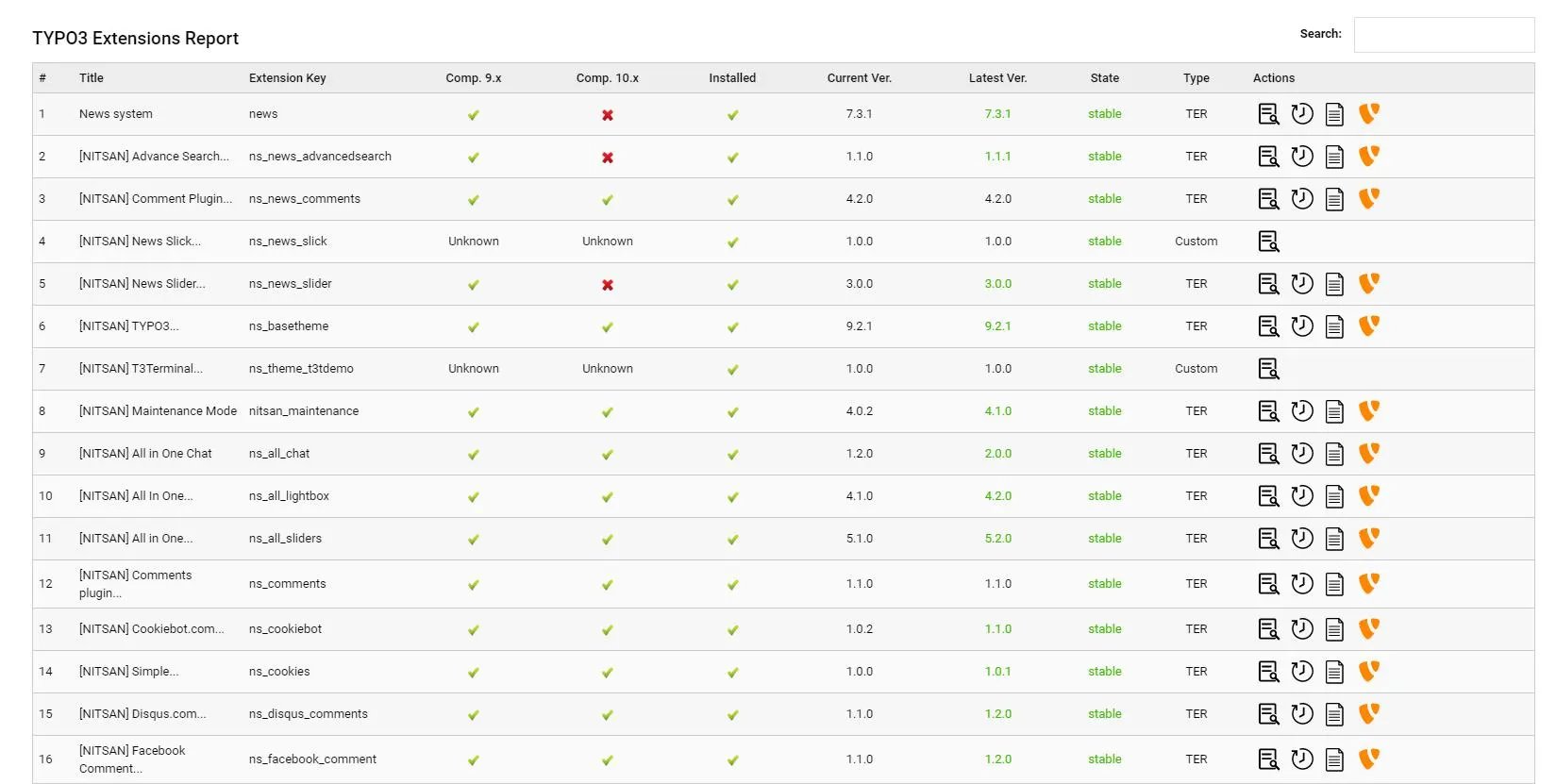
4. Actions And Results
This part shows which icon contains what kind of effect in it. ==================== ============================== ======================================================================================= Icon Action Description ==================== ============================== =======================================================================================


