

The free version does not include the TYPO3 backend module. It only provides the frontend meta-data script, which should be configured in the Settings module.
Install Free version
You can efficiently utilise the extension manager.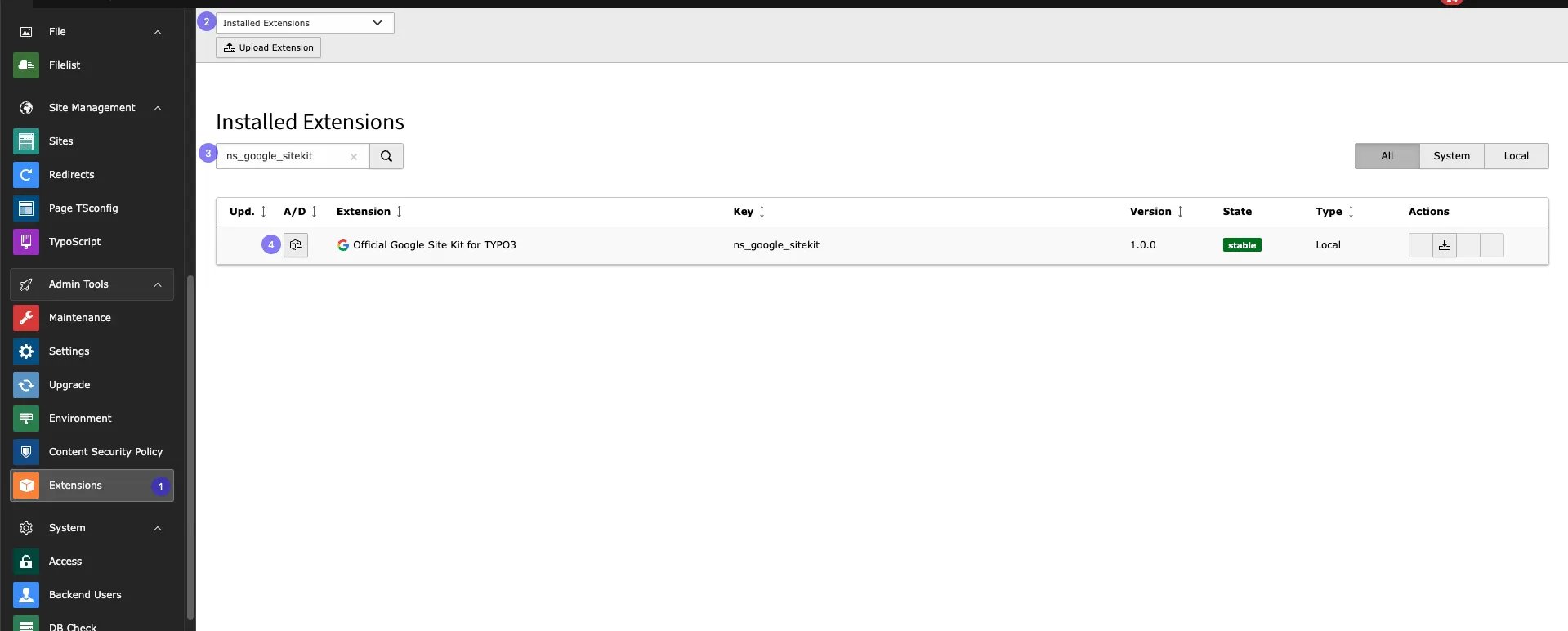
- Step 1: Navigate to the “Extension Manager” module.
- Step 2: Select “Get the extension” from the dropdown menu.
- Step 3: Search with the Extension Key “ns_google_sitekit”
- Step 4: Click the ” Retrieve/Update ” Button to Import the Extension From the repository.
Configure Google Meta-data
After installing the free version of the extension, you need to configure IDs for the Google site key in the settings. Follow below steps to configure it!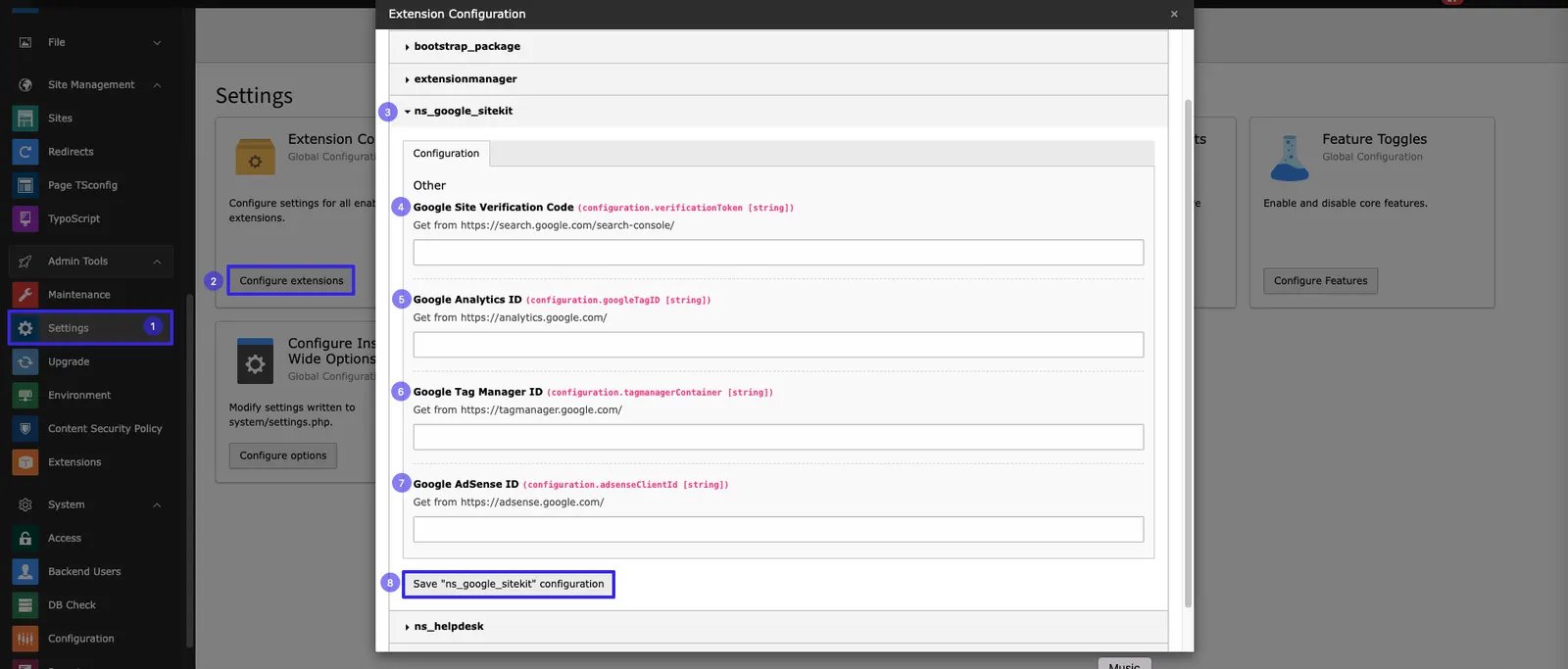
- Step 1: Go to Settings module
- Step 2: Click on Configure Extensions
- Step 3: Select ns_google_sitekit
- Step 4: Add Google Site Verification code
- Step 5: Add Google Analytics ID
- Step 6: Add Google Tag Manager ID
- Step 7: Add Google Adsense ID
- Step 8: Save configurtion by clicking Save “ns_google_sitekit” configuration