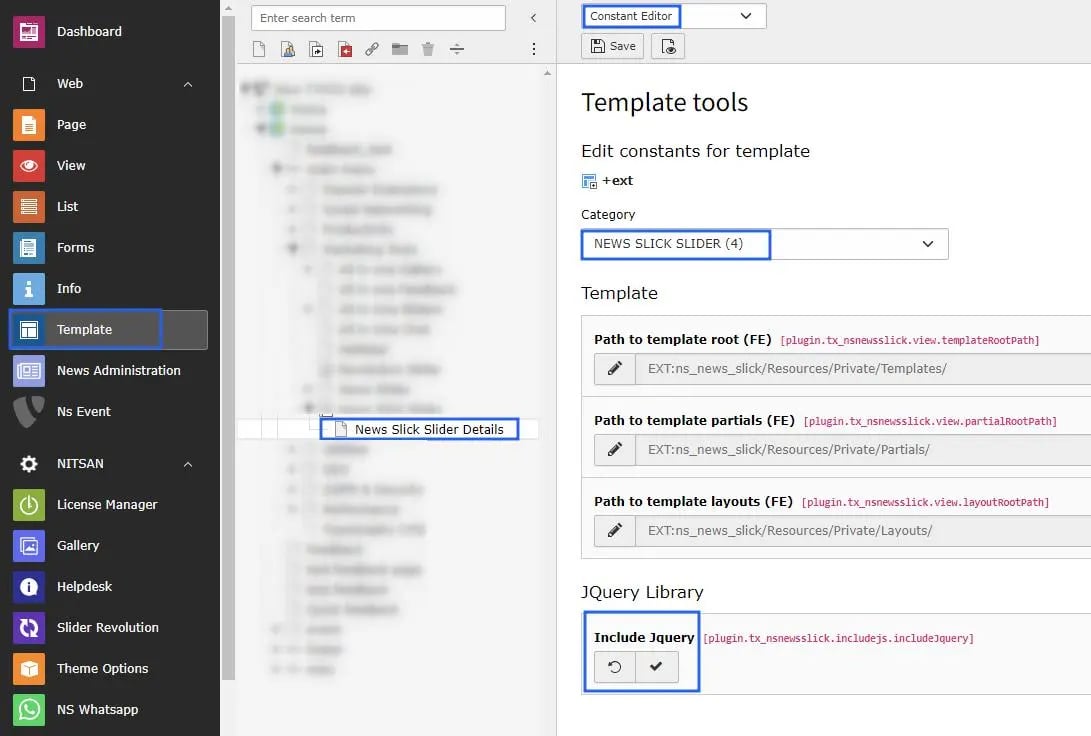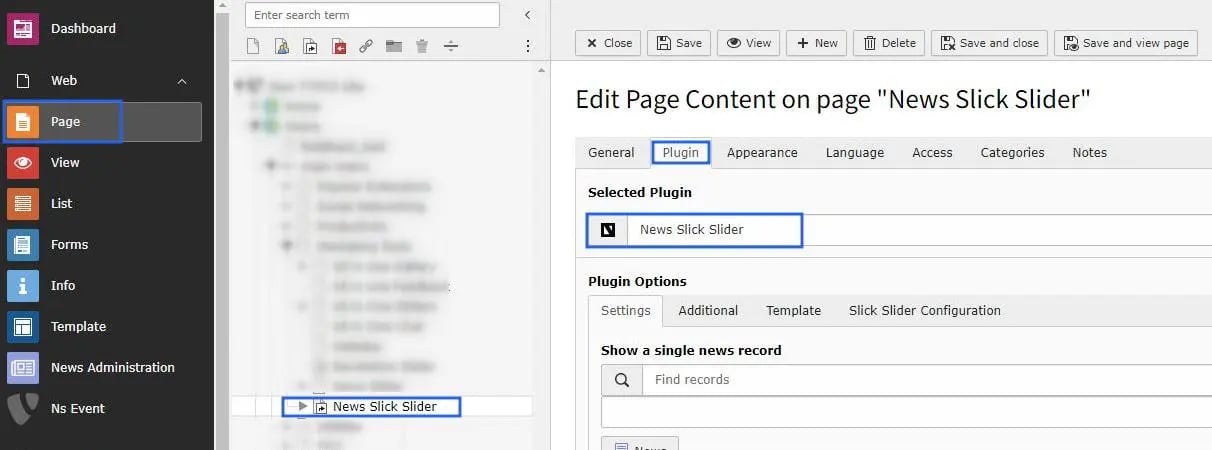
General Settings of News Slick Slider
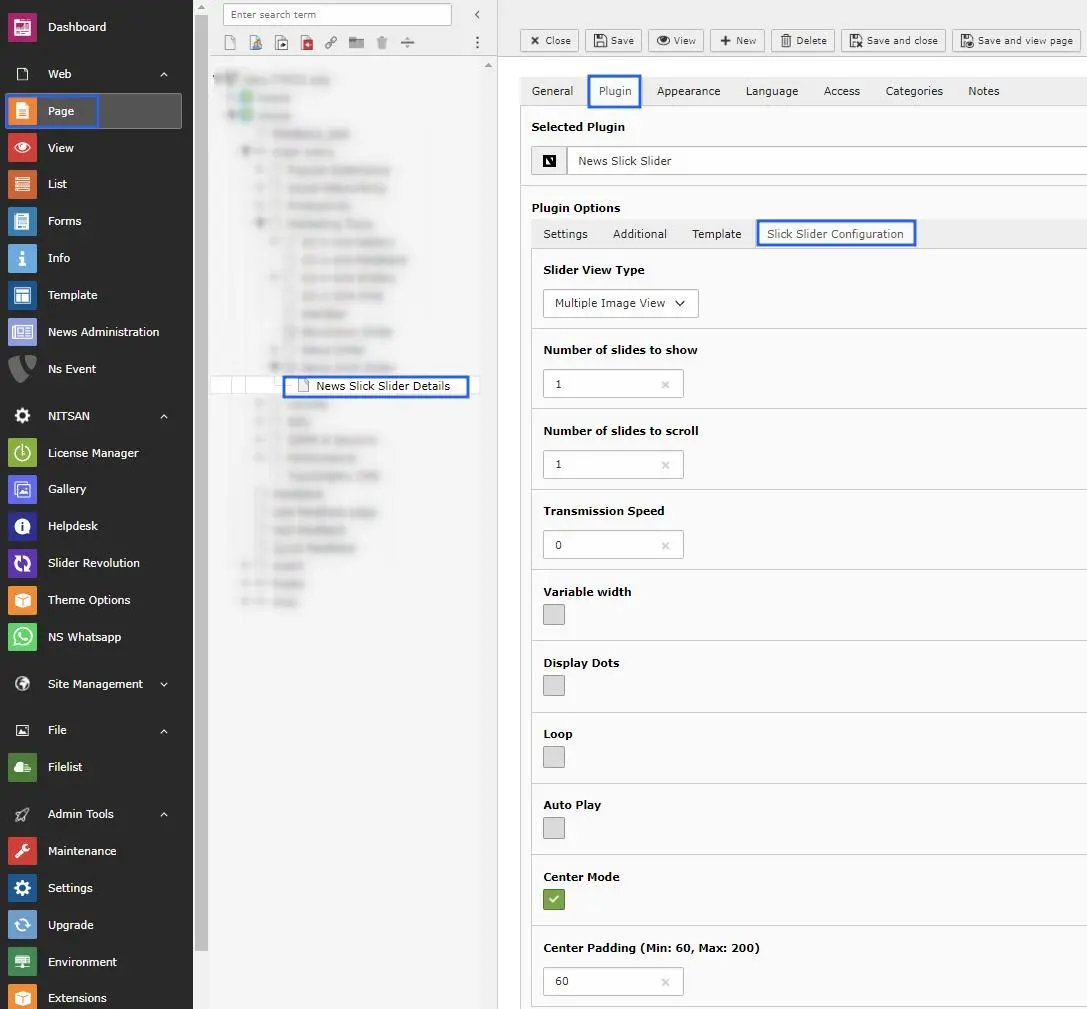
- Step1 -> There are 3 types; single, multiple & responsive image view, choose one of them & apply changes accordingly.
- Step2 -> Setup number of slides to show on front end.
- Step3 -> Setup how many slides you want to slide when scroll slider.
- Step4 -> Choose slider transmission speed.
- Step5 -> Enable option variable width, if you want.
- Step6 -> Enable checkbox if you need to display the dots below to the slider.
- Step7 -> Enable Loop checkbox to set loop upon slider images.
- Step8 -> If you need to autoplay the slider images then enable the autoplay checkbox.
- Step9 -> Center mode option facilitates to setup padding on slider.
- Step10 -> Once you enable the center mode checkbox then you can apply the padding according to your needs.