Configuration
Quick & Easy “Global” configuration of Sharethis.com
Global Configuration
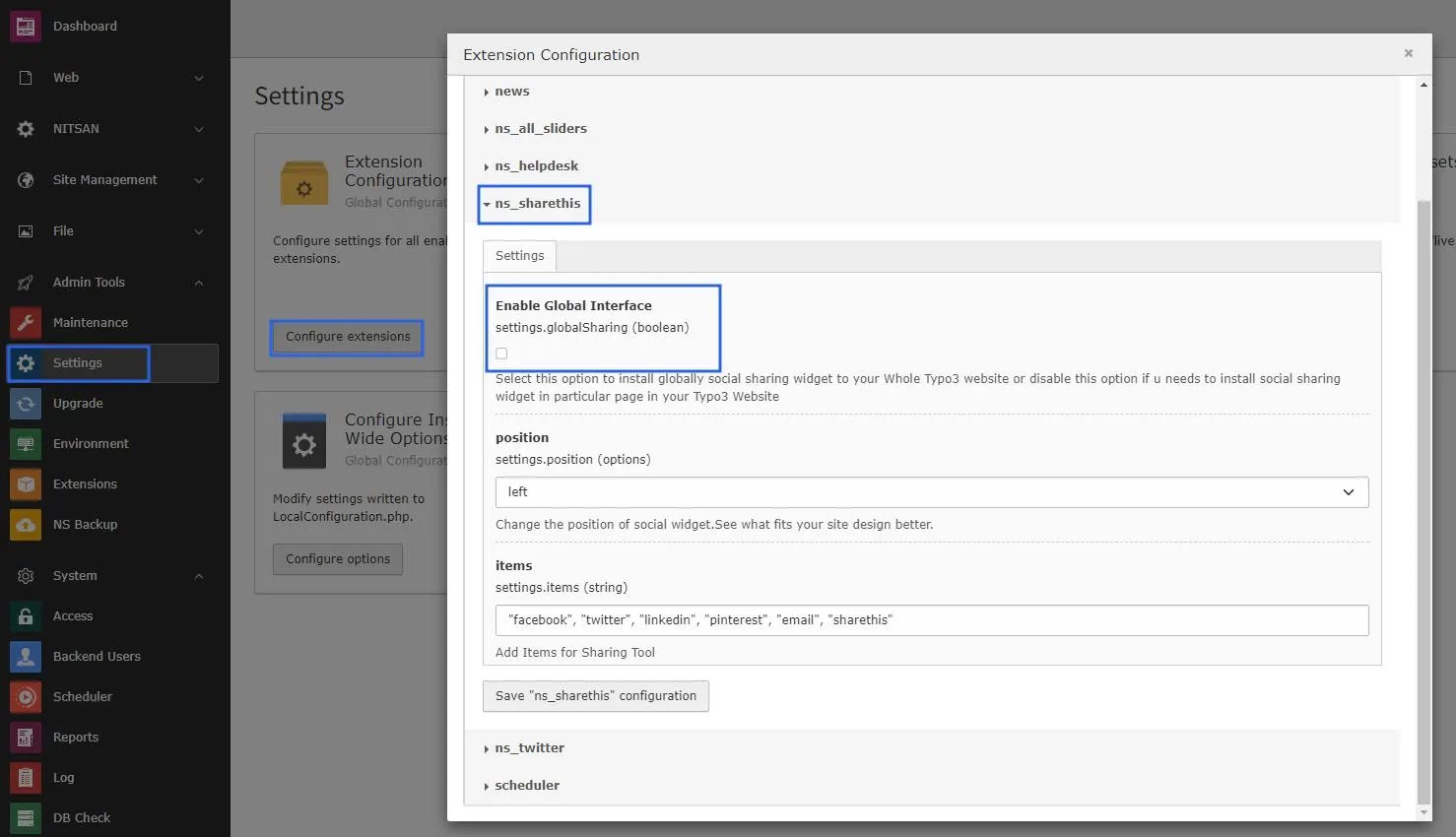
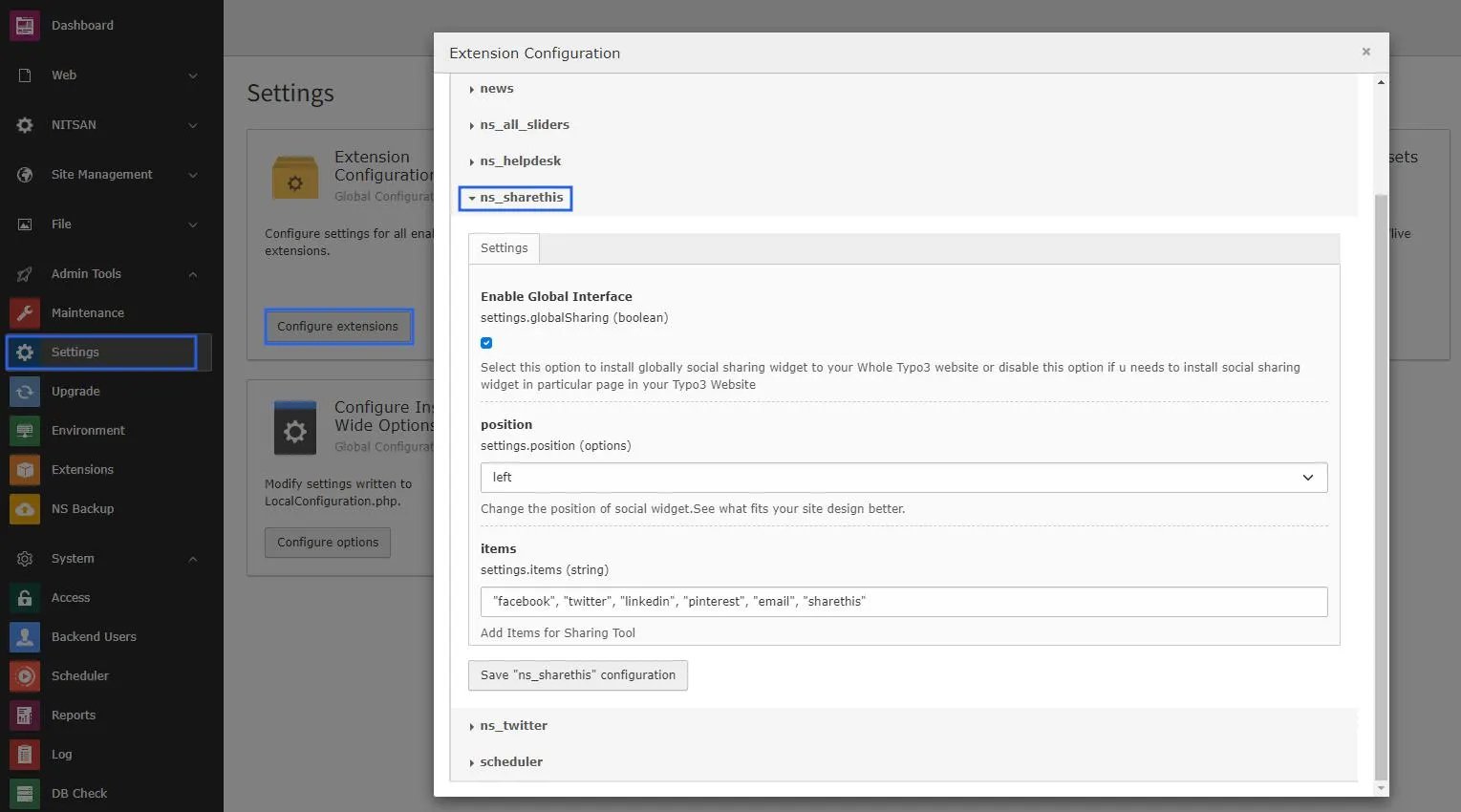
- Go to the Setting module & click on the Configure Extension, now you will see the ns_sharethis settings.
- Enable Global Interface into this settings Take a look at screenshots as follows.
Setup “Particular Page Only” configuration of Sharethis.com
- Go to the Setting module & click on the Configure Extension, now you will see the ns_sharethis settings and then Disable Global Interface into this settings.
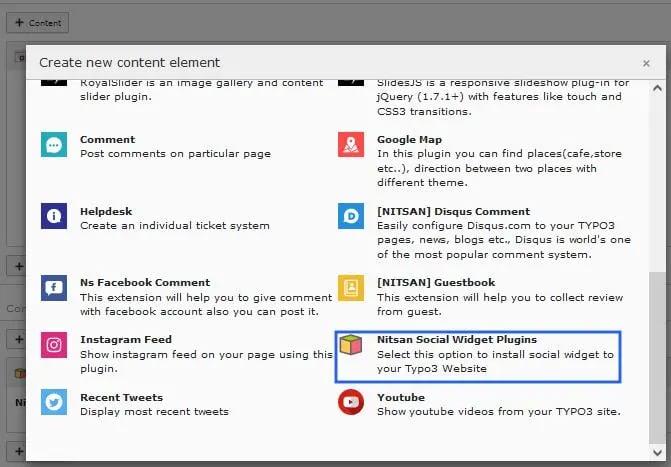
- Now add extension Above/Below page as per your requirement.
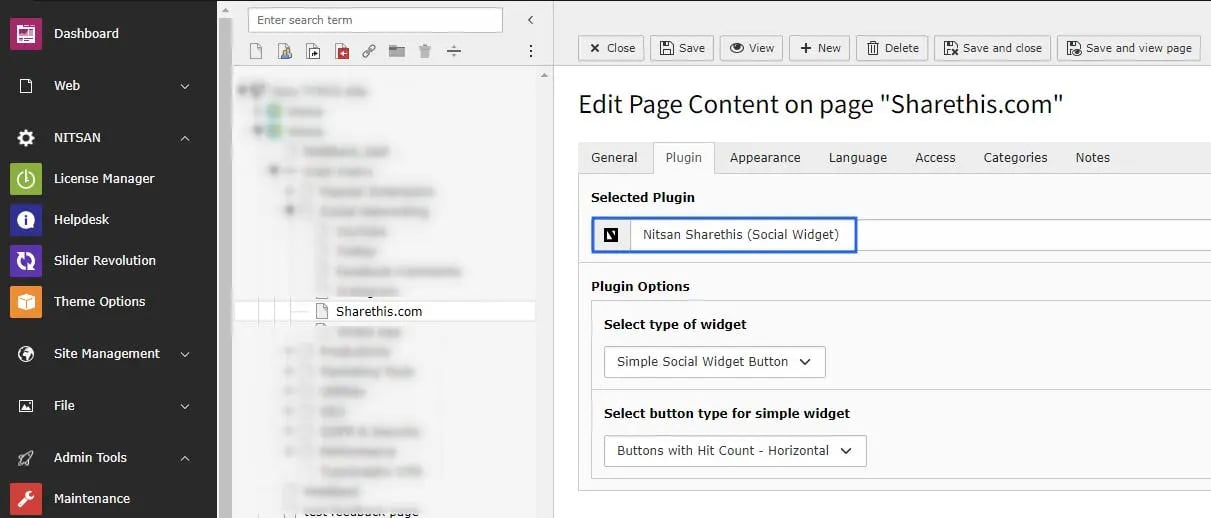
- Now select plugin Nitsan Social widget and configure it as per requirement, Checkout this screenshot.