Configuration
Quick & Easy configuration of “StatCounter” into TYPO3
To activate the StatCounter service for your TYPO3 site:
- Sign Up with StatCounter https://statcounter.com/sign-up/
- Add Your Project URL http://statcounter.com/add-project/
- Use “Default Installation Instructions” to get all to get Project Id and Security Key.
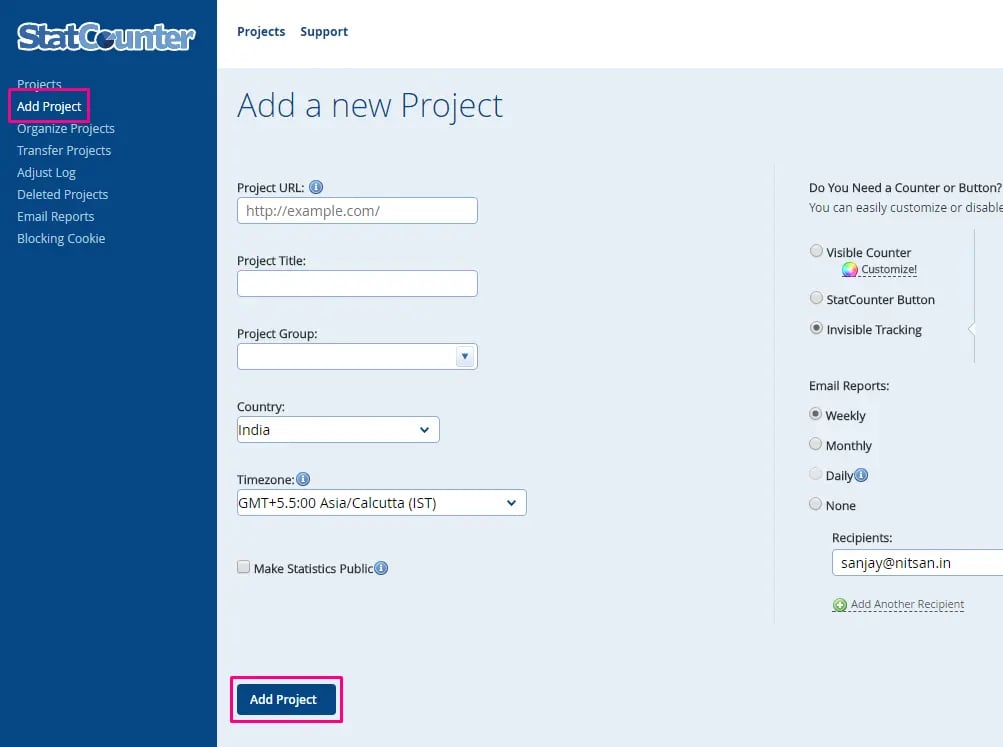
Setup all the configuration of www.StatCounter.com
- Switch to the root page of your site.
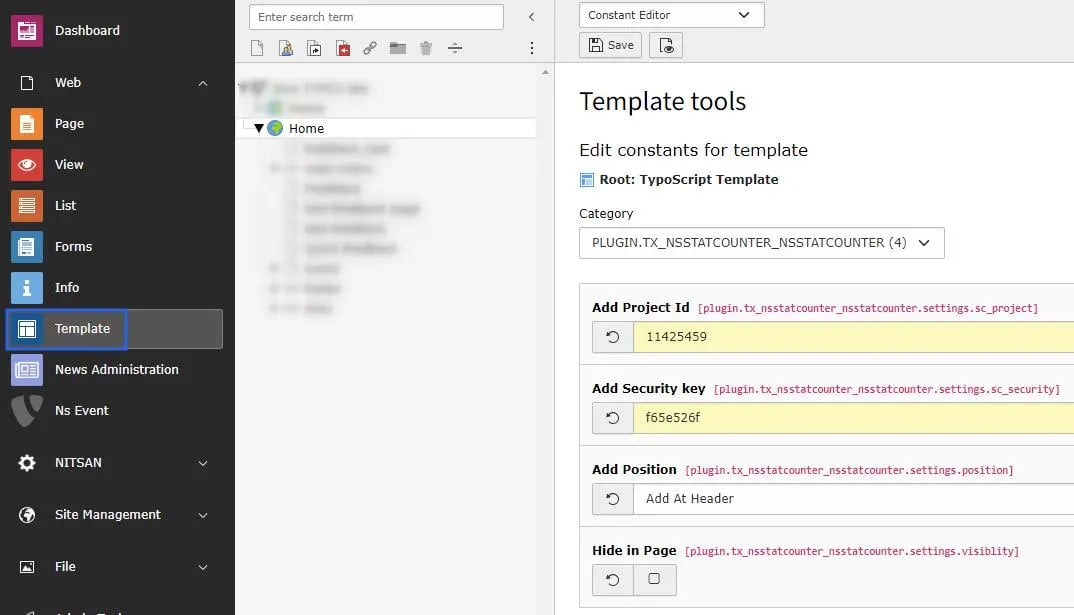
- Switch to the Template module and select Constant Editor.
- Select Category = PLUGIN.TX_NSSTATUSCOUNTER (4)
- Please setup all the fields from www.StatCounter.com, Checkout following screenshot.