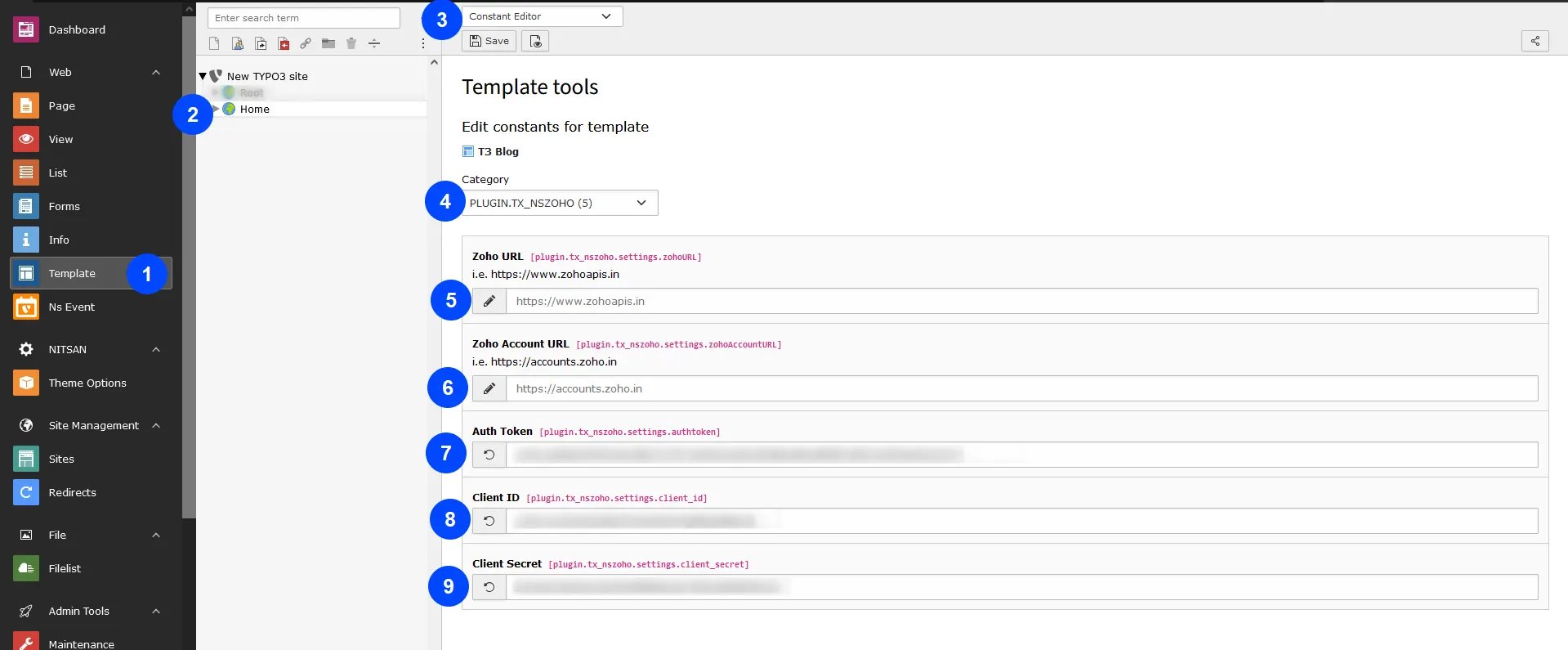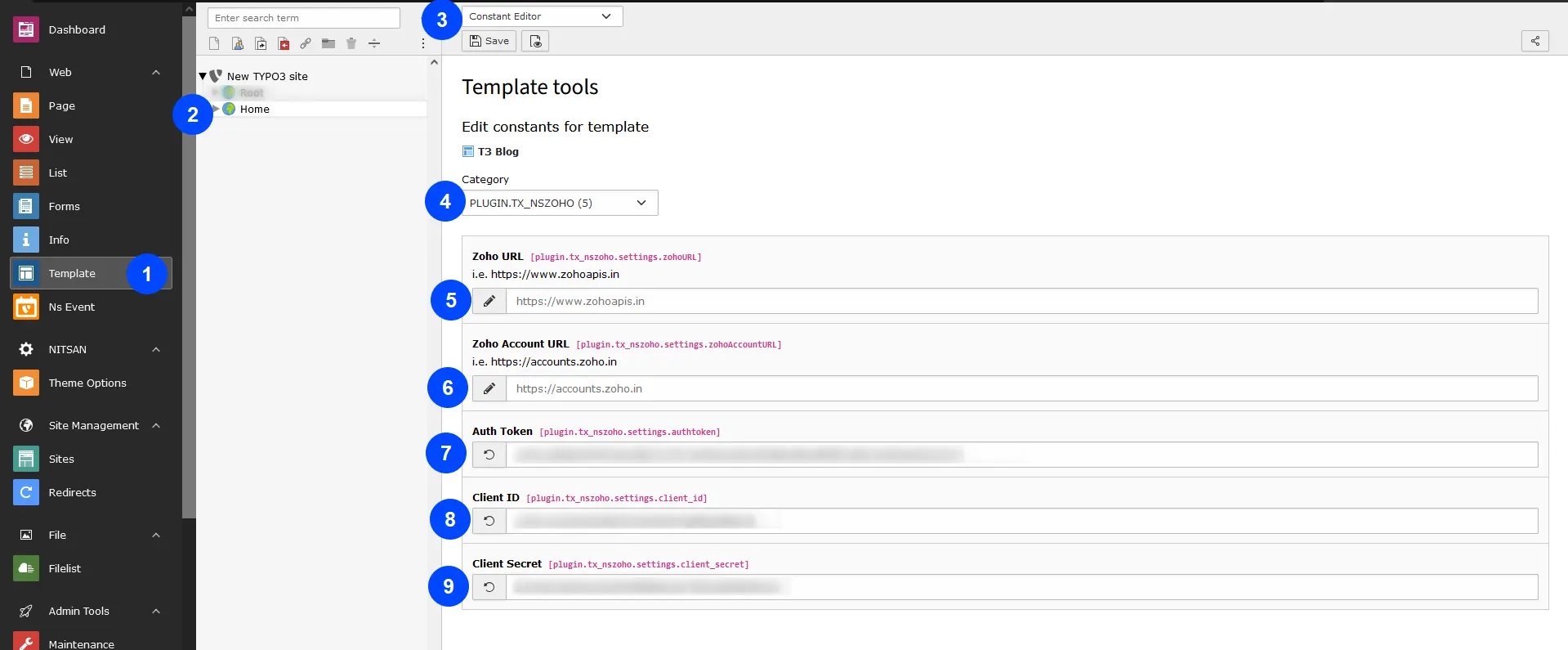
- Step 1: Go to Template
- Step 2: Select root page
- Step 3: Select constant Editor
- Step 4: Select > PLUGIN.TX_NSZOHO
- Step 5: Add Zoho URL
- Step 6: Add Zoho Account URL
- Step 7: Add Auth Token
- Step 8: Add Client ID
- Step 9: Add Client Secret key
Create Typo3 form from Backend and configure with zoho
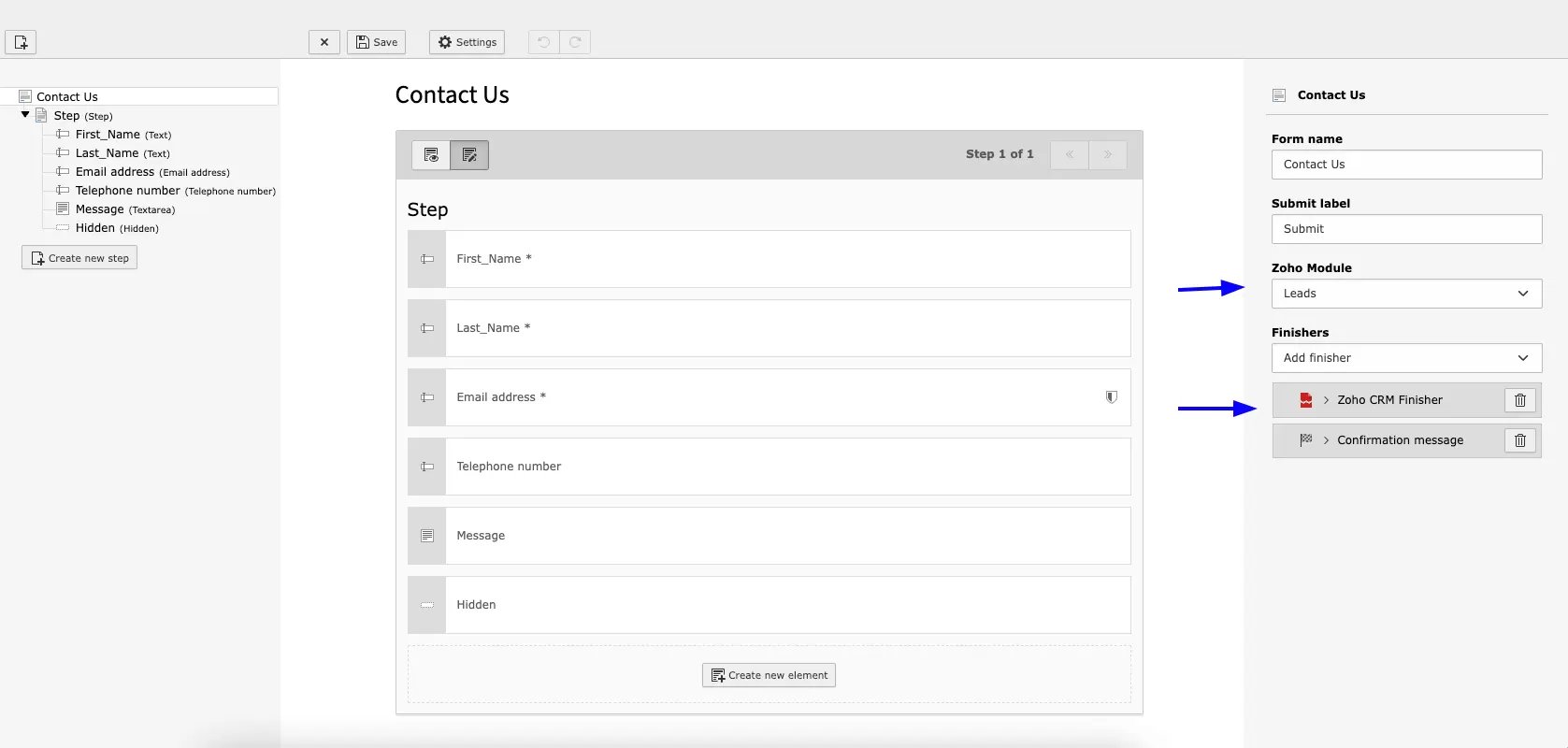
- Step 1: Select “Zoho Module” & “Select Zoho CRM Finisher”
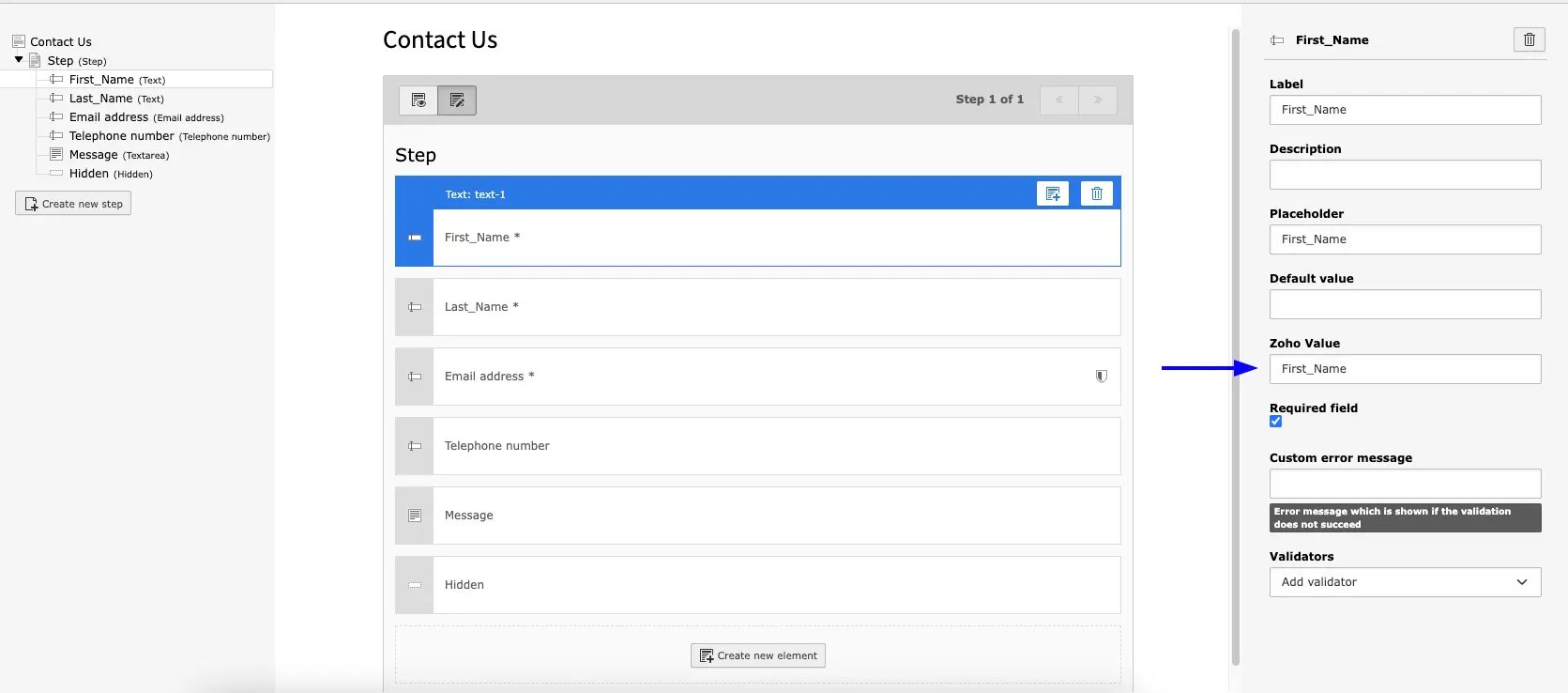
- Step 2: Add Zoho Value [add field name same as in zoho API]
Figures