1
Step 1
Create a standard Page on your TYPO3 setup.
2
Step 2
Make it Root page from TYPO3 page property > Behavior Tab.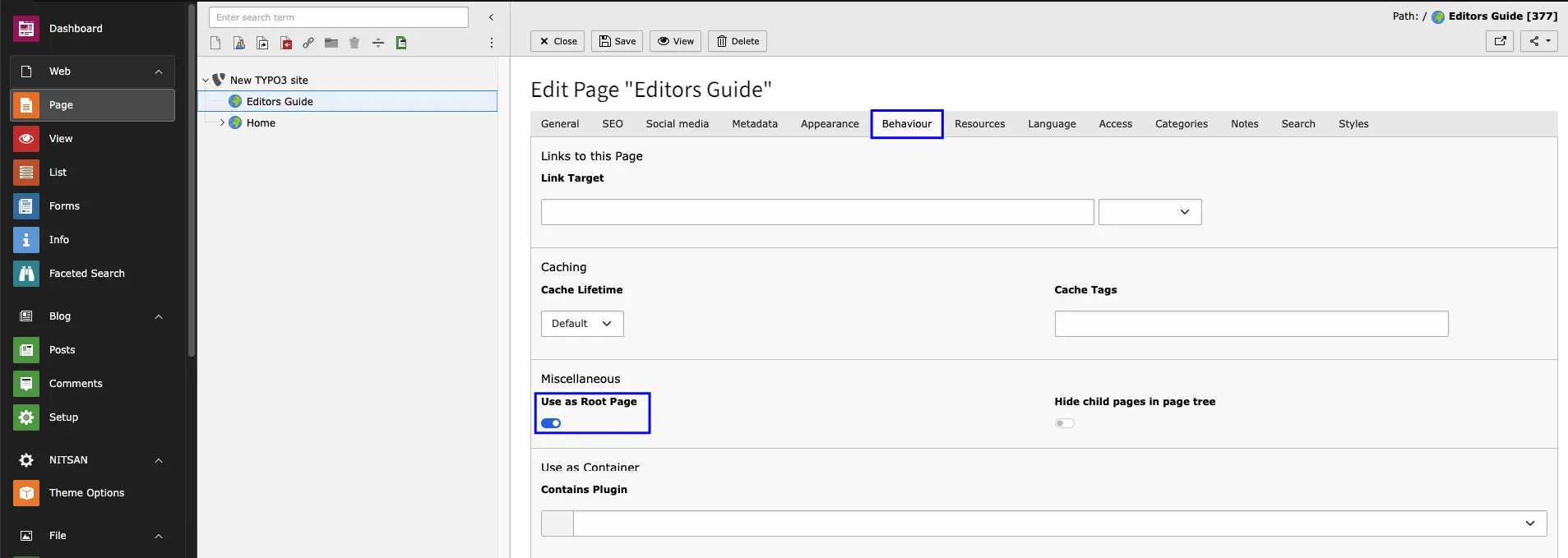
3
Step 3
Go to TYPO3 Typoscript module & Create a template of your page.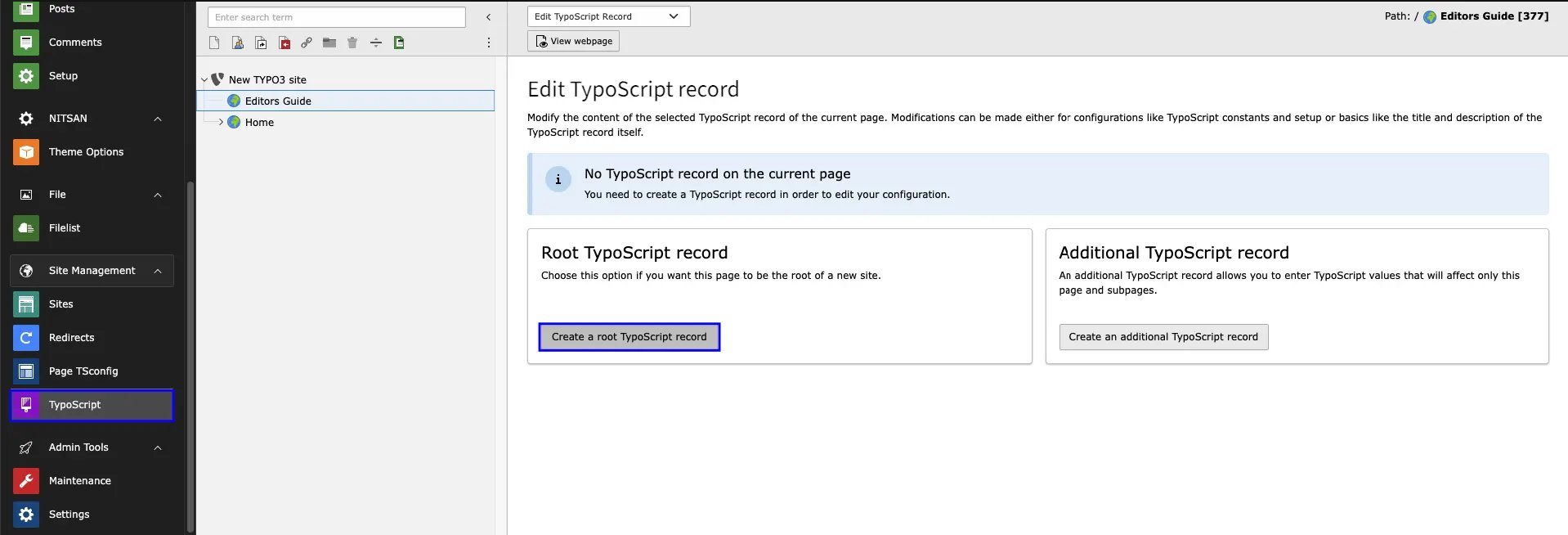
4
Step 4
Now include all required Extension for that Go to Info/Modify from Template module. Make sure the order of the included extension. First it should be a EXT:Fluid Content Element & atlast EXT:Parent Theme & EXT:Child Theme respectively.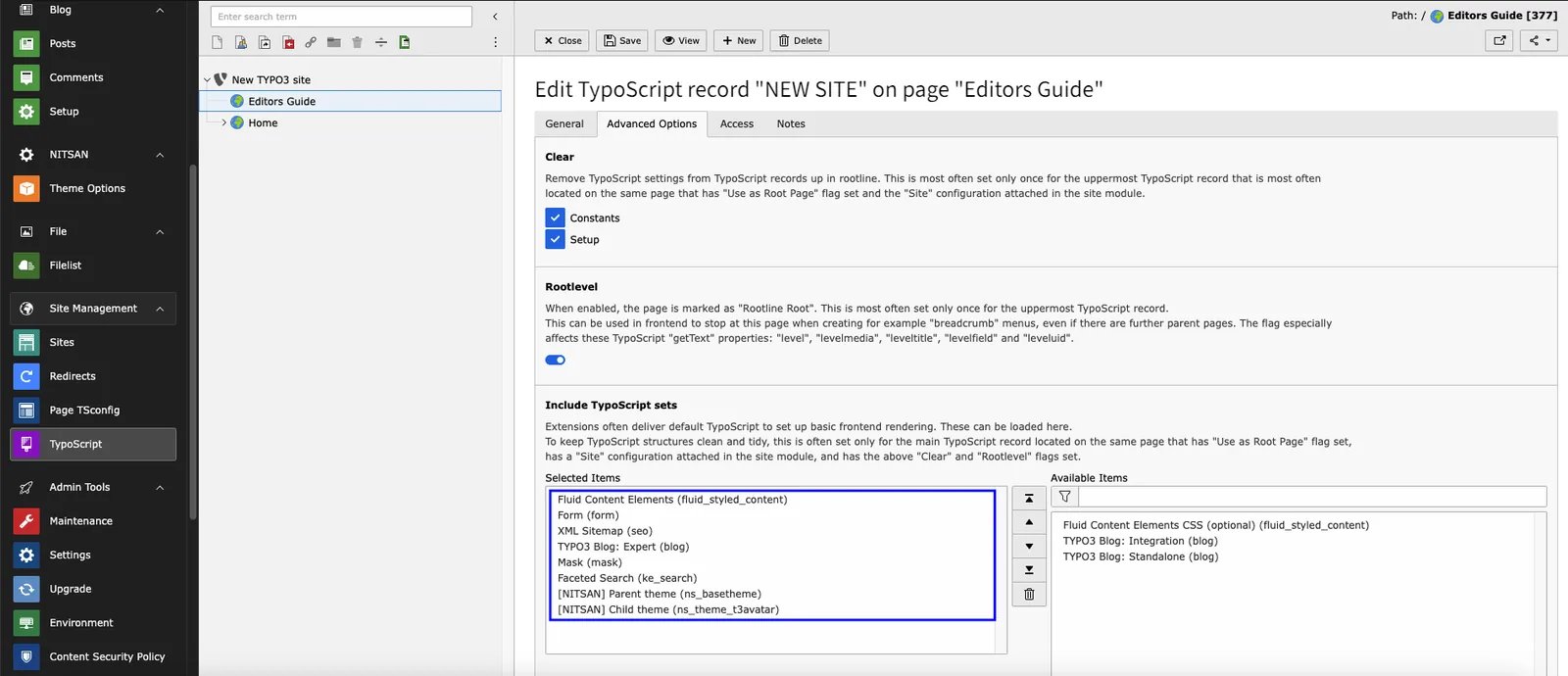
5
Step 5
Its important to setup home page & main menu id so for that Go to Theme Options > General Tab - here you have to define root page id on the Home Page id & Main menu ID. Next, Its optional to configure all other settings.!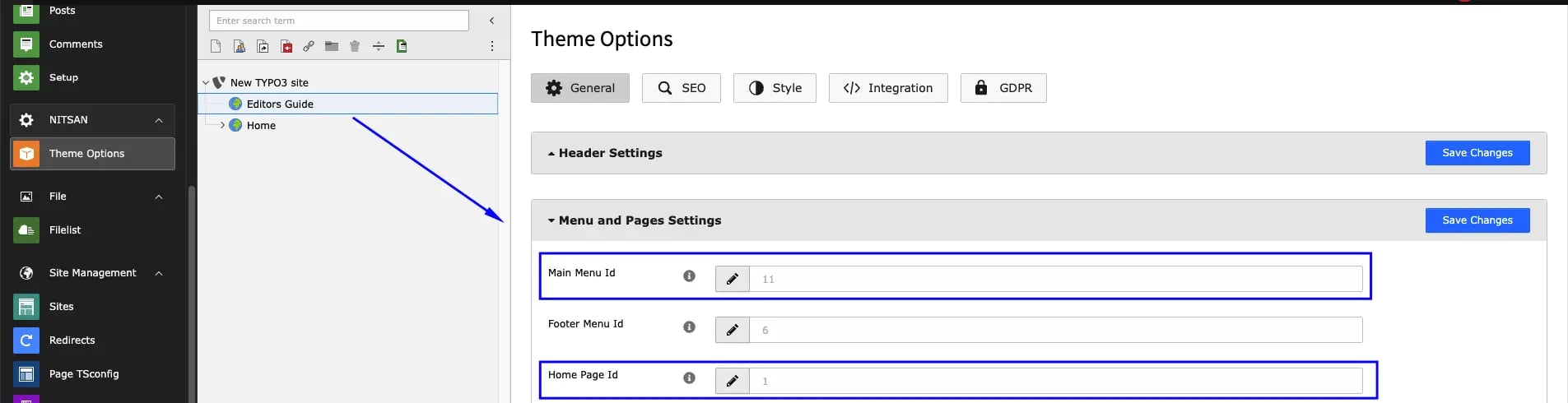
6
Step 6
Site Configuration > Setup youe website title, identifier and entry point.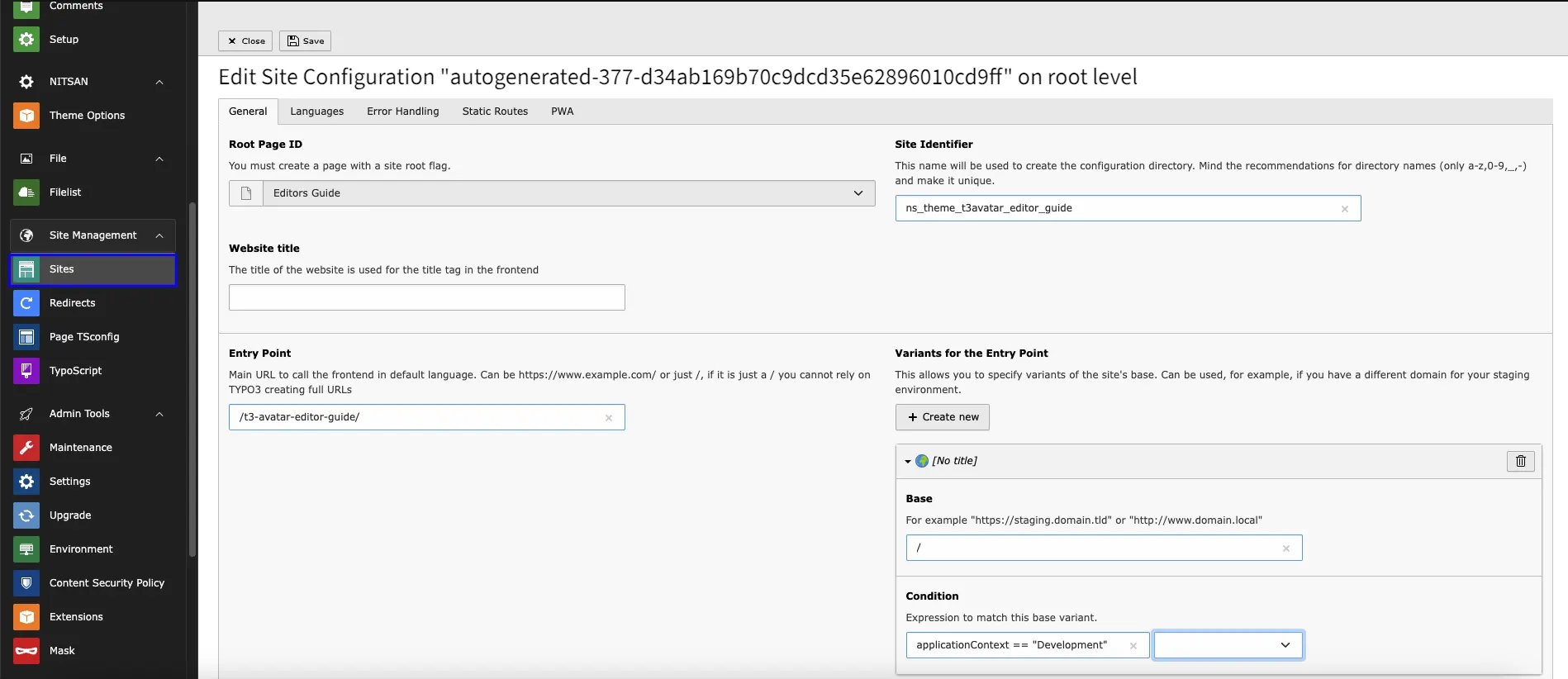
7
Step 7
If you want to your website with multilanguage than Goto Site Configuration > Language Tab > Create New Language. After this, Insert each required details.!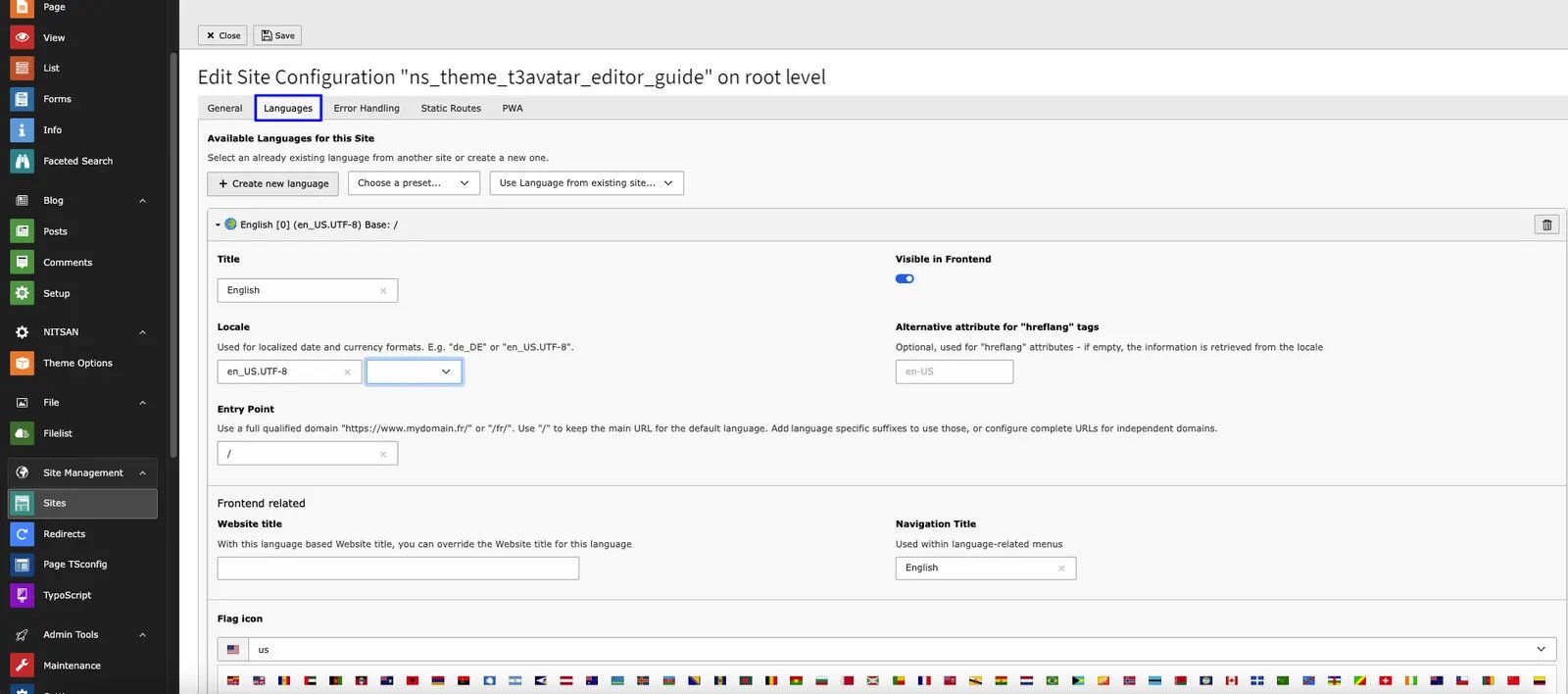
8
Step 8
Now Go to Page Module > TYPO3 Standard/Root Page > Page Property > Appearance Tab. Select the Backend & frontend Page layout accordingly your webpage layout.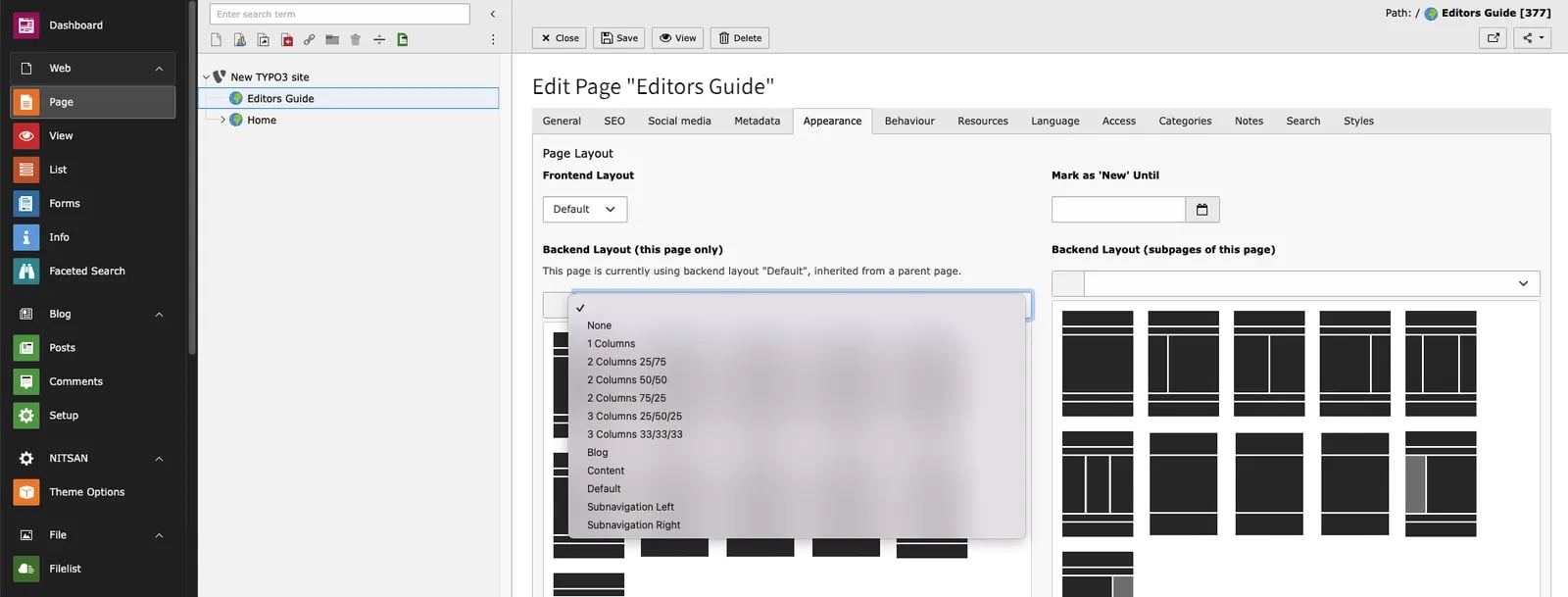
9
Step 9
Heart feature of the Website is a Style. To apply it on your website - Goto Theme Options > Style Tab.Here you can configure the Header/Footer Setting, Color Schema, Navigation styles, Hover effect, Menu style, Font style etc.Into the General Tab you can Enable & Disable Breadcrumb, Searchbar, Multilanguage Menu, Maintenance Mode, Speed Performance setting & much more.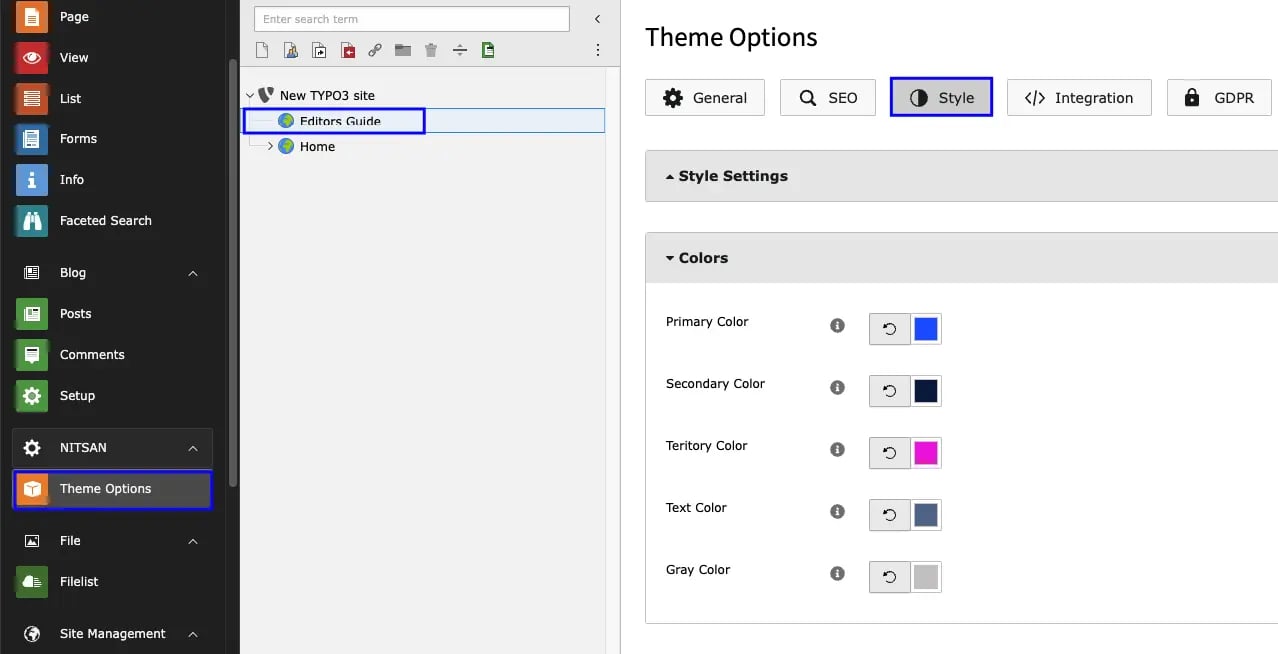
How To enable Mega menu on my Website?Answer is, Enable the option from the Styles Tab of Page Property. that’s it Now your page having the mega menu.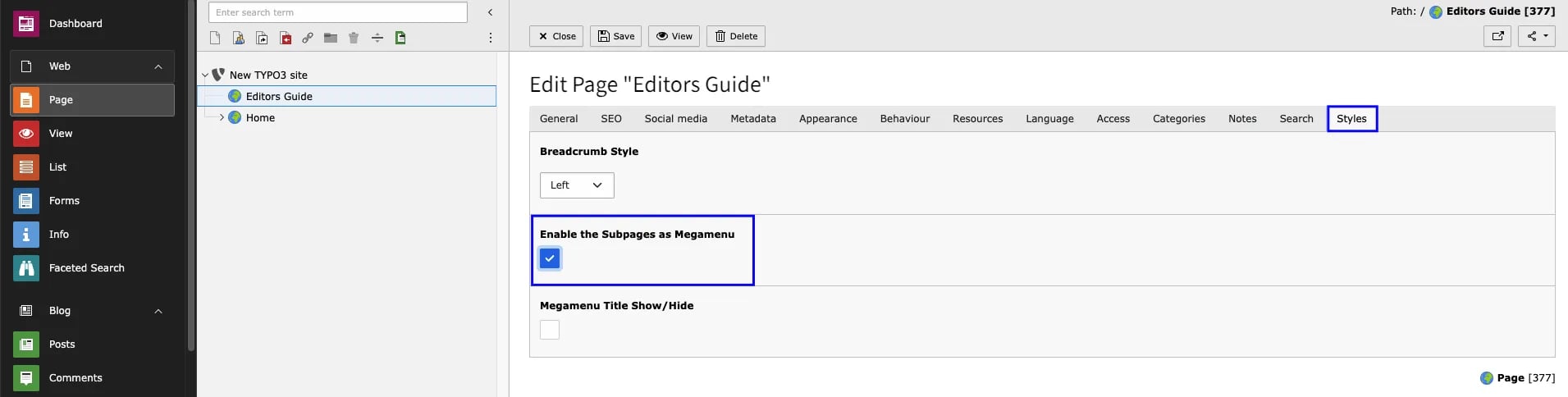
1
Step 10
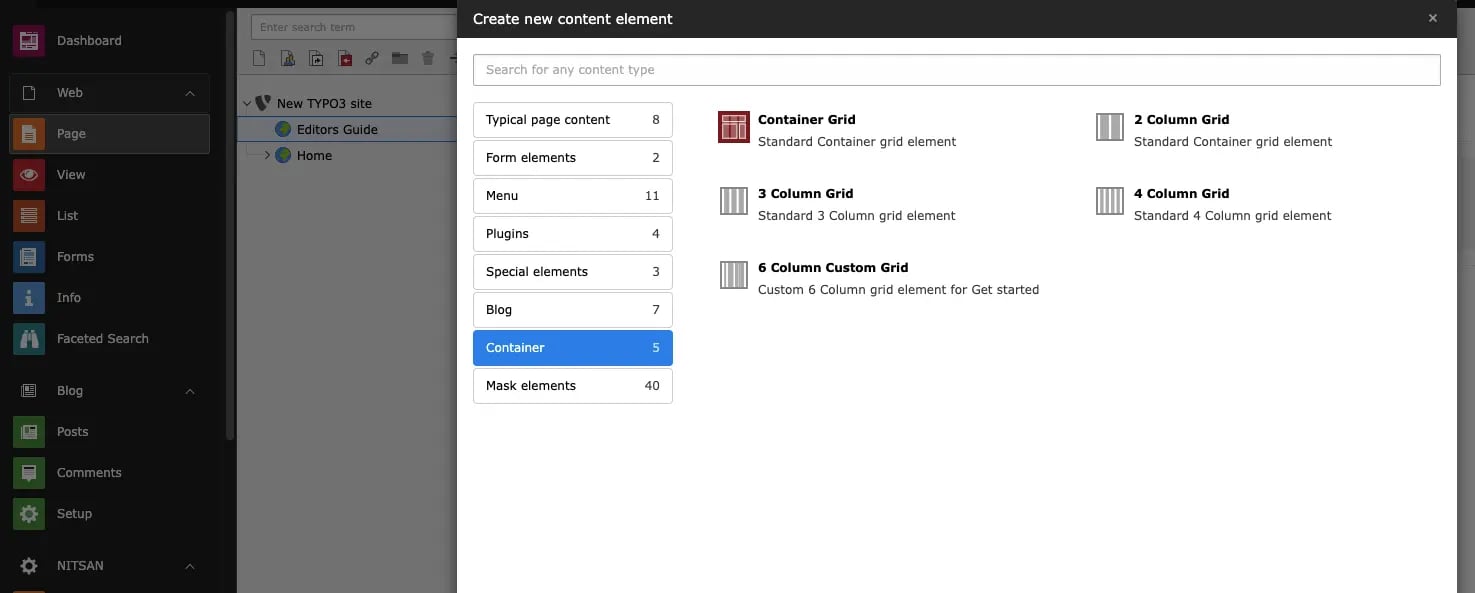
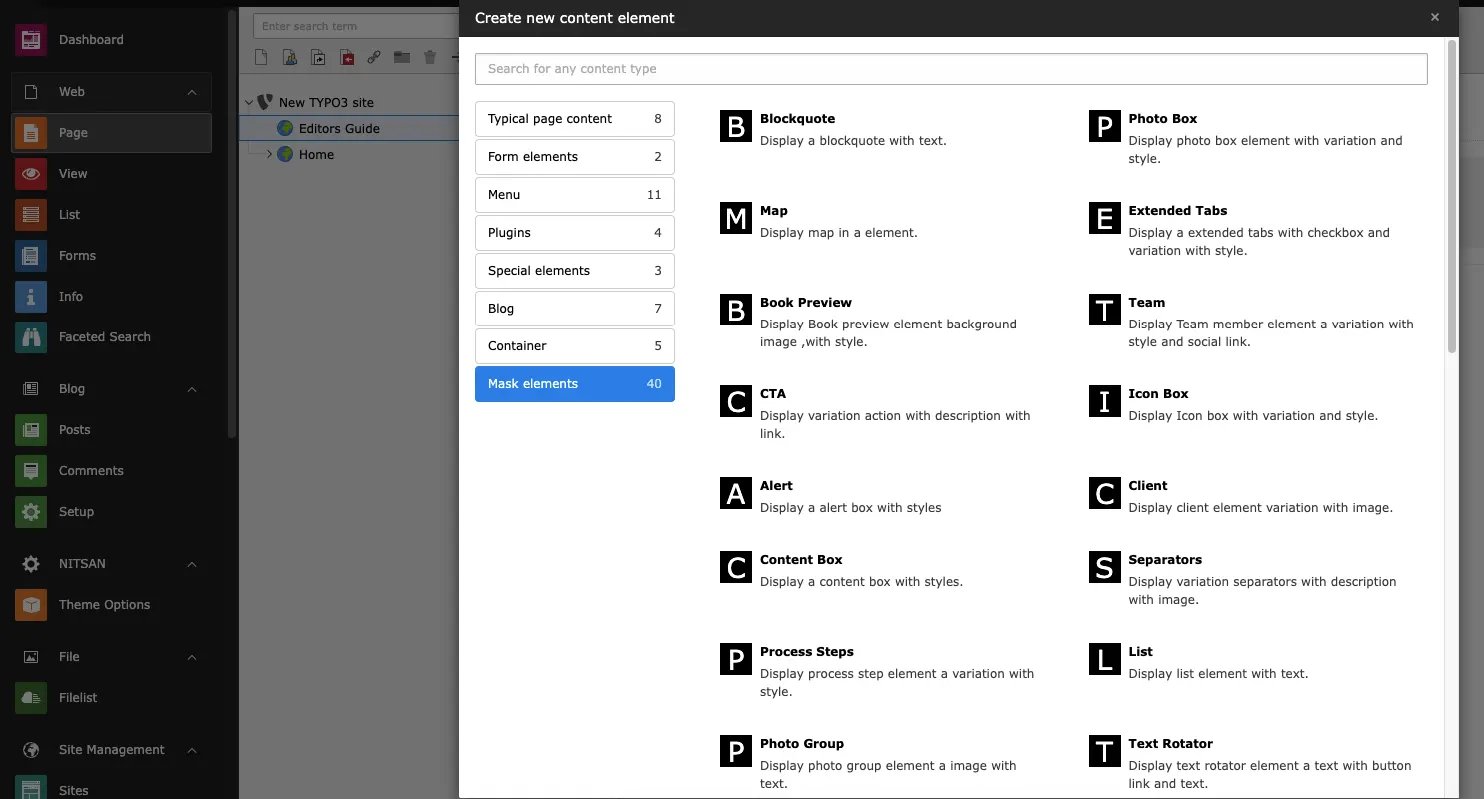
Inserting the Container Element & Mask Elements on your webpage.
You can use the Custom & TYPO3 Default element within the container to provide more flexibility in content area.!