

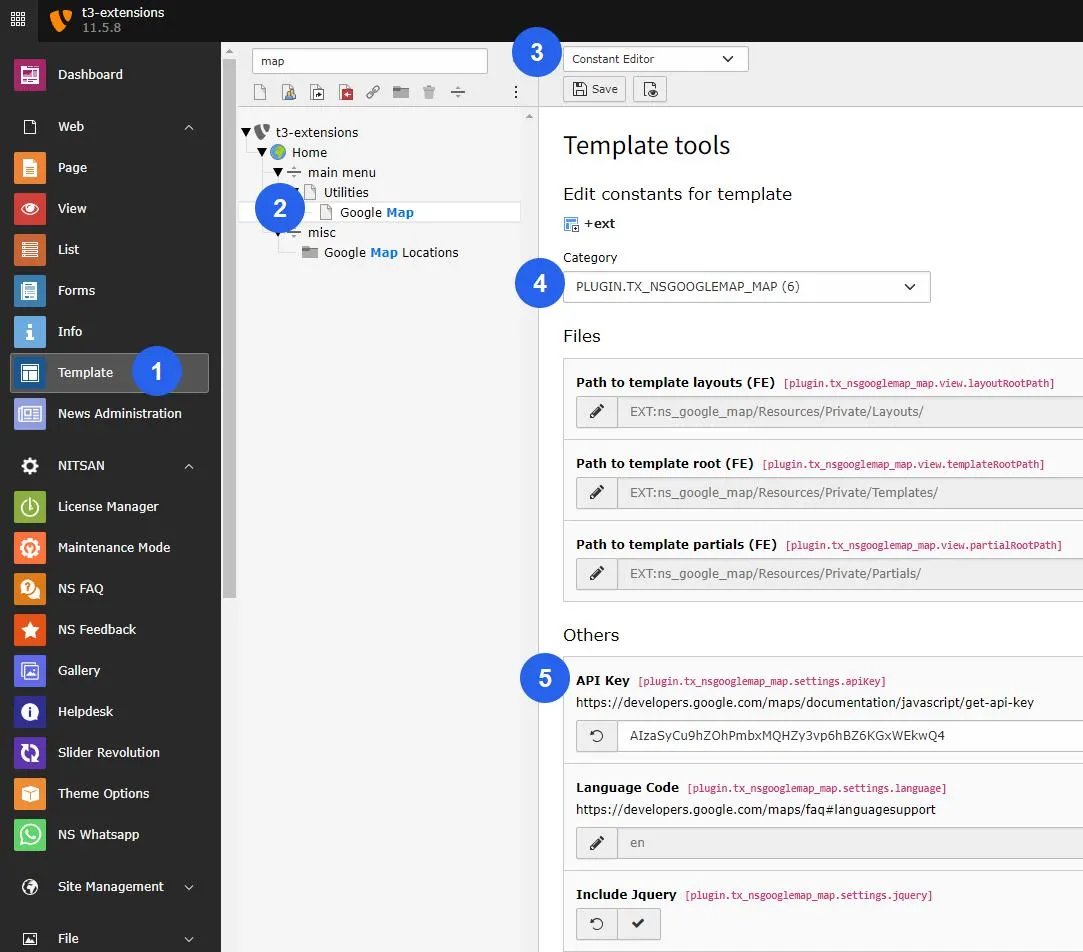
Add Google Map API
First of all, you need to add Google Map API.
You can do it by performing following steps:
Step 1: Go to TYPO3 Template Module > Select the page in which you want to configure the Google Map Extension.
Step 2: Go to the Constant Editor.
Step 3: Choose Google Map plugin from the Category dropdown box.
Step 4: Now, add Google Map API key on the “Others” Setting.