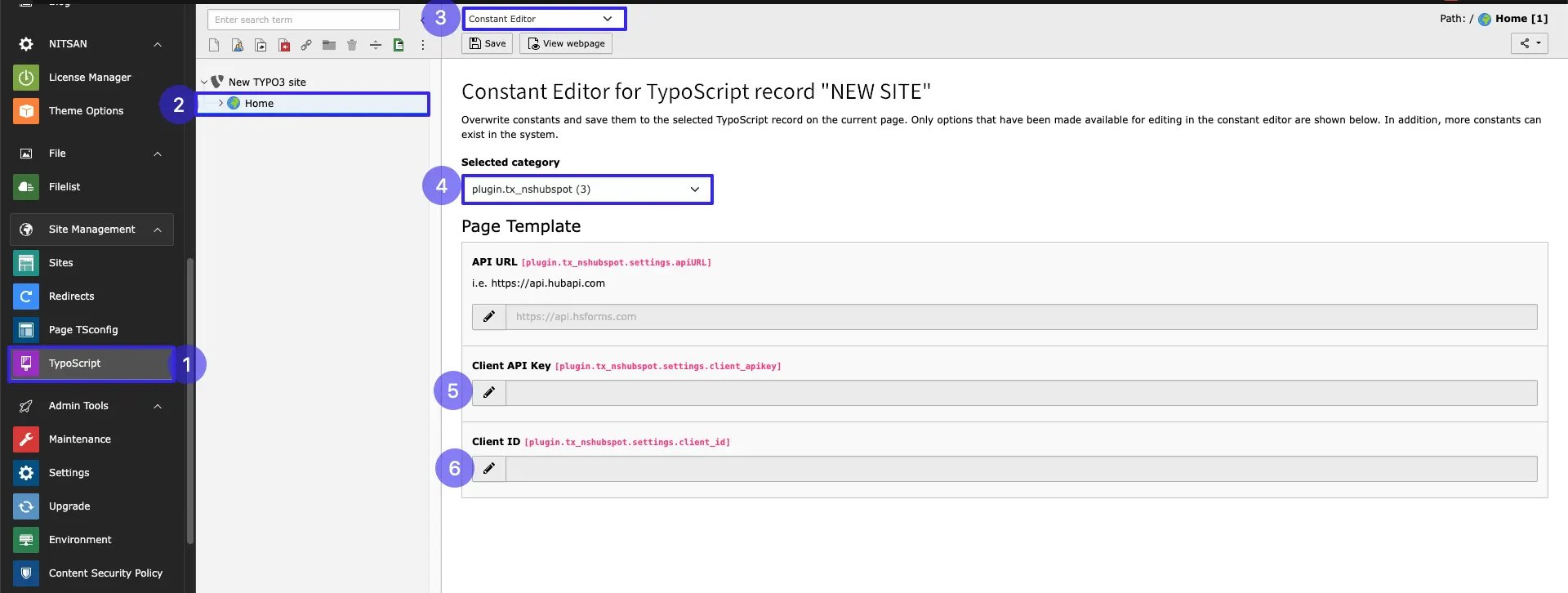
- Step 1: Go to Typoscript module.
- Step 2: Click on Root page
- Step 3: Go to Constant editor
- Step 4: Select plugin.tx_nshubspot
- Step 4: Add Client Id
- Step 5: Add Client API
Hubspot Configuration
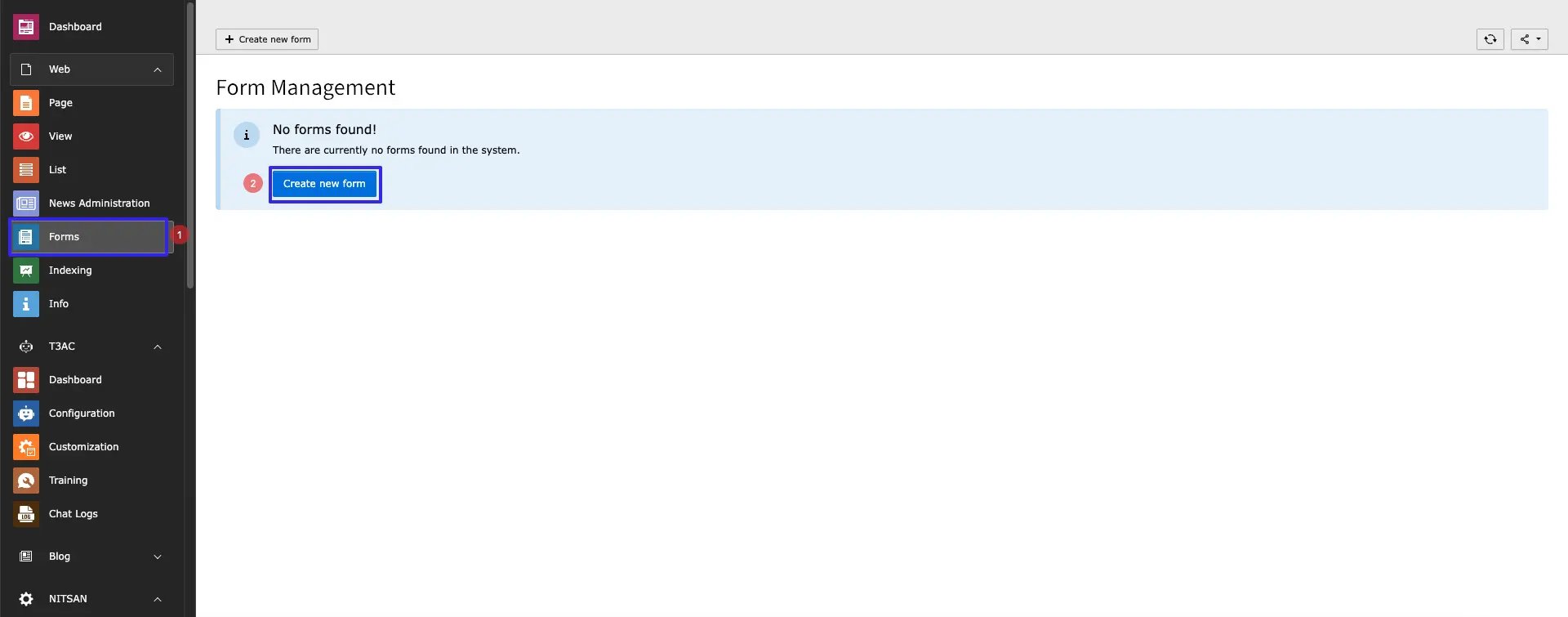
- Step 1: Go to Form module
- Step 2: Click on Button Create new
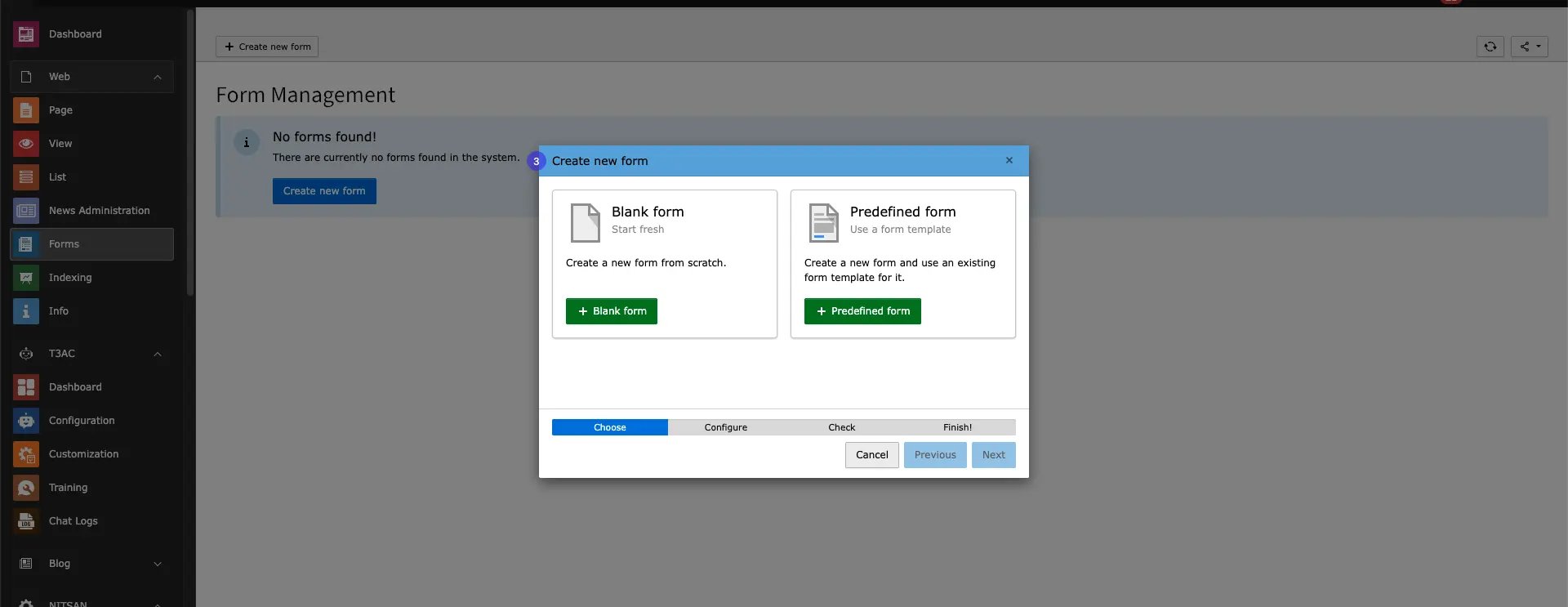
- Step 3: Create Blank / Predefined Form
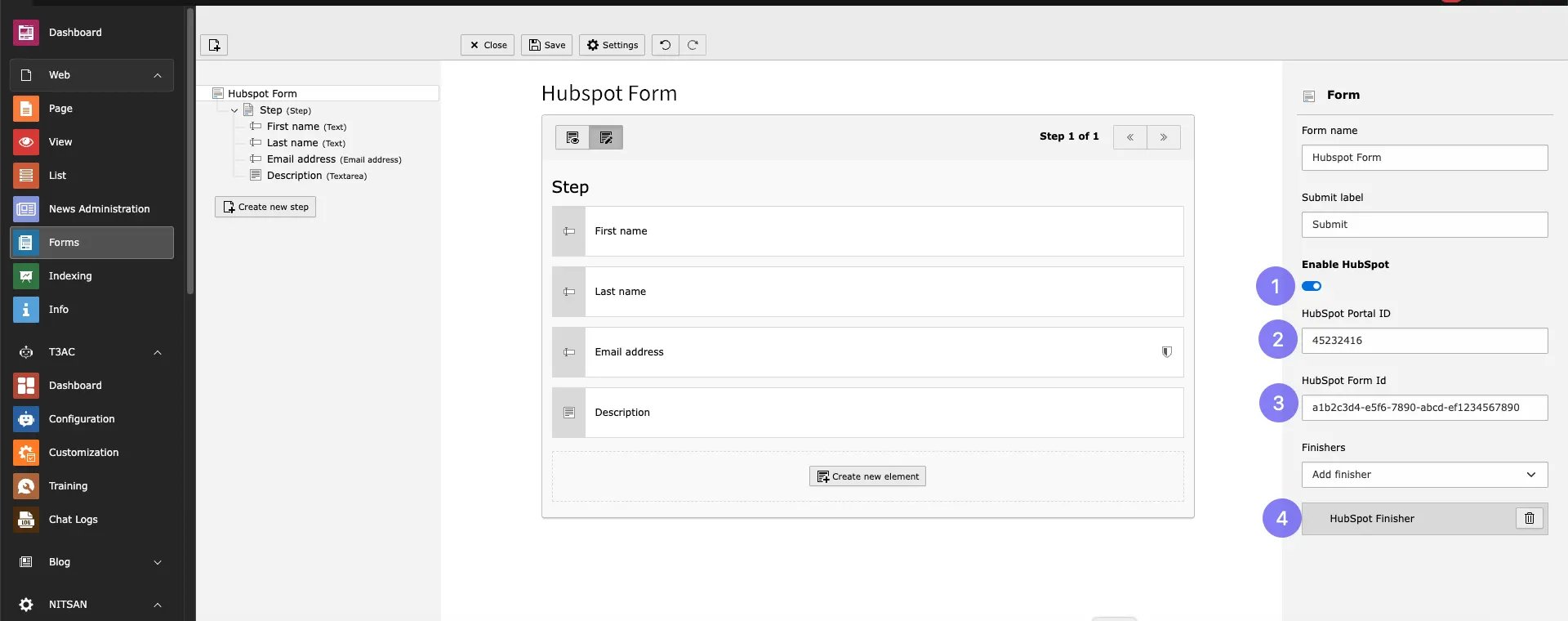
- Step 1: Enable toggle Hubspot
- Step 2: Add Hubspot Portal id
- Step 3: Add HubSpot Form Id
- Step 4: Select Hubspot Finisher Finisher from dropdown
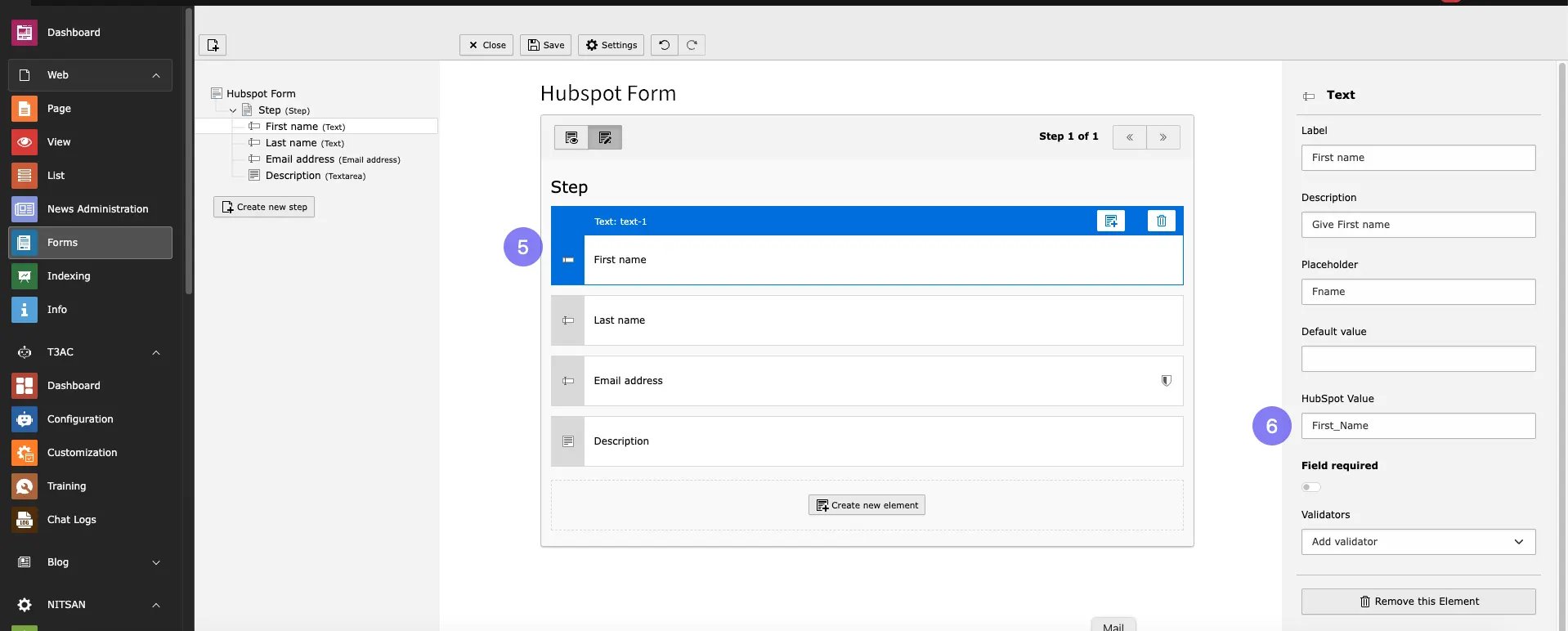
- Step 5: Select Form Field
- Step 6: Add HubSpotValue of Field from your Hubspot form
Add the HubSpot Form Plugin
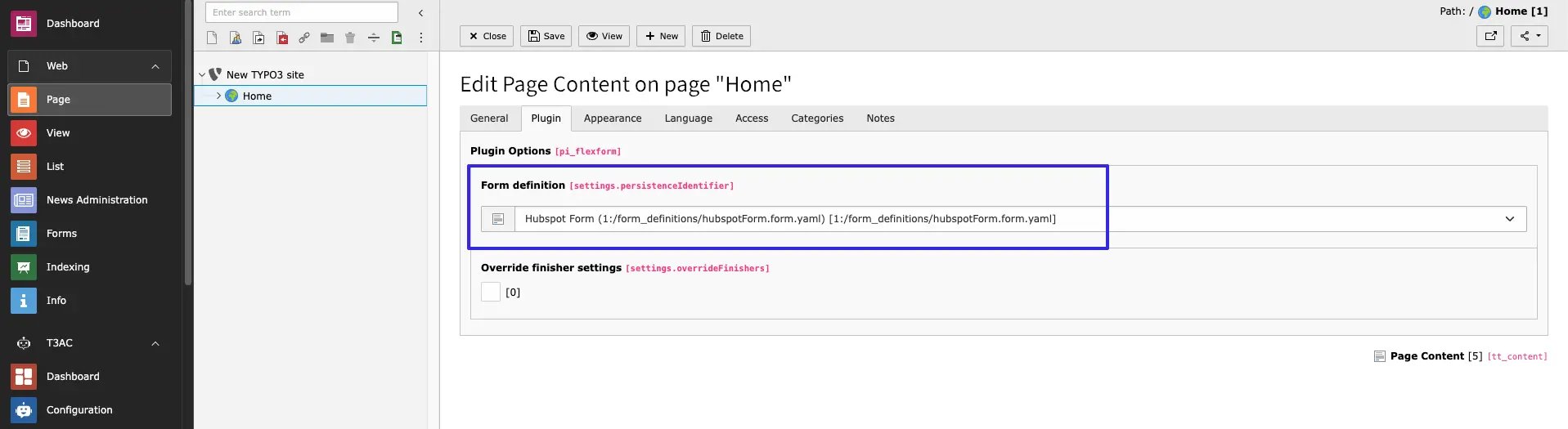
To configure hubspot Form in your site,please follow below steps,- Step 1: Go to page
- Step 2: Open Create Content element Wizard
- Step 3: Go to Form Element tab
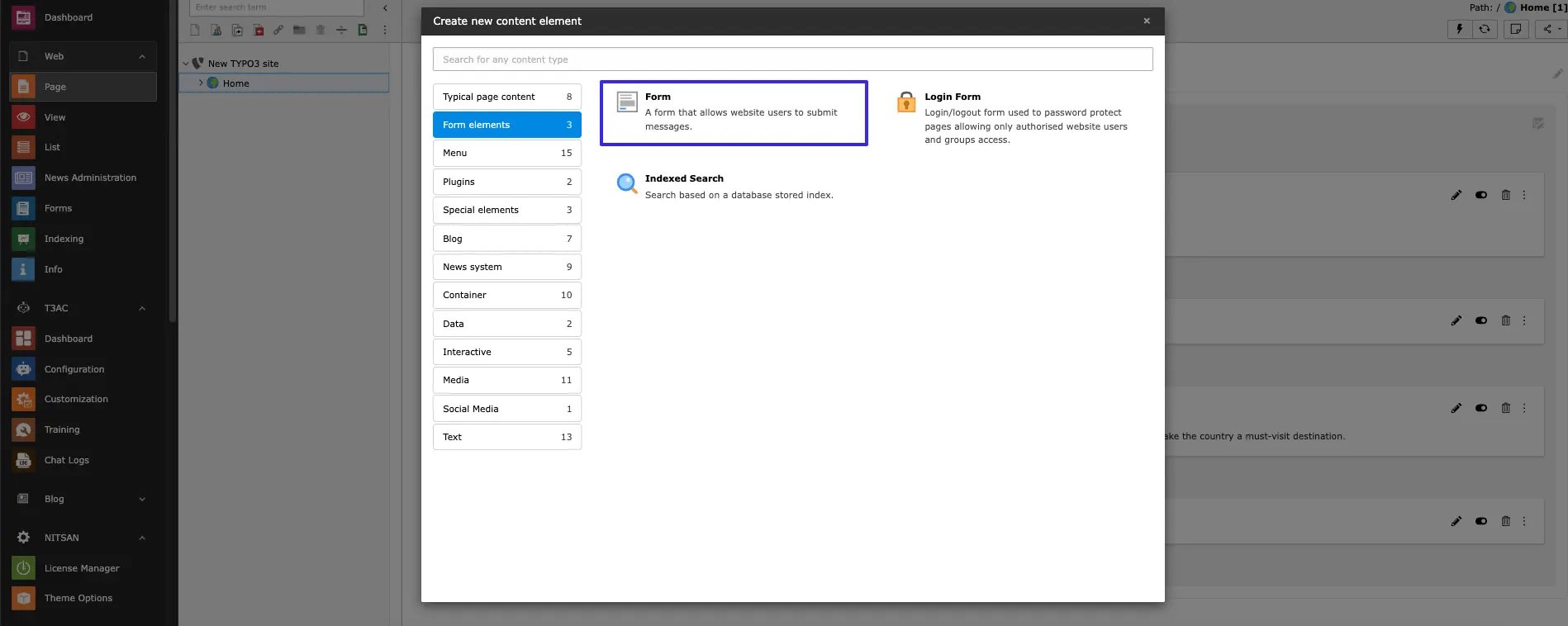
- Step 4: Choose Hubspot Form from dropdown which you want to Integrate.