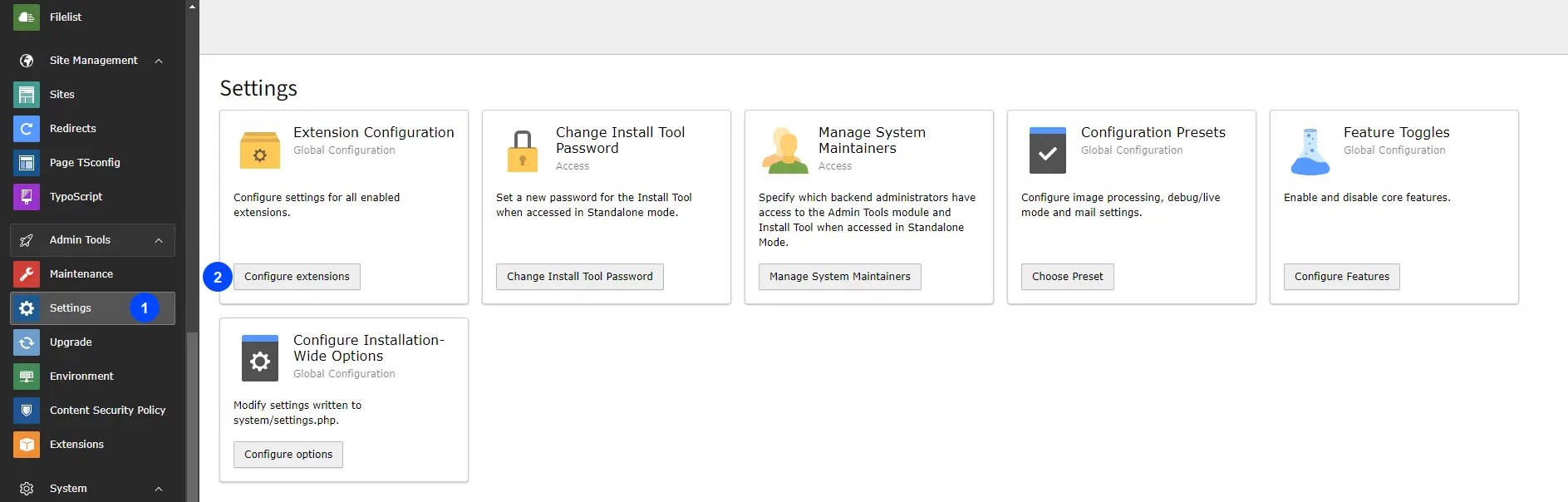
- Step 1: Go to Admin Tools Settings.
- Step 2: Click to Configuration extension.
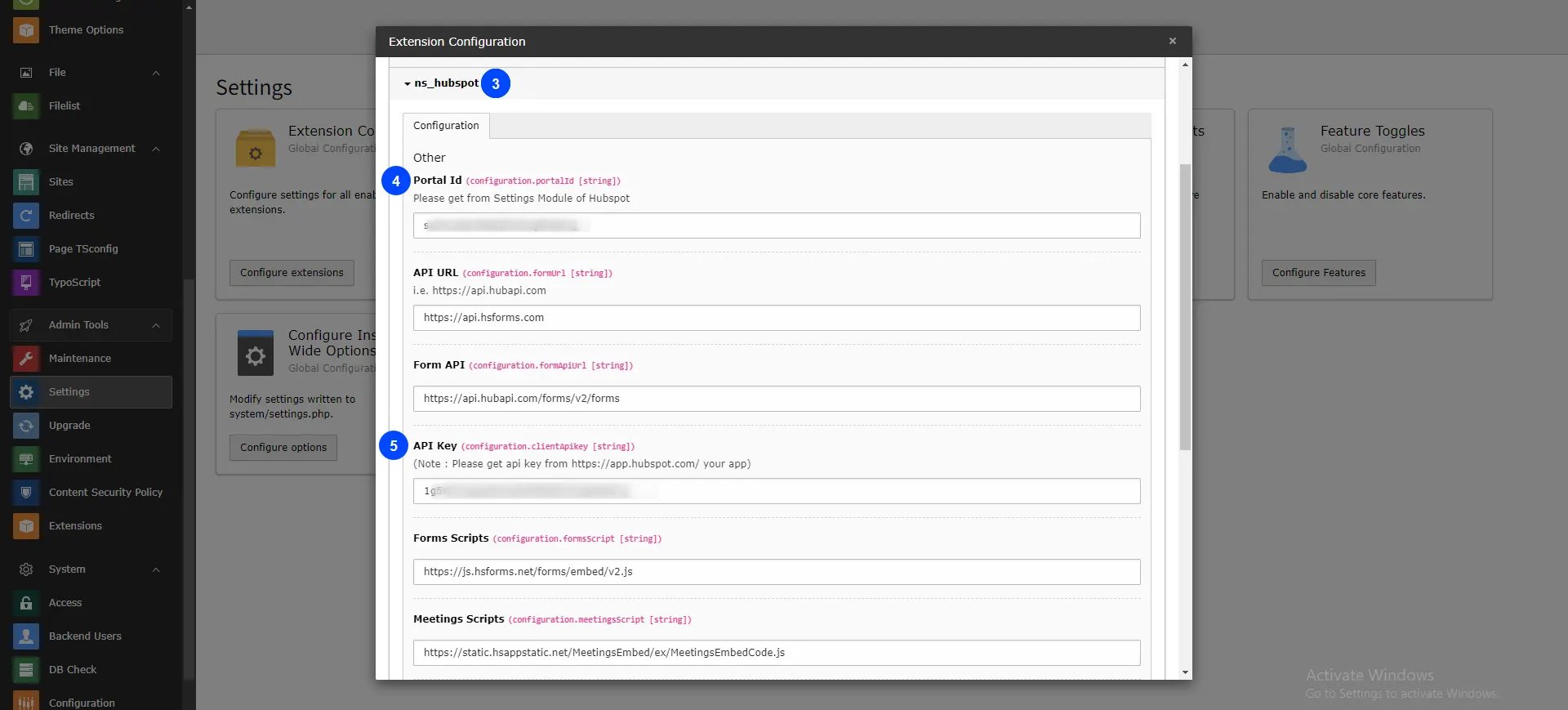
- Step 3: Click on ns_hubspot.
- Step 4: Add Portal Id.
- Step 5: Add API Key ( Client Secret Key ).
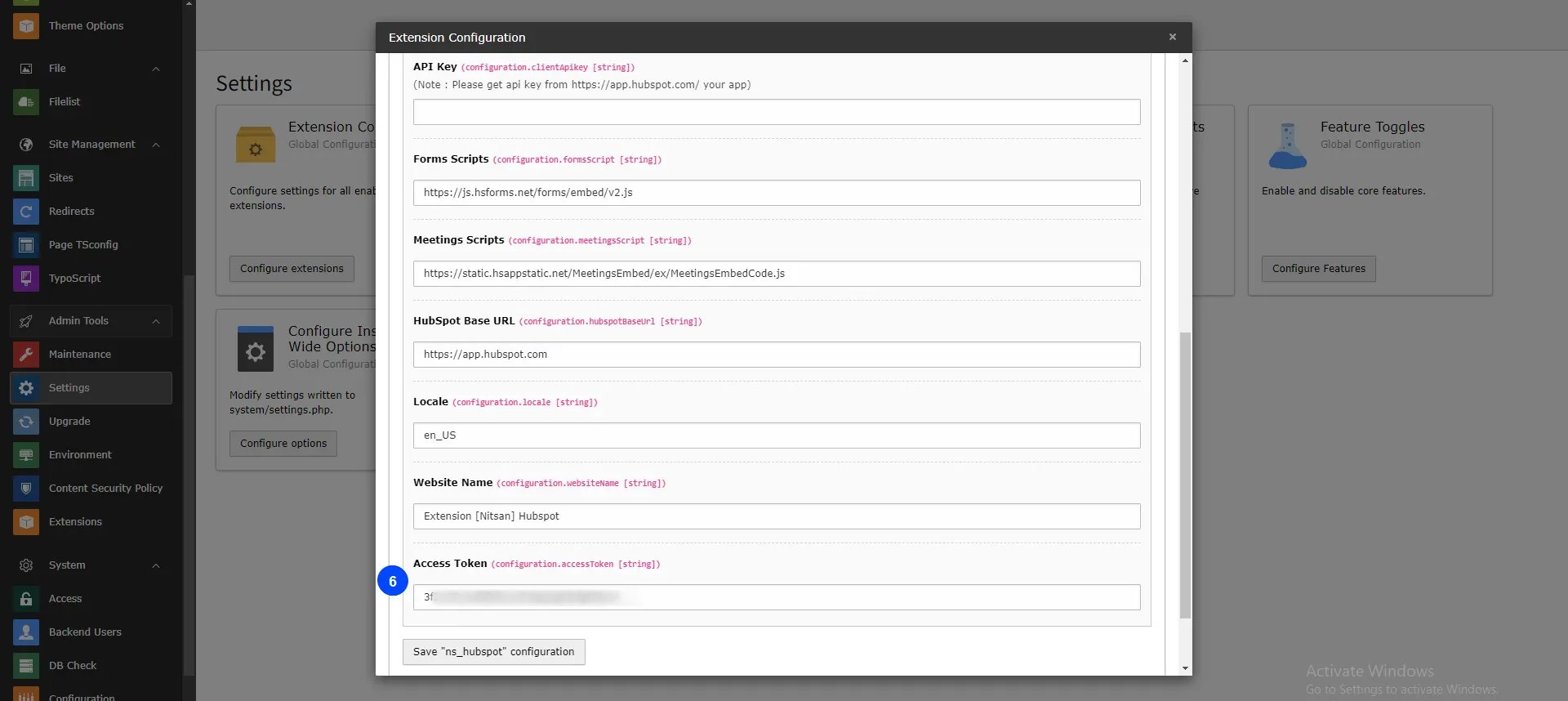
- Step 6: Add Access Token.
HubSpot Configuration
- Step 1: Create your new account in HubSpot: https://app.hubspot.com/
- Step 2: Click on setting icon, and go to Account Setup > Integration > Legacy Apps > click on Auth
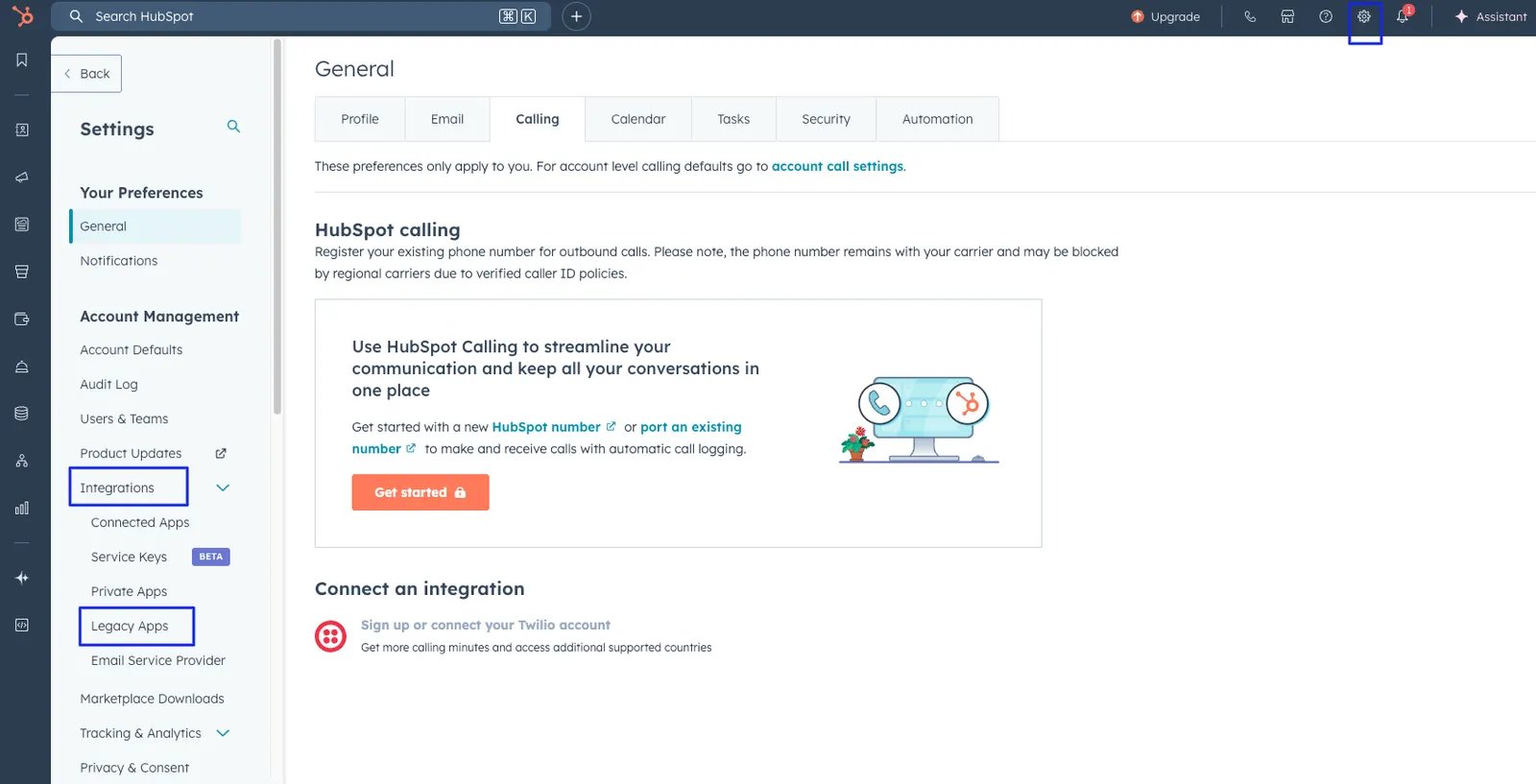
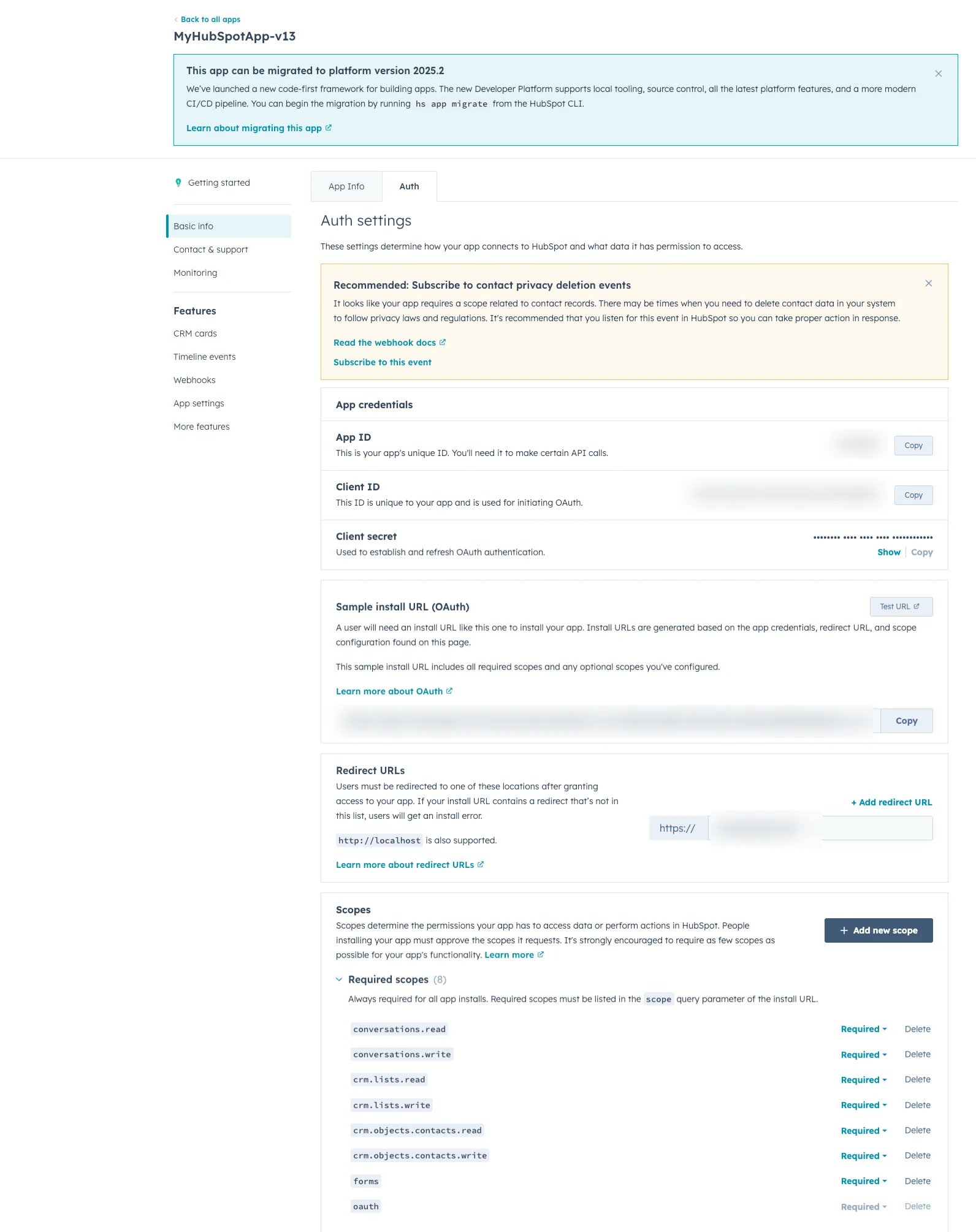
- Step 3: Get your “Portal Id ”, “API Key(Client secret)” and “Access token” from the Account set up.
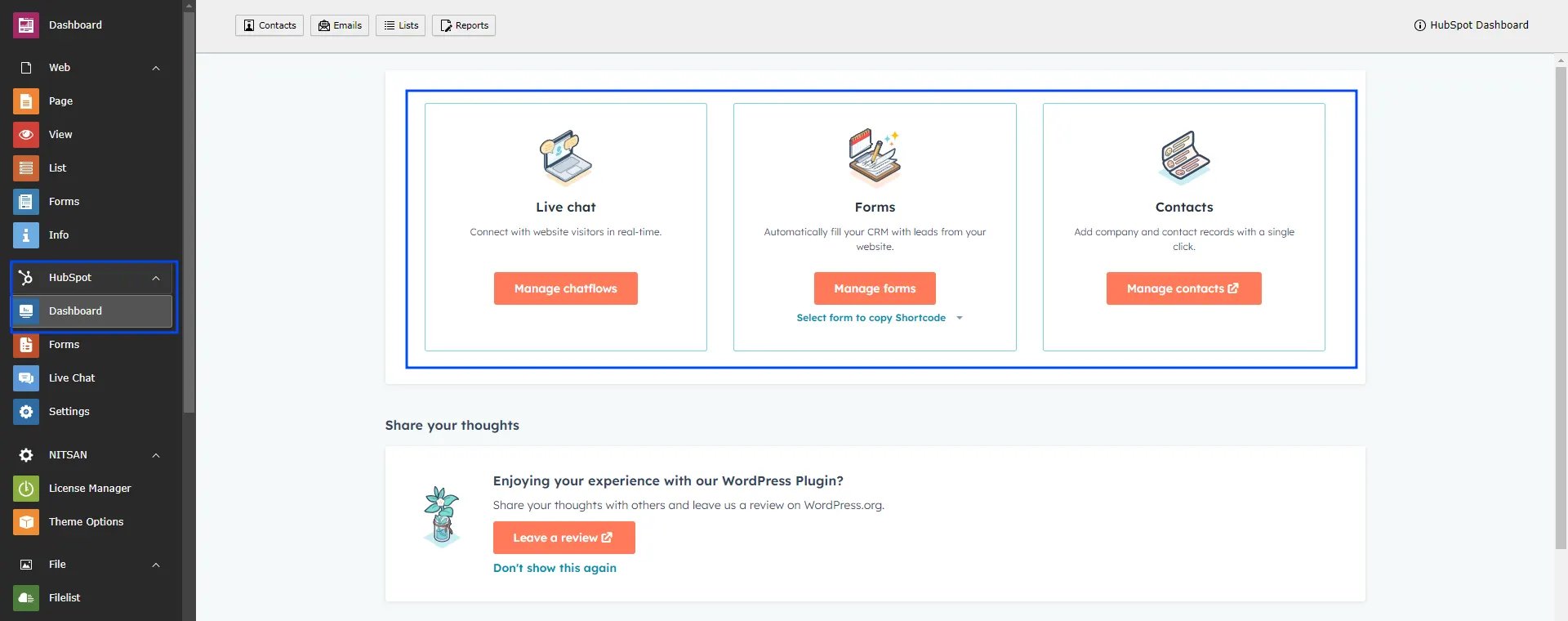
HubSpot Dashboard
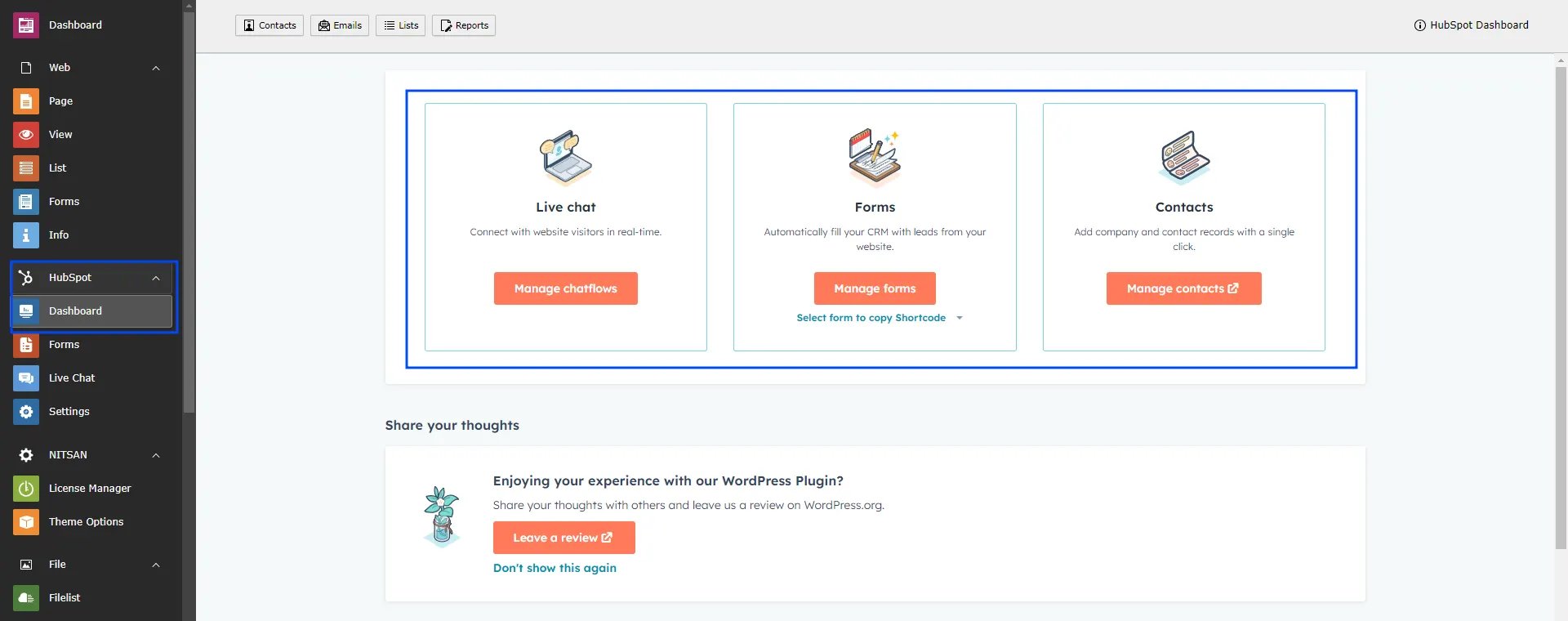
After all configuration,You can See Backend Different modules,Log into your hubspot account from Dashboard.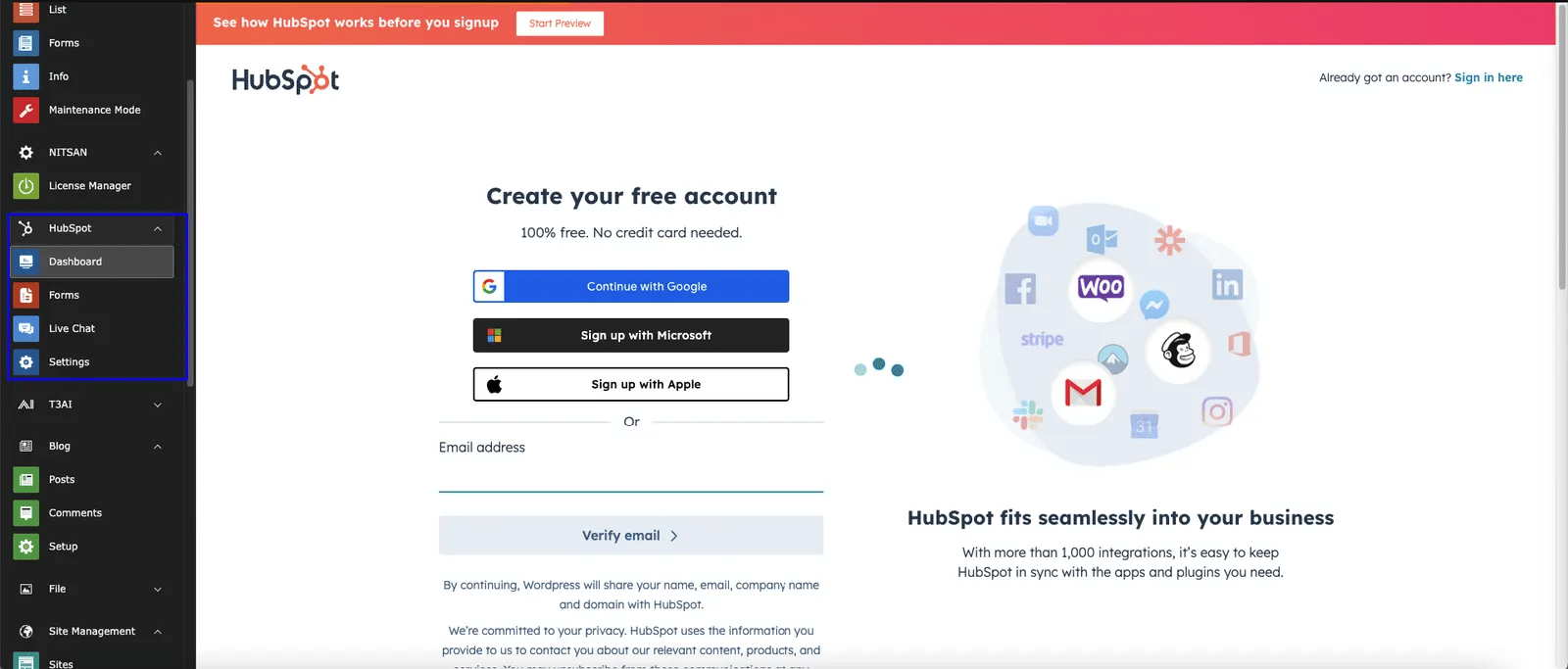
Create your HubSpot form
Create your hubspot form in forms modual: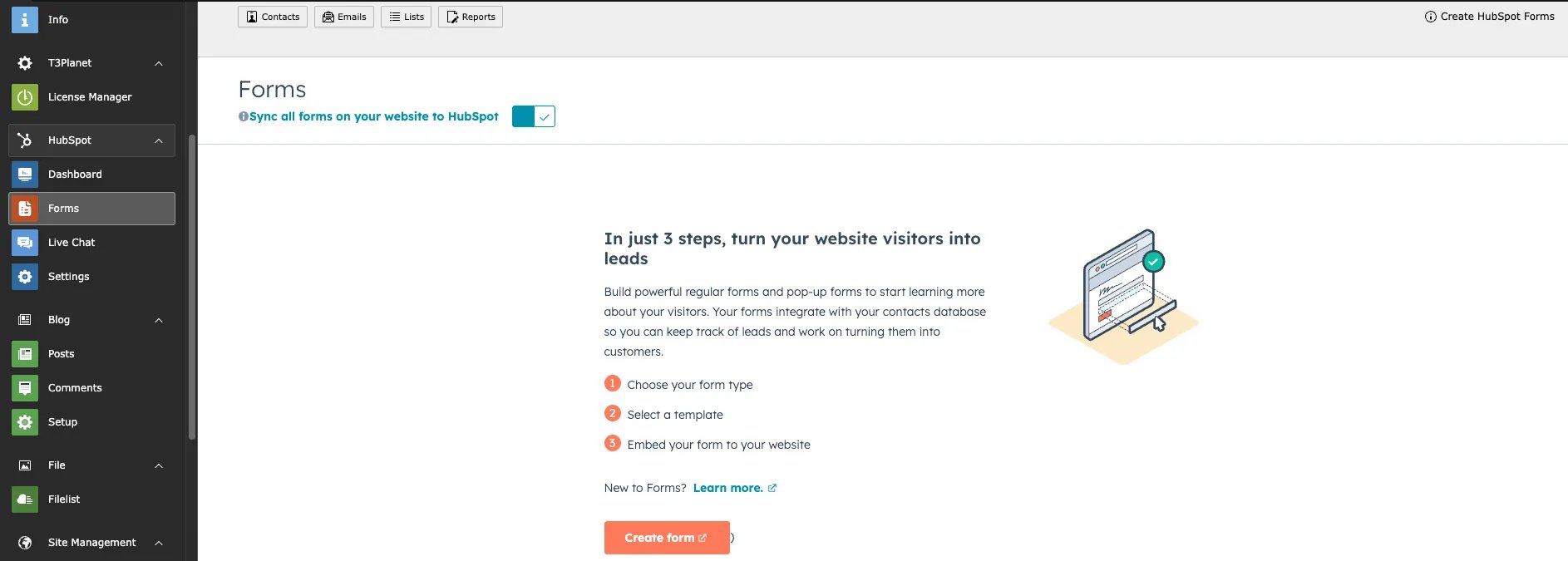
HubSpot has moved private apps to the Legacy Apps page.
Existing apps continue to work and can be migrated later if needed.
Create Website Chatflows in Live Chat
Go to HubSpot Live Chat module and click to create chatflow button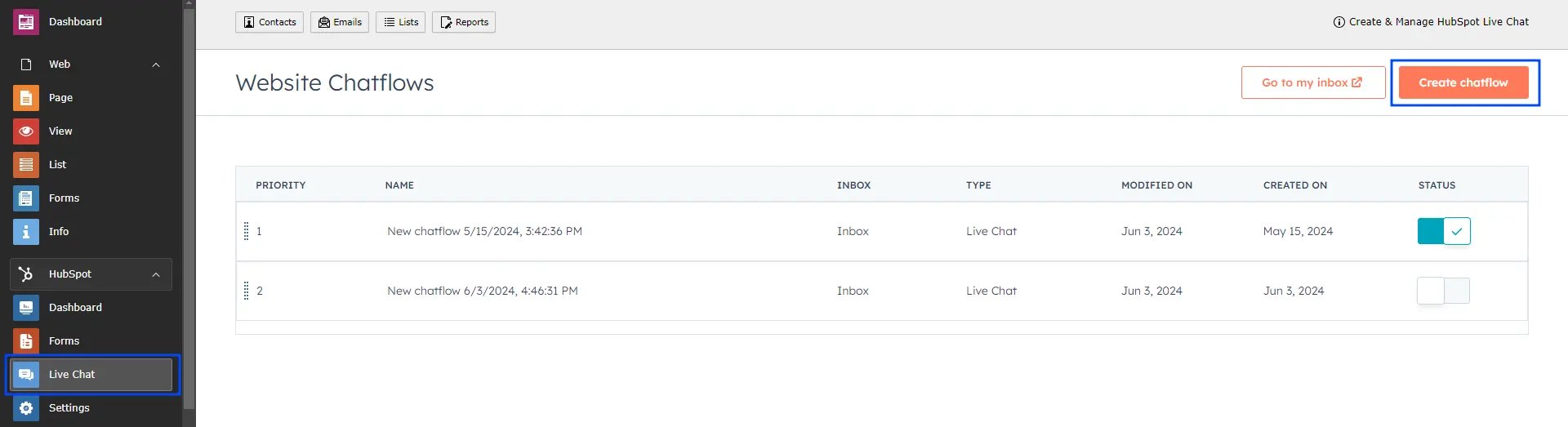
Add the HubSpot form Plugin
To configure hubspot Form in your site,please follow below steps,- Step 1: Go to page
- Step 2: Open Create Content element Wizard
- Step 3: Go to plugin tab add HubSpot form Plugin
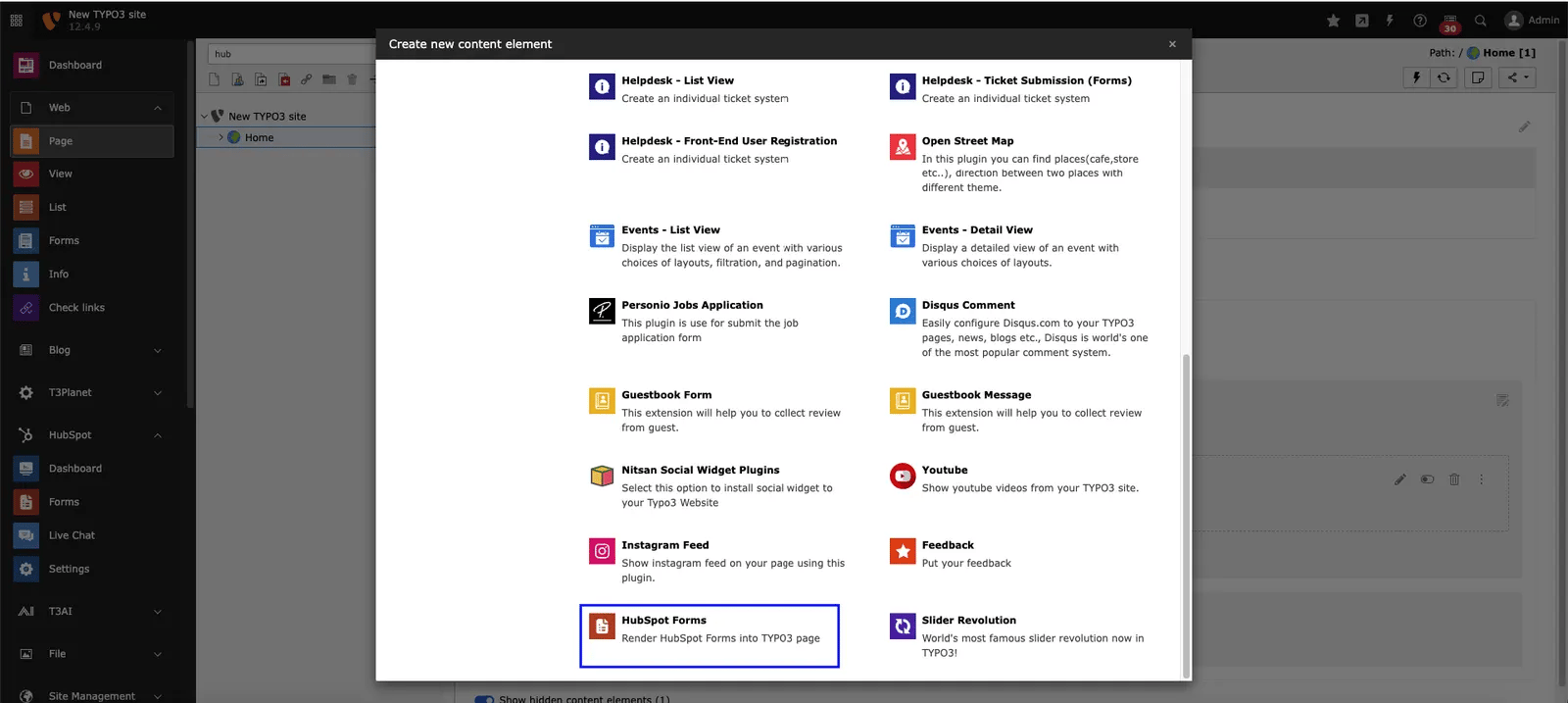
- Step 4: Choose Hubspot Form from dropdown which you want to Integrate.
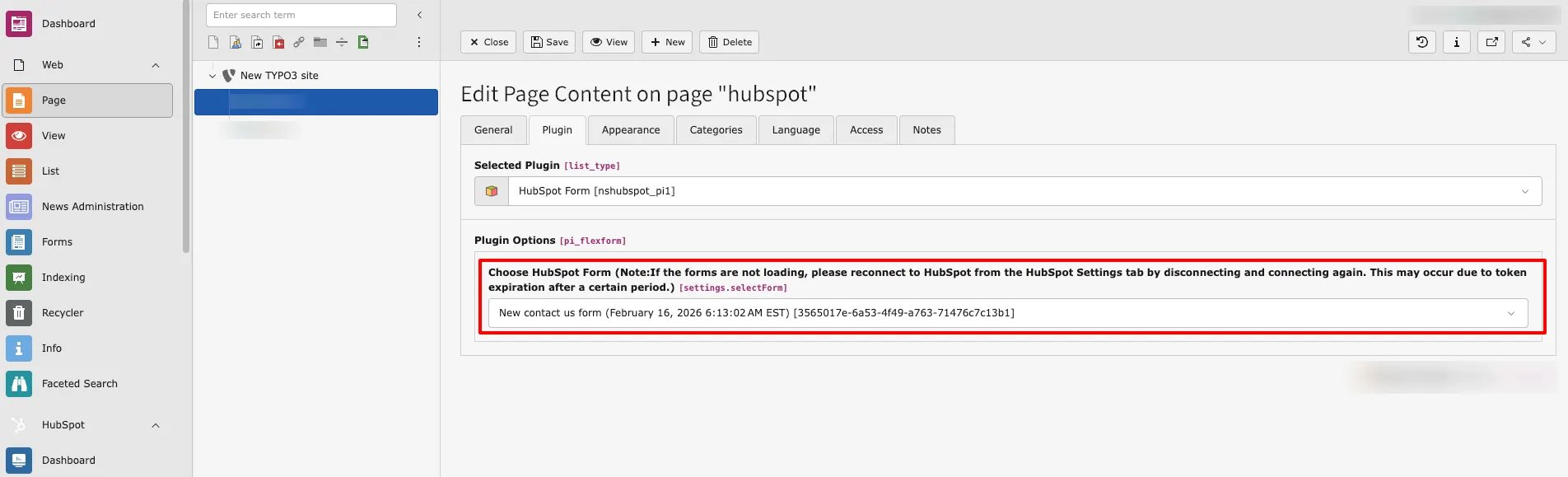
Figures