First you need to install the publication extension from typo3 repository, After than install the ns_publication_comment that will enhance the detail view of each publication within comment module. You can configure the comment settings like, enable/disable comment approval, change date/time format, add custom CSS/JS, E-mail configurations, Google recaptcha etc much more.
1

Step 1

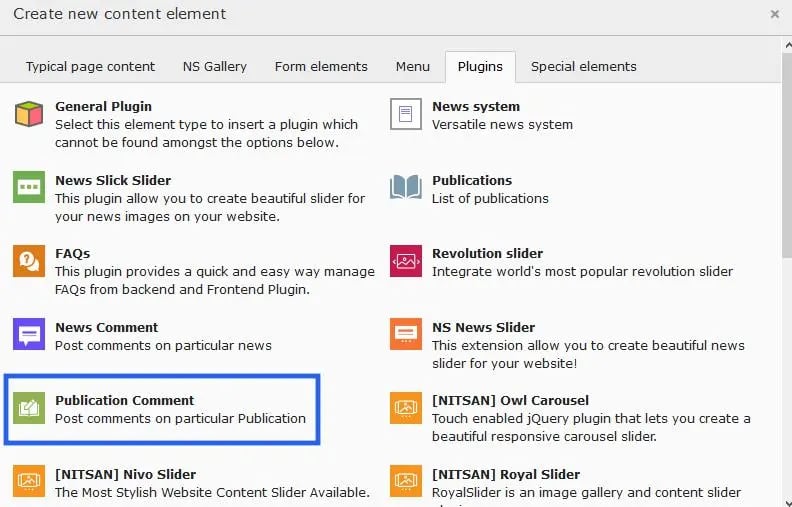
Insert publication comment extension from the plugin element
2

Step 2

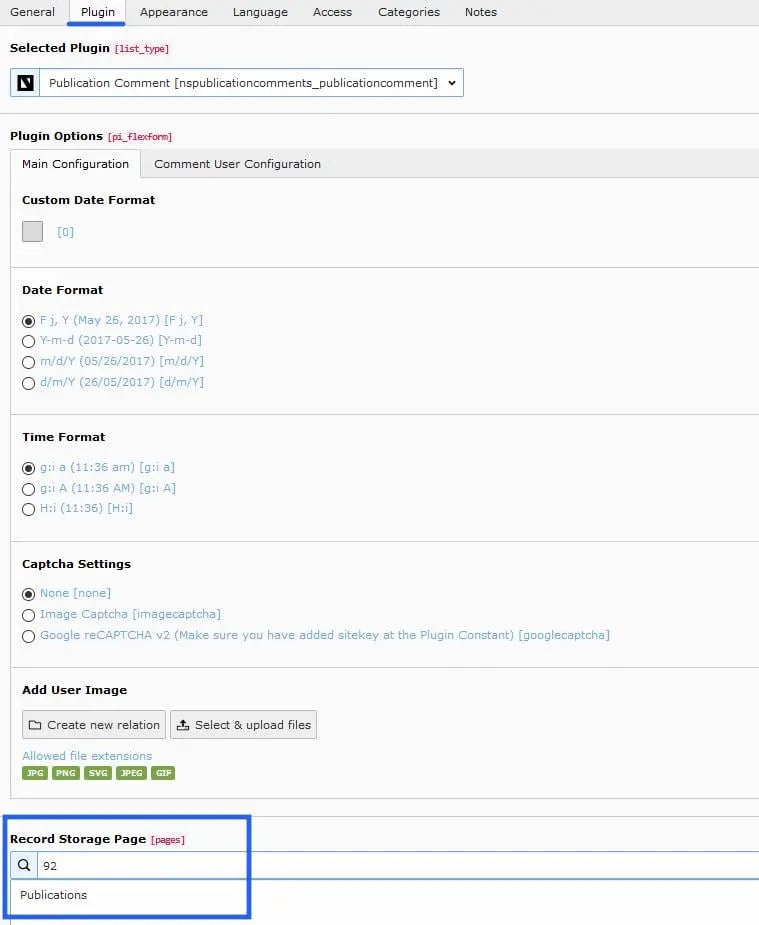
Select the record storage id, Edit date/time formate, captcha setting, user image etc according to your website need from main configurations.
3

Step 3

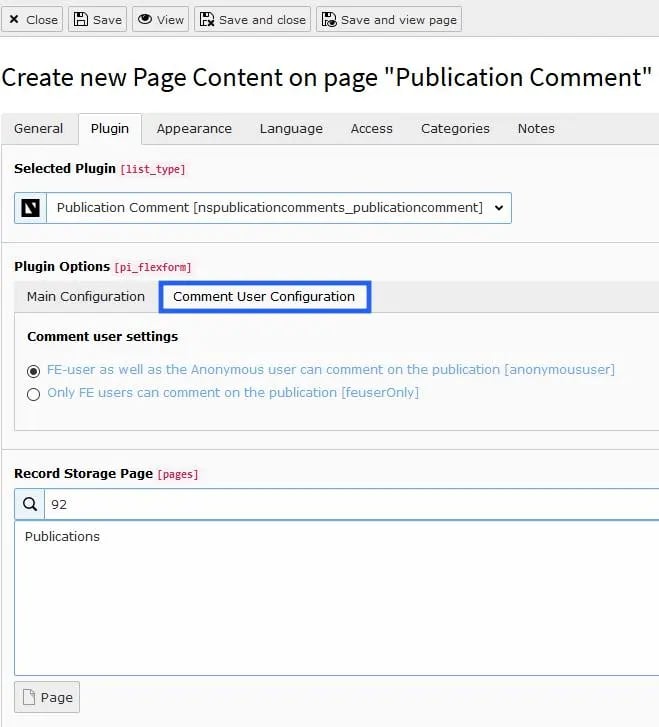
You can do the Comment user configurations also.
4

Step 4

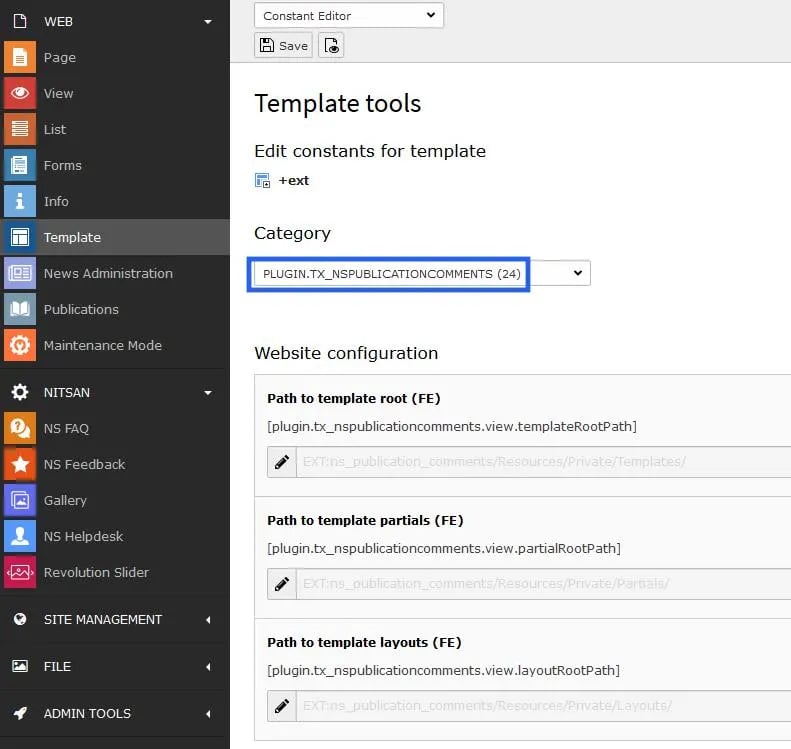
Furthermore, another configurations will be managed from constant editor.

Back End Screenshots
ns-publication-comment-typo3-extension ns-publication-comment-typo3-extension1 ns-publication-comment-typo3-extension2 ns-publication-comment-typo3-extension3