

Installation
Just install this extension the usual way like any other TYPO3 extension.For Premium Version - License Activation
To activate license and install this premium TYPO3 product, Please refere this documentation License documentationFor Free Version
In the TYPO3 backend you can use the extension manager (EM).1
Step 1
Switch to the module “Extension Manager”.
2
Step 2
Get the extension
3
Step 3
Get it from the Extension Manager: Press the “Retrieve/Update” button and search for the extension key ns_publication_comment and import the extension from the repository.
4
Step 4
Get it from typo3.org: You can always get the current version from https://extensions.typo3.org/extension/ns_publication_comment/ by downloading either the t3x or zip version. Upload the file afterwards in the Extension Manager.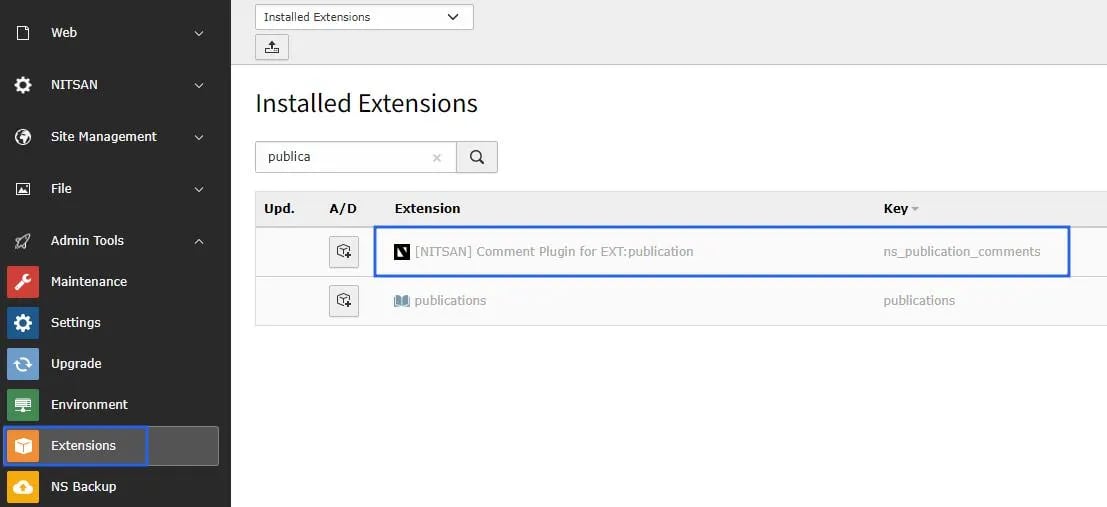
You must need to install the “publication” extension from the typo3 repository.