AI Usage & Logs
Purpose
Transparency for every AI request on your TYPO3 instance. Use these screens for budget control, debugging, and compliance.
AI Usage
Path: AI Foundation > AI Usage
Follow this interactive walkthrough, then continue with the details below.
Shows:
Request count — Total AI calls in the selected period
Tokens — Input and output volume
By extension — Which extension called AI (AI Assistant, AI Chatbot, and others)
By feature — For example
seo.meta_descriptionTime range — Day, week, or month
Use for: budget control, team planning, anomaly detection.
Compare usage trends on the Dashboard.
AI Logs
Path: AI Foundation > AI Logs
Follow this interactive walkthrough, then continue with the details below.
Per-request detail includes:
Timestamp, user, extension, feature
Provider, model, tokens
Success or failure
Use for: debugging failed requests and compliance audits.
Scheduler & CLI
Path: AI Foundation > Scheduler & CLI
Follow this interactive walkthrough, then continue with the details below.
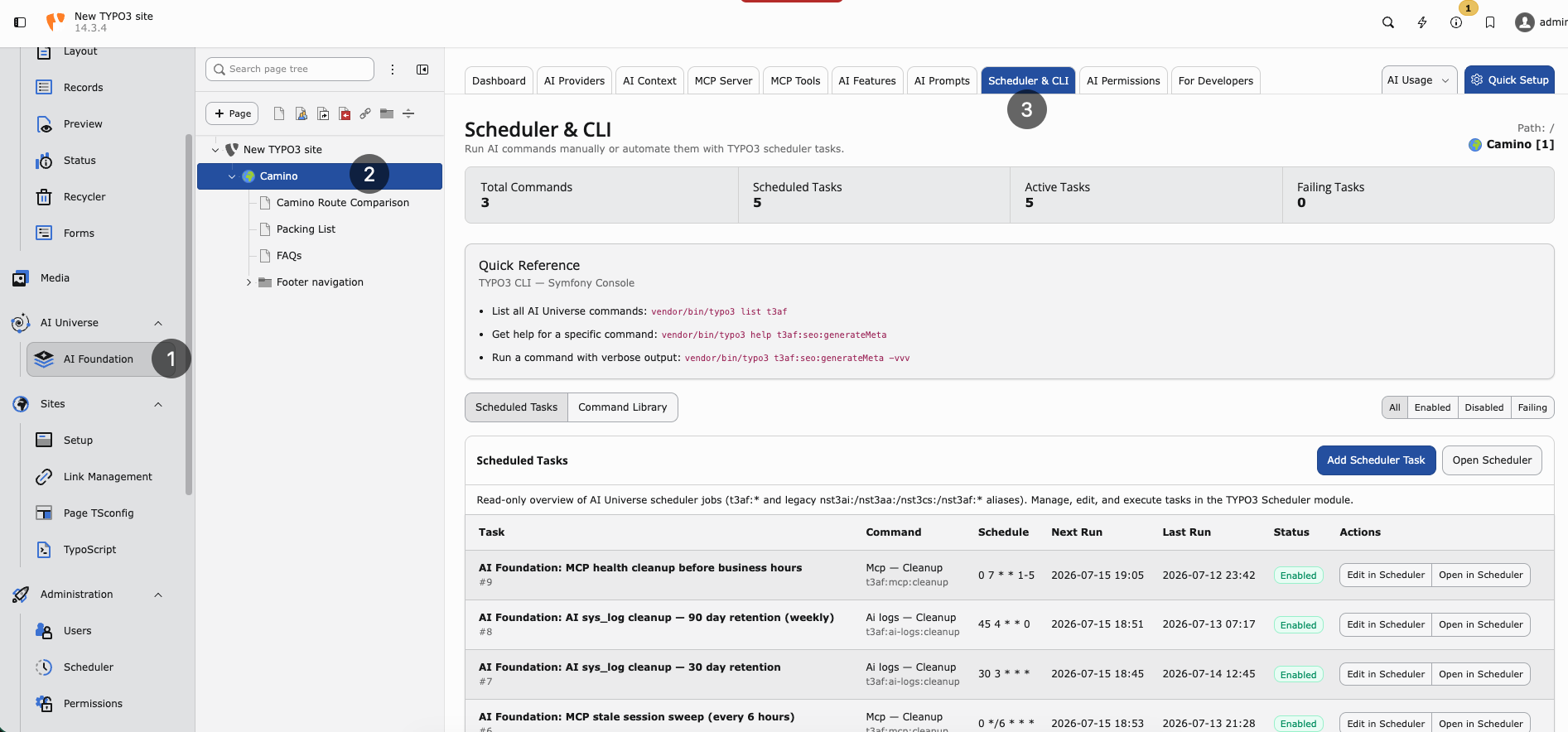
Scheduler & CLI — background tasks and TYPO3 console commands for AI Foundation.
Background jobs and CLI commands. Example:
vendor/bin/typo3 ns_t3af:cache:flush
Ensure scheduler cron runs every minute on production.
OpenAI org statistics (optional)
Set openai_admin_api_key in Extension Configuration for organization-level usage charts. This is not the chat API key. See Configuration.
Privacy
Log detail depends on provider privacy settings and group audit limits from AI Permissions. Configure carefully before enabling full prompt/response storage.
Weekly admin habit
Open AI Foundation > AI Usage and compare the trend with last week
Scan AI Foundation > AI Logs for repeated failures (same user, same feature)
Escalate persistent errors to Support with log details
When logs show high usage
Check AI Features — bulk tasks may need a cheaper model
Review group limits in AI Permissions
Ask editors if a script or loop triggered many requests
When logs show failures
Run Test connection in AI Providers
Check vendor status and rate limits
See Known Problems and FAQ