Easily import existing XLIFF files or export updated ones with just a few clicks. Whether you’re moving files between environments or syncing with external tools like Crowdin, T3AL makes the process fast, smooth, and error-free—no manual handling needed.

Steps to Import or Export XLIFF Files

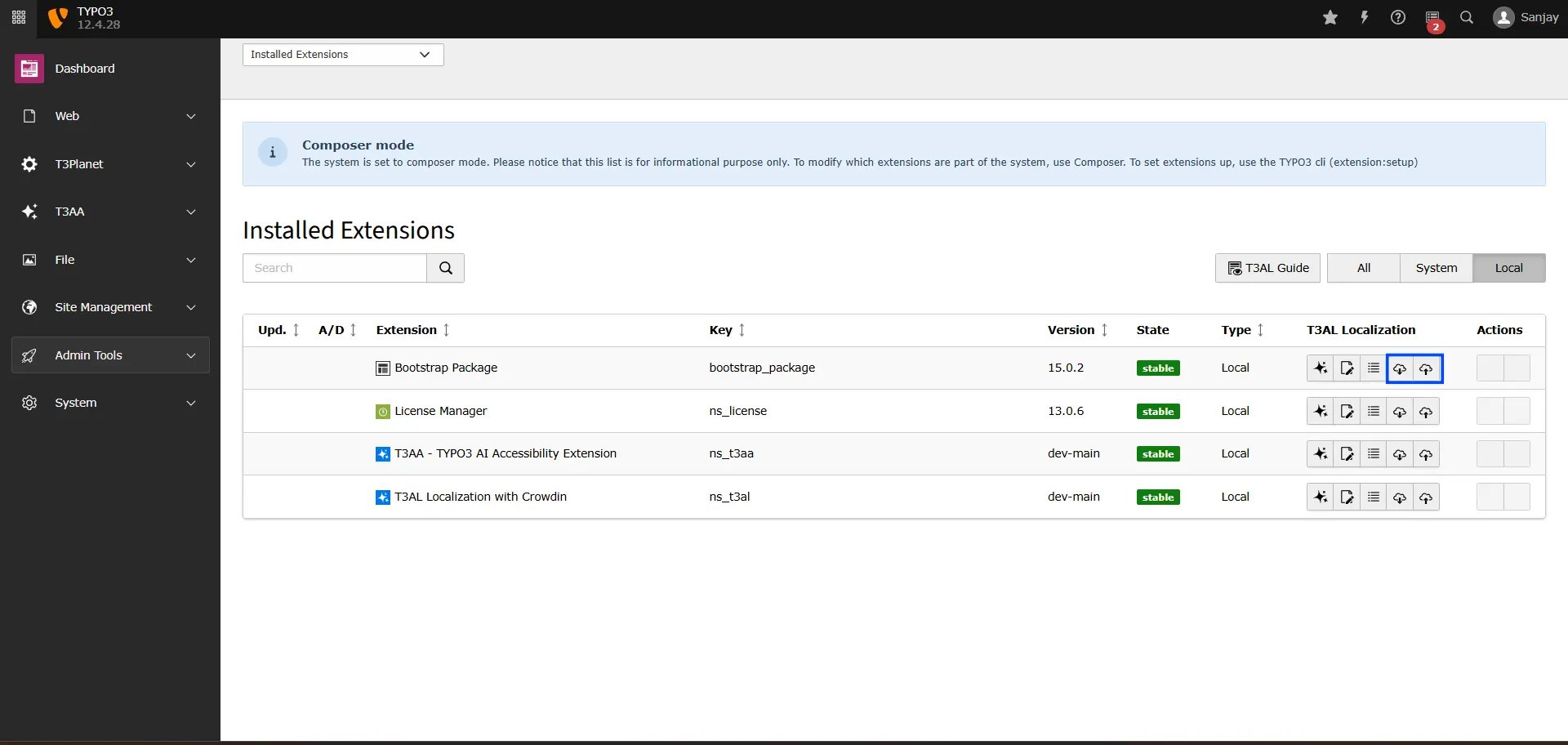
Step 1: Navigate to the “Extension Manager” module. Step 2: Select extension from the dropdown menu. Step 3: Search using the Extension Key (for example, “bootstrap_package”). Step 4: To import or export a file, simply click the “📥” or “📤” icon—and you’re all set! T3AL_Improt_and_Export
Import

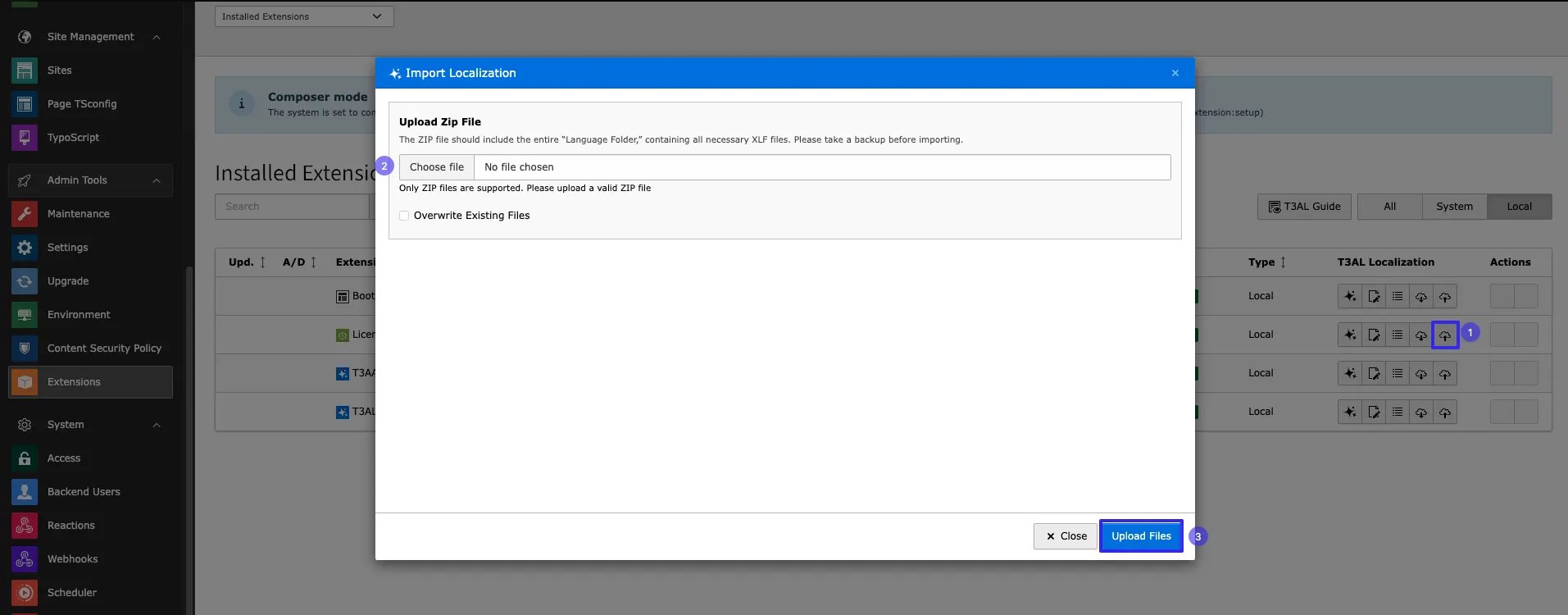
Step 1: Click on the “📥” icon to import an XLIFF file. Step 2: Select file from your local system. Step 3: Click on Button “Upload files” T3AL_Improt_and_Export That’s it! With T3AL, managing TYPO3 localization becomes faster, smarter, and easier. Now you can focus more on quality content and less on manual translation work.