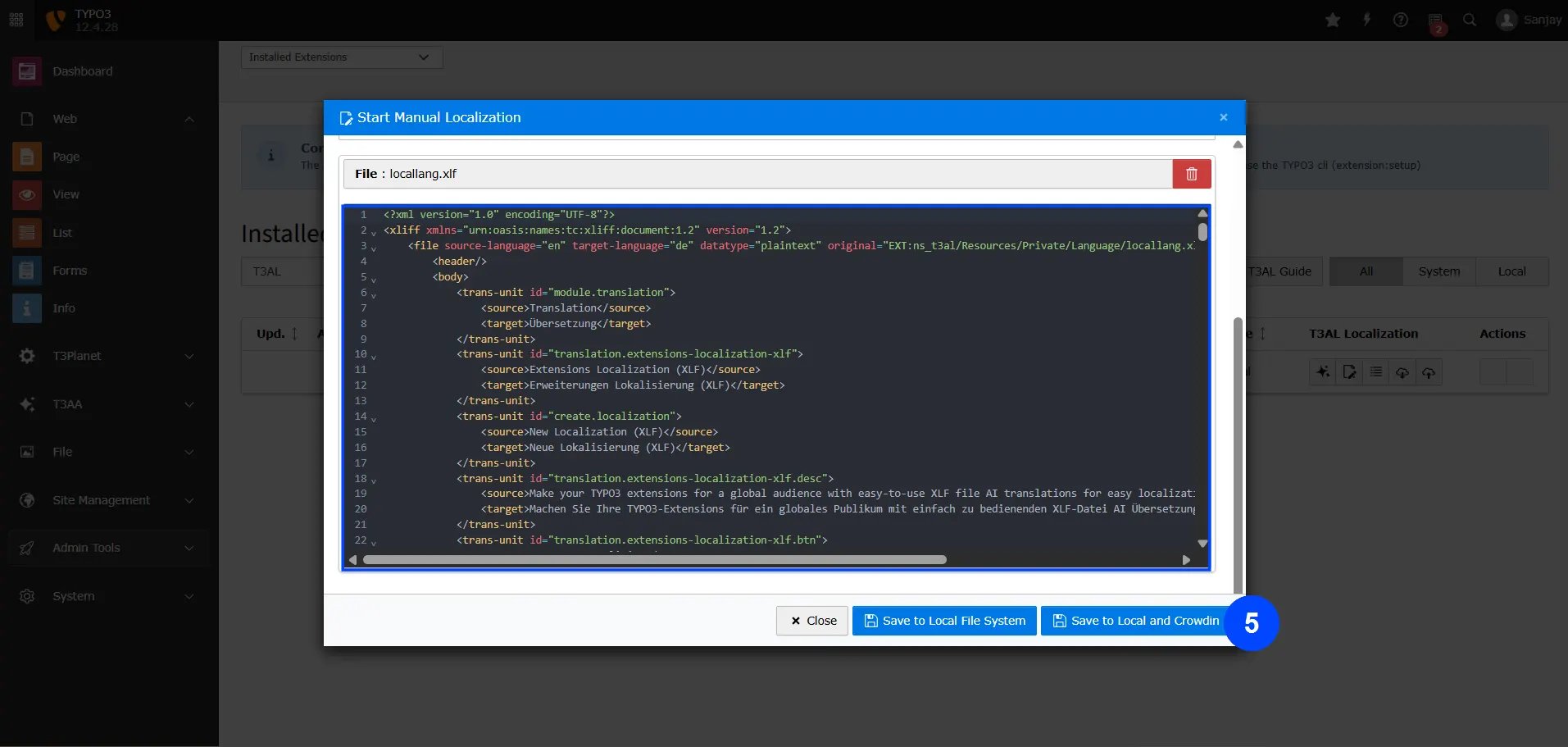
Steps to Start Manual Localization
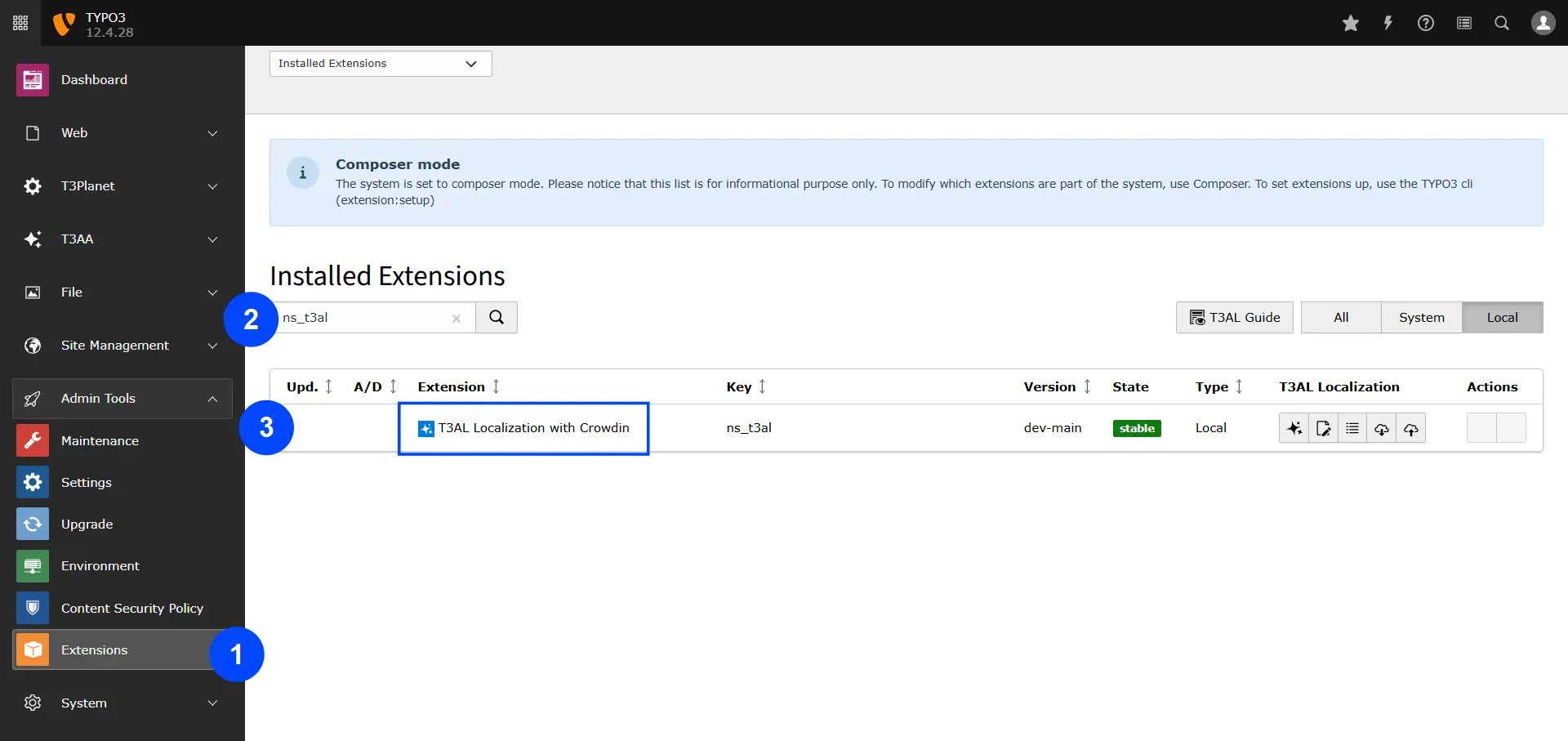
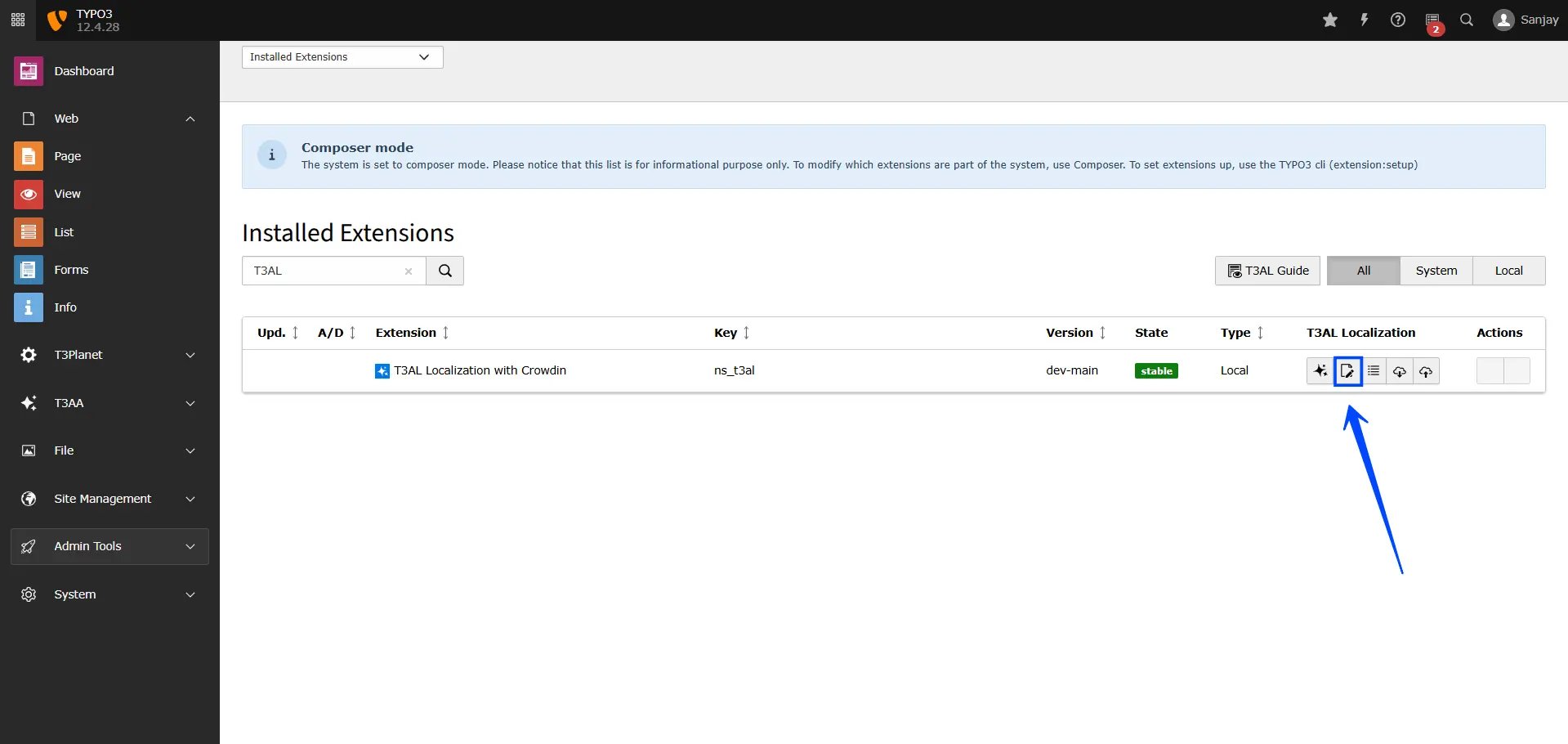
Now Let’s Manually Translate the File and Make Any Corrections You Need
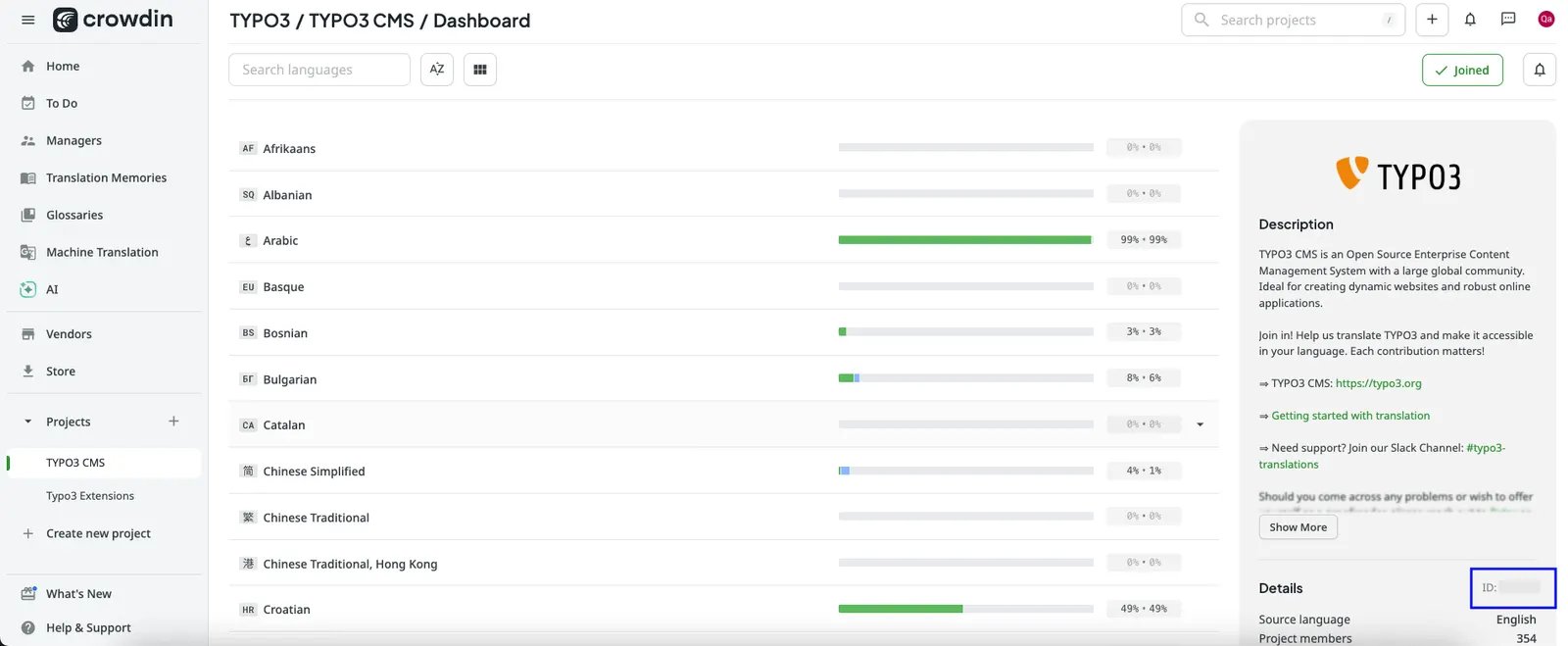
Step 1: Select the XLIFF file from your TYPO3 extension. Step 2: Choose the language you want to translate into. Step 3: Decide if you want to edit in the Code (XLF) Editor or the User Interface, and enter your Project ID. Step 4: Click “Start Localization” to begin manual translation.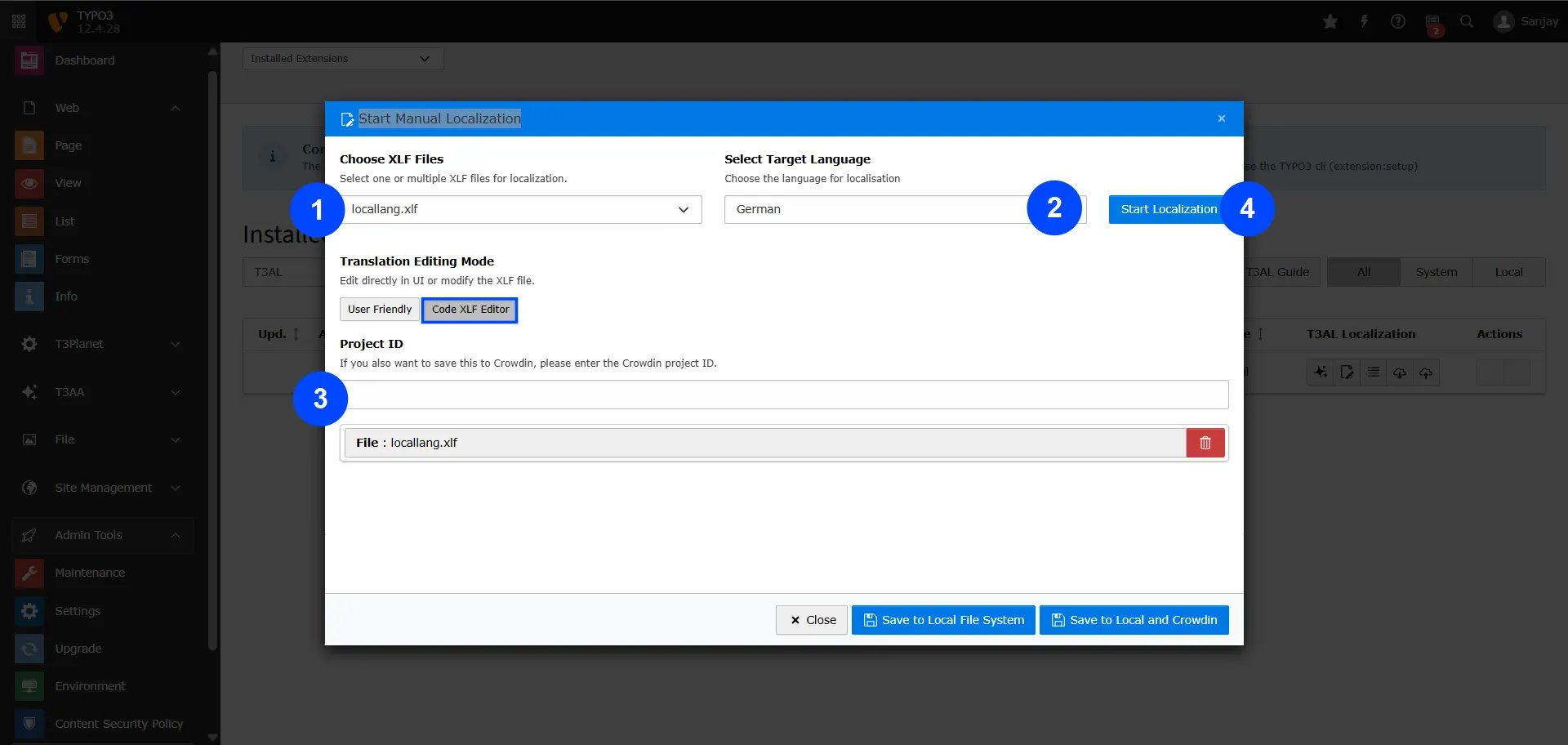
- Save to Local File System – This will save the translated content to your TYPO3 server.
- Save to Local and Crowdin – This saves the content both in TYPO3 and directly to your Crowdin project.