Upgrade Product ≥ v3.3.0 (Migration from Grid Elements to Container)
From version 3.3.0 onwards, this product introduces major changes by migrating from the outdated Grid Elements (EXT) extension to the modern Container (EXT) extension. Please follow the step-by-step migration guide below.- Open System → T3Planet Shop (TYPO3 v12/v13: Admin Tools → T3Planet Shop) and update T3Karma Theme (EXT) to the latest version.
- Update Base Theme (EXT) to at least v11.5.x.
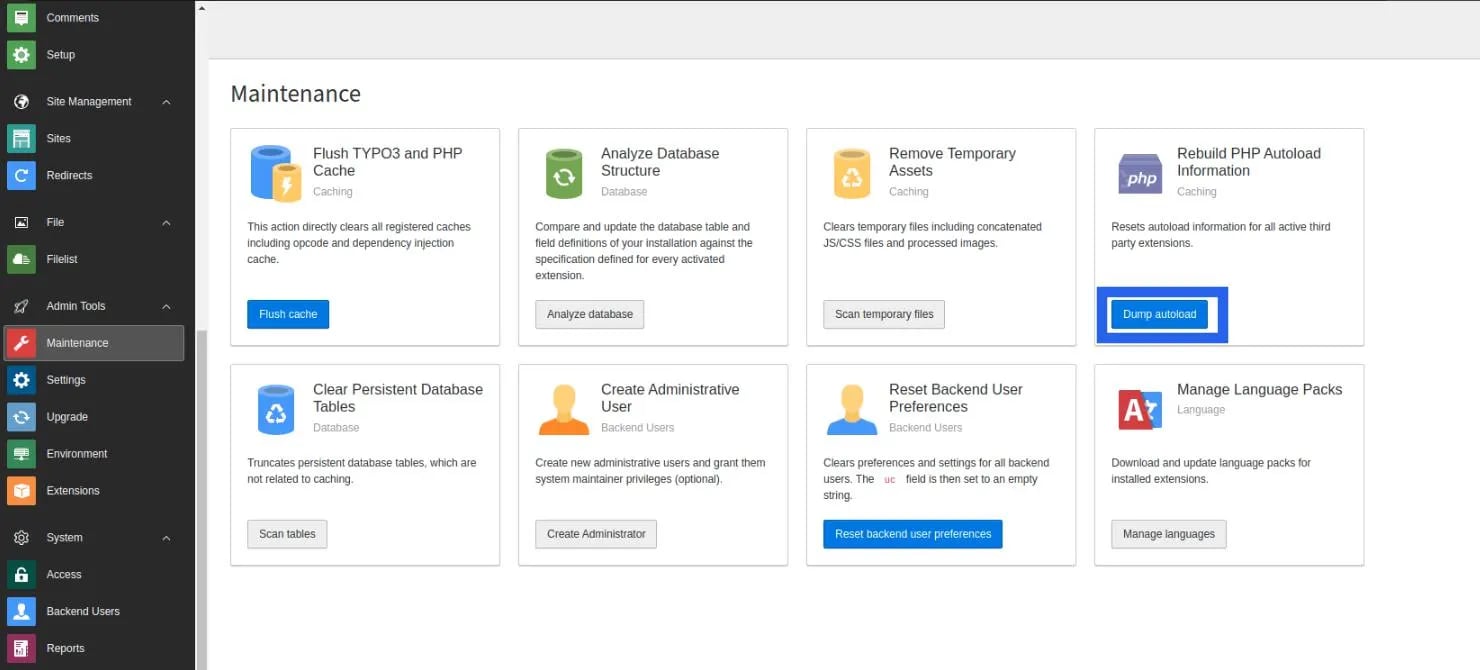
- Go to Admin Tools → Maintenance module and clear the cache. Also click the Dump Autoload button. For composer-based TYPO3 installations, run the following command:
- Install the Container extension (EXT).
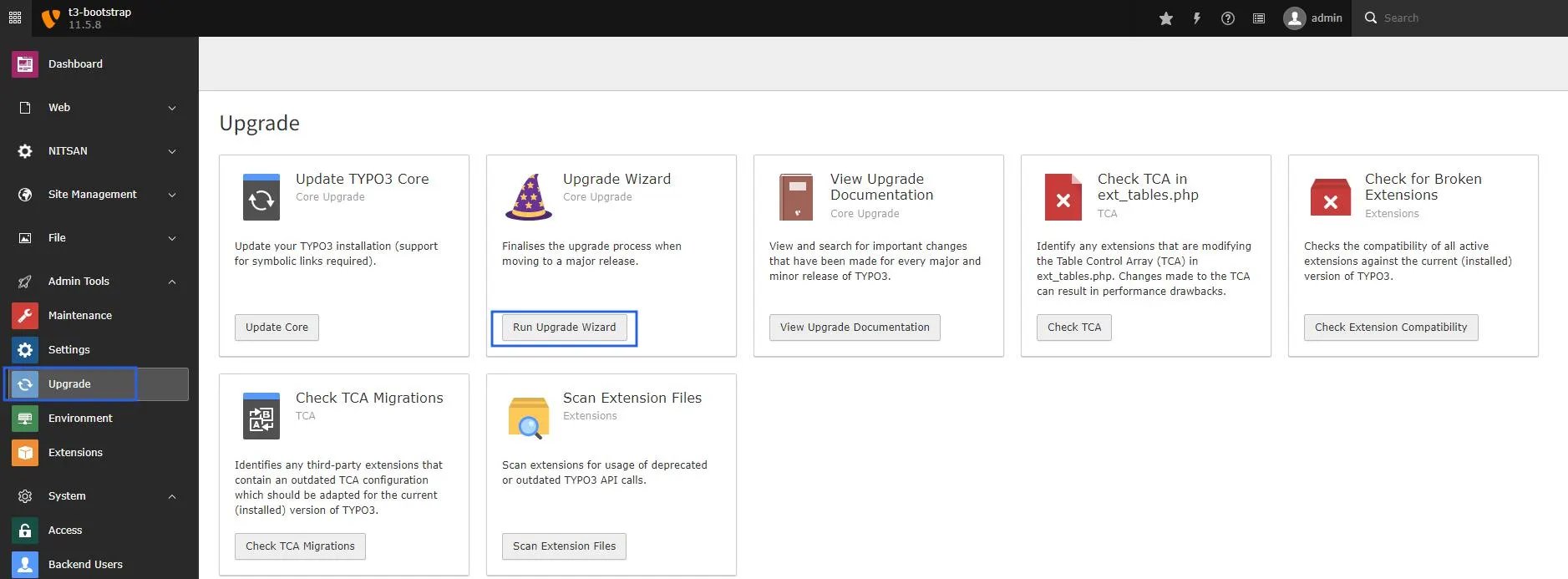
- Go to Admin Tools → Upgrade and click Run Upgrade Wizard.
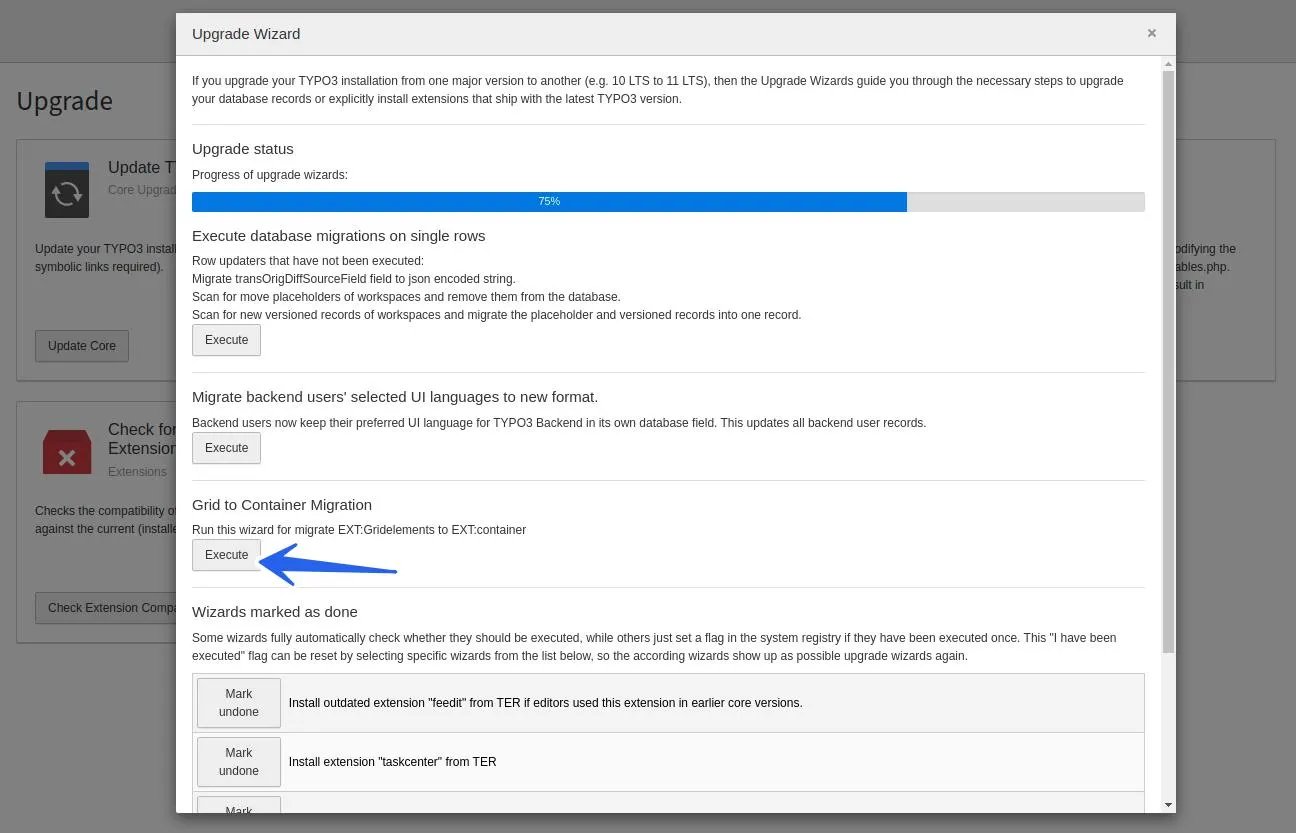
- Execute the Grid to Container Migration wizard.
- Go to Admin Tools → Extensions, then deactivate and delete Grid Elements (EXT).
- Go to Admin Tools → Maintenance and clear the cache again.
Upgrade Product ≥ v13.0.2 (Migration from FlexForm Elements to Content Blocks)
From version 13.0.2 onwards, this product introduces major changes by migrating from outdated FlexForm-based elements to modern Content Blocks (EXT). Please follow the step-by-step migration guide below.- Open System → T3Planet Shop (TYPO3 v12/v13: Admin Tools → T3Planet Shop) and update T3Karma Theme (EXT) to the latest version.
- Make sure the Content Blocks extension (EXT) is installed, as it is required for this migration.
- Go to Admin Tools → Maintenance module and clear the cache. Also, click on the Dump Autoload button. For composer-based TYPO3 installations, run the following command:
- Go to Admin Tools → Upgrade and click Run Upgrade Wizard.
- Click the Execute button for T3Karma: Content Block Migration.
Due to a technical limitation, Carousel elements cannot be migrated automatically to Content Blocks and must be migrated manually.
Figures