

1
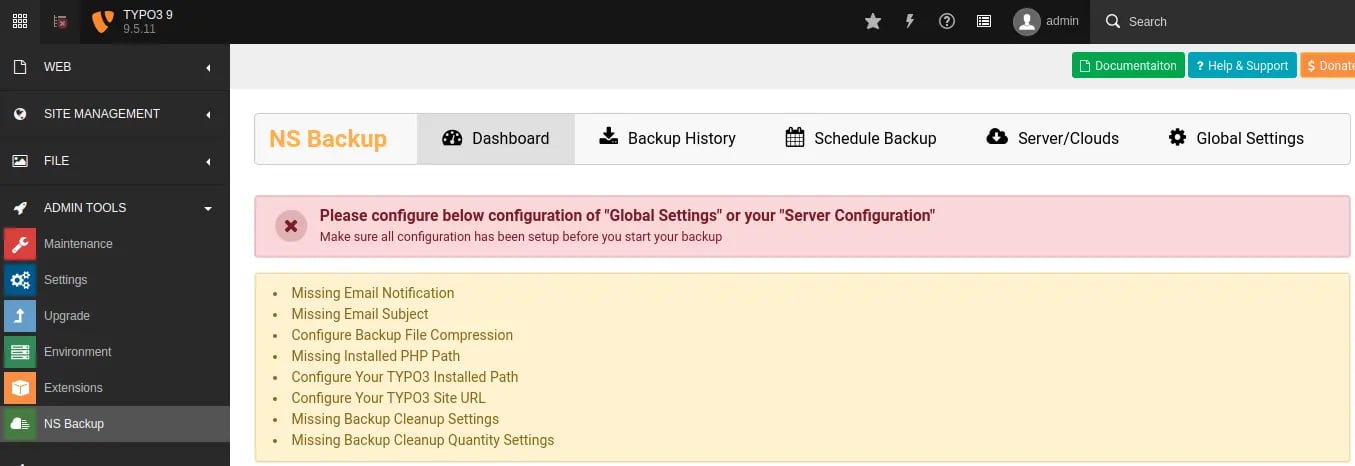
Step 1
Go to Admin Tools > NS Backup
2
Step 2
Click on “Global Settings” menu, Fill-up all the information and click on “Save Settings” button.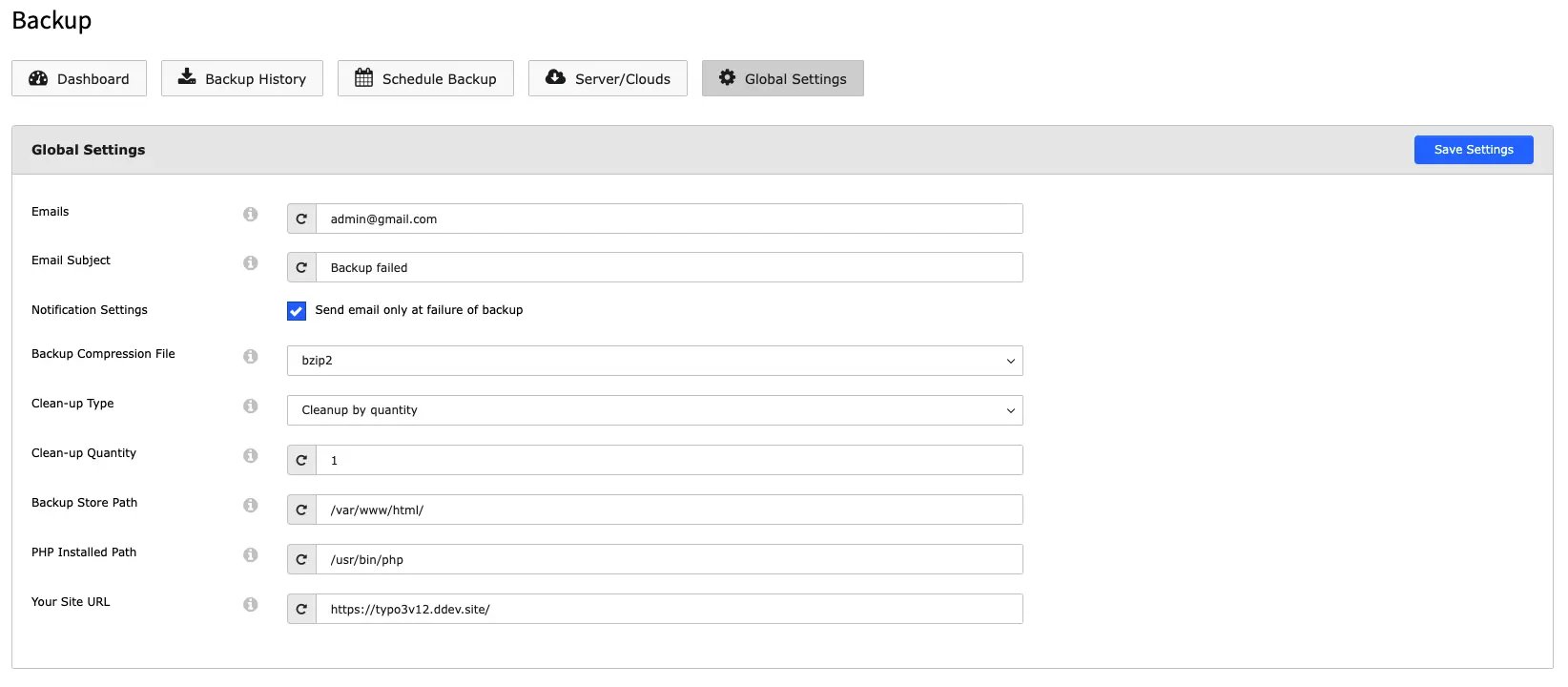
Backup store Path
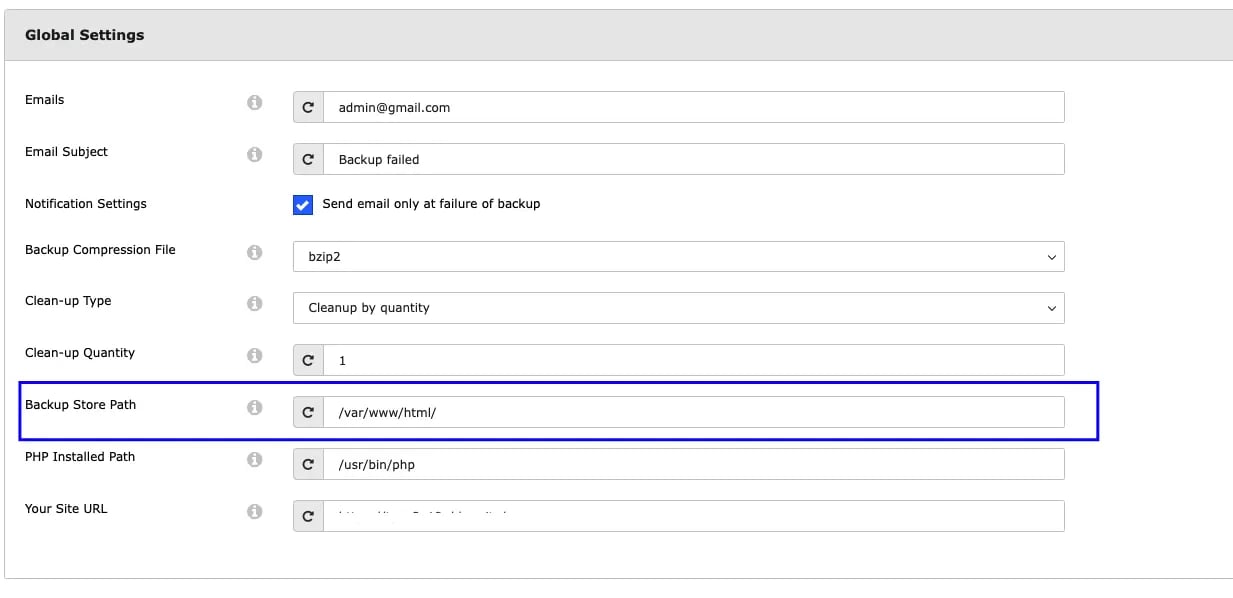
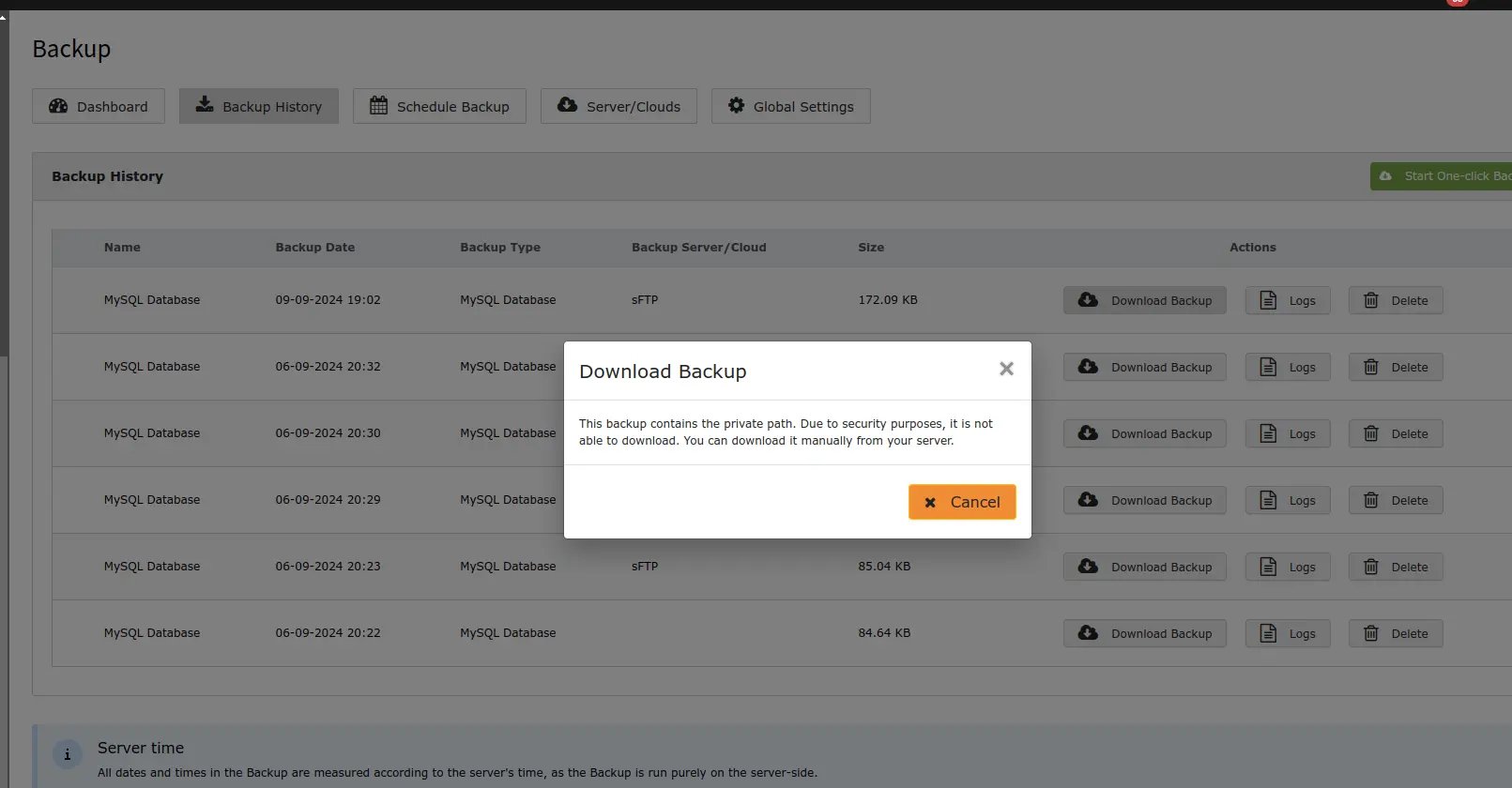
For security reasons, private path backups cannot be downloaded directly from the backend as its publicly not accessible; they must be accessed from the configured server path.**