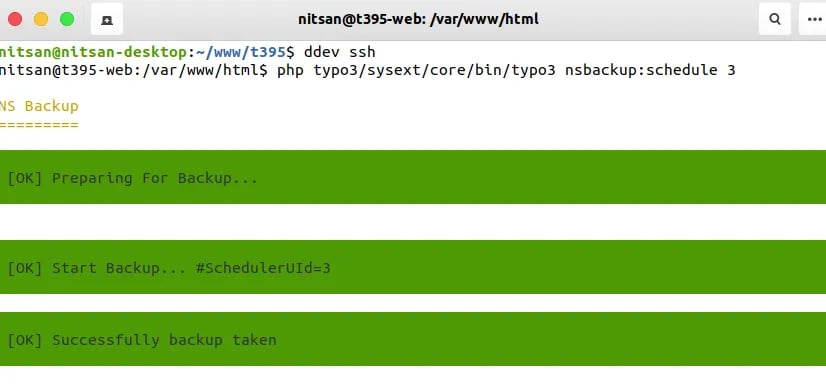
Manage Schedule Backups
Step 1. Go to Admin Tools > NS Backup Step 2. Click on “Schedule Backup” button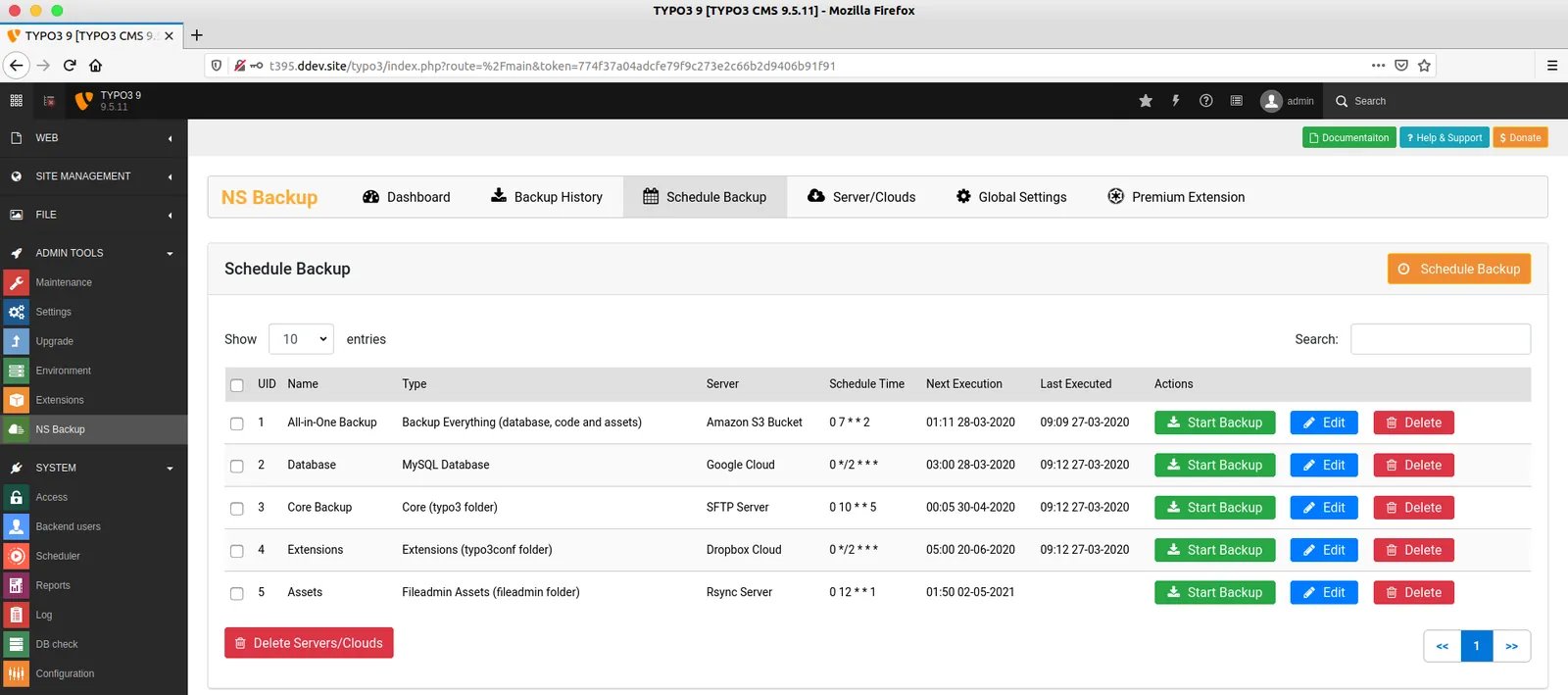
Add New Schedule Backup
Step 1. To add new schedule backup, Click on “Schedul Backup” button Step 2. Enter your backup name Step 3. Choose what do you want to backup, like Backup-Everything, Database etc. Step 4. Setup Schedule/Cron, You can easily get Cronjob setup from https://crontab.guru/ and Enter Start-date and End-date & time. Step 5. Select your configured server/cloud and click-on “Submit Schedule Backup” button.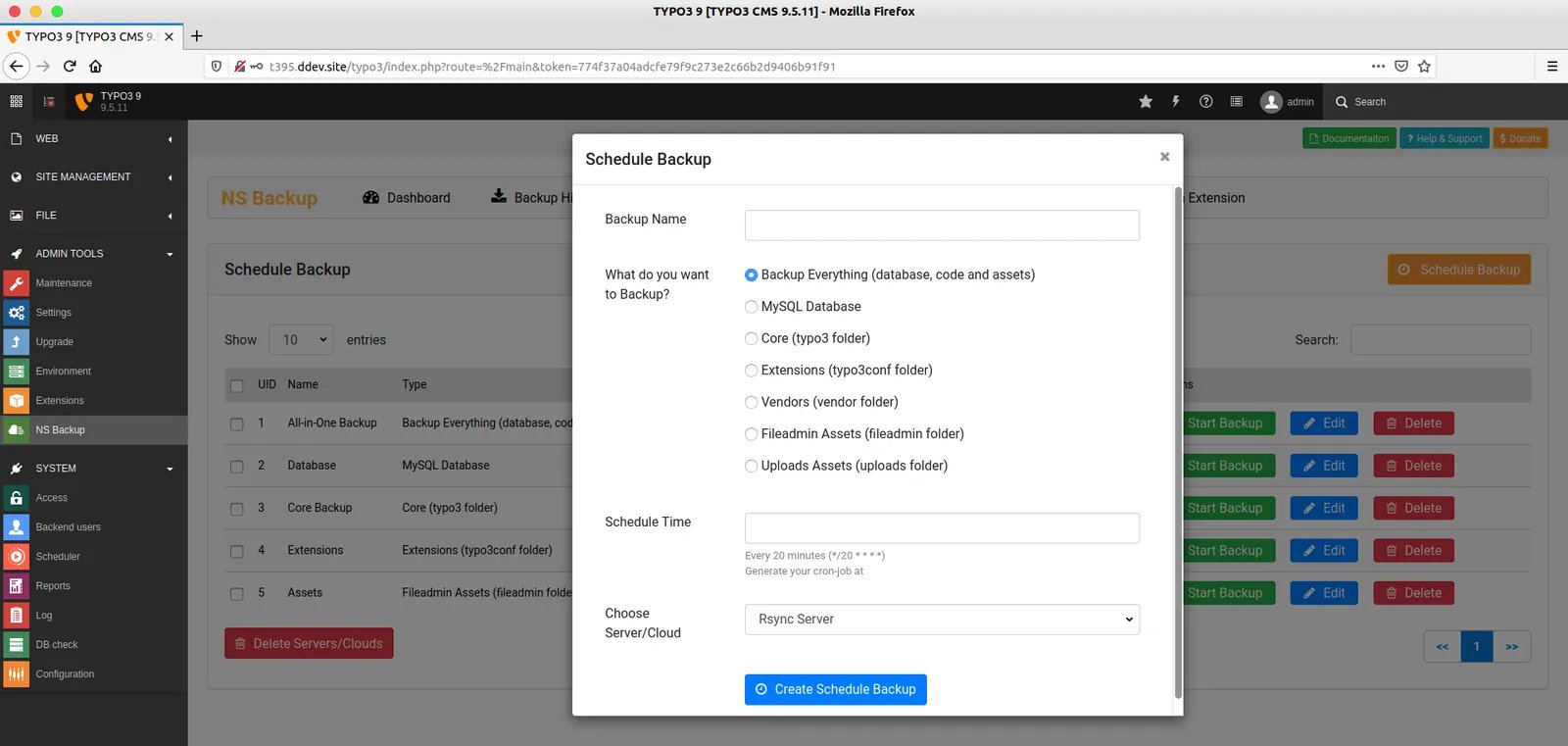
Run Backup: From TYPO3 Core Scheduler
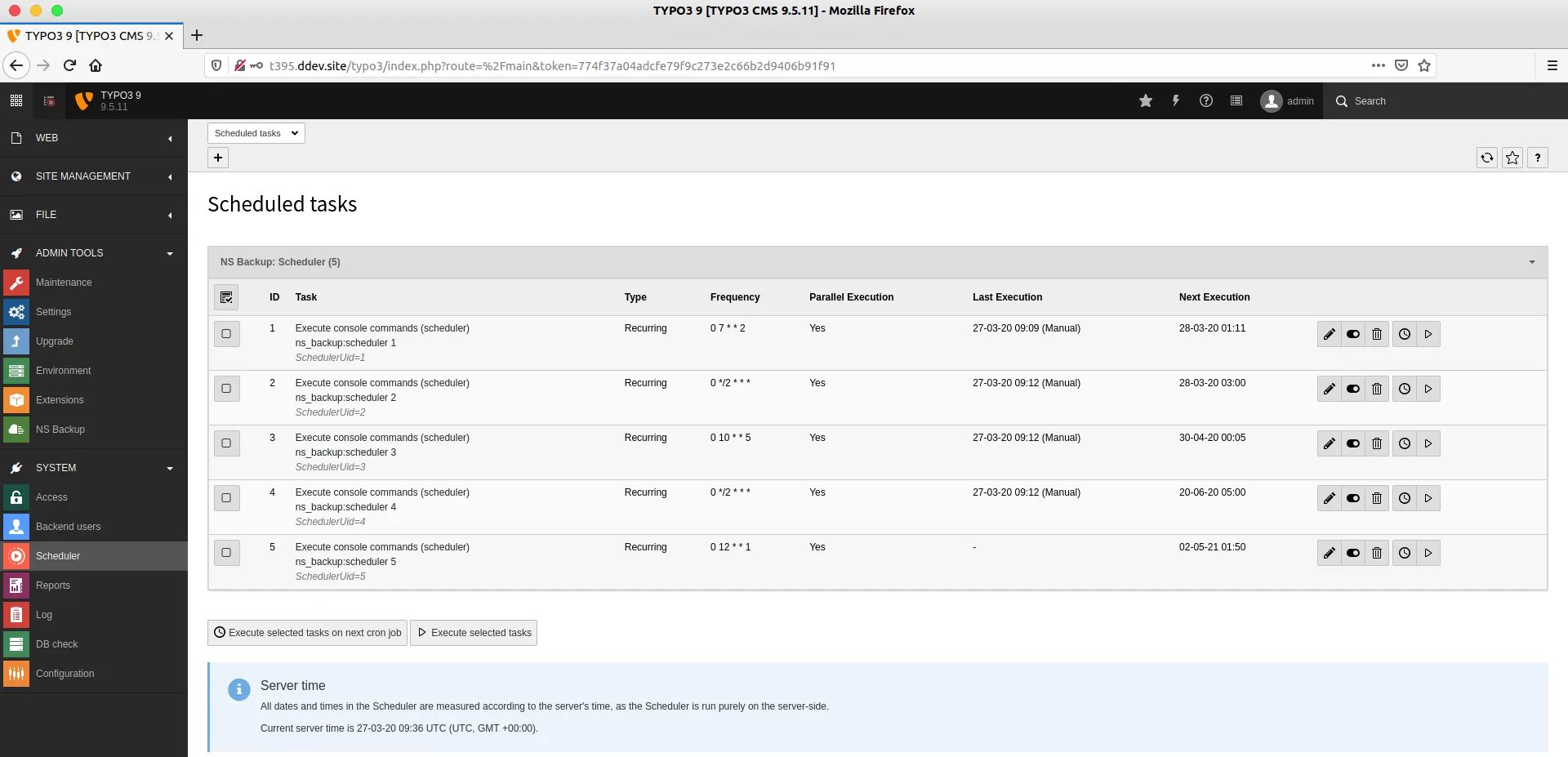
Run Backup: From TYPO3-CLI
If you have bigger size TYPO3-website, then we recommend to take backup from Command-line TYPO3-CLI. Step 1. Go to your Command-line/Terminal. Step 2. Run the following command