

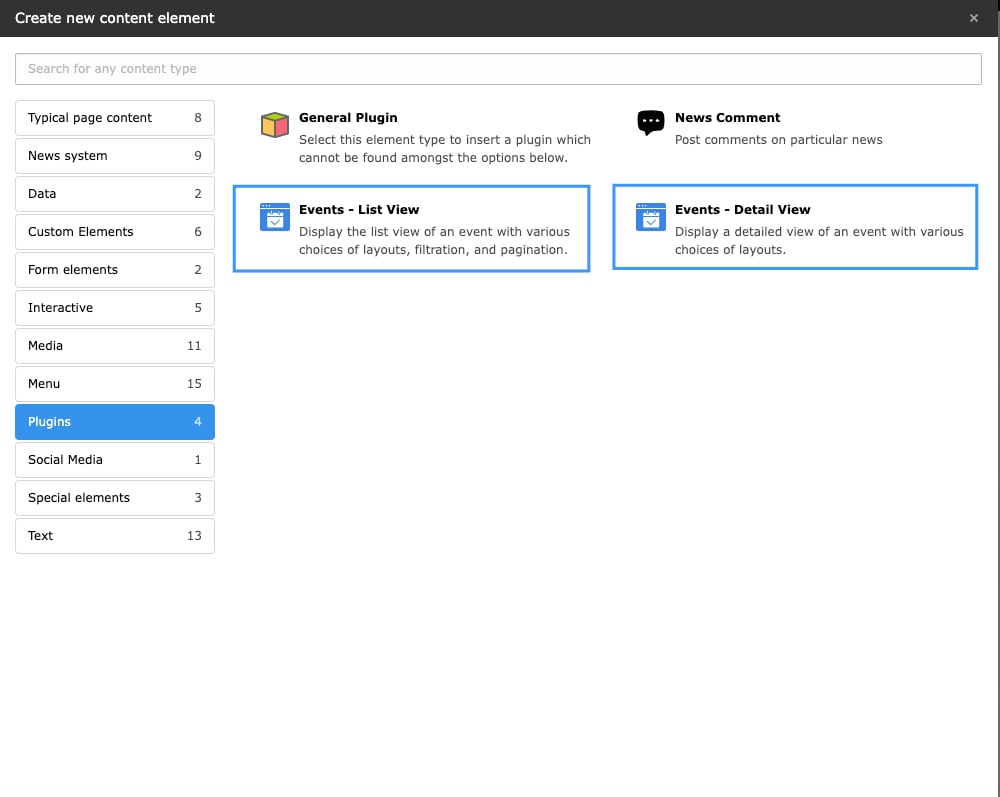
1.Event List Plugin
Event List Plugin have below Configurations,1.1 Configuration
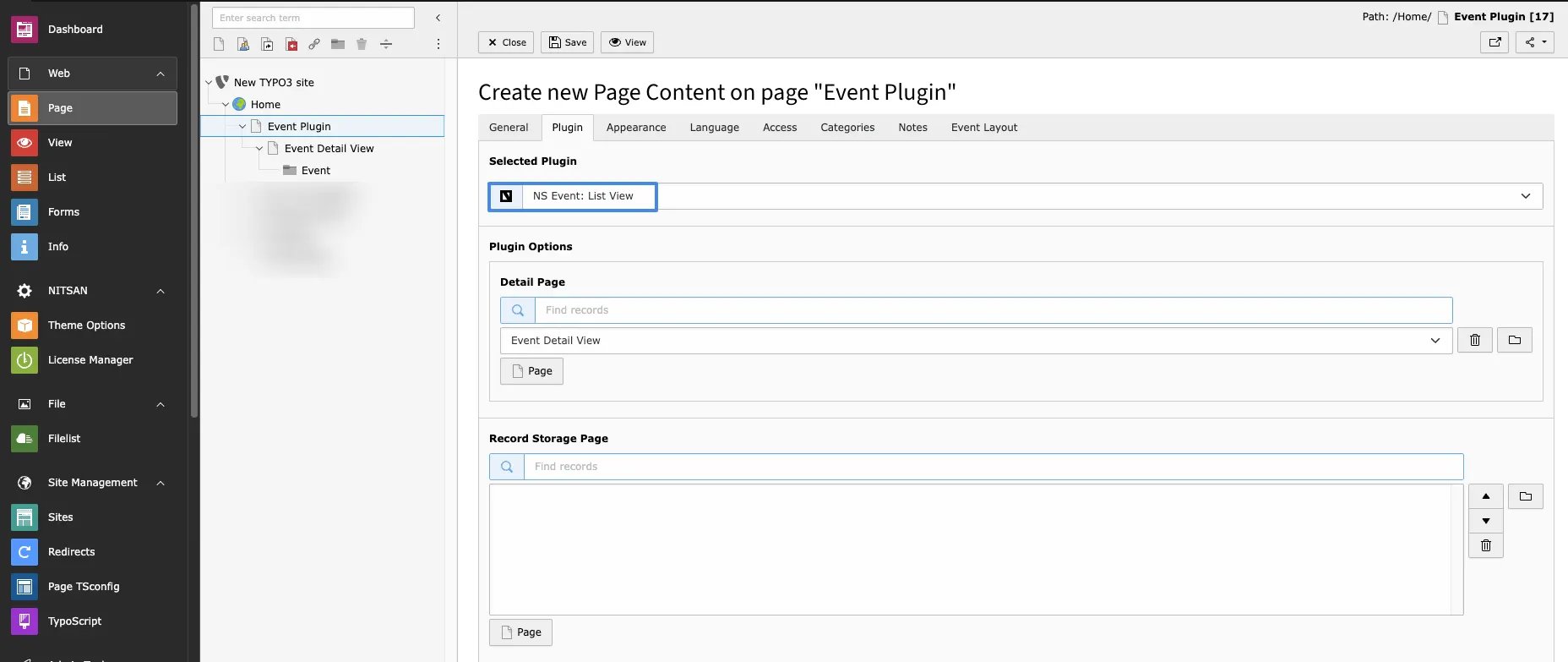
- Detail Page -> Select the Page where event detail plugin is added
- Record Storage Page -> Select the storage folder to display the event from that folder.
1.2 Event Layout
List view Layout:Grid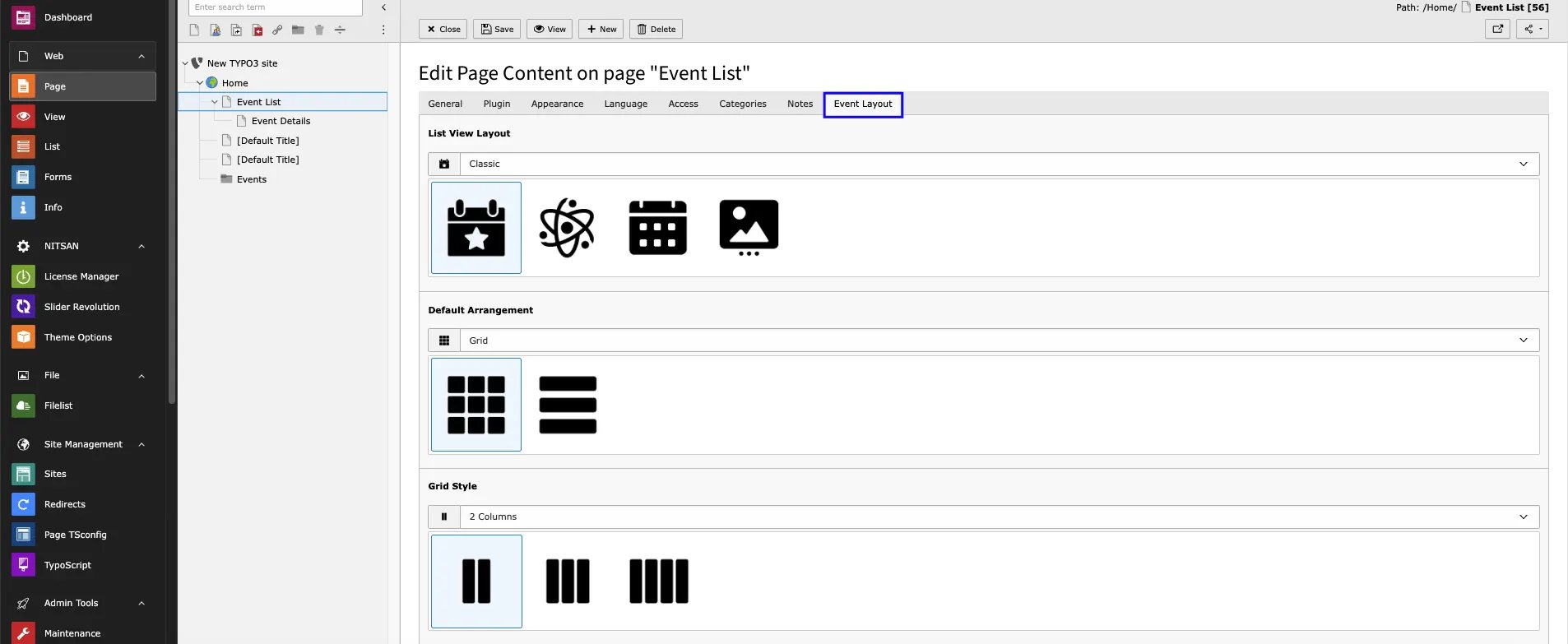
- Defualt Arrangement -> Select Which Arrangement you want grid or list.
- Grid Style -> Selection for Grid styles:One/Two/Three Column
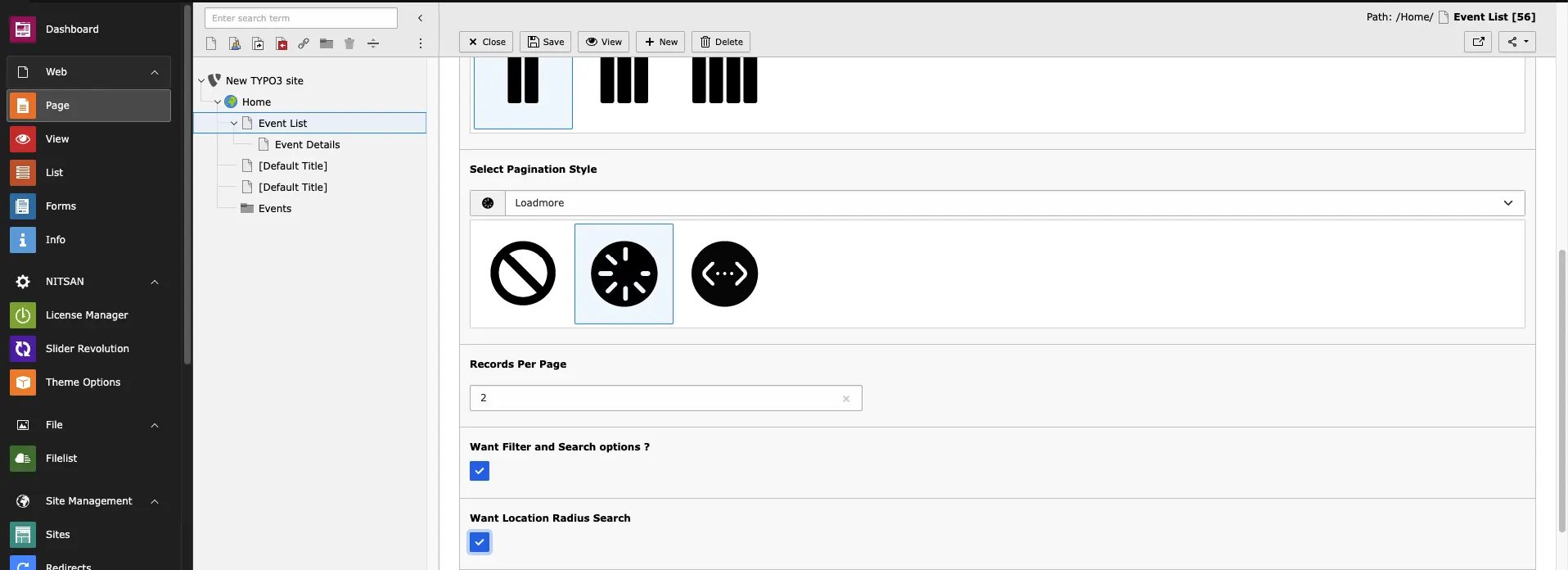
- Select Pagination Style > Select Pagination type.
- Records Per Page -> Set Record per page.
- Want filter and search option? -> By enabling this you’ll see filtration in FE.
- Want Location Radius Search -> By enabling this you’ll see field for radius search in FE.
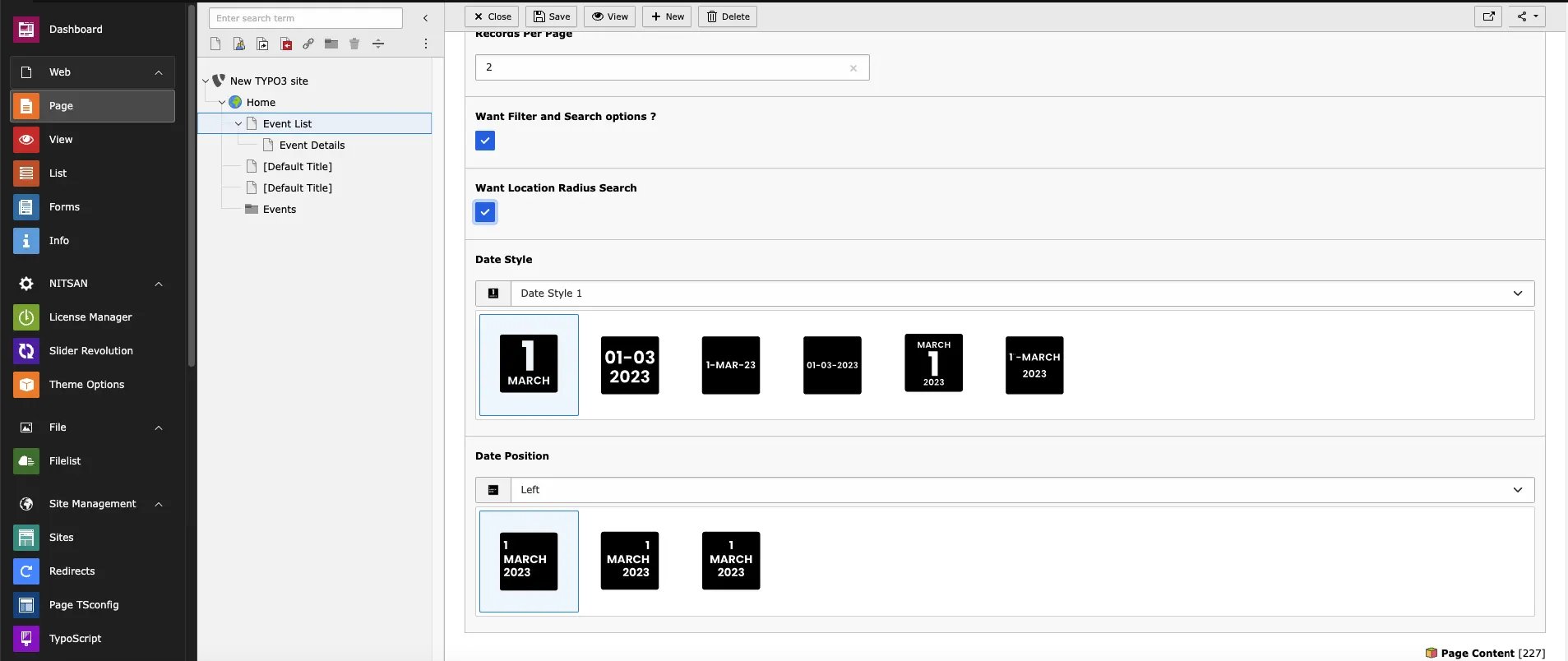
- Date Style -> Select Date style
- Date Position -> Select Date Position
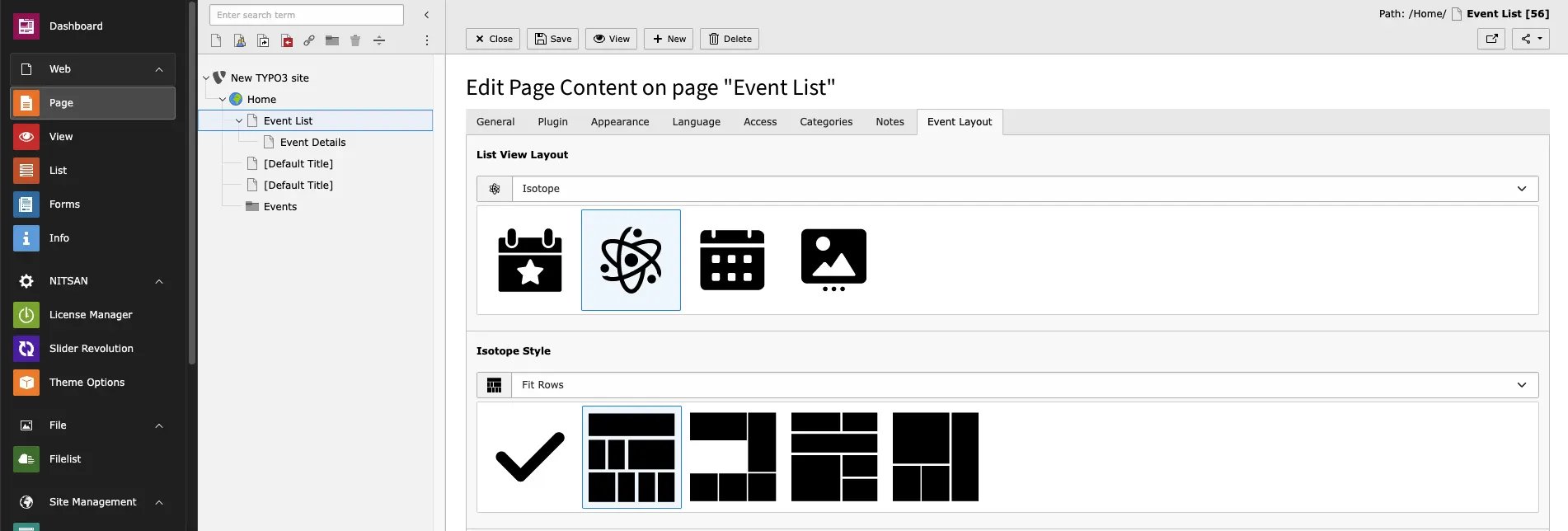
- Isotope Styles Select the desired style from the dropdown or configure it using the field below. The Isotope view works only when a Select Filter Type is chosen; otherwise, it will not function.
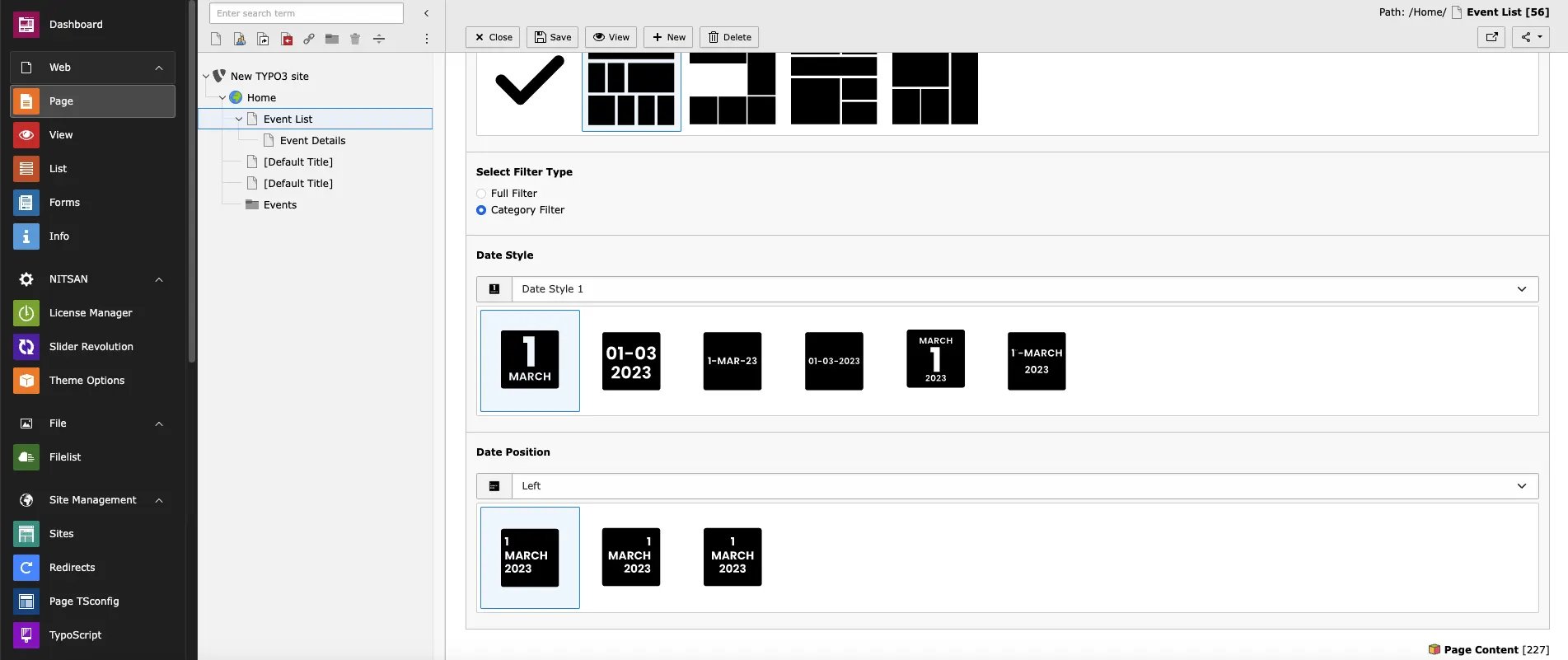
- Select Filter type -> Select which Filter you want Full filter or Category filter
- Date Style -> Select Date style
- Date Position -> Select Date Position
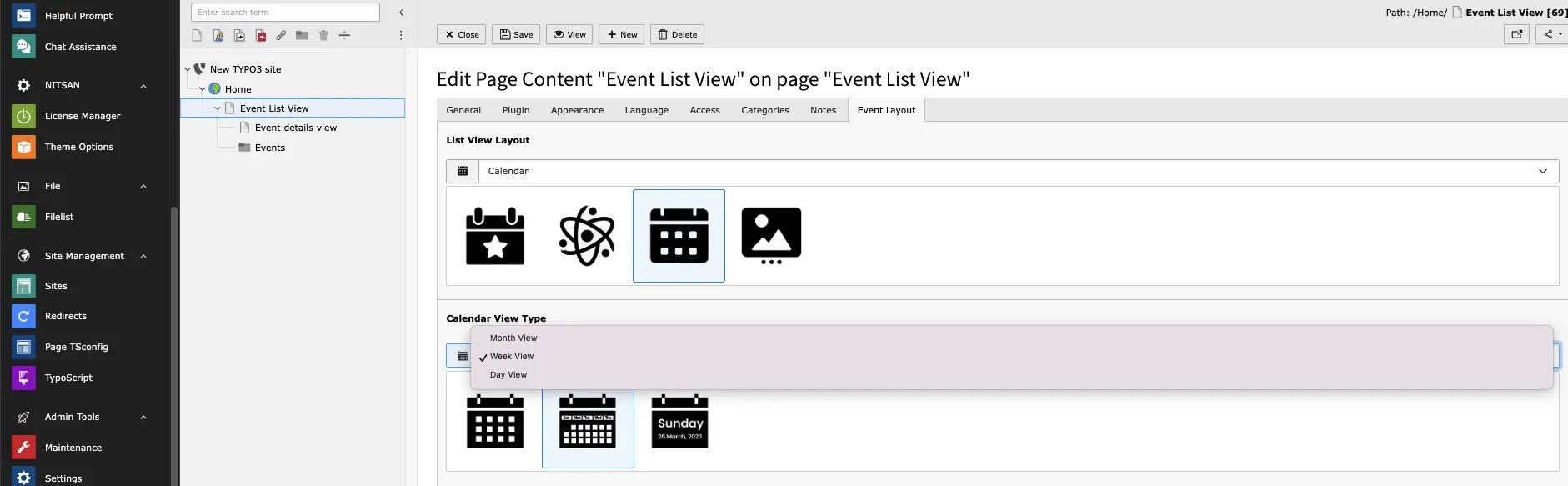
- Calendar View Type -> Select which Calendar style you want: Month View,Week View or Day View
- Want filter and search option? -> By enabling this you’ll see filtration in FE.
- Want Location Radius Search -> By enabling this you’ll see field for radius search in FE.
- Date Style -> Select Date style
- Date Position -> Select Date Position
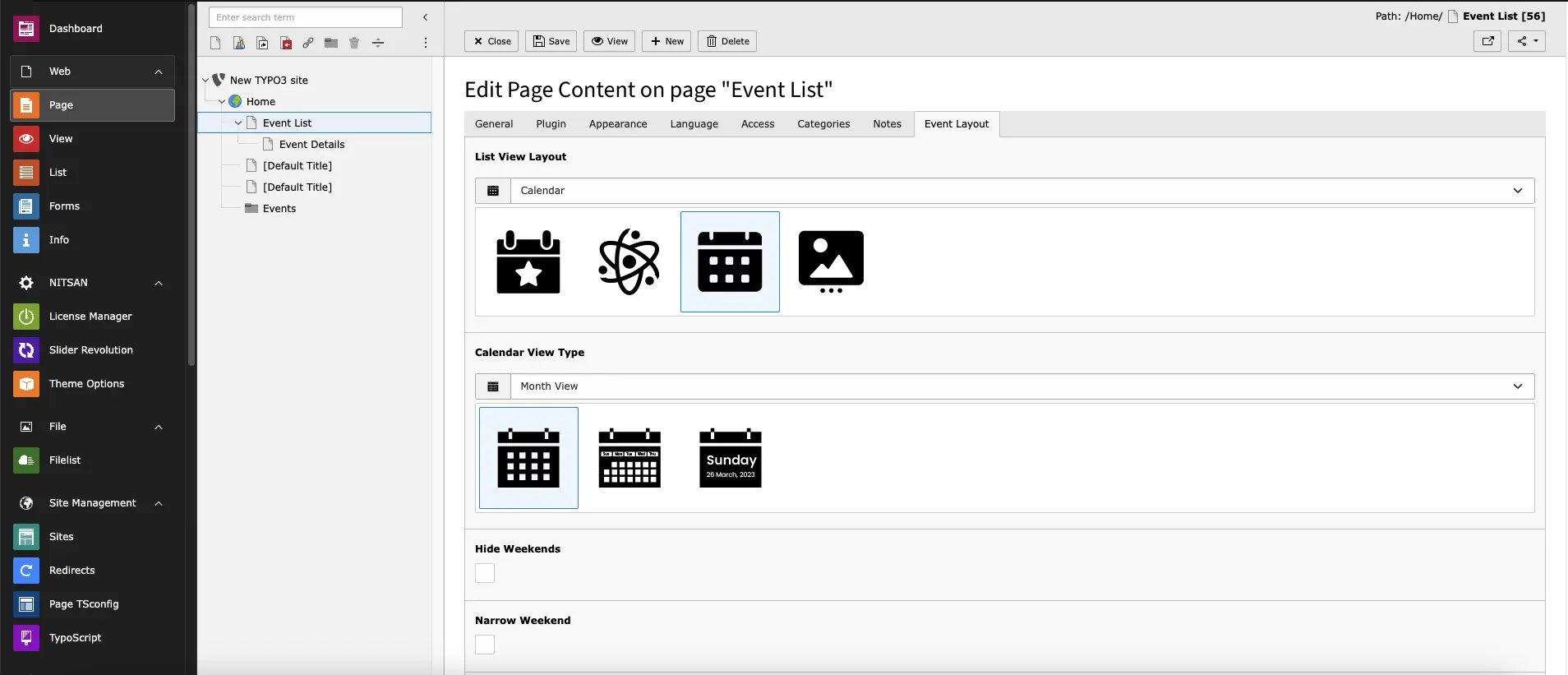
- Hide Weekend -> By enabling this Weekend will be hide
- Narrow Weekend -> By enabling this Weekend will Show but with Little Visibility
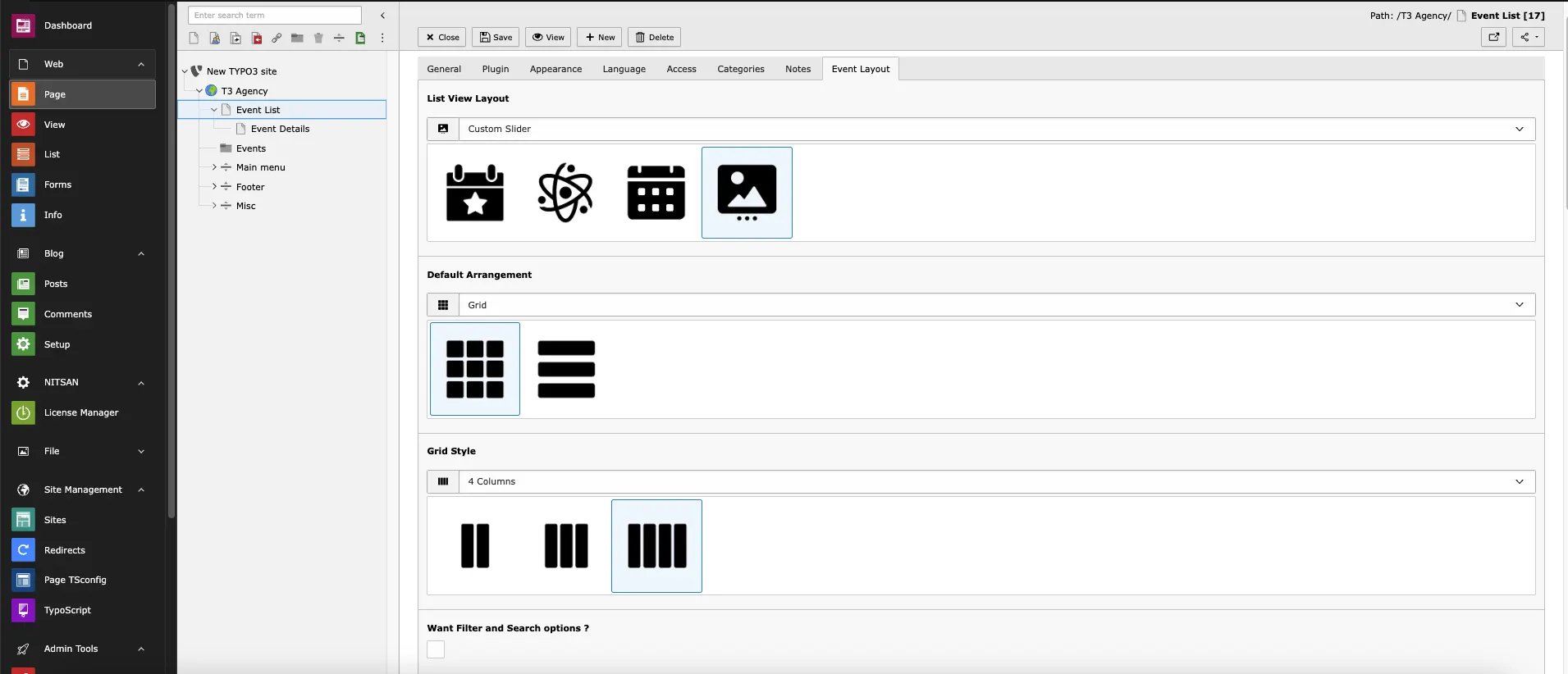
- Defualt Arrangement ->if we select option Slider with list>this Options will render list according to selected value.
- Grid Style -> Select grid styles.
- Want filter and search option? -> By enabling this you’ll see filtration in FE.
- Want Location Radius Search -> By enabling this you’ll see field for radius search in FE.
- Date Style -> Select Date style
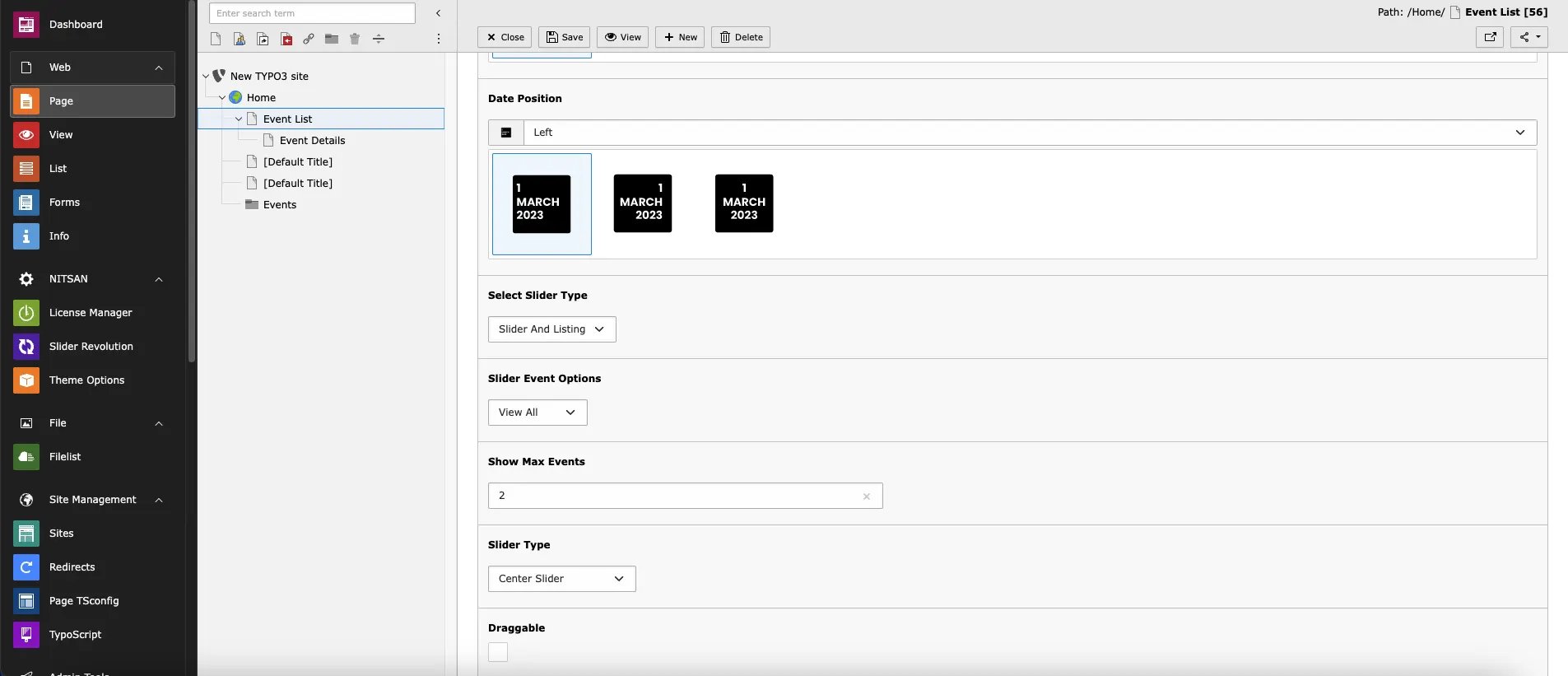
- Date Position -> Select Date Position
- Select Slider type -> Select which slider type you want from dropdown
- Slider Event Options -> Select which events you want to Show, eg. upcoming,free events,Paid events etc.
- Show max Event -> Set how many event you how in slider
- Slider Type -> Select slider type you want from dropdown
- Draggable -> Enable dragging
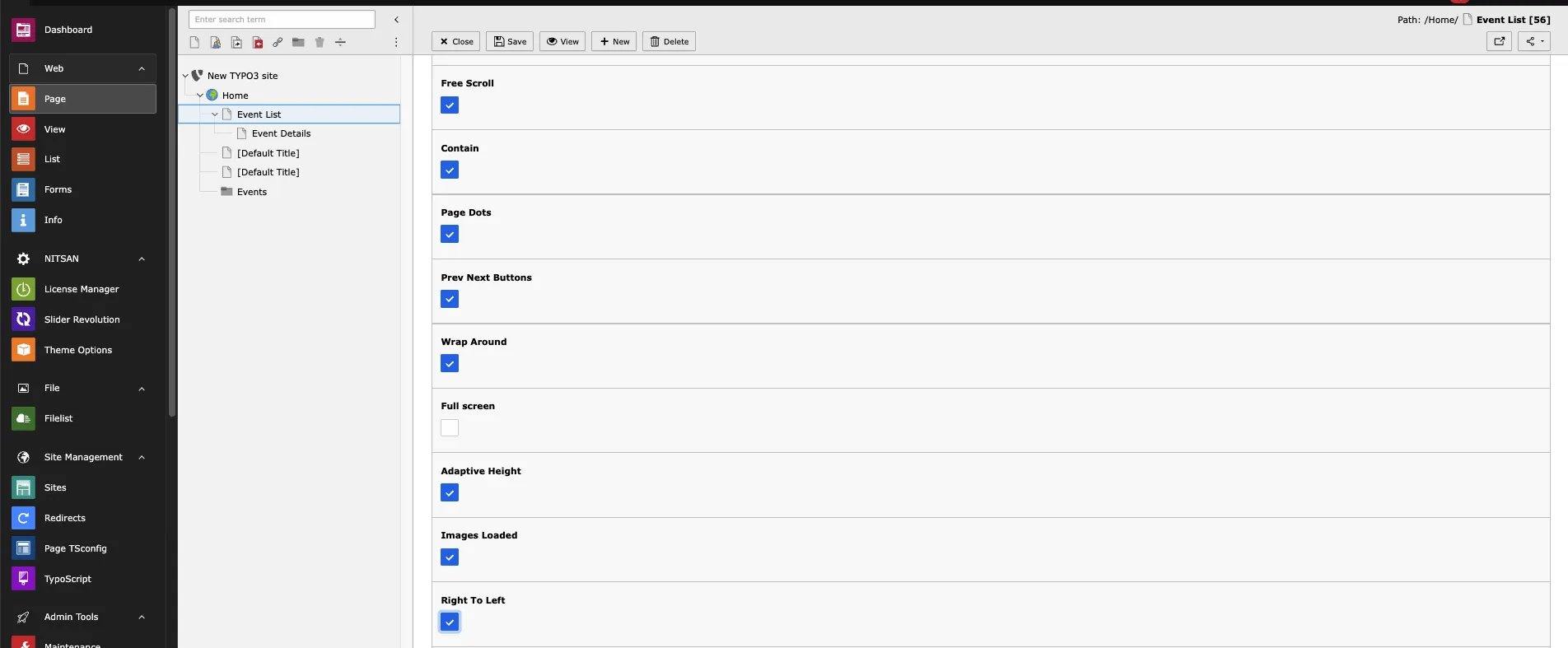
- Free Scroll -> Enable free Scroll
- Contain ->To prevent excess scroll at beginning or end.(If Wrap Around in enabled it will not work)
- Page Dots -> Enable Navigation Dots
- Prev Next Buttons -> Enable Navigation button
- Wrap Around ->wrap-around to the other end for infinite scrolling.
- Full Screen -> It will show slider in full Screen
- Adaptive Height -> Changes height of carousel to fit height of selected slide.
- Images Loaded -> This option re-positions slides once their images have loaded.
- Right to Left -> Enable Sliding from right to Left
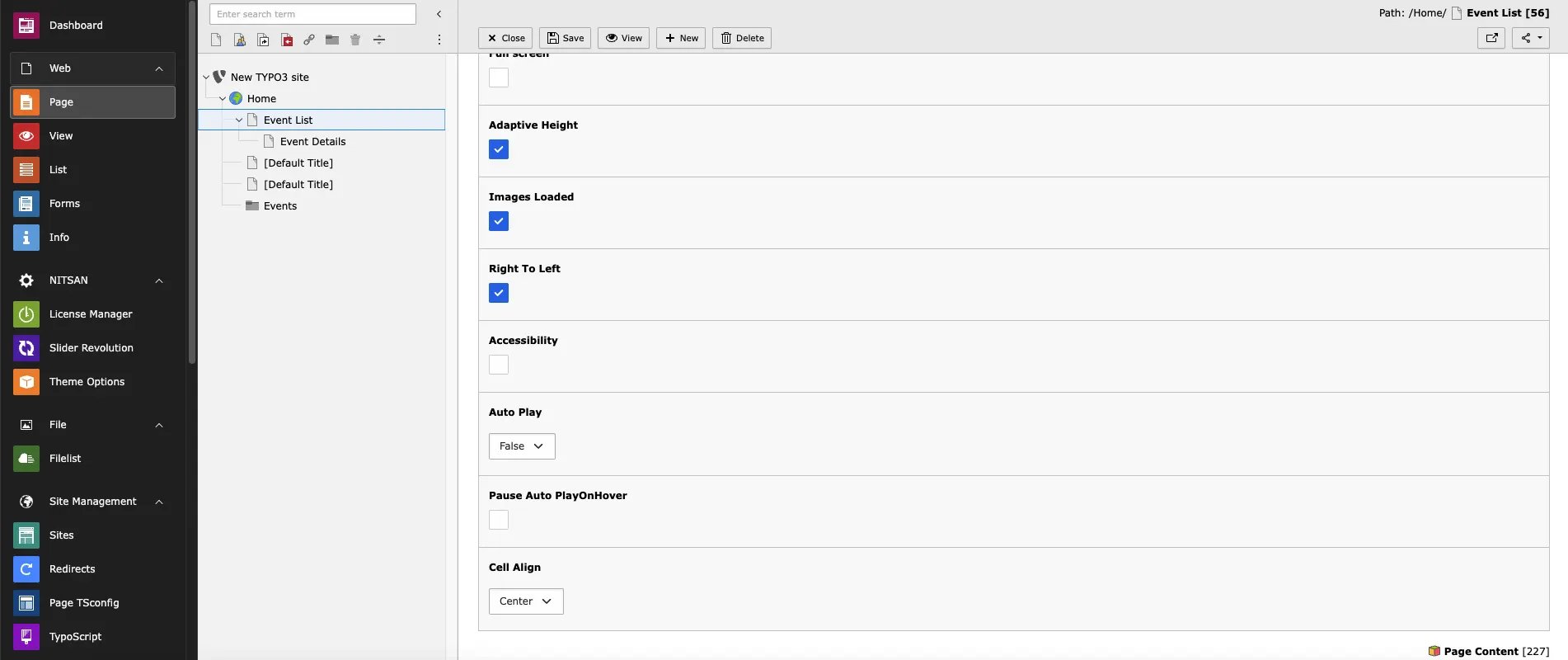
- Accessibility ->Enable keyboard navigation. Users can tab to slider, and pressing left & right keys to change slide.
- Auto Play ->Slider will scroll as per selected Speed
- Paused Autoplay On Hover -> While Hovering on Slider it will Paused
- Cell Align -> Align slider
2.Event Detail Plugin
Event detail plugin have below Configurations,2.1 Configuration
- Map Type -> Select the Map type you want to display from Map, Satellite, Hybrid and Terrain
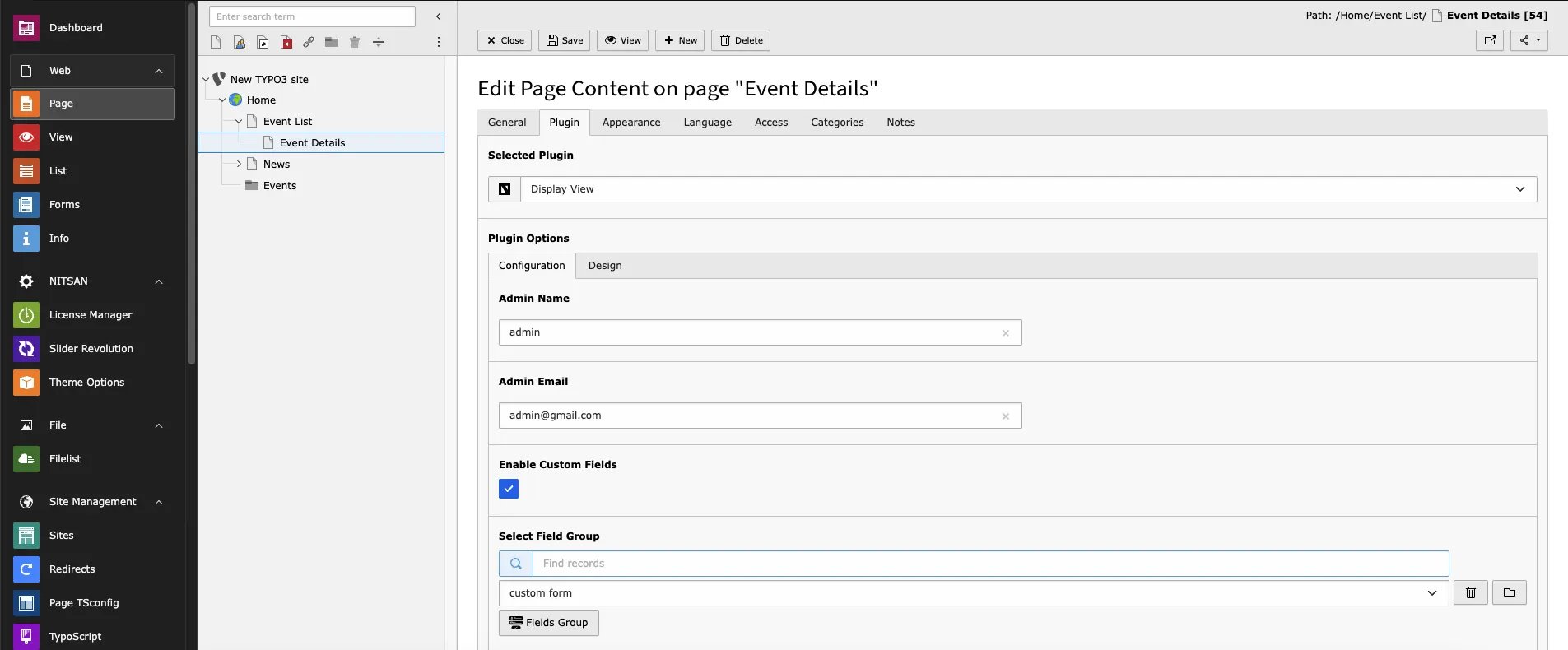
- Admin name -> add admin name
- Admin Email -> add admin Email
- Enable custom Fields -> By enabling this you can enable custom field for registration form
- Select Field Group -> You can Select field from folder which you want for registration form
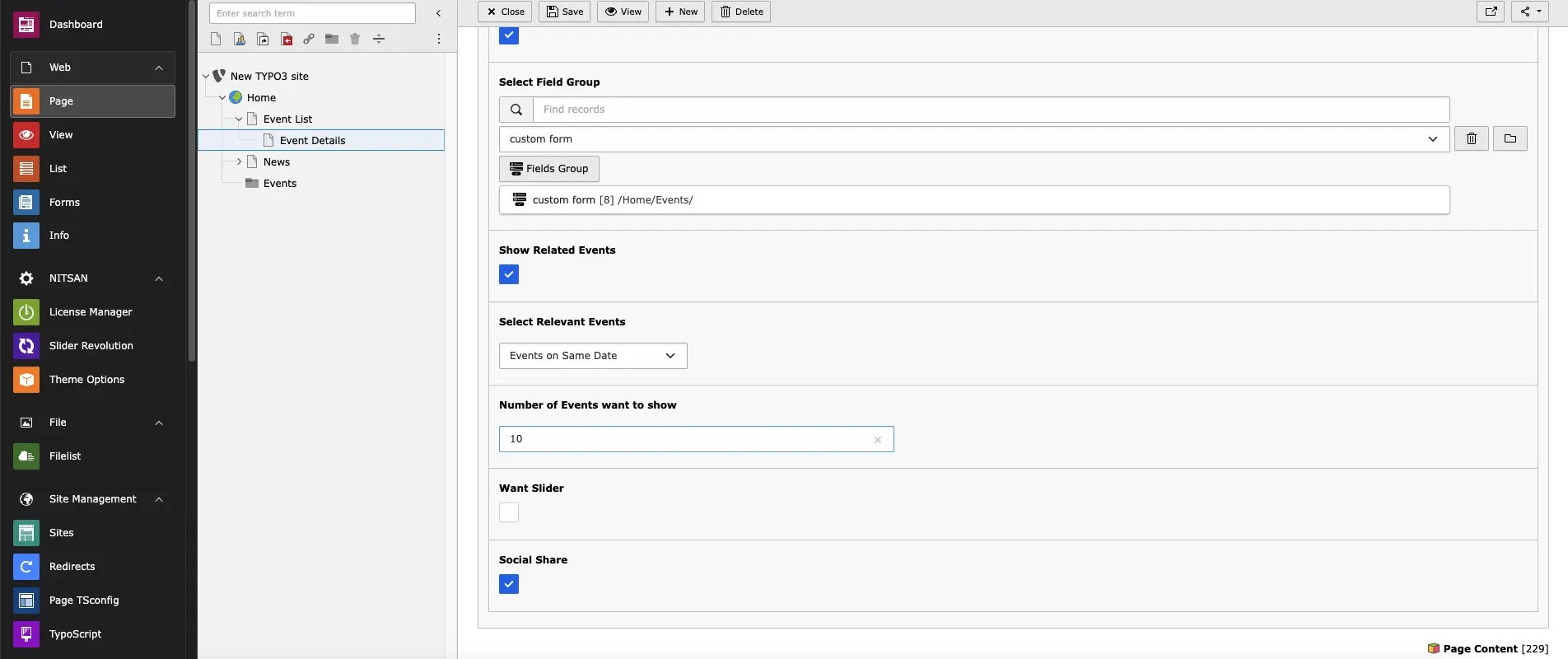
- Show Related Events -> While enabling this you will see related event in event detail page
- Number of Events want to show -> Define how many related events you want to show in detail page
- Want Slider -> By enabling this you’ll see Slider for related events in detail page
- Social Share -> By enabling this you can share events in Social media.
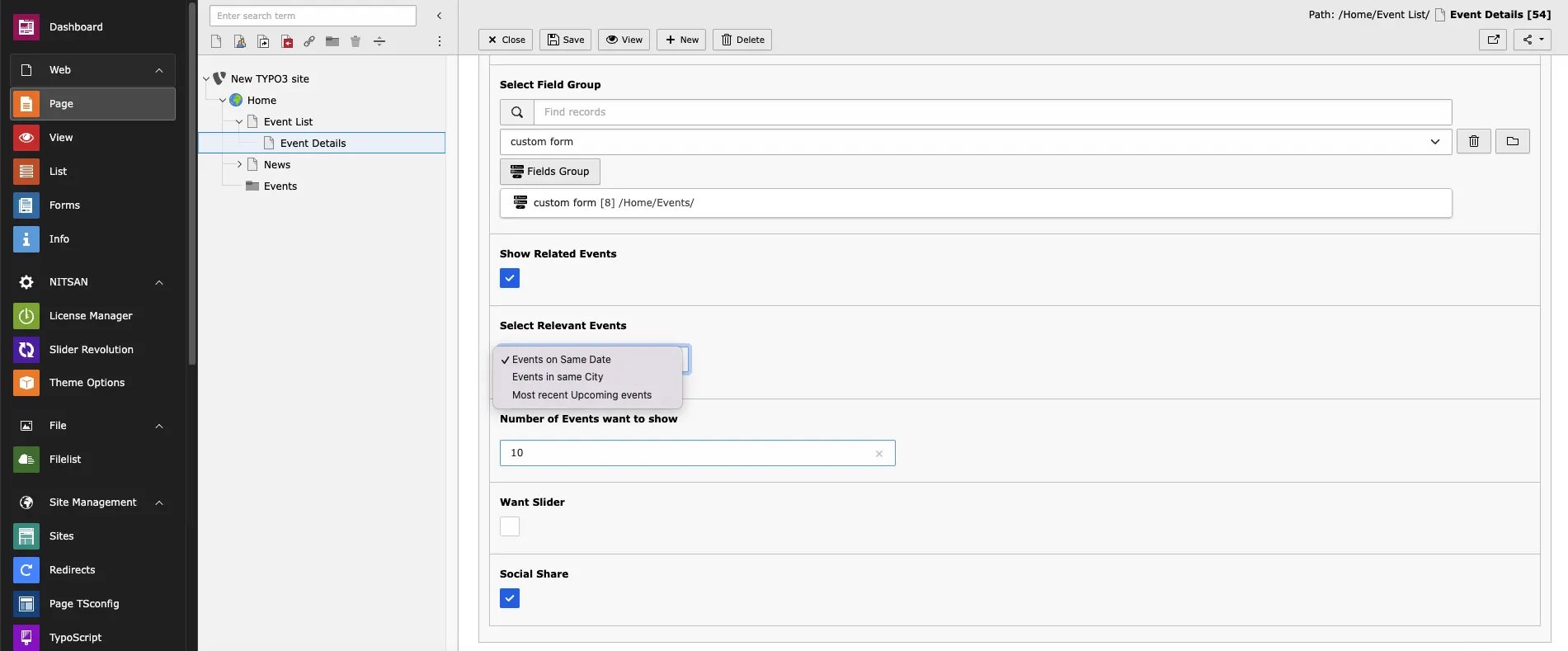
- If Show Related Events is Enabled ,
- Select Relevant Events -> Select which event you want to show eg. upcoming events,events in Same city etc.
- Number Of Events want to show -> Define how many related events you want to show in detail page
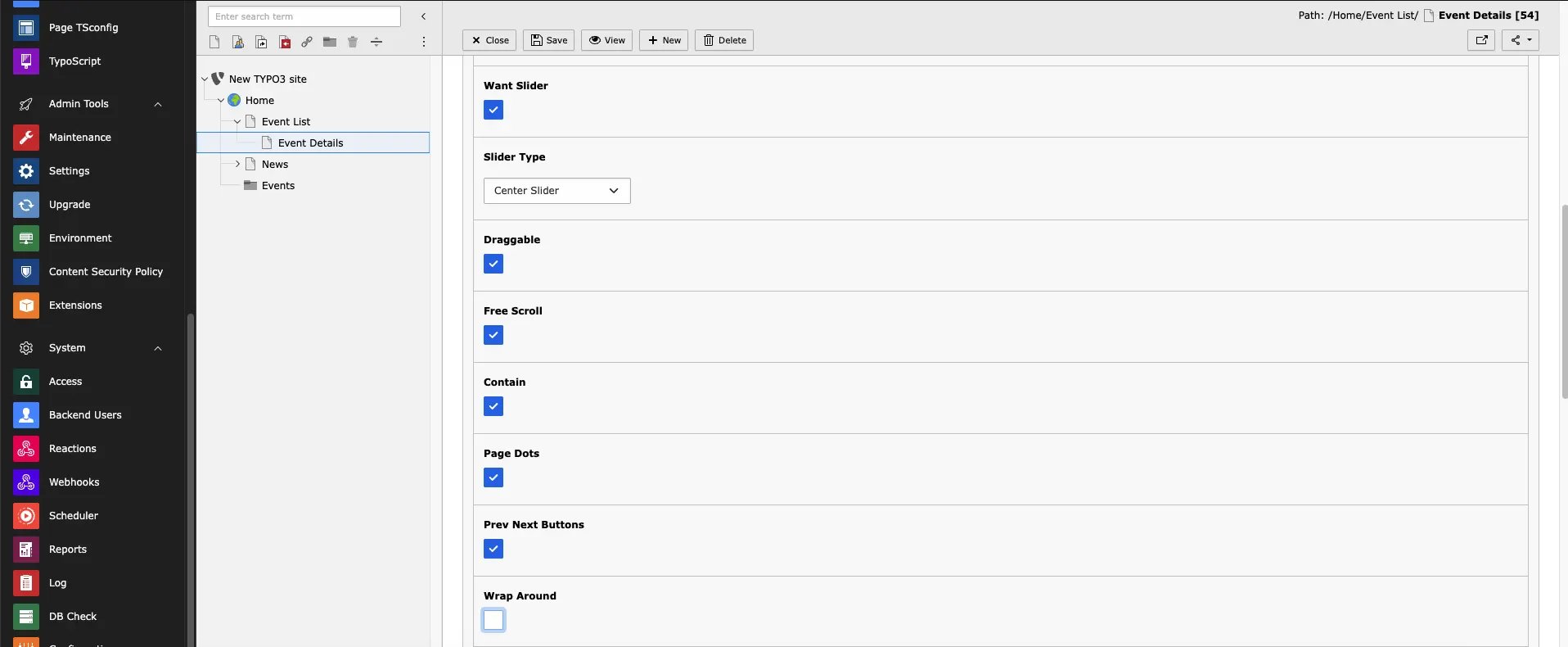
- If want slider check box is enabled ->
- Slider Type ->Select slider type from dropdown
- Draggable -> Enable dragging
- Free scroll -> Enables content to be freely scrolled and flicked without aligning slides to an end position
- Contain -> To prevent excess scroll at beginning or end.(If Wrap Around in enabled it will not work)
- Page Dots -> Enable Navigation Dots
- Prev Next Buttons -> Enable Navigation Buttons
- Wrap Around -> wrap-around to the other end for infinite scrolling.
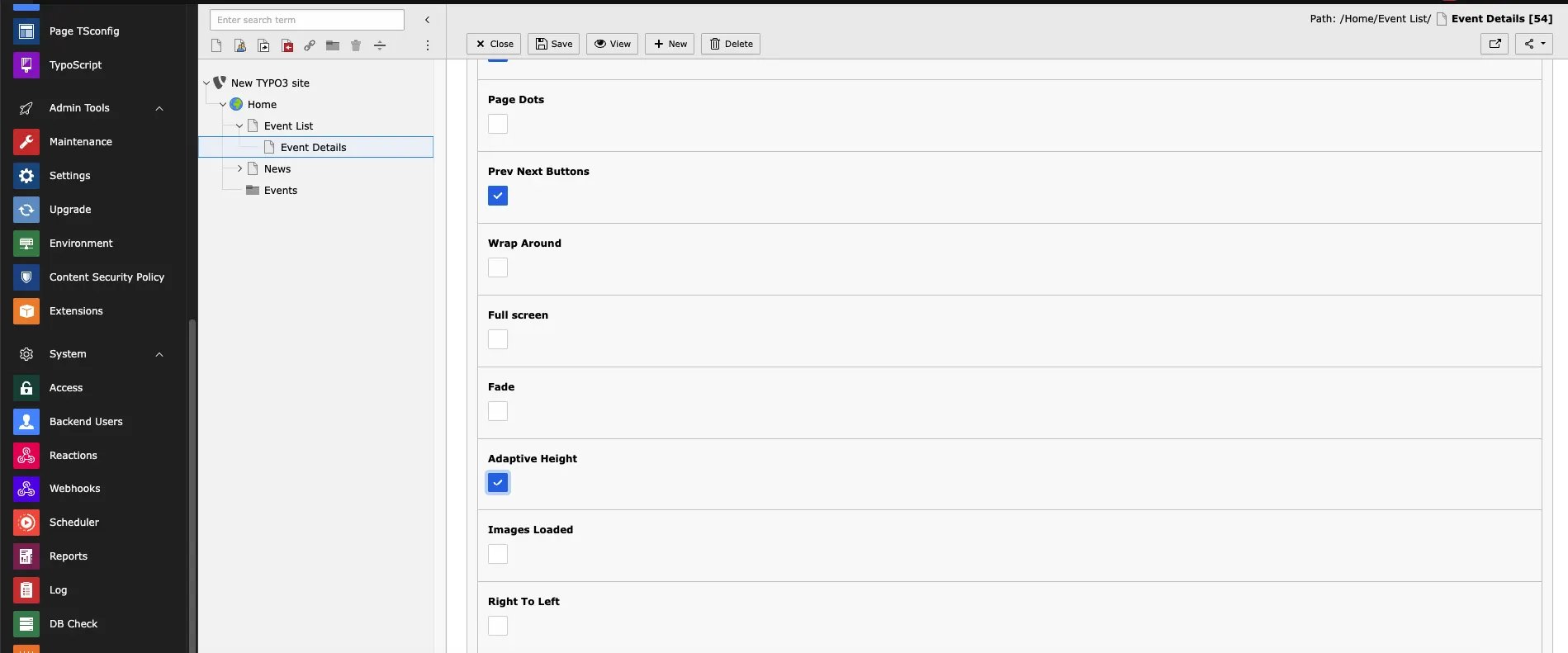
- Full Screen -> It will show slider in full Screen
- Fade -> Fades between transitioning slides instead of moving.
- Adaptive Height -> Changes height of carousel to fit height of selected slide.
- Images Loaded -> This option re-positions slides once their images have loaded.
- Right to Left -> Enable Left to right Sliding
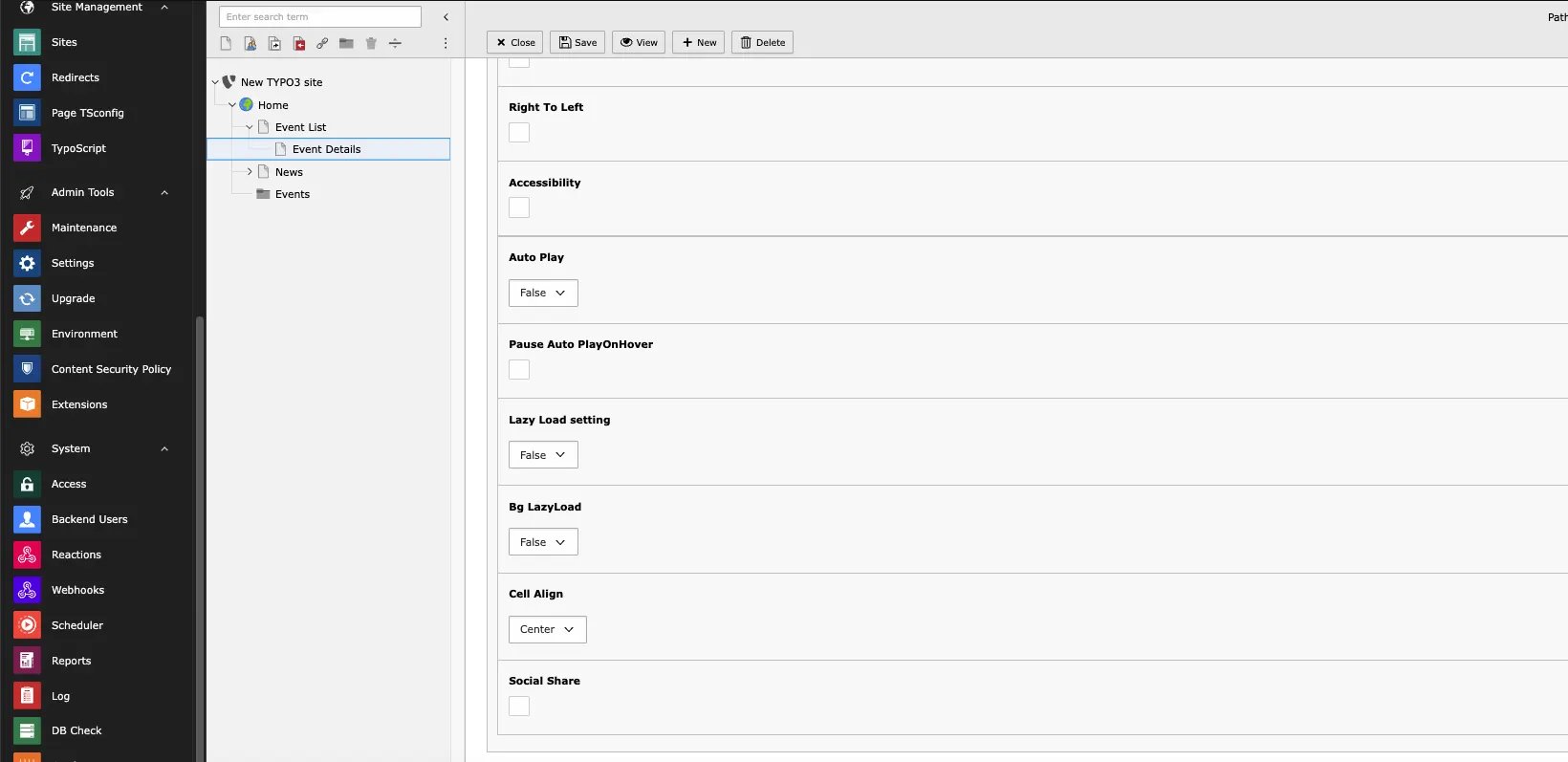
- Accessibility -> Enable keyboard navigation. Users can tab to slider, and pressing left & right keys to change slide.
- Auto Play ->Slider will scroll as per selected Speed
- Pause AutoPlay On Hover -> While Hovering on Slider it will Paused
- Lazy Load Setting -> Loads cell images when a cell is selected.
- Bg Lazyload -> Loads cell background image when a cell is selected.
- Cell Align -> Align slider
- Social Share -> By enabling this you can share events in Social media from slider.
2.2 Design
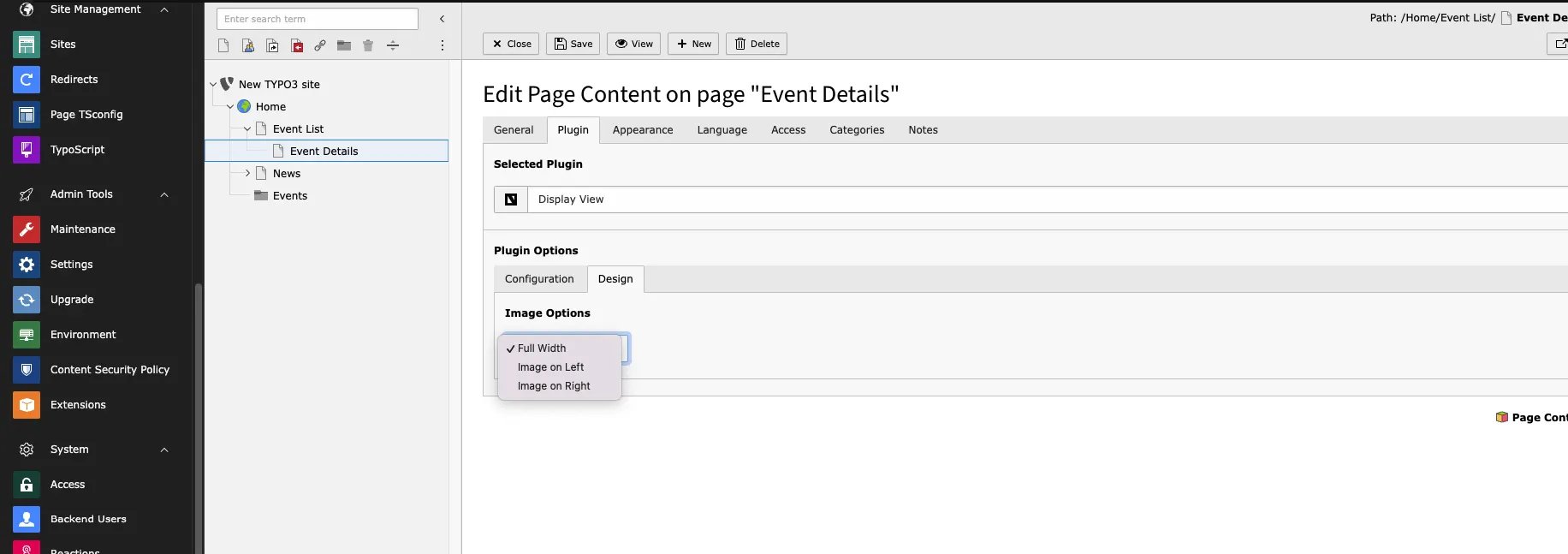
- Image Options -> Select Where you want to set your event poster image in Detail page!