

Purpose
Connect external AI agents to TYPO3 through the Model Context Protocol (MCP). Tools like Cursor, Claude Desktop, and n8n can read pages, inspect schema, and update records (with permissions). Path: T3AF > MCP Server Follow this interactive walkthrough, then continue with the details below.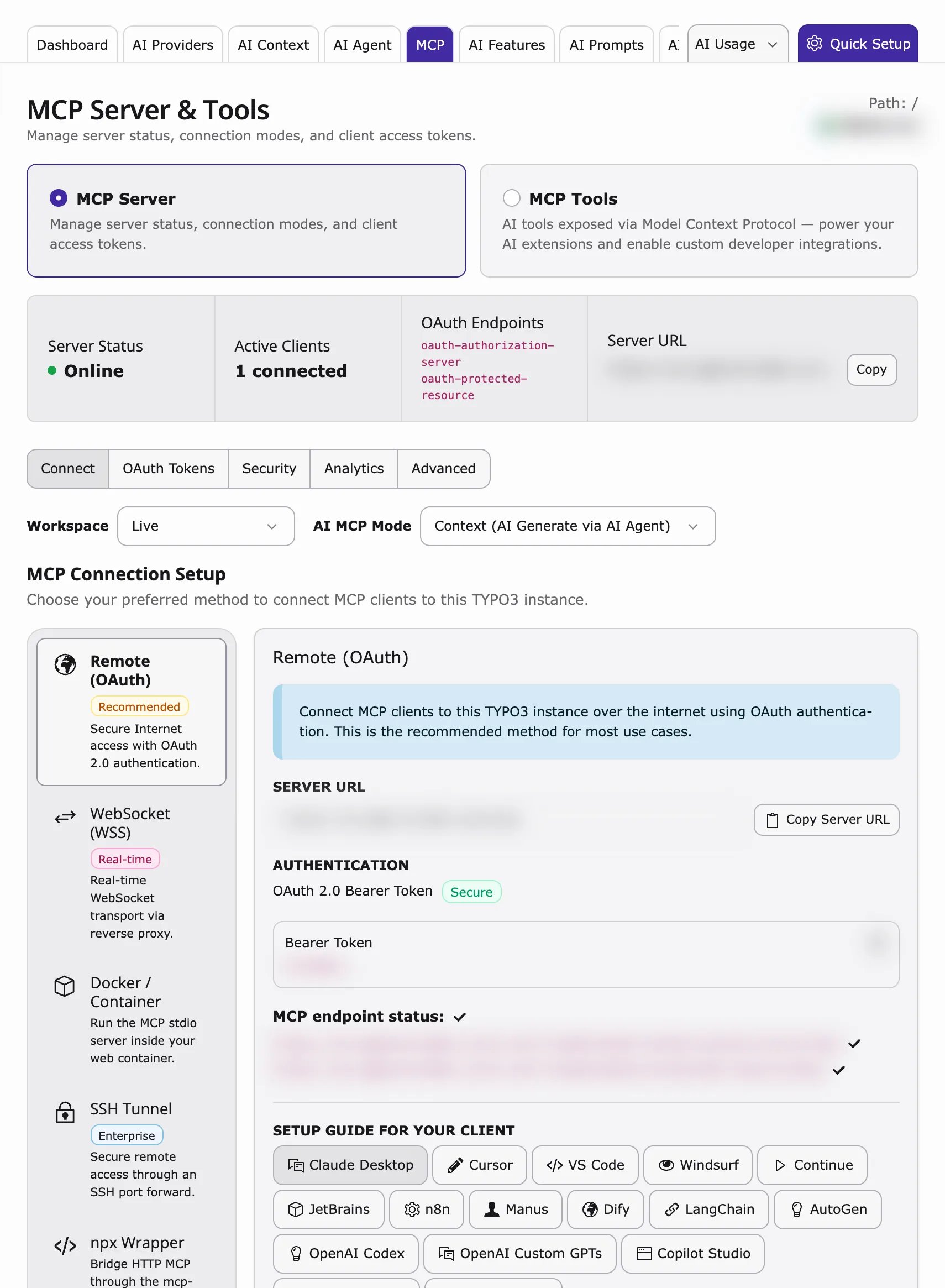
What MCP does
- Read TYPO3 pages and content
- Inspect database schema
- Create or update records (with permissions)
- Call extension-registered tools (see MCP Tools)
Enable MCP
- Open T3AF > MCP Server > Advanced.
- Enable the MCP server checkbox (
enableMcpServer). - Flush caches → status should show Online.
Health check
MCP endpoint health checkConnection methods
- Remote OAuth — Production and Cursor. Uses OAuth 2.1 with PKCE.
- mcp-remote — Simple HTTP clients. Uses URL token.
- Local CLI — DDEV and local development. Uses backend user and workspace.
MCP modes
Set the mode in the MCP Server top bar (stored asmcpMode in the T3AF MCP settings).
Context (AI Generate via AI Agent) — Default for Cursor, Claude Desktop, and similar clients.
- The external AI agent generates content outside TYPO3.
- MCP tools apply and save that content into TYPO3 (pages, records, files).
- Use this when the model and reasoning run in the client, and TYPO3 is the CMS tool layer.
- TYPO3 runs AI generation on the server through your configured AI Providers.
- MCP tools receive instructions and generate or process content inside TYPO3.
- Use this when generation must stay on your instance (provider keys, brand context, and governance already configured in T3AF).
Core tools
T3AF ships a large TYPO3 Core tool catalog (pages, content, records, files, workspaces, scheduler, permissions, redirects, cache, and more). Browse the full list in T3AF > MCP Tools. Starter examples for first checks:table_schema— Field metadata for any tablepages_get— Read one pagecontent_list— List content on a pagewrite_table— Create, update, or delete records
Workspaces
- 0 — Live workspace
- 1+ — Draft workspace
1 before live.
Cursor example (stdio / DDEV)
Security
- Use HTTPS in production
- Treat URL tokens like passwords
- Limit which backend users can authorize OAuth
- Test in draft workspace before live writes
- Enable AI Permissions for multi-user sites
When to enable MCP
- Developers use Cursor or Claude Desktop with TYPO3 daily
- Automation workflows via n8n need CMS access
- Staging environment for safe agent testing
When not to enable yet
- Production site without HTTPS
- No clear policy for which admins may authorize agents
- Team has not completed AI Providers setup
- Model Context Protocol: https://modelcontextprotocol.io/