

Introduction
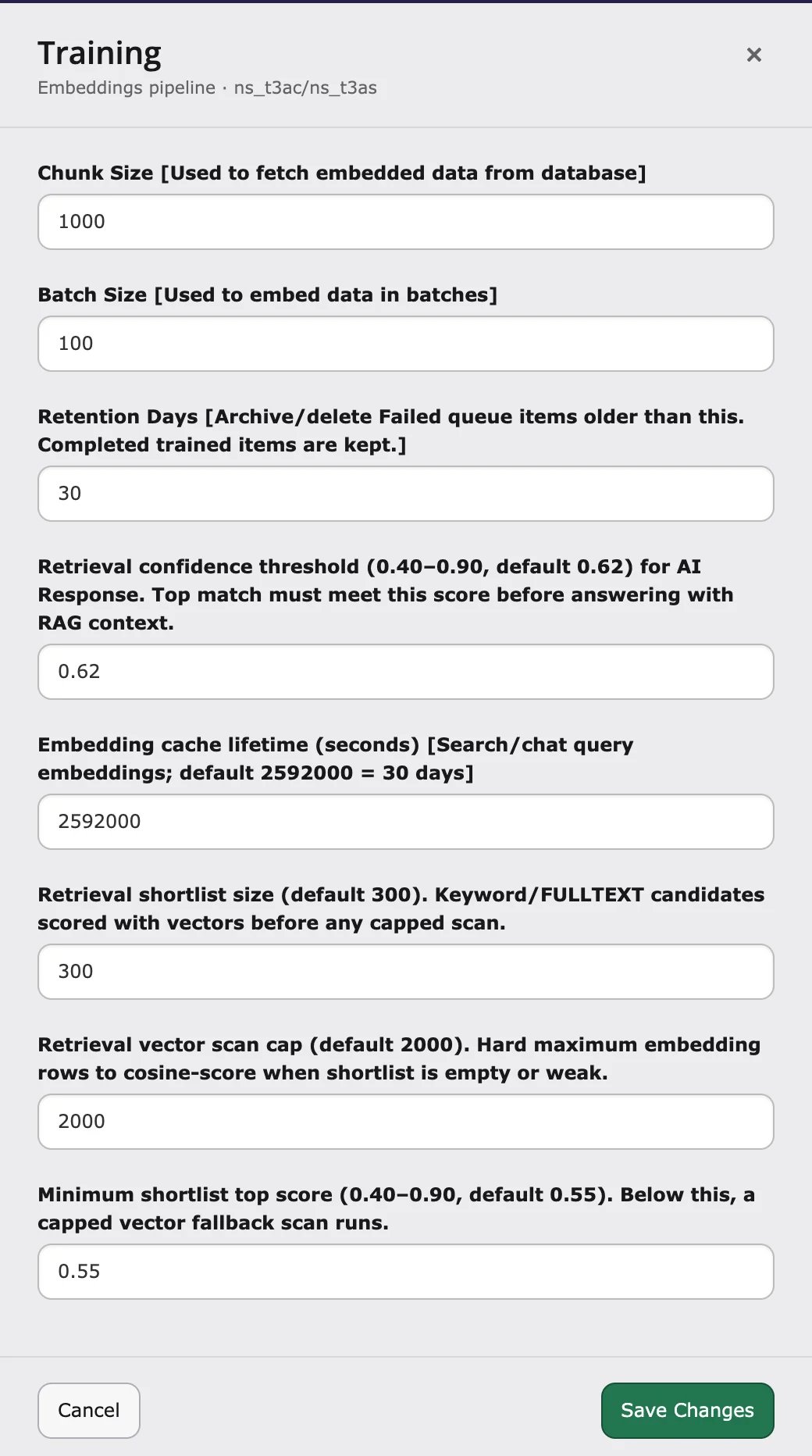
Before AI Search writes an answer, it looks for matching content on your website. The Retrieval confidence threshold decides how good a match must be before AI Search uses it.- Higher value – stricter. Fewer made-up or off-topic answers, but more “no answer found”.
- Lower value – more answers, but some may use content that fits less well.
Change the value
- Go to AI Universe → AI Foundation → AI Features.
- Open the Training card.
- Enter a value between 0.40 and 0.90 in Retrieval confidence threshold.
- Save.
- Clear all caches.
- Test a few searches.
You don’t need to train your content again after changing this value.
Tuning guide
For developers: how the score is calculated
For developers: how the score is calculated
AI Search gives every match from your content a score. It answers from your content only if the best score reaches the threshold.
- Setting key:
retrievalConfidenceThreshold(from 0.40 to 0.90, default 0.62). - The score of a match is the higher of two values: how similar it is to the question, and its search ranking.
- A match that contains a word from the question can also pass with a lower score (at least 0.45).