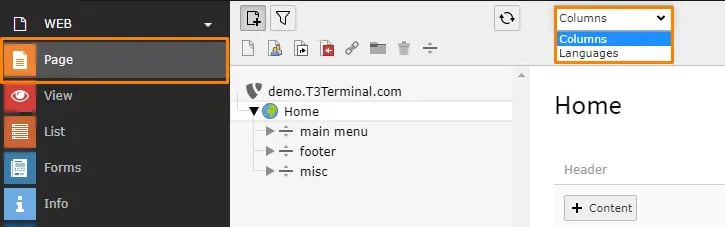
Add Language to Pages
Once Language is configured, you need to translate pages & content to new language.- Go to Page Module, select root page and switch to Language option in drop-down at top.
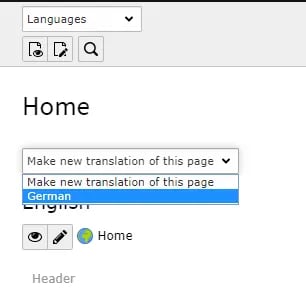
- Click on Make new Translation of this page drop-down and select language
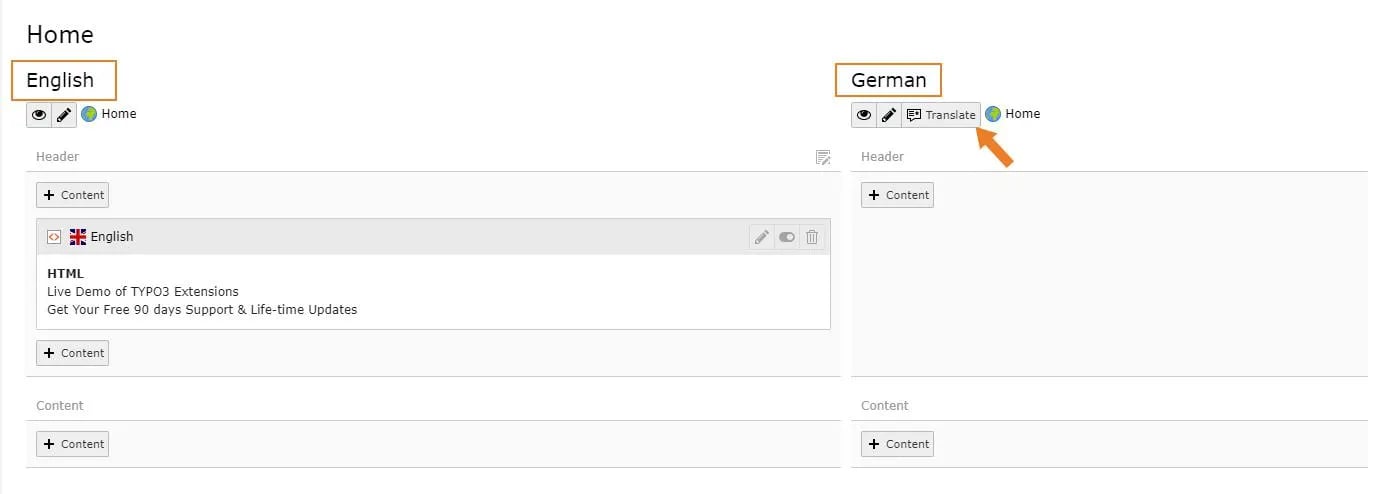
- It will create a page in selected language. Click on Save & Close button.
How to change and add another language labels?
-
- All Labels which are managed at file level are stored at this language file : extension_key/Resources/Private/Language/locallang.xlf
-
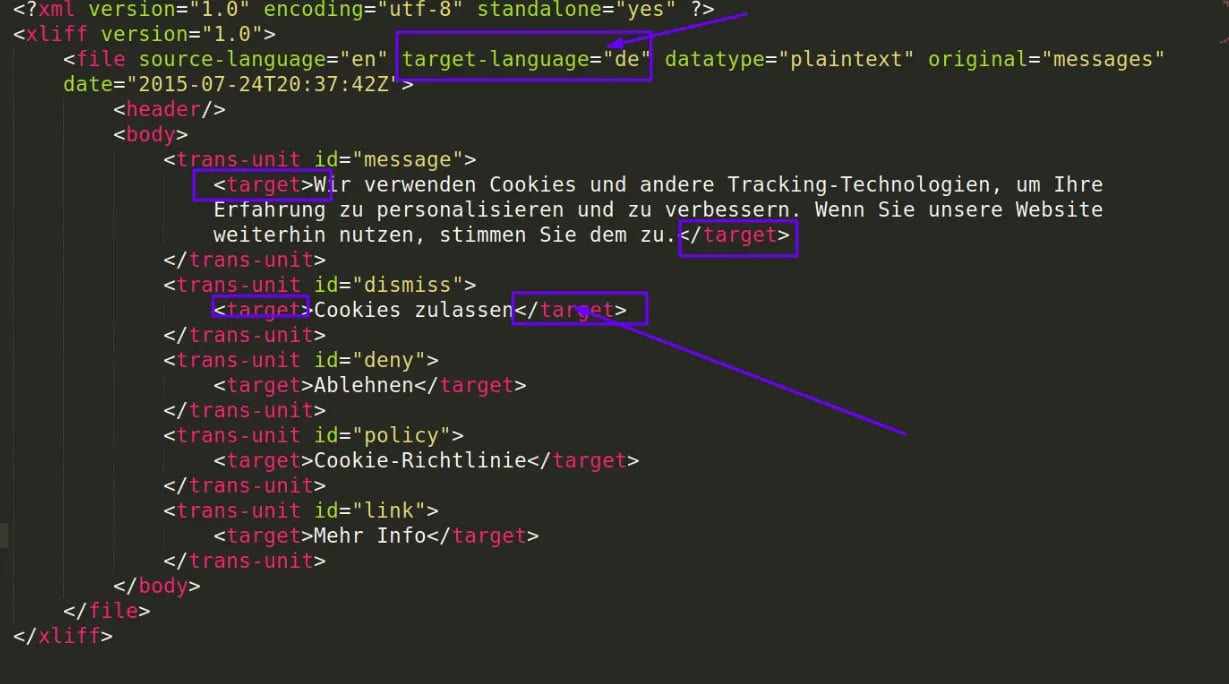
- To make translation in another language, create the second language file by creating a copy of locallang.xlf at same folder. For example, de.locallang.xlf
-
- Now you can change labels and text as per new language as highlighted in below screenshot: