

Migrate from EXT.gridelements to EXT.container
Latest version of TYPO3 templates products have major breaking changes to migrate from outdated EXT.gridelements to modern EXT.container. Please take a look at the step-by-step migration guide below. Step 1. Open System → T3Planet Shop (TYPO3 v12/v13: Admin Tools → T3Planet Shop; older versions: NITSAN > License Manager) and update to latest version of EXT.ns_theme_name Step 2. Update EXT.ns_basetheme atleast version Step 3. Go to Admin Tools > Maintenance module > Clear cache. Also, click on the “Dump Autoload” button. Or run the below command for the composer-based TYPO3 instance.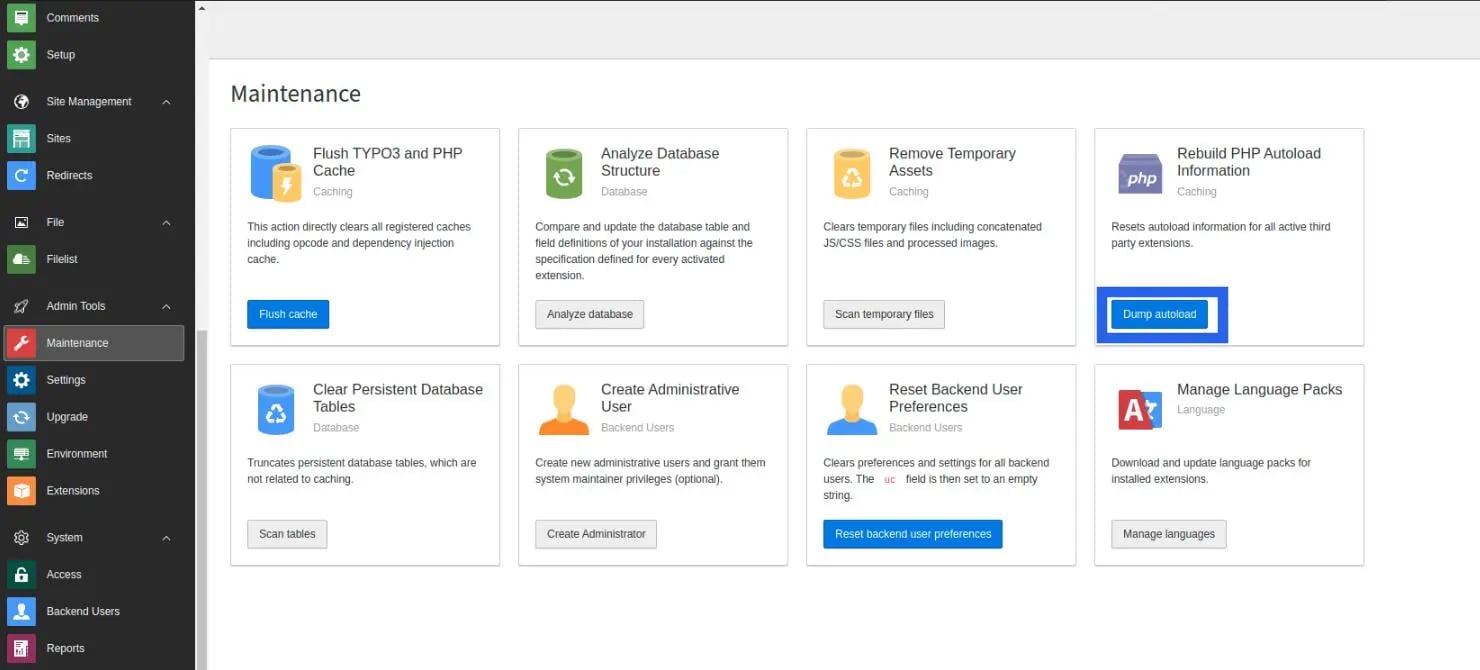
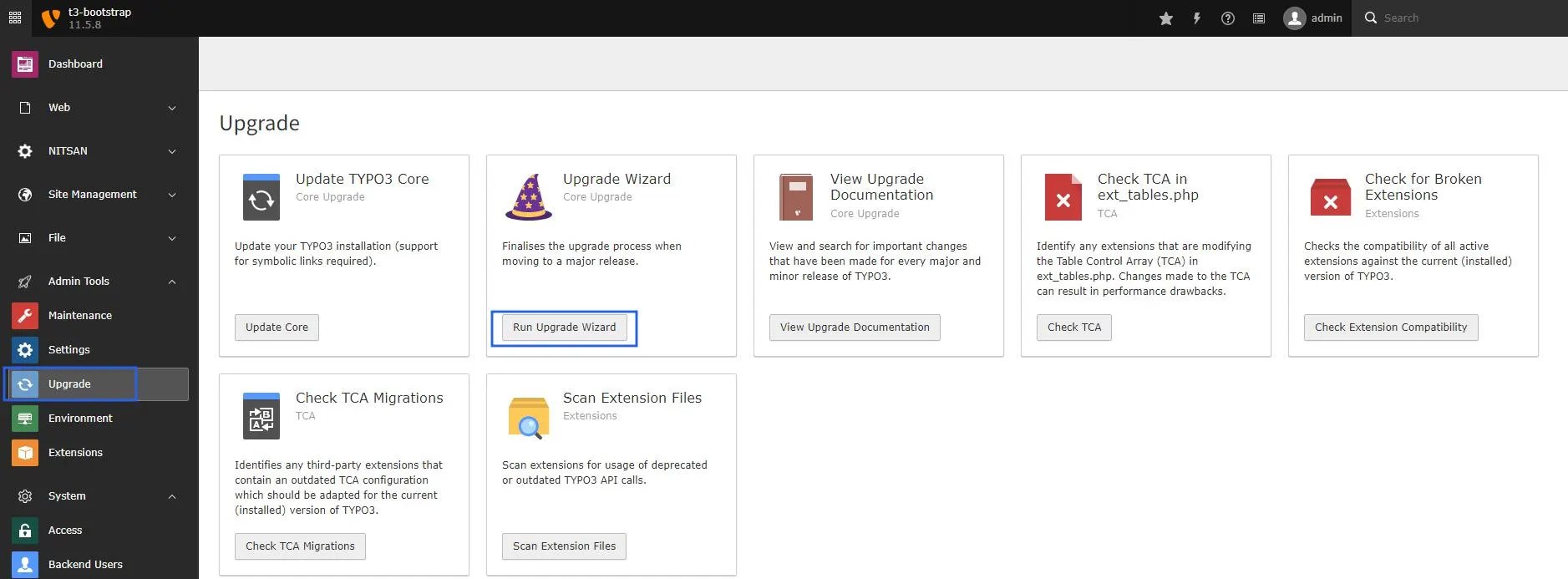
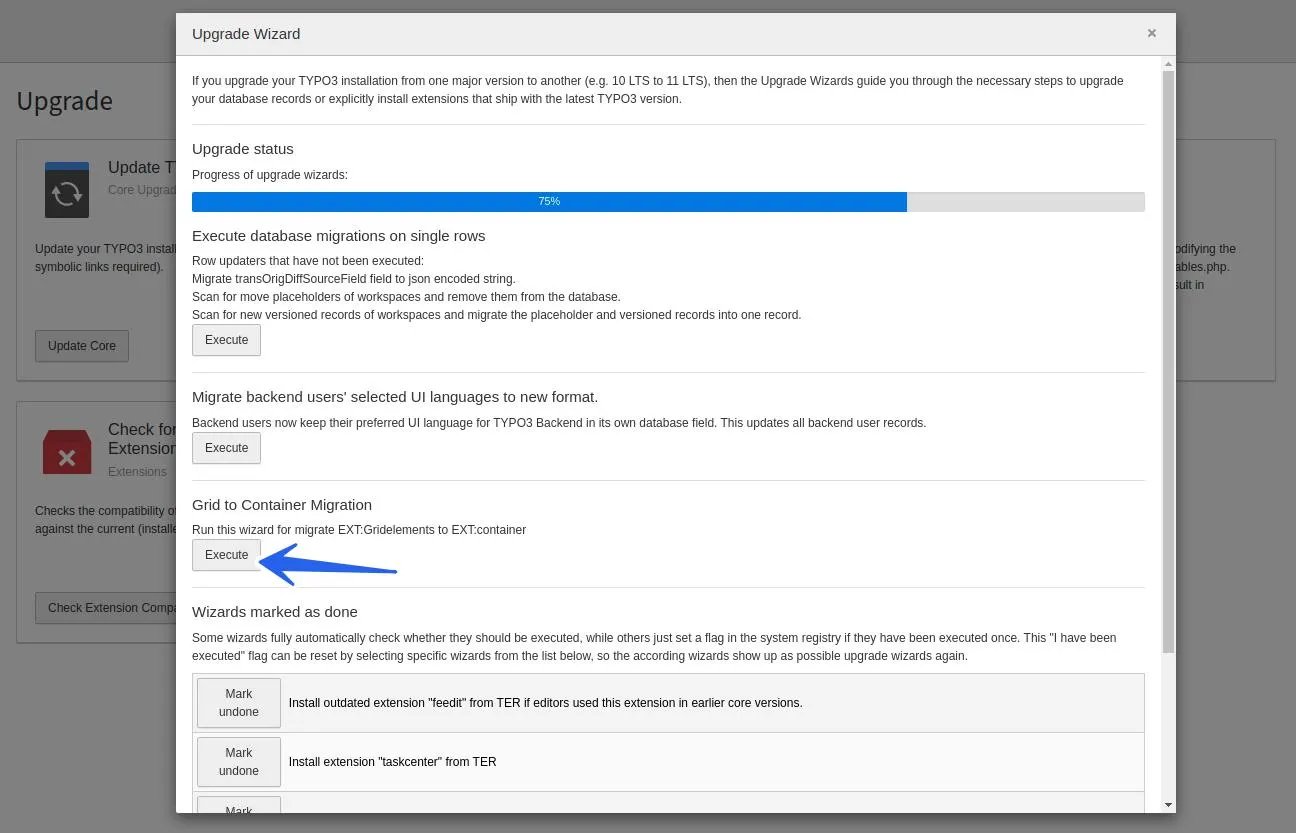
After Migration follow below step for Upgrade v12
Step 1. Export the full database after the migration. Step 2. Set up fresh TYPO3 v12 and import the database. Step 3. Activate the template using a license key.Upgrade Product ≥ v13.1.0 (Migration from FlexForm Elements to Content Blocks)
- Open System → T3Planet Shop (TYPO3 v12/v13: Admin Tools → T3Planet Shop) and update Theme (EXT) to the latest version.
- Make sure the Content Blocks extension (EXT) is installed, as it is required for this migration.
- Go to Admin Tools → Maintenance module and clear the cache. Also, click on the Dump Autoload button. For composer-based TYPO3 installations, run the following command:
- Go to Admin Tools → Upgrade and click Run Upgrade Wizard.
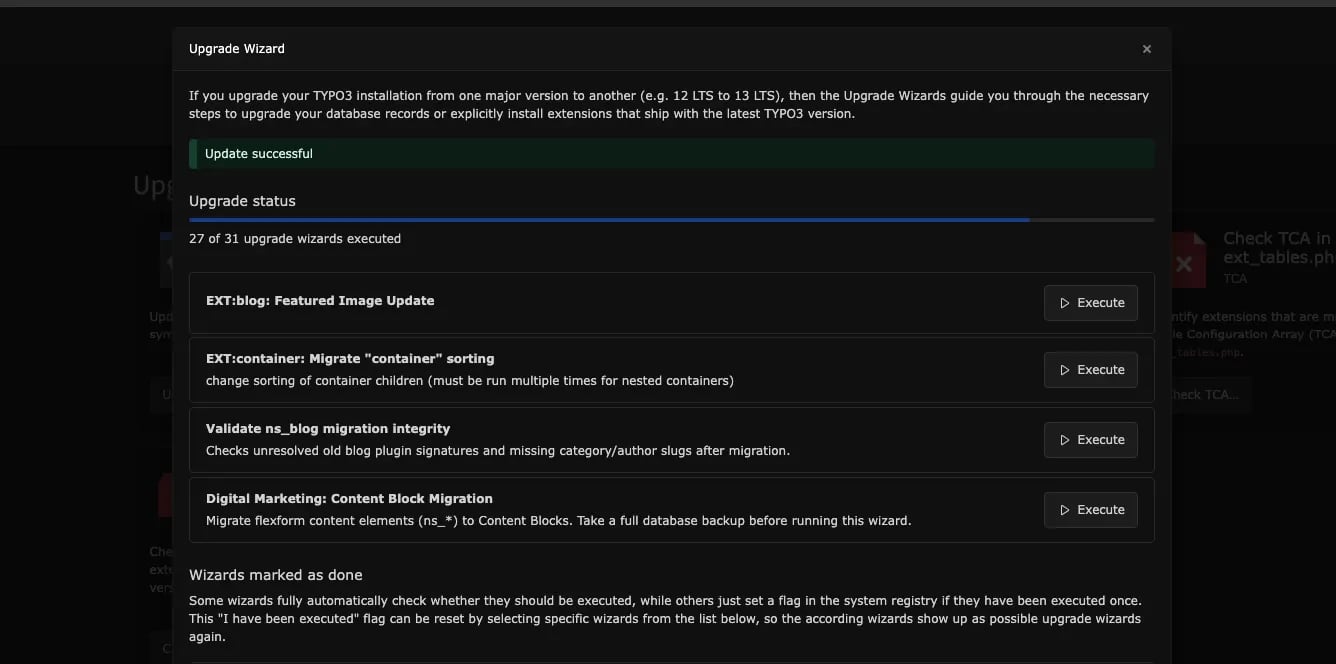
- Click the Execute button for theme: Content Block Migration.