Installation
Just install this extension the usual way like any other TYPO3 extension.For Premium Version - License Activation
To activate license and install this premium TYPO3 product, Please refere this documentation License documentationFor Free Version
-
Get the extension
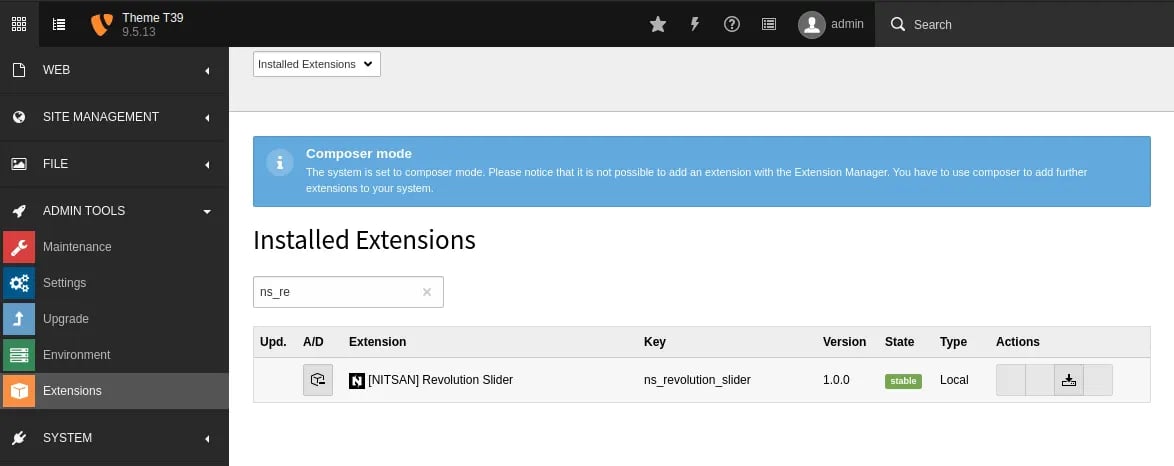
In the TYPO3 backend you can use the extension manager (EM).
- Switch to the module “Extension Manager”.
- Get the extension
- Get it from the Extension Manager: Press the “Retrieve/Update” button and search for the extension key ns_revolution_slider and import the extension from the repository.
- Get it from typo3.org: You can always get the current version from https://extensions.typo3.org/extension/ns_revolution_slider/ by downloading either the t3x or zip version. Upload the file afterwards in the Extension Manager.
-
Activate the TypoScript
The extension ships some static TypoScript code which needs to be included.
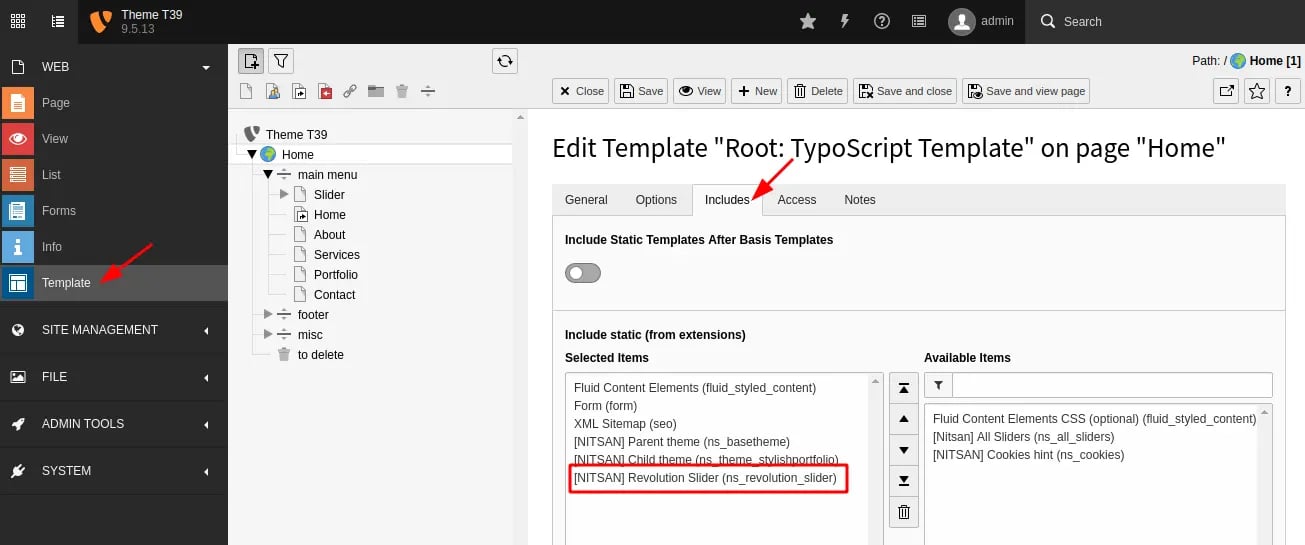
- Switch to the root page of your site.
- Switch to the Template module and select Info/Modify.
- Click the link Edit the whole template record and switch to the tab Includes.
- Select [NITSAN] Slider Revolution (ns_revolution_slider) at the field Include static (from extensions):
-
Buy License from ThemePunch
- Get License version of Resolution Slider jQuery from https://revolution.themepunch.com/jquery/
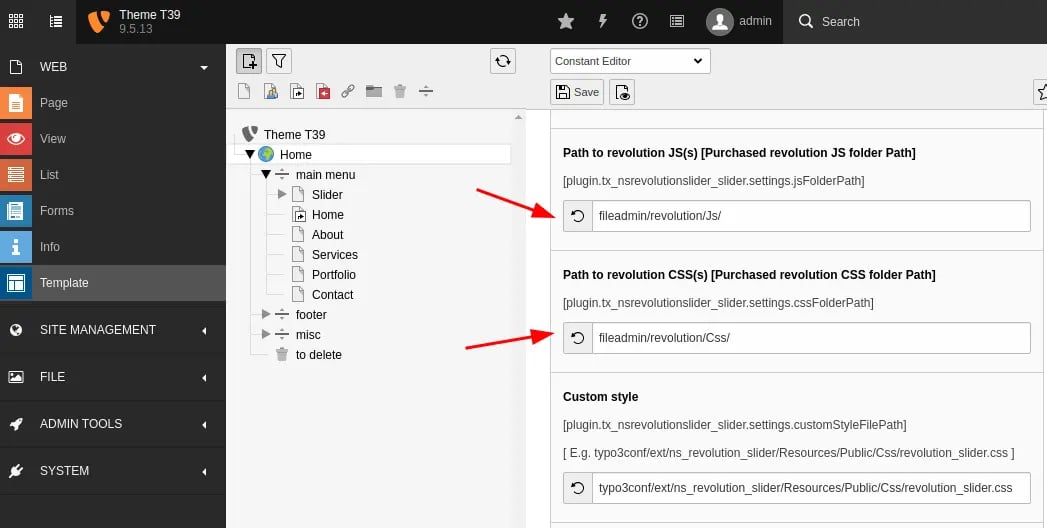
- Go to Web > Template > Choose PLUGIN.TX_NSREVOLUTIONSLIDER_SLIDER (13)
- Set JS and CSS files path of your purchased Slider Revolution (see below screenshot)