

Dashboard
Path: AI Foundation > Dashboard Use the switch at the top of the Dashboard to view Own API Keys or T3Planet Credits. The credits view shows a T3PLANET CREDITS MODE banner with the period filter. The Credit Balance card has the buttons Top up and Manage. Both open AI Foundation → AI Providers, where you buy credits and see the details.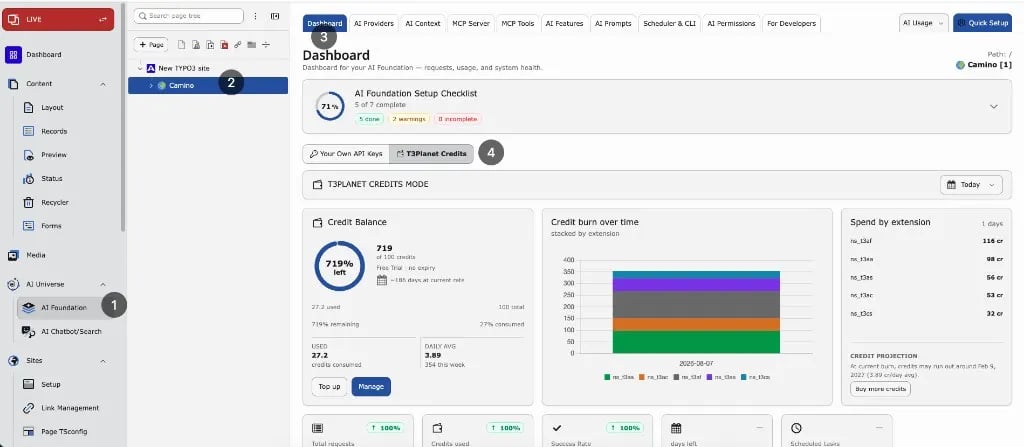
What it shows
- Credit balance — remaining credits from T3Planet
- Usage charts — credit use and requests for the selected period
- KPI cards — requests, tokens, credits used, success rate
- Recent requests — the latest AI requests from the local request log for the current period filter (not a fixed “last hour” window). See AI Usage below for the full filterable history.
Period filter
Use Today, Yesterday, 7 / 14 / 30 days, or a custom range. Charts, KPIs, and the recent-requests list follow this filter.Credits panel on AI Providers
Path: AI Foundation > AI Providers (Credits active) This page has the most detail about your credits:- Credit Balance — credits left and Buy more credits
- Credits used, Daily average, Est. remaining days — a forecast from recent use
- AI Credit Bundles — plans and top-ups. See Buy credits
- Credit Costs per Operation — what each AI action costs
- Recent AI Usage — charges on this site. Filter by Entry type (All, Debit, Credit). Purchases appear after the next sync with T3Planet.
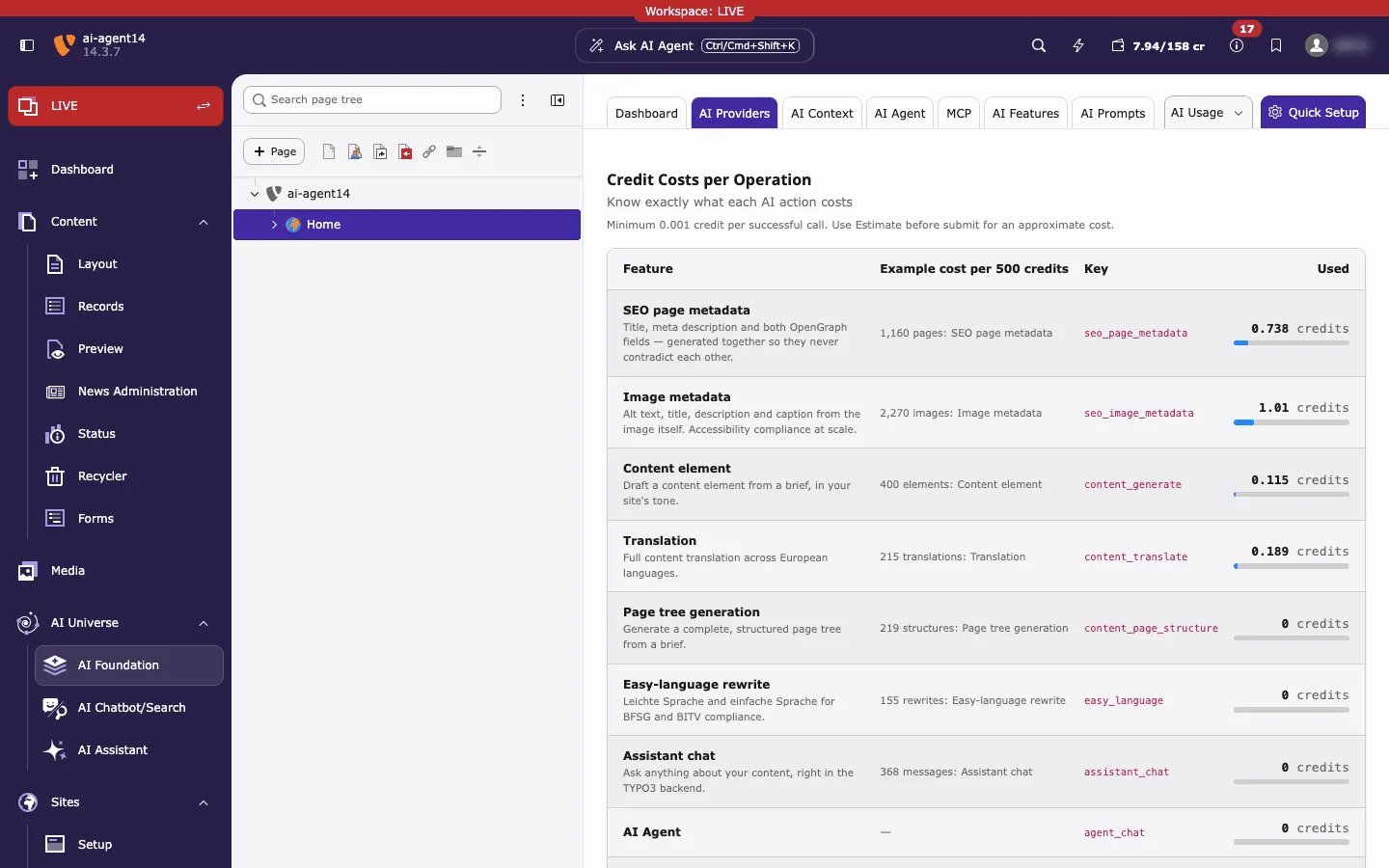
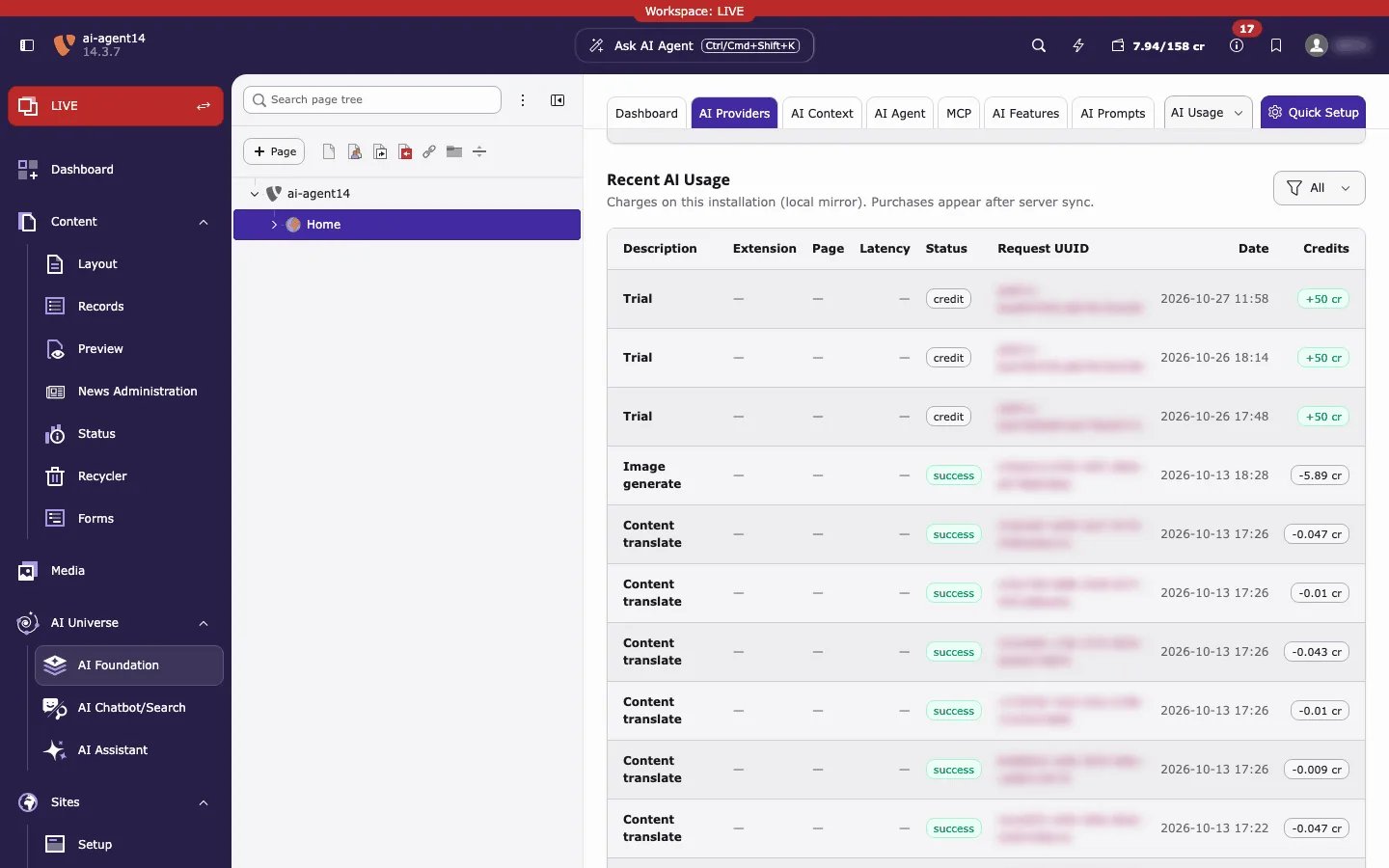
Recent AI Usage is a copy kept on this installation. If you connect a different credits account with a claim code, the copy is cleared and refills from the new account.
AI Usage
Path: AI Foundation > AI Usage Use AI Usage to confirm that AI calls ran through AI Credits and to inspect individual requests.What to look for
For Credits traffic, the provider value is:t3planet_credits
Column glossary
- Module / extension — which product triggered the call (for example T3 AI, AI Search, AI Chatbot)
- Model — model used for that request
- Tokens — input and output token count
- Credits — credits charged for a successful Credits request
- Status — success or error for that call
- Provider —
t3planet_creditswhen Credits handled the request; otherwise your own API provider id
Filter and search
In AI Usage, narrow the log by:- Date range — same period idea as the Dashboard (today, last N days, or custom)
- Provider — filter to
t3planet_creditsto see only Credits traffic - Status — success vs failed/error rows
- Module / extension — when you need traffic from one product only
How to verify Credits
- Activate Credits.
- Run one AI action that uses AI Foundation — for example, generate a meta description in T3 AI.
- Open AI Usage.
- Filter by provider
t3planet_credits(or scan the latest rows). - Confirm a new row for that action.