

You can buy credits right in the TYPO3 backend. Go to AI Foundation → AI Providers → AI Credit Bundles and click Buy.You can also buy on t3planet.de/ki-credits.After every purchase, in the backend or on the website, T3Planet emails you a claim code. Then open AI Foundation → AI Providers, click Use a claim code on the T3Planet Credits card and paste the code. See Use a claim code.
Buy from the TYPO3 backend
First check that T3Planet Credits is active on the AI Providers page. It shows a green Active badge. If it does not, see Configuration.1
Click Buy more credits
Open AI Foundation → AI Providers. Find the Credit Balance box and click Buy more credits. The page scrolls down to the bundles.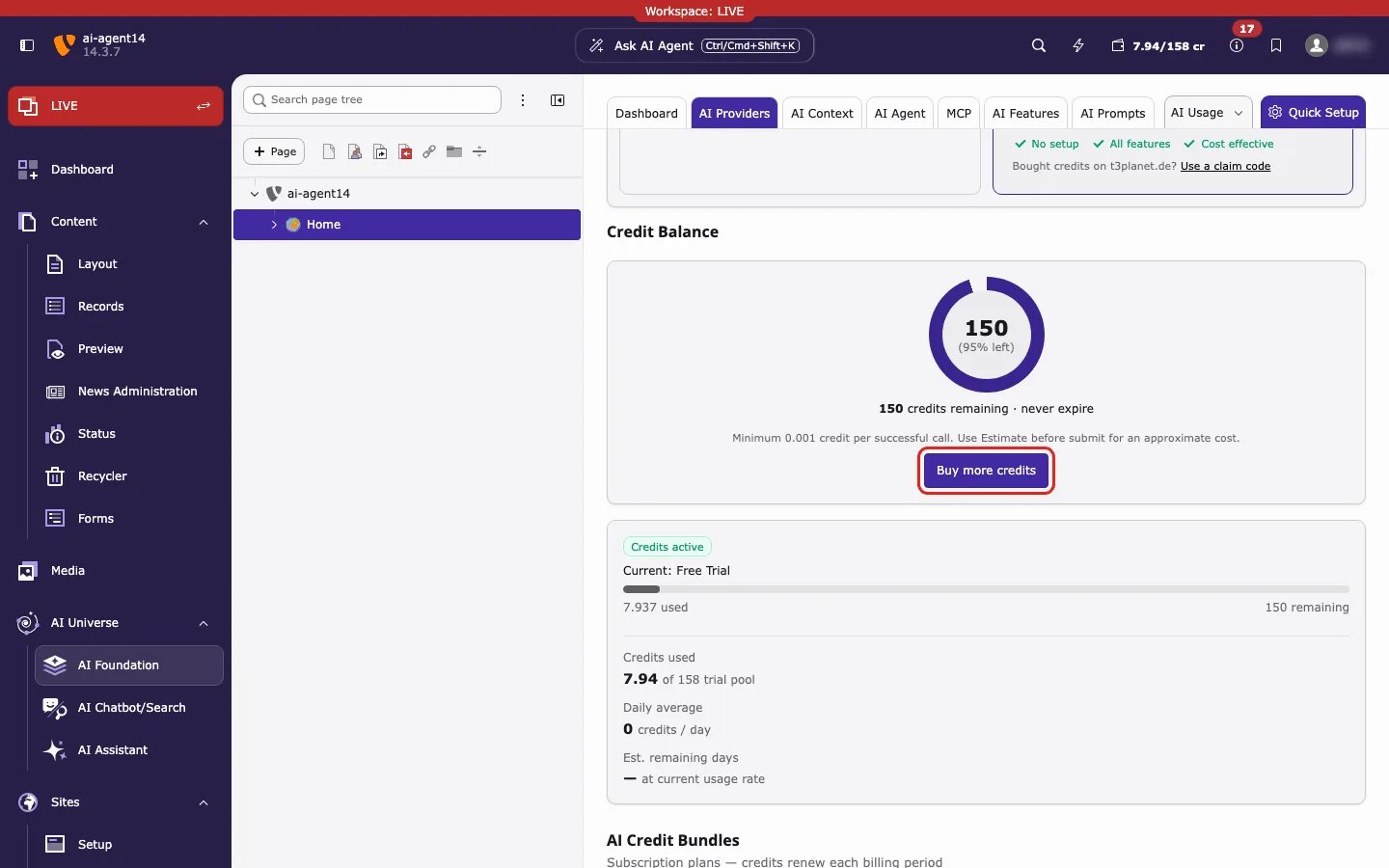
2
Choose a bundle
In AI Credit Bundles, choose a tab. Plans renew every month or year. Top-ups are one-time packs. Click Buy on the bundle you want.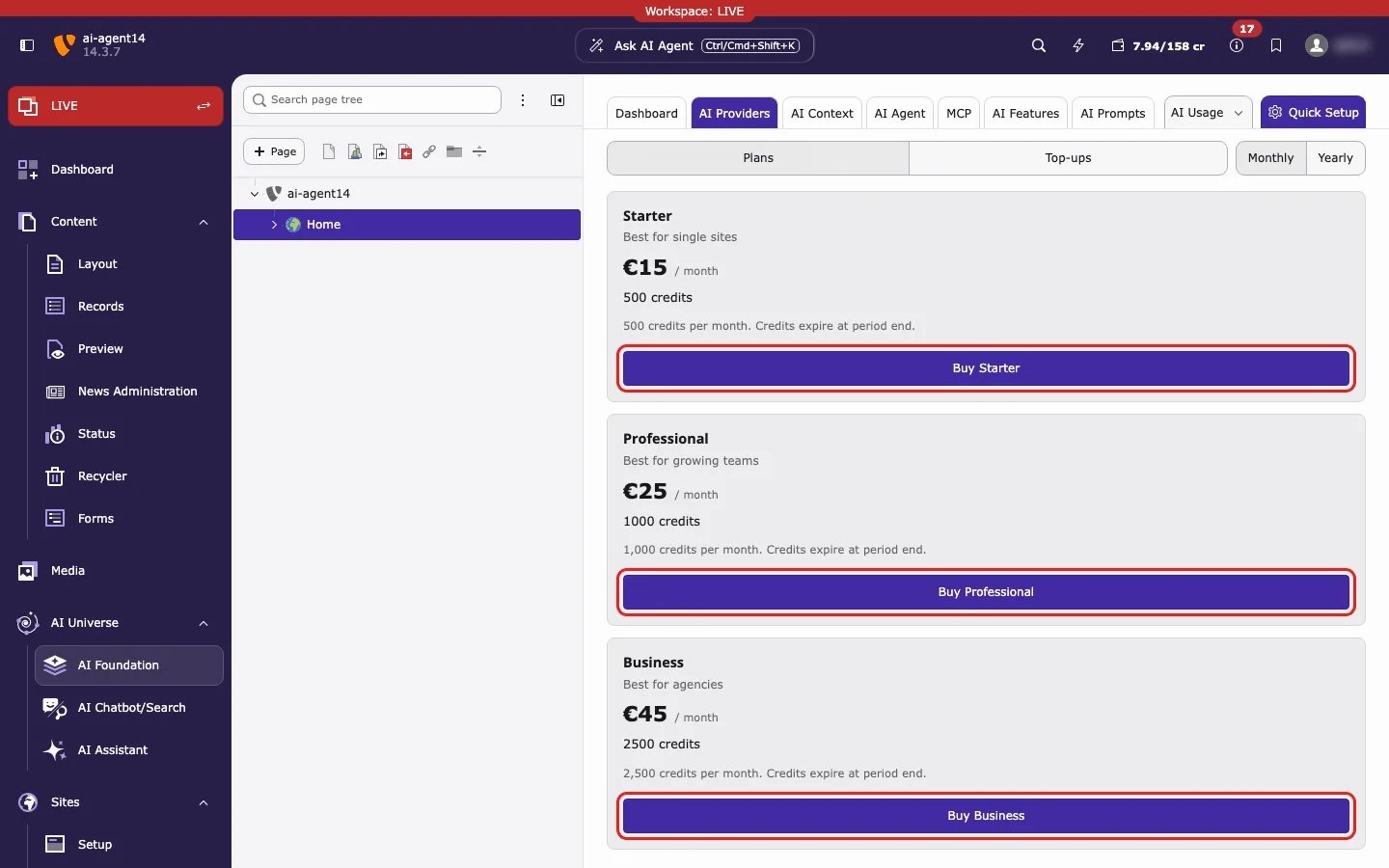
3
Pay in the checkout window
A Secure Checkout window opens inside the backend. Enter your name, email and billing address, then pay. Click Close to leave without buying.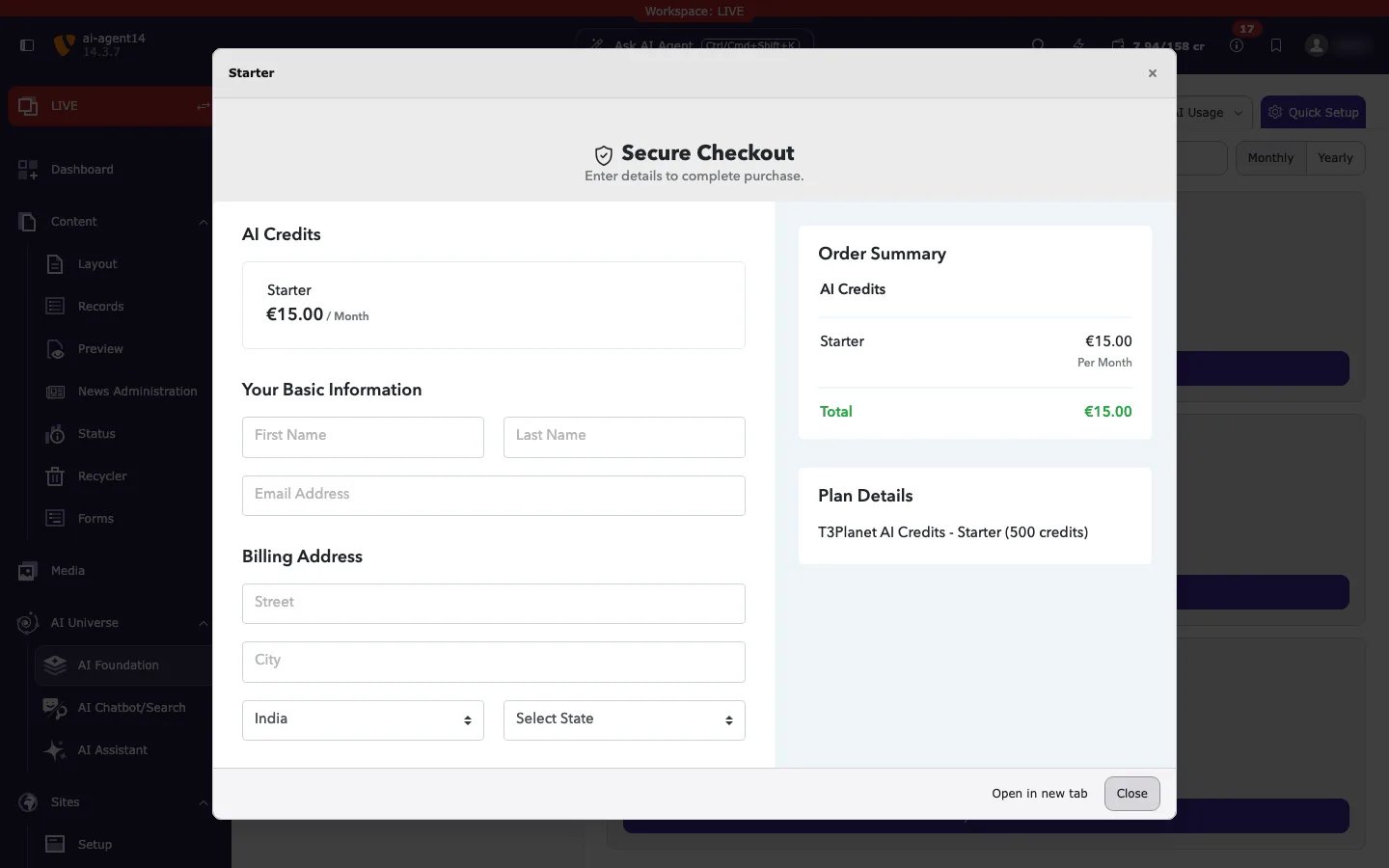
4
Use your claim code
After the payment, check your email. T3Planet sends you a claim code. Click Use a claim code on the T3Planet Credits card, paste the code and click Connect this site. Your credits then show in Credit Balance. If the backend already shows Credits purchase applied, your balance also updates by itself. Keep the email as a backup. Full steps: Use a claim code.
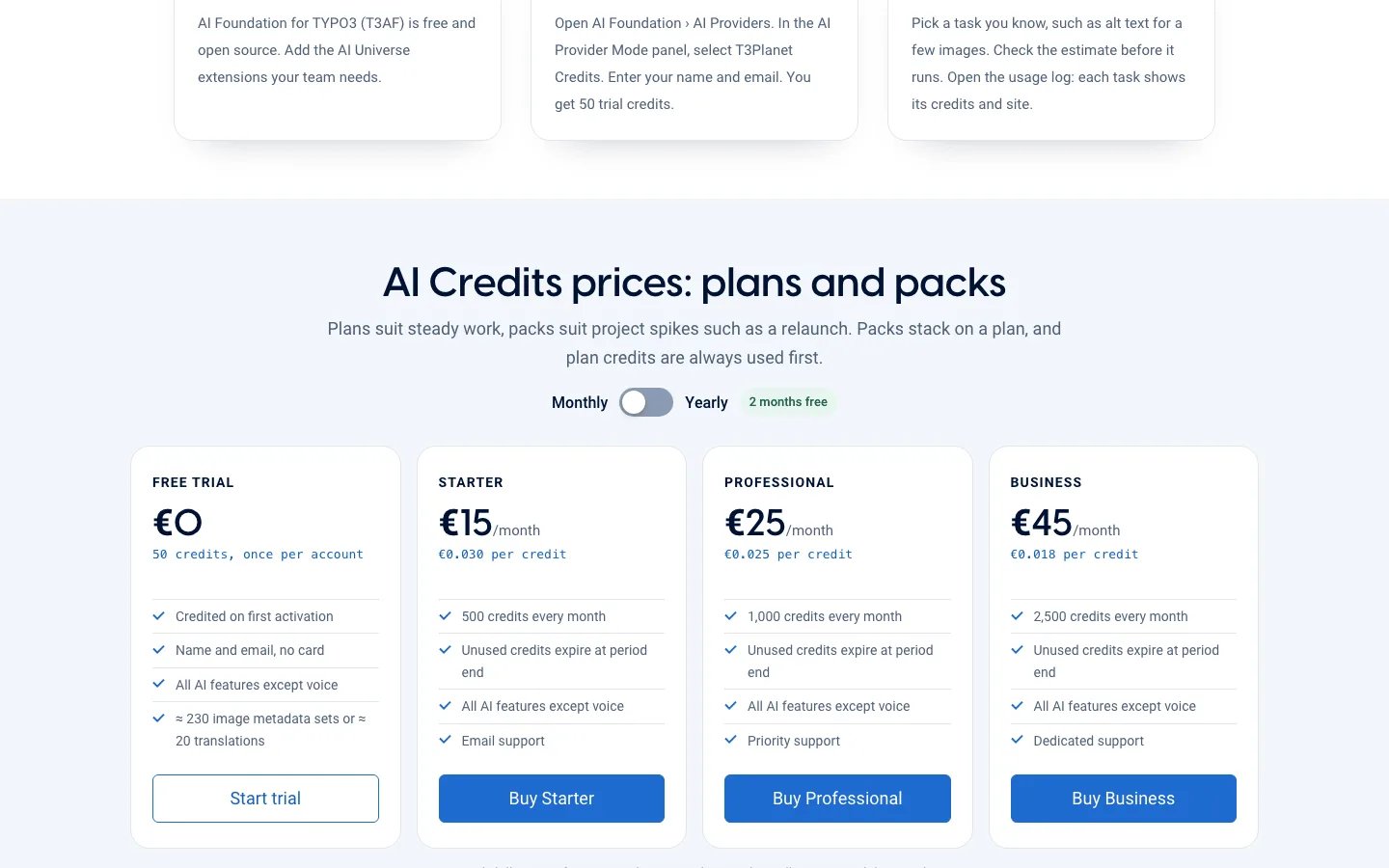
Plans and prices
Yearly plans cost €150, €250 and €450. Plan credits expire at the end of each period. Top-up credits expire on 31 December of the third year after you buy them.
These are the prices shown in the backend on 27 October 2026. They may change on the website. The backend and t3planet.de/ki-credits always show the current prices.
Buy on the website
- Open t3planet.de/ki-credits. Choose a plan or a pack and buy it. Every new account also gets 50 free trial credits once.
- Find the claim code in the email from T3Planet.
- In TYPO3, click Use a claim code and paste it. Steps are on Use a claim code.
Messages after checkout
Messages after checkout
The backend shows a short message at the top of the page:
- Credits purchase applied. Your balance will update shortly. The payment worked.
- Payment pending — credits will be added once your bank transfer clears. Credits arrive when T3Planet receives the money.
- Credits purchase could not be completed. Please try again or contact support. Nothing was bought. Try again or contact Support.